KaneAI
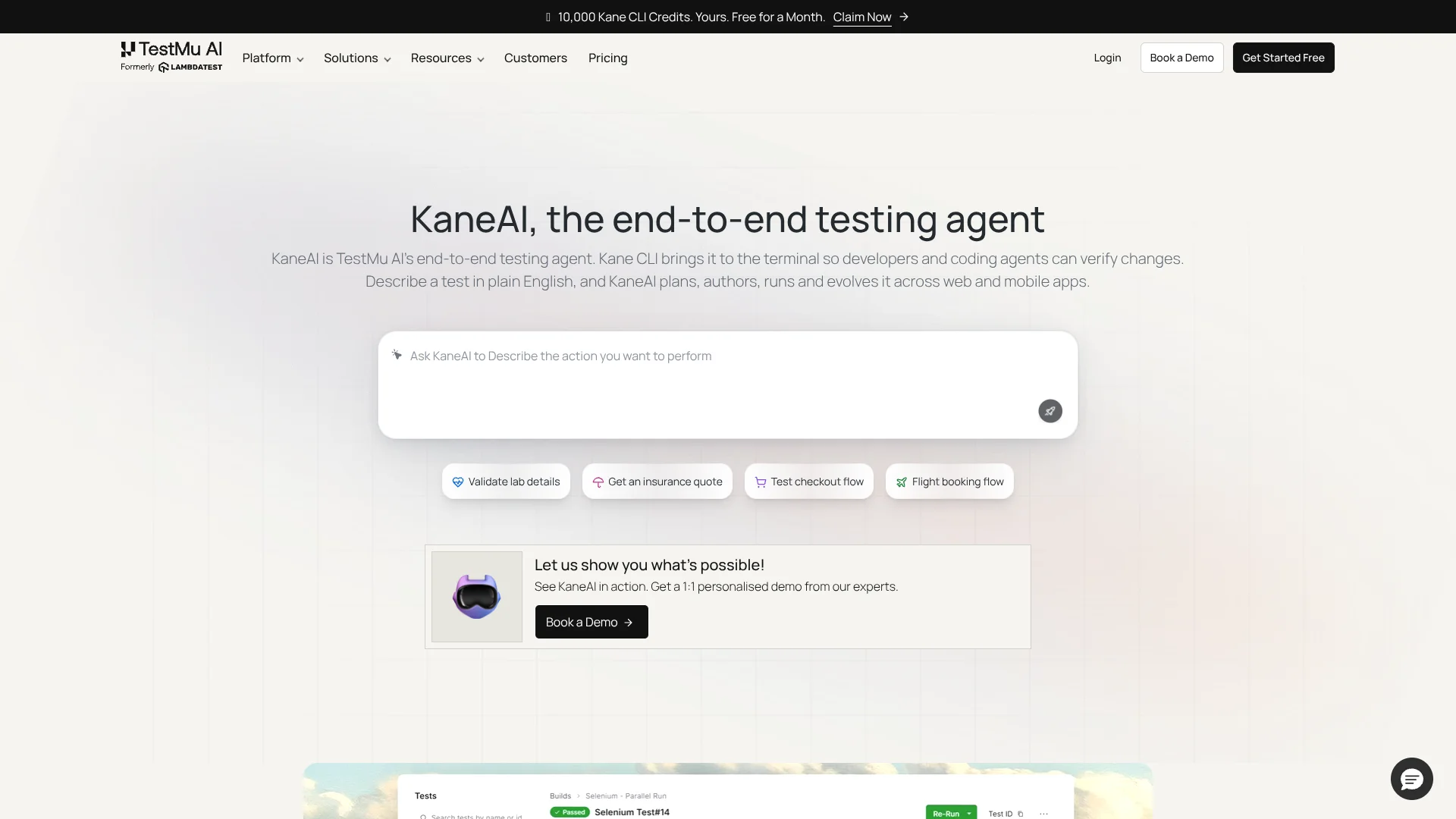
Turn plain-language app requirements into reviewable automated tests.
Key Takeaways
- What it is
- Turn plain-language app requirements into reviewable automated tests.
- Pricing
- $17 per agent per month, billed annually · $89 per agent per month, billed annually · $179 per agent per month, billed annually
- Best for
- Natural-language test authoring
- Test scenario generation
- Self-healing tests
- Rating
- 4.4/5
What is KaneAI?
KaneAI turns a plain-language test idea or a requirement such as a Jira ticket into steps it can run against a web or mobile app. It is made for quality engineering teams and developers who want to spend less time writing and maintaining test scripts. The AI drafts a test plan for review, runs approved tests in browsers or devices, and can update steps when an app’s interface changes.
A test can check a user interface alongside API and database behavior, then export generated tests as Selenium, Playwright, or Appium code. That gives teams a way to start with natural-language instructions while keeping code they can review and use in those testing frameworks.
KaneAI is a strong fit for teams testing web and mobile user journeys that change often. It is not fully hands-off: people review its test plans, and sites that block cloud browsers with CAPTCHA challenges may need configuration changes before tests can proceed. It works best when teams want AI to speed up test creation without giving up review or exported code.
Who is Using KaneAI?
QA automation engineers
A natural-language test plan can give them a starting point for automated web and mobile checks.
Software developers
Local and command-line testing helps them check app behavior as they make changes.
Quality engineering leads
Test Manager results and shareable summaries help them review runs and track test work.
API testers
API checks can be included alongside user-interface steps in a test run.
Uncommon Use Cases
A screenshot can seed structured test scenarios; database queries can help generate checks for edge cases.
Key Features
Rating Breakdown
Pricing Plans
KaneAI Starter
$17 per agent per month, billed annually
- Monthly billing: $19 per agent per month.
- 2,000 credits per month per agent.
- Local authoring through Kane CLI and 1 Test Manager seat per agent.
KaneAI Pro
$89 per agent per month, billed annually
- Monthly billing: $99 per agent per month.
- 12,000 credits per month per agent.
- Cloud KaneAI Web authoring, 1 Test Manager seat per agent, and 100 HyperExecute execution minutes per month.
KaneAI Max
$179 per agent per month, billed annually
- Monthly billing: $199 per agent per month.
- 25,000 credits per month per agent.
- Cloud KaneAI Web and Mobile authoring, 1 Test Manager seat per agent, and 300 HyperExecute execution minutes per month.
Enterprise
- Unlimited credits.
- Includes SSO, dedicated proxy, and support.
Which KaneAI plan should you pick?
Start with Starter for local Kane CLI authoring; move to Pro for cloud web authoring or Max when you need cloud mobile authoring.
KaneAI Starter
For individual developers who need local authoring through Kane CLI and 2,000 credits per agent each month.
KaneAI Pro
For people or small teams that need cloud web authoring, 12,000 monthly credits per agent, and 100 HyperExecute execution minutes per month.
KaneAI Max
For teams that need cloud web and mobile authoring, 25,000 monthly credits per agent, and 300 HyperExecute execution minutes per month.
Enterprise
For organizations needing custom terms, unlimited credits, or features such as SSO.
KaneAI Use Cases
Turn requirements into test cases
A Jira ticket, PRD, or other supported file becomes structured scenarios for a team to review.
Outcome: Structured test cases based on the supplied requirement.
Check a web or mobile user journey
A natural-language description becomes a test that follows and checks an end-to-end app flow.
Outcome: An executable test run with results saved to Test Manager.
Test UI changes alongside APIs
A user journey can include API checks so teams can validate more than what appears on screen.
Outcome: UI and API checks in the same test flow.
Maintain tests as an interface changes
When UI elements or locators shift, KaneAI can update affected steps and present the changes for review.
Outcome: Updated test steps with changes available for review.
Keep generated tests in an existing framework
Teams can export generated tests instead of keeping every test only in KaneAI.
Outcome: Selenium, Playwright, or Appium code.
Workflow Ideas with KaneAI
From Jira ticket to approved test
- 1Provide a Jira ticket or requirement.
- 2Review and adjust the scenarios KaneAI drafts.
- 3Approve the plan and run the test.
Check a change in a pull request
- 1Mention KaneAI in a GitHub pull request using its validation prompt.
- 2Let KaneAI read the change and generate tests.
- 3Review the run results posted in the pull request thread.
Export an AI-authored test to your framework
- 1Describe the app flow and review the generated test.
- 2Export the test to Selenium, Playwright, or Appium.
- 3Run and maintain the exported code in your existing test workflow.
How KaneAI fits into your stack
Test planning
Jira tickets, PRDs, PDFs, screenshots, and spreadsheets can provide the material for structured test scenarios.
Web and mobile testing
KaneAI authors tests in natural language and runs them across supported browsers and mobile environments.
CI/CD and command line
Kane CLI brings natural-language web and mobile testing to terminal-based workflows and CI pipelines.
Test management
Test runs are saved in Test Manager, where each run also has a shareable summary link.
Existing test frameworks
Generated tests can be exported to Selenium, Playwright, or Appium for teams that want framework code.
Pros
- +Requirements to test cases: Jira tickets and common planning files can become structured scenarios.
- +Review before execution: Test plans can be checked and edited before a run.
- +Checks across layers: A test can combine user-interface steps with API and database checks.
- +Code ownership: Generated tests can be exported to established testing frameworks.
Cons
- −Human review remains part of the process: The agent does not run test plans without approval.
- −Credit-based plans: Test authoring and other AI actions draw on monthly credits.
- −Cloud-browser friction: CAPTCHA protections can block tests until the site or test environment is configured.
Limitations & when to consider alternatives
Known limitations
- CAPTCHA and bot protection. Cloud browser sessions can be blocked by CAPTCHA or other bot protections; the vendor recommends allowing its cloud traffic or adjusting the test environment.
- Private or local applications. Applications on a private network, behind a VPN, or on localhost need the TestMu AI Tunnel rather than public cloud IP allowlisting.
- Test plans require approval. KaneAI requires review and approval of its drafted test plan before execution.
- Credit-based usage. Starter, Pro, and Max include different monthly credit amounts per agent, so usage depends on the plan’s credit allowance.
Look elsewhere when
- You need CAPTCHA challenges solved automatically during a cloud test.
- Your team needs a native KaneAI mobile app or browser extension.
How to Use KaneAI
- 1
Sign in to TestMu AI
KaneAI is accessed through a TestMu AI account; the product page offers a demo for seeing it with your application.
- 2
Start with a test objective
Describe the web or app flow in natural language, or provide a supported requirement such as a Jira ticket or PRD.
- 3
Review the proposed plan
Check and edit KaneAI’s drafted steps before approving a run.
- 4
Run the test
Run the approved test on a supported browser or mobile testing environment and inspect its result in Test Manager.
- 5
Handle changes and failures
Review proposed updates to affected steps, or pause a run to correct a step.
- 6
Export code if needed
Export generated tests to Selenium, Playwright, or Appium when you want them in an existing framework.
Who is KaneAI For?
Quality engineering teams
Test teams can turn requirements into reviewable automated checks and maintain them as interfaces change.
Developers
Developers can describe a web or mobile flow, run it locally or in a testing pipeline, and export generated tests as code.
Teams testing mobile apps
Teams can author tests for mobile apps and run them on supported mobile testing environments.
Teams with existing test frameworks
Groups using Selenium, Playwright, or Appium can export generated tests to those frameworks.
Frequently Asked Questions
Is KaneAI free?
KaneAI’s listed Starter, Pro, and Max plans are paid. The vendor describes a 14-day free trial; the trial is not a free ongoing plan.
How is KaneAI priced?
The plans are licensed per agent and include different monthly credit allowances. Monthly billing is available, and the pricing page also lists lower per-month rates billed annually.
Which test frameworks can KaneAI export to?
KaneAI lists Selenium, Playwright, and Appium as export options.
Can KaneAI test instructions be written in other languages?
Yes. The vendor says KaneAI can accept instructions in any language and translate them into English to understand the request.
Can KaneAI run tests on sites protected by CAPTCHA?
Cloud browser sessions may be blocked by CAPTCHA protections. TestMu AI recommends allowing its cloud traffic or using a test environment with the challenge disabled or configured for testing.
Community reviews
Be the first to share your experience.
Sign in to leave a review for KaneAI.
KaneAI Alternatives
Looking for alternatives to KaneAI? Here are similar tools in the same category: