
iZotope RX
Audio repair for rescuing damaged dialogue when rerecording isn't possible.
Key Takeaways
- What it is
- Audio repair for rescuing damaged dialogue when rerecording isn't possible.
- Pricing
- $99 one-time · $399 one-time · $1,399 one-time
- Best for
- Scene Rebalance
- Stems View
- Repair Assistant
- Rating
- 4.4/5
What is iZotope RX?
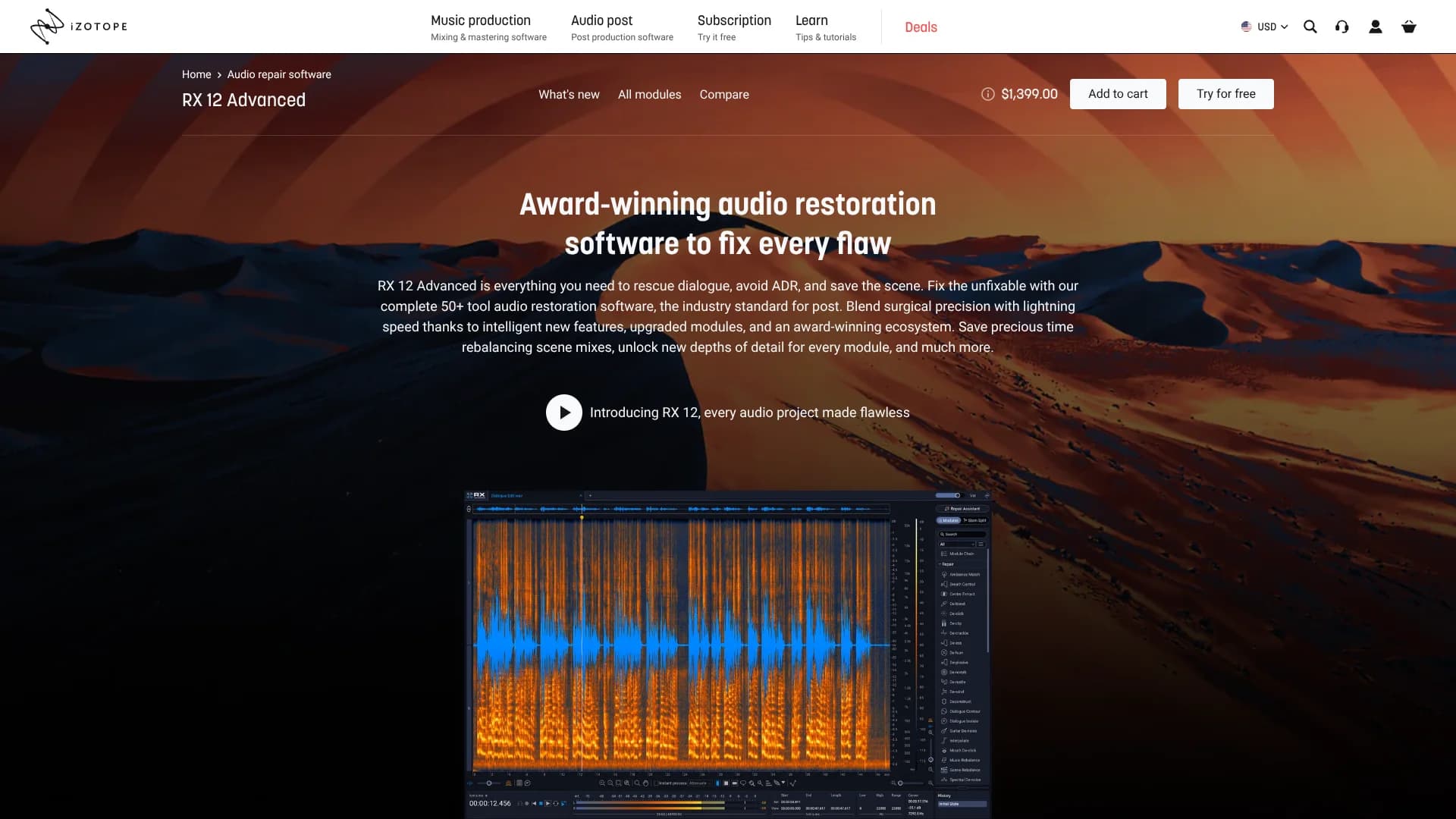
iZotope RX 12 Advanced repairs damaged, noisy, or poorly recorded audio through a standalone editor and a large set of DAW plugins. It targets post-production, music, broadcast, podcasts, video games, and other projects where rerecording is difficult or impossible. Its machine learning tools can isolate dialogue, separate stems, reduce noise, and restore details while keeping manual spectral editing available.
Scene Rebalance can independently adjust dialogue, music, and effects from a finished post-production mix, even when separate stems are unavailable.
RX 12 Advanced fits dialogue editors, re-recording mixers, forensic audio specialists, and producers handling demanding restoration work. It is expensive and takes time to learn, especially when you move beyond Repair Assistant into detailed spectral repair. The payoff is unusually deep control over difficult audio problems inside both its editor and supported host applications.
Who is Using iZotope RX?
Dialogue Editors
Cleaner production dialogue comes from Dialogue Isolate, Spectral Repair, De-rustle, and other targeted modules.
Re-Recording Mixers
Scene Rebalance helps reshape dialogue, music, and effects when the original stems are missing.
Music Producers
Music Rebalance can adjust vocals, bass, drums, and instruments for remixes or alternate versions.
Podcast Producers
Repair Assistant and noise reduction help polish interviews and spoken-word recordings before release.
Forensic Audio Experts
Detailed spectral views and manual repair controls support close examination of problematic recordings.
Uncommon Use Cases
Restoring archival film and television audio; removing amp hum, finger squeaks, or picking noise from guitar recordings.
Key Features
Rating Breakdown
Pricing Plans
RX 12 Elements
$99 one-time
- Includes 6 repair plugins.
- Includes the intelligent Repair Assistant.
RX 12 Standard
$399 one-time
- Includes 18 pro audio restoration plugins.
- Includes spectral editing, Spectral Repair, noise reduction, De-hum, De-click, and De-clip.
RX 12 Advanced
$1,399 one-time
- Includes the complete 50-plus-tool audio restoration suite.
- Adds Scene Rebalance, Trim Silence, Ambience Match, Dialogue Isolate, stem separation, and advanced noise reduction.
Which iZotope RX plan should you pick?
Choose RX 12 Elements for basic repairs, RX 12 Standard for regular production cleanup, or RX 12 Advanced when you need the full post-production toolkit and exclusive scene-rebalancing features.
RX 12 Elements
Good for common recording problems and guided repairs through six essential plugins.
RX 12 Standard
Good for producers and editors who need spectral editing, noise reduction, and a broader set of restoration plugins.
RX 12 Advanced
Good for professional post-production and restoration work that requires Scene Rebalance, Ambience Match, Trim Silence, and the complete suite.
iZotope RX Use Cases
Production Dialogue Rescue
Noisy location recordings become clearer through Dialogue Isolate, De-rustle, De-hum, and spectral editing.
Outcome: More usable dialogue with fewer replacement recordings.
Finished Mix Rebalancing
A completed scene can be separated into dialogue, music, and effects for targeted level changes.
Outcome: A more flexible mix even when original stems are missing.
Music Stem Separation
Music Rebalance isolates vocals, bass, drums, and other parts of a mastered track.
Outcome: Instrumentals, remixes, and cleaner mix revisions.
Podcast Cleanup
Fan noise, clicks, mouth sounds, hum, and room problems can be reduced before publishing.
Outcome: Cleaner spoken-word audio with fewer distracting flaws.
Long-File Editing
Trim Silence detects and removes extended gaps from interviews, audiobooks, and similar recordings.
Outcome: Shorter files with less manual cutting.
Workflow Ideas with iZotope RX
Repair a Noisy Interview
- 1Open the interview in the RX Audio Editor.
- 2Run Repair Assistant to identify noise and speech problems.
- 3Refine the suggested settings with Dialogue Isolate or Spectral Repair, then export the cleaned file.
Fix Dialogue in a Finished Scene
- 1Open the mixed scene in RX 12 Advanced.
- 2Create separate dialogue, music, and effects stems with Scene Rebalance.
- 3Process the dialogue stem and export the revised stems or a single audio file.
Clean Audio Inside a DAW
- 1Insert an RX plugin such as De-click, Voice De-noise, or Dialogue Isolate on the problem track.
- 2Adjust the module while monitoring the result in the host application.
- 3Render or commit the repaired audio before continuing the mix.
How iZotope RX fits into your stack
Standalone Editor
The RX Audio Editor is the main workspace for detailed spectral repair, batch processing, stem work, and file export.
DAW and NLE Plugins
RX loads inside supported audio and video applications through AAX, AU, VST3, and selected ARA formats.
Video Post
Confirmed hosts include Adobe Premiere Pro, DaVinci Resolve, and Adobe Audition for dialogue and post-production repair.
Music Production
Logic Pro, Ableton Live, Cubase, Nuendo, FL Studio, Reaper, and Reason can host the RX plugin suite.
Pros
- +Deep restoration control: More than 50 tools cover detailed repair work beyond basic noise reduction.
- +Dialogue recovery: Dialogue Isolate and Scene Rebalance address difficult production audio without requiring a new take.
- +Flexible editing: The standalone editor and DAW plugins support both visual spectral work and host-based processing.
- +Broad host support: Confirmed compatibility includes Pro Tools, Logic Pro, Adobe Audition, Adobe Premiere Pro, DaVinci Resolve, Ableton Live, and other major hosts.
Cons
- −High upfront cost: The Advanced edition is a substantial one-time purchase.
- −Steep learning curve: The number of modules and detailed controls can overwhelm newcomers.
- −Format restrictions: Some Advanced features only run in specific plugin formats or host setups.
Limitations & when to consider alternatives
Known limitations
- 64-bit requirement. RX 12 plugin formats are 64-bit only, so older 32-bit hosts are not supported.
- Module-specific plugin formats. Ambience Match, De-rustle, and Scene Rebalance are available as AAX AudioSuite plugins only.
- ARA host limits. Spectral Editor ARA support is limited to specified Logic Pro and Studio One versions, with additional platform requirements.
- Supported operating systems. Confirmed systems are Windows 10 version 22H2, Windows 11 version 24H2, and supported macOS Sonoma, Sequoia, and Tahoe releases.
Look elsewhere when
- You need a low-cost editor for occasional basic noise cleanup.
- Your host does not support the required 64-bit plugin format.
- Your workflow depends on mobile editing or browser-based collaboration.
How to Use iZotope RX
- 1
Install RX 12 Advanced
Install the standalone Audio Editor and the plugin formats required by your DAW or video application.
- 2
Choose the Repair Path
Start with Repair Assistant for a guided result, or open a specific module when you know the problem.
- 3
Inspect the Spectrogram
Use the visual frequency display to locate isolated noises that ordinary waveform editing may miss.
- 4
Process the Problem
Apply tools such as Dialogue Isolate, Spectral Repair, De-click, or Scene Rebalance and compare the result with the source.
- 5
Return the Audio to Your Host
Export the repaired file or process it through an AAX, AU, VST3, or supported ARA workflow.
Who is iZotope RX For?
Post-Production Professionals
Film, television, and broadcast teams can repair production dialogue and rebalance finished scenes.
Music Producers
Producers can clean performances, remove recording flaws, and separate parts of a finished track.
Podcast and Content Creators
Creators can rescue spoken-word recordings affected by fan noise, room sound, clicks, or inconsistent levels.
Forensic Audio Specialists
Specialists can perform detailed spectral editing and dialogue cleanup on high-stakes recordings.
Audio Engineers
Engineers who need repeatable repair tools inside a DAW can combine RX plugins with manual editor work.
Frequently Asked Questions
Is RX 12 Advanced a standalone application or a plugin?
It includes a standalone Audio Editor and plugins for AAX, AAX AudioSuite, AU, VST3, and selected ARA workflows.
What is the difference between RX 12 Advanced and Standard?
Advanced includes the complete 50-plus-tool suite and exclusive features such as Scene Rebalance, Trim Silence, Ambience Match, and additional dialogue and de-rustling tools.
Which applications can host RX 12 plugins?
Confirmed hosts include Logic Pro, Pro Tools, Ableton Live, Cubase, Nuendo, Reaper, FL Studio, Adobe Audition, Adobe Premiere Pro, DaVinci Resolve, and Reason.
Does RX 12 Advanced remove all background noise automatically?
Repair Assistant can propose fixes, but results still depend on the recording and often need manual adjustment with modules such as Dialogue Isolate, Spectral De-noise, or Spectral Repair.
Can RX 12 Advanced separate a finished mix?
Yes. Scene Rebalance can split dialogue, music, and effects, while Music Rebalance can separate vocals, bass, drums, and other musical parts.
Community reviews
Be the first to share your experience.
Sign in to leave a review for iZotope RX.
iZotope RX Alternatives
Looking for alternatives to iZotope RX? Here are similar tools in the same category:
Learn to Master iZotope RX
With Skill Leap courses
Get in-depth training on iZotope RX and 50+ other AI tools with our expert-led video courses.
Start 7-Day Free Trial