
Inworld
Natural voice conversations for developers building interactive apps and games.
Watch Inworld in Action
Key Takeaways
- What it is
- Natural voice conversations for developers building interactive apps and games.
- Pricing
- Freemium · $25 per month · $100 per month · $300 per month · $1,500 per month
- Best for
- Realtime TTS-2
- Realtime STT-1
- Realtime API
- Rating
- 4.3/5
What is Inworld?
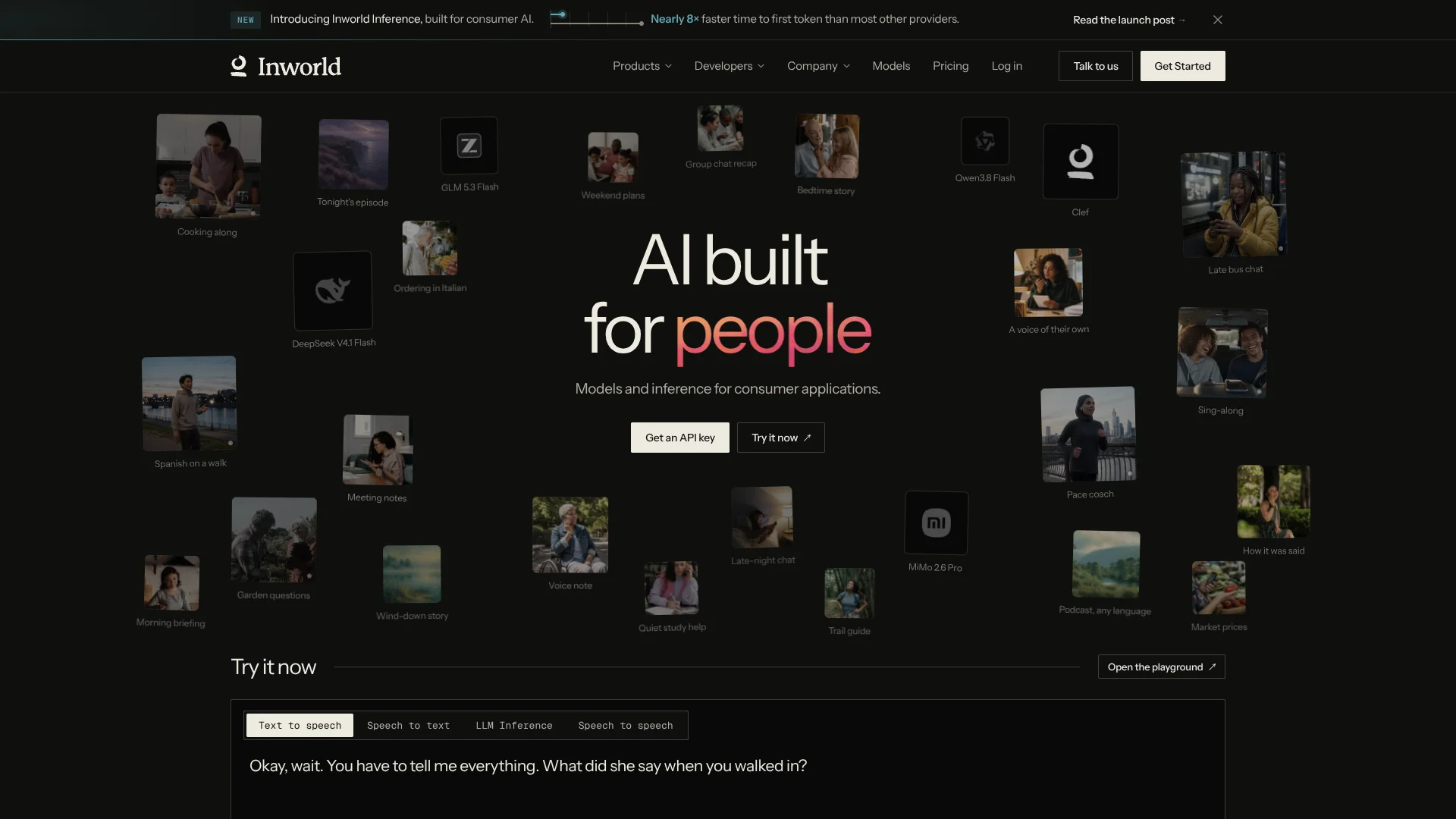
Inworld gives developers APIs for realtime text-to-speech, speech-to-text, voice agents, and access to more than 100 language models. Its strongest fit is consumer software that needs a natural voice, fast responses, or both, such as companions, games, learning apps, and personal agents.
A voice conversation can listen, reason, and speak through one realtime connection while letting you choose the language model for each session.
Inworld is best for developers building voice-first applications rather than people looking for a finished consumer chatbot. The product has a learning curve because setup happens through APIs, workspaces, credentials, and model settings, but it gives teams direct control over latency, voices, models, and usage costs.
Who is Using Inworld?
Voice Agent Developers
Realtime sessions let them build applications that hear a user, select an LLM response, and speak it back.
Game Designers
Custom voices and model-driven dialogue help game characters respond with a consistent identity.
Conversational UX Engineers
OpenAI-compatible realtime events, WebSocket, and WebRTC support interactive voice interfaces.
Audio Producers
TTS, voice design, cloning, batch generation, and long-form jobs support narration and voiceover workflows.
Machine Learning Engineers
A unified inference API provides access to hosted open models, routing, image inputs, audio inputs, and model selection.
Uncommon Use Cases
Voice profiles for analyzing emotion, age, accent, and speaking style; image-to-video clips guided by frames, reference videos, or audio
Key Features
Rating Breakdown
Pricing Plans
On-Demand
Free
- Up to 70 minutes of TTS included
- 100 custom voices
- 2 professional voice clones
- TTS-2 at $25 per 1M characters
- TTS-2 Flash at $15 per 1M characters
- STT at $0.15 per hour
- LLM Inference from $0.07 per 1M tokens
- Commercial license and community support
Creator
$25 per month
- $25 in credits per month
- TTS-2 at $20 per 1M characters
- TTS-2 Flash at $10 per 1M characters
- 500 custom voices
- 4 professional voice clones
- Workspace creation and sharing
- Team management
Builder
$100 per month
- $100 in credits per month
- TTS-2 at $17.50 per 1M characters
- TTS-2 Flash at $9 per 1M characters
- 3,000 custom voices
- 10 professional voice clones
- Increased concurrency limits
- Everything in Creator
Developer
$300 per month
- $300 in credits per month
- TTS-2 at $15 per 1M characters
- TTS-2 Flash at $8 per 1M characters
- 10,000 custom voices
- 25 professional voice clones
- Increased concurrency limits
- Priority email support
Growth
$1,500 per month
- $1,500 in credits per month
- TTS-2 at $12.50 per 1M characters
- TTS-2 Flash at $7 per 1M characters
- 30,000 custom voices
- 40 professional voice clones
- Higher API concurrency and limits
- Zero data retention, HIPAA, and BAA available as add-ons
Enterprise
- Realtime TTS-2 as low as $5 per 1M characters
- Realtime TTS-2 Flash below $5 per 1M characters
- Custom limits and terms
- 100 or more professional voice clones
- SLA and DPA
- EU and India data residency
- Dedicated account management and priority support
Which Inworld plan should you pick?
Start with On-Demand for testing, choose Creator or Builder for smaller projects, and move to Developer, Growth, or Enterprise when usage, concurrency, support, or compliance needs increase.
On-Demand
Good for evaluation and prototypes that need free included usage before committing to a monthly plan.
Creator
Good for content creators and small projects that need discounted rates, workspace sharing, and more custom voices.
Builder
Good for growing projects and small teams that need higher limits, team management, and up to 40% off rates.
Developer
Good for production applications that need higher concurrency, 10,000 custom voices, and priority email support.
Growth
Good for large deployments that need higher API limits, up to 53% off rates, and compliance add-ons.
Enterprise
Good for organizations that need custom limits, data residency, SLAs, dedicated account management, or custom commercial terms.
Inworld Use Cases
Realtime Voice Companions
A live agent can listen to speech, reason with a selected model, and return spoken replies over one connection.
Outcome: A conversational voice experience with control over the LLM, voice, and turn-taking.
Character Dialogue
Custom voices and natural-language delivery instructions give game or entertainment characters distinct speaking styles.
Outcome: More consistent character performances across interactive conversations.
Speech Transcription
Recorded files and live audio can be transcribed with additional voice profile signals.
Outcome: Text transcripts plus information about how the speaker sounded.
Narration and Voiceover
Long-form and batch synthesis support audiobooks, podcasts, training content, and other spoken media.
Outcome: Generated audio that can be produced in larger jobs or at lower batch rates.
Multi-Model AI Features
One OpenAI-compatible endpoint can route text, image, video, decision, and embedding requests to supported models.
Outcome: A single inference layer for applications that need more than chat.
Workflow Ideas with Inworld
Prototype a Voice Agent
- 1Create an Inworld workspace and API key.
- 2Choose an LLM, STT model, and TTS voice in a realtime session.
- 3Test turn-taking and audio playback in the Portal before connecting your application.
Create a Branded Character Voice
- 1Describe a voice in Voice Design or provide a short recording for voice cloning.
- 2Preview the generated options and save the selected voice.
- 3Pass the voice ID into TTS or a realtime agent session.
Add Model Routing to an Existing App
- 1Point an OpenAI SDK client at Inworld's compatible API endpoint.
- 2Select a direct model, automatic routing, or a reusable router.
- 3Monitor usage and apply plan credits across inference and voice requests.
How Inworld fits into your stack
Voice Layer
Inworld sits between your application and speech models for TTS, STT, voice cloning, voice design, and realtime audio.
LLM Gateway
The OpenAI-compatible Inference API can serve as a model gateway for hosted open models and providers such as OpenAI, Anthropic, Google, Meta, and Mistral.
Realtime Client
WebSocket and WebRTC connections support live voice sessions, while OpenAI-compatible realtime events can reduce changes to an existing client.
Developer Workflow
The API docs, Python and JavaScript examples, CLI, SDKs, and coding-agent skill support implementation from a terminal or code editor.
Media Pipeline
Image, audio, and video inputs can feed supported models for multimodal analysis, image creation, or short video generation.
Pros
- +Realtime voice: Low-latency streaming is built for conversations, games, and interactive agents.
- +Model choice: More than 100 models are available through one OpenAI-compatible endpoint.
- +Voice control: Voice Design, voice cloning, pronunciation settings, and delivery controls support branded characters.
- +Usage credits: Paid plans apply the plan price as credits across TTS, STT, and LLM usage.
- +Developer fit: APIs, SDK examples, a CLI, and OpenAI-compatible endpoints shorten the path from prototype to production.
Cons
- −Developer-focused setup: The main experience requires API keys, code, and model configuration.
- −Usage-based billing: Your monthly cost depends on characters, audio minutes, and tokens consumed.
- −Limited finished-app experience: Inworld does not provide a native consumer app, browser extension, or desktop application.
Limitations & when to consider alternatives
Known limitations
- Request Length Limits. The standard TTS endpoint accepts up to 2,000 UTF-16 code units, while HTTP streaming accepts up to 4,000 and asynchronous jobs support longer content.
- Model-Dependent Inputs. Image and audio understanding depends on the selected model, and video input is not supported for chat-style model analysis.
- Credit Expiration. Unused paid subscription credits can roll over for up to three months while the account remains on an active paid plan of equal or higher value.
- Video Processing Time. Video generation runs as an asynchronous job, so the create request returns a queued job rather than an immediate video.
- Production Credentials. Browser and mobile clients need backend-issued tokens rather than exposing a standard API key directly in the client.
Look elsewhere when
- You need a finished consumer chatbot rather than APIs for building your own application.
- Your team needs a native mobile, browser extension, or desktop product from the vendor.
- Your project requires custom model fine-tuning on private training data.
- Your workflow depends on a documented SSO or SAML feature.
How to Use Inworld
- 1
Create a Workspace
Open the Inworld Portal and create a workspace where your API keys, voices, models, and usage are managed.
- 2
Choose a Product
Start with TTS for generated speech, STT for transcription, Realtime for voice agents, or Inference for text and multimodal models.
- 3
Generate an API Key
Create the credential your server uses to call Inworld APIs, keeping it away from client-side code.
- 4
Test in the Portal
Try voices, models, voice clones, and inference settings in the playground before writing the full integration.
- 5
Connect the API
Use the REST, WebSocket, WebRTC, SDK, CLI, or OpenAI-compatible interface that matches your application.
- 6
Track Credits and Limits
Watch character, audio, and token usage because paid plans deduct metered usage from monthly credits.
Who is Inworld For?
Consumer AI Builders
Teams creating companions, personal agents, social apps, learning products, or entertainment experiences can add voice and model inference.
Interactive Media Teams
Game and media developers can give characters custom voices, realtime dialogue, and model-driven behavior.
Content Creators
Creators producing narration, podcasts, audiobooks, or voiceovers can generate speech and design reusable voices.
Production Engineering Teams
Teams with live applications can move from prototype plans to higher concurrency, usage discounts, and support tiers.
AI Application Developers
Developers who want one endpoint for language, image, video, decision, and speech models can use Inworld as an inference layer.
Frequently Asked Questions
Does Inworld have a free plan?
Yes. On-Demand costs $0 and uses pay-as-you-go rates. It includes up to 70 minutes of TTS or 400 minutes of STT for testing.
How much does Inworld cost?
The paid plans are Creator at $25 per month, Builder at $100 per month, Developer at $300 per month, and Growth at $1,500 per month. Enterprise has custom pricing.
What does Inworld's credit system mean?
Paid plans grant monthly credits equal to the plan price. TTS, STT, and LLM usage are metered and deducted from that credit balance at the plan's rates.
Can Inworld replace OpenAI TTS or the OpenAI Realtime API?
Inworld documents OpenAI-compatible TTS and realtime interfaces, so applications using those patterns can point their client toward Inworld with model, voice, and endpoint changes.
Can Inworld clone a voice?
Yes. Instant voice cloning creates a reusable voice from a short audio sample, and Voice Design creates a voice from a text description.
Does Inworld support images and video?
Inference can analyze images and audio when the selected model supports those inputs. The Video API can generate short MP4 clips from text, frames, and supported reference media.
Community reviews
Be the first to share your experience.
Sign in to leave a review for Inworld.
Inworld Alternatives
Looking for alternatives to Inworld? Here are similar tools in the same category:
Learn to Master Inworld
With Skill Leap courses
Get in-depth training on Inworld and 50+ other AI tools with our expert-led video courses.
Start 7-Day Free Trial