ImagineArt
AI workflows help creative teams keep campaign visuals consistent with their brand.
Key Takeaways
- What it is
- AI workflows help creative teams keep campaign visuals consistent with their brand.
- Pricing
- Freemium · $9 per month · $30 per month · $50 per month
- Best for
- AI Image, Video, and Audio Models
- Workflows
- Brand Kits
- Rating
- 4.4/5
What is ImagineArt?
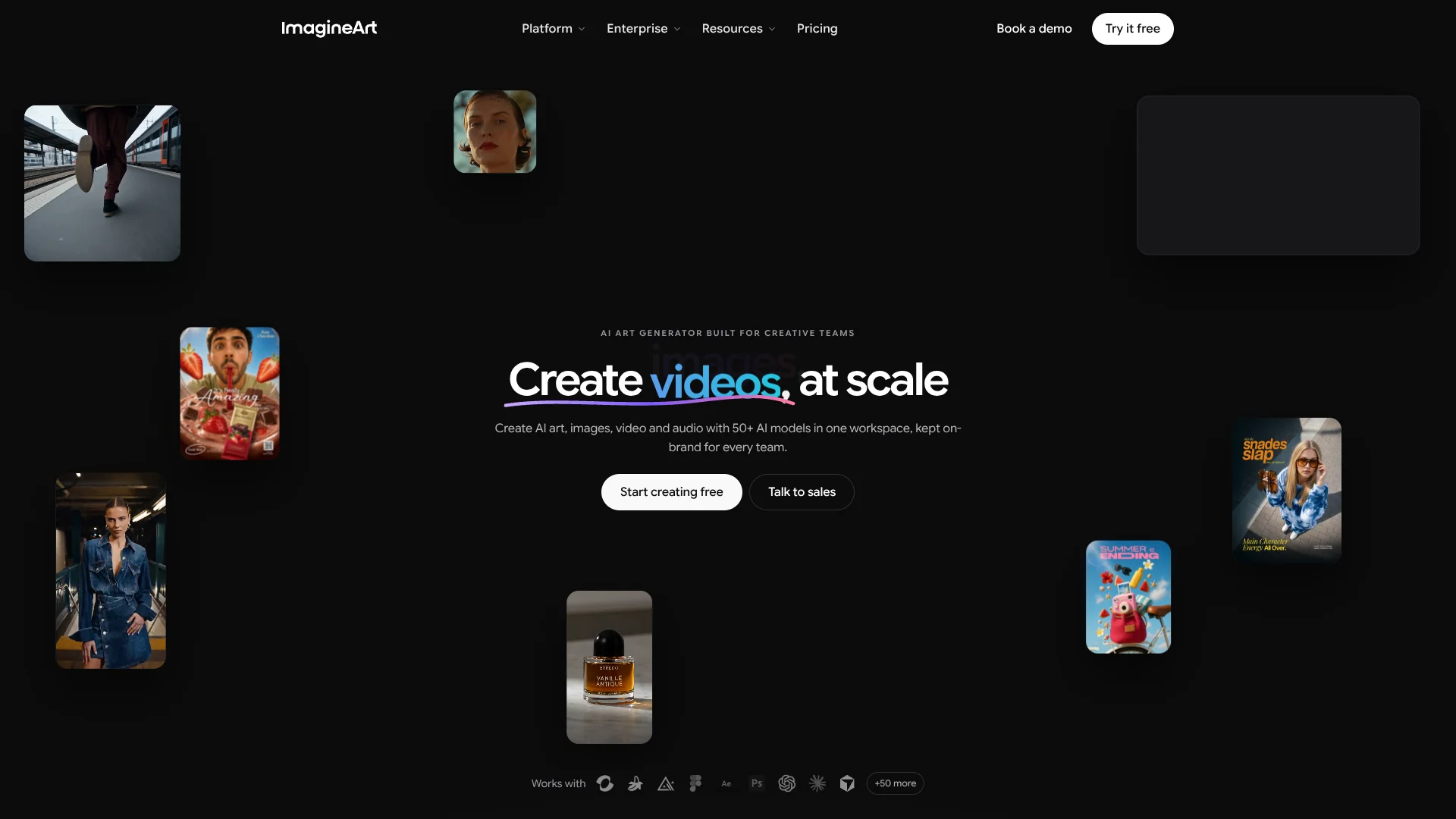
ImagineArt brings AI image, video, and audio generation into a creative workspace for artists, designers, marketers, and brand teams. You can choose from ImagineArt models and models from other providers, then edit the results or turn repeatable steps into workflows. Brand kits help keep logos, colors, fonts, and visual references consistent across campaign assets.
Its Workflows canvas can chain image, video, audio, and text models into a shareable production pipeline, with brand rules and a privately trained LoRA model available for repeatable creative work.
ImagineArt is a strong fit for people making many visual assets who want to keep a product, character, or brand style consistent. Its breadth can make model choice and credit budgeting take some testing, so it suits hands-on creators more than anyone looking for one fixed, predictable generation method.
Who is Using ImagineArt?
Brand Designers
Brand kits help keep campaign imagery aligned with a company’s visual identity.
Performance Marketers
Ad Studio helps produce ad variations in different formats for review and testing.
Fashion Photographers
Fashion Studio turns garment references into on-model imagery and lookbooks.
Film and Video Producers
Film Studio supports storyboards and multi-shot scene creation, while video tools handle edits and extensions.
AI Product Developers
The Generation API lets developers add ImagineArt image, video, and audio generation to their own products.
Uncommon Use Cases
A small shop creating product scenes from a single product photo; a studio training a private LoRA model for recurring visual characters.
Key Features
Rating Breakdown
Pricing Plans
Free
Free
- 100 daily credits
- In-house models only
- 1 fast image generation at a time
Basic
$9 per month
- 3,000 credits per month
- Up to about 600 image generations or 97 video generations per month
- 10 image models and 9 video models
Standard
$30 per month
- 8,000 credits per month
- Private generations by default
- Unlimited use of selected models, including Nano Banana, Runway Gen-4 Turbo, and Midjourney V7
Ultimate
$50 per month
- 16,000 credits per month
- Access to all styles and models listed for the plan
- Unlimited use of selected models
Which ImagineArt plan should you pick?
Start with Free to test the available models, then compare paid plan prices and credit allowances on the official pricing page when you need more volume or model access.
Free
Good for trying daily image and video generation with a limited selection of models.
Basic
For creators who need a regular monthly credit allowance and access to more models.
Standard
For creators who need more monthly credits, private generations, and unlimited use of selected models.
Ultimate
For pros who need a higher credit allowance and broader model access.
ImagineArt Use Cases
On-Brand Campaign Assets
A shared brand kit guides image and video generations for campaign work.
Outcome: A set of creative assets with consistent brand details.
Product Photography
Product references can become styled product scenes or fashion imagery without arranging a traditional shoot.
Outcome: Product visuals for listings, lookbooks, or campaigns.
Ad Variations
Ad Studio creates ad concepts from a product link and chosen format.
Outcome: Ad creative ready for review and testing.
Repeatable Creative Pipelines
A Workflow can connect generation and editing steps into a reusable process.
Outcome: A shareable pipeline for recurring creative tasks.
Multi-Shot Film Concepts
Film Studio helps plan storyboards and scenes around character and camera references.
Outcome: A set of planned scenes for a longer video project.
Workflow Ideas with ImagineArt
Turn a Product Link Into Ad Options
- 1Open Ad Studio and provide the product link.
- 2Choose an ad format and creative direction.
- 3Review the generated ad options and refine the strongest one.
Build a Repeatable Brand Image Pipeline
- 1Add logos, colors, fonts, and reference imagery to a brand kit.
- 2Chain image generation and editing steps in Workflows.
- 3Share the workflow with teammates for recurring campaign work.
Plan a Short Film
- 1Start with a story idea and build a storyboard in Film Studio.
- 2Set character and scene references for continuity.
- 3Generate and edit the scenes into a video sequence.
How ImagineArt fits into your stack
Creative workspace
ImagineArt is the production space for generating and editing images, video, and audio. Brand kits and shared canvases help teams keep related work together.
Creative apps
Plugins bring ImagineArt tools into supported apps including Photoshop, Premiere Pro, After Effects, and Figma.
Workflows and integrations
Workflows connect creative steps and can link with services such as Google Drive. ImagineArt also lists Slack, Notion, and Figma among its integrations.
Developer products
The Generation API provides image, video, and audio generation for products and pipelines. Imagine MCP connects ImagineArt tools to compatible clients such as Claude and Cursor.
Mobile and desktop creation
Native apps are available for iOS and Android, with a downloadable Mac desktop app; other desktop users can work in a browser.
Pros
- +Model choice: Image, video, and audio models from different providers are available in the same workspace.
- +Brand consistency: Brand kits give generations shared logos, colors, fonts, and visual references.
- +Repeatable production: Workflows can chain creative steps and be shared with a team.
- +Multiple ways to create: Web, iOS, Android, and a downloadable Mac app are available.
Cons
- −Credit planning: Generation costs vary by model and settings, so frequent production takes monitoring.
- −Model selection: A large catalog can mean testing several models before finding the right fit.
Limitations & when to consider alternatives
Known limitations
- Free model access. The free plan provides daily credits, but its model selection is limited compared with paid plans.
- Variable generation costs. Credit use depends on the model and settings, including resolution and video length.
- Mac desktop app. The downloadable desktop app is for macOS; Windows, Linux, and ChromeOS users access ImagineArt through a browser.
Look elsewhere when
- You need a downloadable Windows or Linux desktop app.
- Your workflow depends on a browser extension rather than an in-app plugin.
- You need a fixed, predictable cost per image or video regardless of model and settings.
How to Use ImagineArt
- 1
Choose a starting point
Open the image, video, audio, or studio tool that matches the asset you need.
- 2
Select a model
Compare available models for the intended result and check the displayed credit cost before generating.
- 3
Add a prompt or reference
Describe the output or provide an image reference to guide the generation.
- 4
Refine the result
Use editing tools such as inpainting, background tools, or video extension to adjust the asset.
- 5
Save a repeatable process
For recurring work, connect steps in Workflows and add a brand kit or reference assets.
- 6
Review plan limits
Check the current pricing page for available models, credits, and plan terms before scaling up.
Who is ImagineArt For?
Creative Teams
Shared canvases, brand kits, and workflows support teams producing assets together.
Brands and In-House Marketing
Ad Studio and brand controls help create campaign variations that follow a visual identity.
Fashion and Apparel
Fashion Studio is built for on-model garment images, lookbooks, and editorial visuals.
Filmmakers and Content Creators
Film Studio and video tools help plan scenes and turn visual ideas into clips.
Developers
The Generation API provides image, video, and audio models for products and pipelines.
Frequently Asked Questions
Can I use ImagineArt for free?
Yes. The free plan includes daily credits, though the available models and features are limited.
Which platforms can I use ImagineArt on?
ImagineArt has iOS and Android apps, a Mac desktop app, and a browser-based version for other computers.
Does ImagineArt offer an API?
Yes. Its Generation API provides access to image, video, and audio models for products and pipelines.
Can teams collaborate in ImagineArt?
Yes. Teams can share a canvas and work together with live edits and comments; team tools also include permissions and invitations.
How much do the paid plans cost?
The official pages confirm plan names and features, but the current United States dollar prices were not available to verify here.
Does ImagineArt train on customer content?
ImagineArt says customer assets, prompts, and outputs are not used to train its models.
Community reviews
Be the first to share your experience.
Sign in to leave a review for ImagineArt.
ImagineArt Alternatives
Looking for alternatives to ImagineArt? Here are similar tools in the same category: