Humaniser
Make AI-written drafts sound more natural.
Key Takeaways
- What it is
- Make AI-written drafts sound more natural.
- Pricing
- Freemium · $10 per month · $20 per month · $40 per month
- Best for
- AI Text Humanizer
- Built-In AI Detector
- Standard and Max Models
- Rating
- 3.9/5
What is Humaniser?
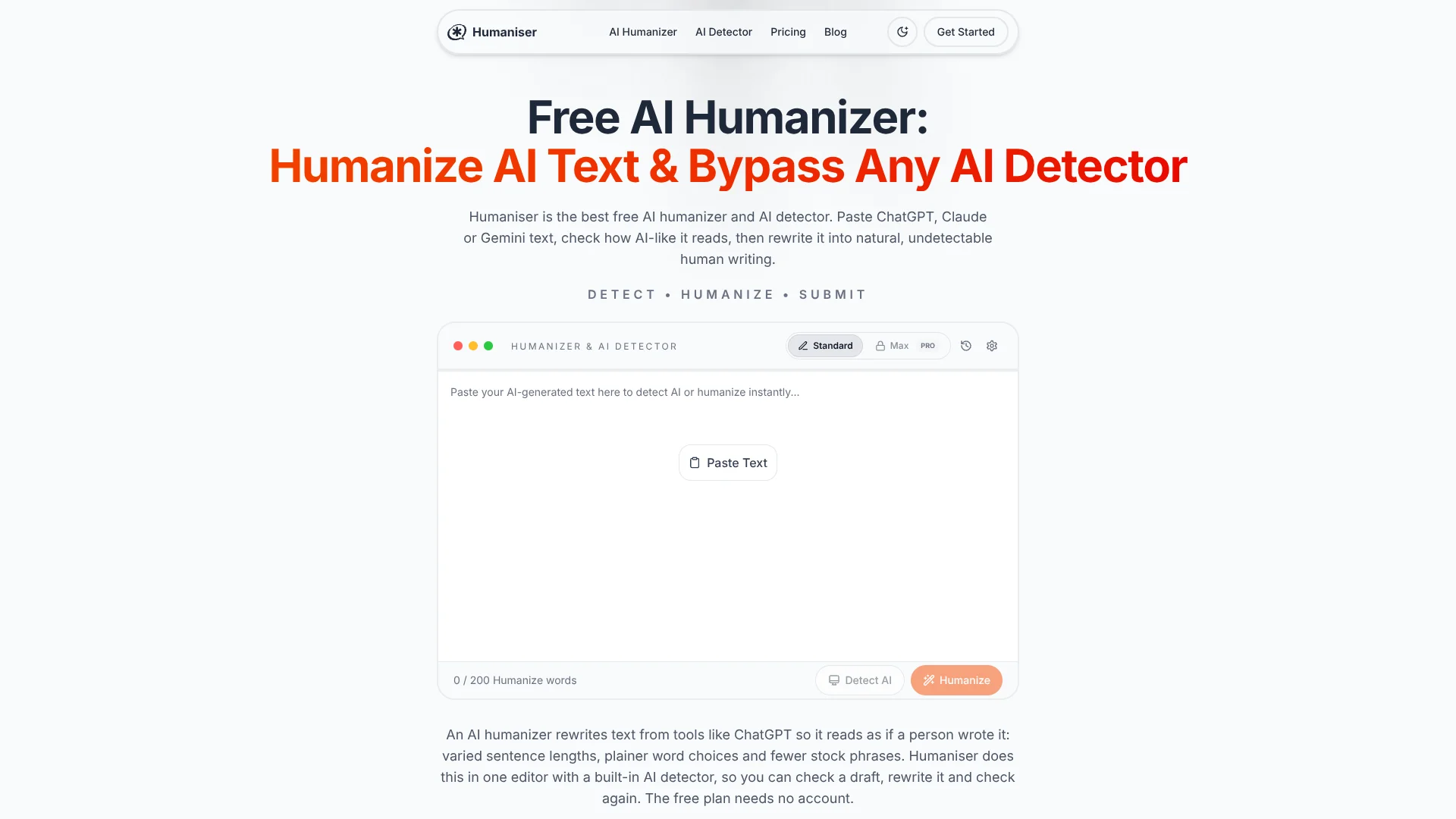
Humaniser rewrites AI-generated text to sound more natural, then lets you check how AI-like the revised draft appears in the same web editor. It is aimed at writers, marketers, students, and professionals who want to polish a draft without manually revising every sentence. The free plan works without an account, with up to three English rewrites a day and 200 words per input.
The editor pairs humanization with Humaniser’s own AI detector, so you can revise a draft and see its estimated AI probability in the same place. That score is Humaniser’s estimate, not an official Turnitin or GPTZero result.
Humaniser is most useful when you want a quick pass on short AI-assisted writing, such as an email, blog draft, or report. It does not replace careful editing, and its free rewrite limit is small; treat the result as an editable draft, not proof that writing will pass another service’s detector.
Who is Using Humaniser?
Content Writer
A more varied sentence flow helps polish an AI-assisted blog or article draft.
Marketing Manager
Campaign copy can be revised to sound closer to a brand’s intended tone.
Business Consultant
Client-facing proposals and reports can get a quick pass for stiff or repetitive wording.
Student Writer
A student can review an AI-assisted draft for readability while checking course policies and revising with their own ideas.
Uncommon Use Cases
Compare tone variations for a product description; check whether a formal email reads unusually repetitive.
Key Features
Rating Breakdown
Pricing Plans
Free
Free
- 3 uses daily
- 200-word input limit
- English only
- Standard model
Basic
$10 per month
- 15 uses daily
- 500-word input limit
- Max Model and all languages
- Yearly billing is $60 per year, shown as $5 per month
Pro
$20 per month
- 50 uses daily
- 1,000-word input limit
- Max Model and all languages
- Yearly billing is $120 per year, shown as $10 per month
Max
$40 per month
- Unlimited uses and input length
- Max Model and all languages
- Priority support under 2 hours
- Yearly billing is $240 per year, shown as $20 per month
Enterprise
- Custom usage limits
- Dedicated support
- Team management
- SLA guarantees
Which Humaniser plan should you pick?
Start with Free for occasional short English rewrites, then upgrade when you need more daily runs, longer inputs, or additional languages.
Free
Good for occasional use and trying the editor with short English drafts.
Basic
Good for up to 15 daily rewrites and 500-word inputs, including access to more languages.
Pro
Good for regular use with up to 50 daily rewrites and 1,000-word inputs.
Max
Good for users who need unlimited listed runs and input length.
Enterprise
Good for organizations seeking custom usage limits, team management, and dedicated support.
Humaniser Use Cases
Polish a Blog Draft
A more natural rhythm can make an AI-assisted article easier to read before publication.
Outcome: A revised draft to review and edit.
Refine Marketing Copy
Campaign messages and product descriptions can be rewritten with a less formulaic tone.
Outcome: Alternative copy for a marketer to review.
Review Business Writing
Reports, proposals, and emails can get a quick pass for repetitive phrasing.
Outcome: A revised version that still needs a factual and voice check.
Check an AI-Assisted Draft
Humaniser’s detector estimates how AI-like a pasted draft appears and highlights sentences for closer review.
Outcome: An in-tool estimate, not an official result from another detector.
Workflow Ideas with Humaniser
Revise and Review a Draft
- 1Paste a short AI-assisted draft into Humaniser’s editor.
- 2Choose Humanize and review the rewritten version for accuracy and voice.
- 3Run Detect AI for Humaniser’s own estimate, then make any final edits.
Prepare Multilingual Copy
- 1Select the Standard model for the non-English draft.
- 2Humanize the text within the plan’s input limit.
- 3Have a fluent reviewer check meaning, names, and local wording.
How Humaniser fits into your stack
Browser-Based Writing
Humaniser runs as a web editor for pasted text. The site describes browser extensions and other integrations as planned, not available features.
AI Draft Editing
It fits after a draft comes from a writing tool such as ChatGPT, Claude, or Gemini: paste the text, revise it, and copy it back.
First-Pass Detection Check
The built-in detector gives Humaniser’s own AI-likelihood estimate. It is not a live report from Turnitin, GPTZero, or another outside detector.
Pros
- +No-account free use: Try up to three humanizations a day without signing up.
- +Rewrite and check together: The editor includes both humanization and an AI-likelihood estimate.
- +Clear paid-plan limits: Daily runs and input word caps are stated for each plan.
- +Multilingual Standard model: Paid plans support more than 100 languages.
Cons
- −Small free allowance: Three daily rewrites and 200 words per input may run out quickly.
- −Web-editor workflow: Text must be pasted into the site and copied out again.
- −Detector uncertainty: Humaniser’s estimate is not an official score from another detector.
Limitations & when to consider alternatives
Known limitations
- Free rewrite cap. The Free plan allows three humanizations per day and limits each input to 200 words.
- Paid-plan input caps. Basic allows 500 words per input and Pro allows 1,000; only Max lists unlimited input length.
- Free language limit. The Free plan humanizes English only; the Max model is also English-only, so Standard is needed for other languages.
- Detector score scope. Detect provides Humaniser’s own estimate and is not an official score from Turnitin, GPTZero, or other detector vendors.
- API availability. The Humaniser API is in developer preview and is not publicly available yet.
Look elsewhere when
- You need a publicly available API or a working integration with your writing tools.
- You need a native mobile or desktop app rather than a web editor.
- Your workflow requires an official score from a specific third-party AI detector.
How to Use Humaniser
- 1
Open the Web Editor
The free editor does not require an account; paste text from an AI writing tool or another draft.
- 2
Choose a Task
Select Humanize to rewrite the text or Detect AI to see Humaniser’s estimate.
- 3
Pick a Model
Free users get Standard; paid plans add Max, while Standard is the option for non-English text.
- 4
Review the Result
Check facts, names, citations, and voice before using the rewritten text.
- 5
Copy the Final Draft
Copy the text from the editor into the document or publishing tool where you are working.
Who is Humaniser For?
Content Writers and Bloggers
A quick rewrite can make an AI-assisted article draft read less repetitive before an editor reviews it.
Marketing Professionals
Short campaign copy, product descriptions, and social posts can be revised for a more natural tone.
Business Professionals
Reports, proposals, and routine communications can get a readability-focused editing pass.
Students and Academics
Students can review AI-assisted drafts, but should follow their institution’s AI rules and add their own work.
Frequently Asked Questions
Can I use Humaniser for free?
Yes. The Free plan needs no signup and includes three humanizations per day, up to 200 words per input, English only, and the Standard model.
Which languages does Humaniser support?
Paid plans support more than 100 languages with Standard. The Free plan is English only, and the Max model supports English only.
Does Humaniser provide official Turnitin or GPTZero results?
No. Detect provides Humaniser’s own AI-likelihood estimate, not an official report from those services.
Can I use Humaniser through an API?
The API is in developer preview and is not publicly available yet; the site directs interested developers to a waitlist.
Does Humaniser store the text I paste?
Humaniser says submitted text is processed and discarded rather than permanently stored. Its privacy policy says transmissions are encrypted using SSL/TLS.
Community reviews
Be the first to share your experience.
Sign in to leave a review for Humaniser.
Humaniser Alternatives
Looking for alternatives to Humaniser? Here are similar tools in the same category: