
Hostinger | 1-Click OpenClaw
Run always-on inbox and chat agents, no servers.
Key Takeaways
- What it is
- Run always-on inbox and chat agents, no servers.
- Pricing
- $5.99 per month · $8.99 per month
- Best for
- 1-click managed deployment
- Always-on private agents
- Built-in AI credits and models
- Rating
- 4.3/5
What is Hostinger | 1-Click OpenClaw?
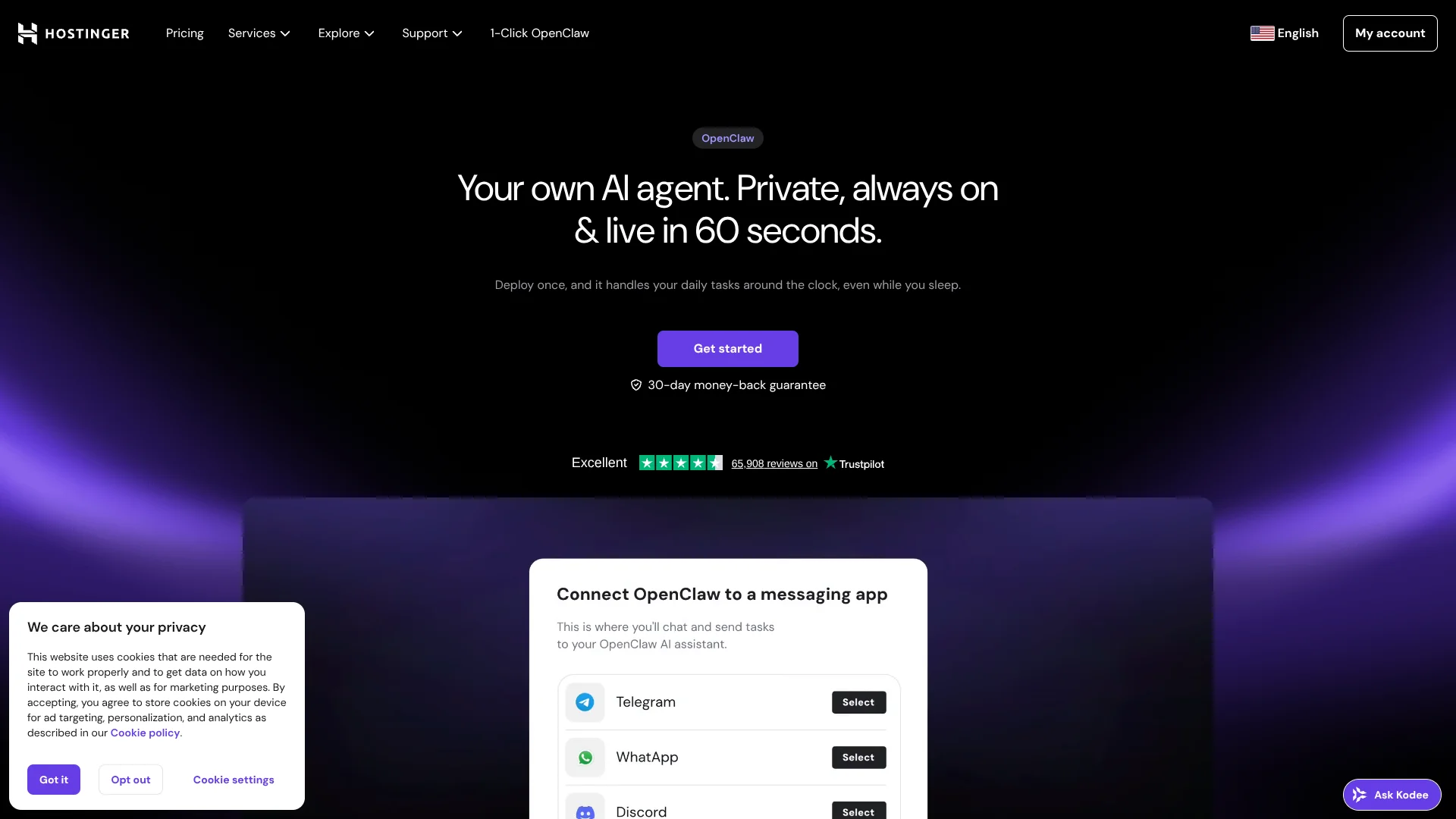
1-Click OpenClaw is a managed hosting offering for the OpenClaw AI agent system that focuses on instant setup and low maintenance. It combines infrastructure, automated installation, security, and integrated AI credits so users can run private, always-on agents without handling servers, Docker, or API keys. Two main options exist: a fully managed OpenClaw service and a VPS plan with a preinstalled OpenClaw template for users who still want root access.
1-Click OpenClaw stands out by treating OpenClaw as a product, not just a template. Instead of dropping users into a raw VPS, it combines one-click deployment, an opinionated configuration, built-in credits, model routing, and multi-channel messaging into a single package. The emphasis on people with no server experience, backed by a path to a full VPS install, gives it an unusual blend of accessibility and growth potential. For anyone who breaks into a sweat at the sight of a Docker error, that is a very appealing mix.
Hostinger | 1-Click OpenClaw gives individuals and small teams a practical way to run serious AI agents without becoming infrastructure specialists. By unifying deployment, hosting, maintenance, credits, and messaging channels, it trims much of the friction that usually comes with self-hosted OpenClaw. Technically inclined users still have reasons to prefer a fully manual install, especially for deep customization and security hardening, but for many businesses this offering turns OpenClaw into a reliable, always-available assistant rather than yet another side project to babysit.
Who is Using Hostinger | 1-Click OpenClaw?
Solo Founders and Creators
Running personal productivity agents for inbox triage, scheduling, and content drafting.
Consultants and Small Agencies
Using messaging-based agents to qualify leads, capture intake details, and draft follow-ups.
E-commerce and Support Teams
Letting agents answer common questions and route support tickets before humans step in.
Software Teams and Technical Leads
Hosting coding or DevOps assistants that review changes and surface issues.
Uncommon Use Cases
Adopted by research groups to track literature feeds; used by boutique real-estate agencies to field after-hours property inquiries via chat.
Key Features
Rating Breakdown
Pricing Plans
Managed OpenClaw
$5.99 per month
- Renews at $11.99 per month for 2 years, includes fully managed setup, built-in AI access and web search, Telegram and WhatsApp pairing, and built-in security
OpenClaw on VPS
$8.99 per month
- Renews at $14.99 per month for 2 years, includes self-managed VPS access, full root and terminal access, built-in AI access and web search, plus 2 vCPU, 8 GB RAM, 100 GB NVMe, and 8 TB bandwidth
Which Hostinger | 1-Click OpenClaw plan should you pick?
Start with AI automation apps for managed, no-maintenance deployment; upgrade to KVM 2 or higher when you need root access, more resources, or full VPS control.
AI automation apps
Good for beginners and non-technical users who need managed OpenClaw, automated setup, security, updates, backups, and included AI credits.
KVM 1
Good for small self-managed OpenClaw deployments needing 1 vCPU, 4 GB RAM, 50 GB NVMe storage, and 4 TB bandwidth.
KVM 2
Good for users needing more capacity; Hostinger recommends KVM 2 or greater for OpenClaw VPS deployments.
KVM 4
Good for larger workloads requiring 4 vCPU cores, 16 GB RAM, 200 GB NVMe storage, and 16 TB bandwidth.
KVM 8
Good for demanding workloads requiring 8 vCPU cores, 32 GB RAM, 400 GB NVMe storage, and 32 TB bandwidth.
Hostinger | 1-Click OpenClaw Use Cases
Personal productivity assistant
Connect messaging and calendar tools so the agent sorts messages, reschedules meetings, and prepares morning briefings.
Outcome: Less manual scheduling and message management.
Sales assistant
Connect the agent to Telegram to qualify leads, log contacts, and draft follow-up messages.
Outcome: More consistent lead handling.
Coding assistant
Use an agent to review code, catch bugs, and suggest refactors.
Outcome: Faster pull-request turnaround.
Social media planner
Give OpenClaw access to a drafts folder so it turns notes into posts and queues them on schedule.
Outcome: A more regular publishing workflow.
Support specialist
Route Discord support through OpenClaw to handle initial customer tickets.
Outcome: Automated first-line support.
Workflow Ideas with Hostinger | 1-Click OpenClaw
Automated lead follow-up
- 1Connect OpenClaw to Telegram
- 2Have the assistant qualify incoming leads
- 3Log contacts and draft follow-up messages
Daily productivity briefing
- 1Connect messaging and calendar tools
- 2Let OpenClaw sort messages and reschedule meetings
- 3Receive a morning briefing
Automated content publishing
- 1Give OpenClaw access to a drafts folder
- 2Ask it to turn rough notes into ready posts
- 3Queue posts on a schedule
How Hostinger | 1-Click OpenClaw fits into your stack
Browser
OpenClaw provides a dashboard launched from Hostinger hPanel and supports browser automation for web-based task execution.
Team chat and tickets
The assistant connects to channels including Slack, WhatsApp, Telegram, Discord, Google Chat, Signal, iMessage, and Microsoft Teams. Shared team sessions let teammates work with shared context.
Automation and APIs
OpenClaw runs always-on workflows with triggers, chained actions, webhooks, APIs, scheduled tasks, and Hostinger’s connector for managing hosting resources.
Knowledge and files
Agents can ingest PDFs, transcripts, images, CSVs, and other workspace files for extraction, summarization, and downstream automation.
Pros
- +Very low technical barrier: Aims at users who have never managed a server, yet want serious AI automation.
- +Fast path to useful agents: Infrastructure, installation, and updates are handled, so effort can go into workflows and prompts.
- +Integrated AI stack: Credits, models, and messaging connectors are bundled, trimming the usual configuration overhead.
- +Choice of control level: Managed OpenClaw suits non-technical users, while the VPS plan accommodates developers needing root access.
Cons
- −Vendor lock-in risk: Billing and credits are tied closely to Hostinger, which may not suit teams that prefer direct AI provider relationships.
- −Less granular control on managed tier: Some advanced OpenClaw tuning and security hardening options are easier on a fully DIY setup.
- −Learning curve still exists: Building reliable agents and workflows can remain challenging even when hosting is handled.
Limitations & when to consider alternatives
Known limitations
- Managed access has no root access. The managed option does not provide root access; users needing manual server control should use the VPS option.
- Managed OpenClaw availability is region-dependent. Hostinger states that access to Managed OpenClaw is currently rolling out by region.
- Discord setup is under development in managed onboarding. The managed setup guide identifies Discord as currently under development during onboarding.
- VPS deployment requires user-managed security. Users running OpenClaw on a VPS must handle updates, security hardening, API keys, and gateway credentials.
Look elsewhere when
- You need root access and manual server control.
- You want to manage infrastructure and security yourself.
- Your preferred channel is Discord during managed onboarding.
How to Use Hostinger | 1-Click OpenClaw
- 1
Choose a deployment option
Select AI automation apps for managed hosting or a KVM VPS for root access and manual control.
- 2
Select an AI provider
Use included nexos.ai credits or configure OpenAI, Anthropic, Gemini, xAI, OpenRouter, or Kimi where supported.
- 3
Connect a communication channel
Pair WhatsApp or Telegram during onboarding; managed users can also connect Hostinger Email, while VPS users can configure channels manually.
- 4
Open the interface
Launch OpenClaw from hPanel or the VPS Docker Manager and authenticate with the generated gateway token.
- 5
Configure skills and integrations
Add managed or custom skills and connect services such as WordPress, Hostinger resources, email, calendars, and messaging channels.
- 6
Create automated workflows
Use natural-language instructions for browser automation, lead handling, content workflows, support tasks, research, or coding assistance.
Who is Hostinger | 1-Click OpenClaw For?
Beginners and non-technical users
Managed OpenClaw provides automated onboarding, managed infrastructure, and one-click deployment without server administration.
Developers and advanced users
The VPS option provides root access, Docker control, manual provider configuration, and deeper server customization.
Founders and consultants
OpenClaw can sort messages, reschedule meetings, qualify leads, log contacts, and draft follow-ups.
Developers and engineering teams
The coding-assistant use case supports code reviews, bug detection, and refactoring suggestions.
E-commerce support teams
Teams can route Discord support through OpenClaw to automate initial ticket handling.
Frequently Asked Questions
Do I need any technical knowledge to set up OpenClaw?
No. Hostinger says one-click deployment handles the server environment and AI configuration without coding, command lines, or complicated dashboards.
How do AI credits work, and do I need to set up external accounts?
Managed OpenClaw includes integrated AI credits. Users can purchase and top up credits through the Hostinger dashboard instead of configuring separate provider accounts.
Is my data private and secure?
Each instance runs in an isolated environment with separated data and conversations, a locked-down container, and an automatically generated security gateway.
What is the difference between 1-click OpenClaw and running OpenClaw on a VPS?
Managed OpenClaw handles infrastructure, updates, and security. VPS deployment provides root access and control but requires user-managed setup, maintenance, and hardening.
What can I actually do with OpenClaw?
Users can connect messaging apps, automate daily tasks, manage conversations, handle leads, and run browser automations.
Community reviews
Be the first to share your experience.
Sign in to leave a review for Hostinger | 1-Click OpenClaw.
Hostinger | 1-Click OpenClaw Alternatives
Looking for alternatives to Hostinger | 1-Click OpenClaw? Here are similar tools in the same category:
Learn to Master Hostinger | 1-Click OpenClaw
With Skill Leap courses
Get in-depth training on Hostinger | 1-Click OpenClaw and 50+ other AI tools with our expert-led video courses.
Start 7-Day Free Trial