HiClip
Create shareable short clips from longer videos.
Key Takeaways
- What it is
- Create shareable short clips from longer videos.
- Pricing
- $9 per month · $20 per month · $250 per month
- Best for
- AI Clipping
- AI Reframe
- AI Caption
- Rating
- 4.6/5
What is HiClip?
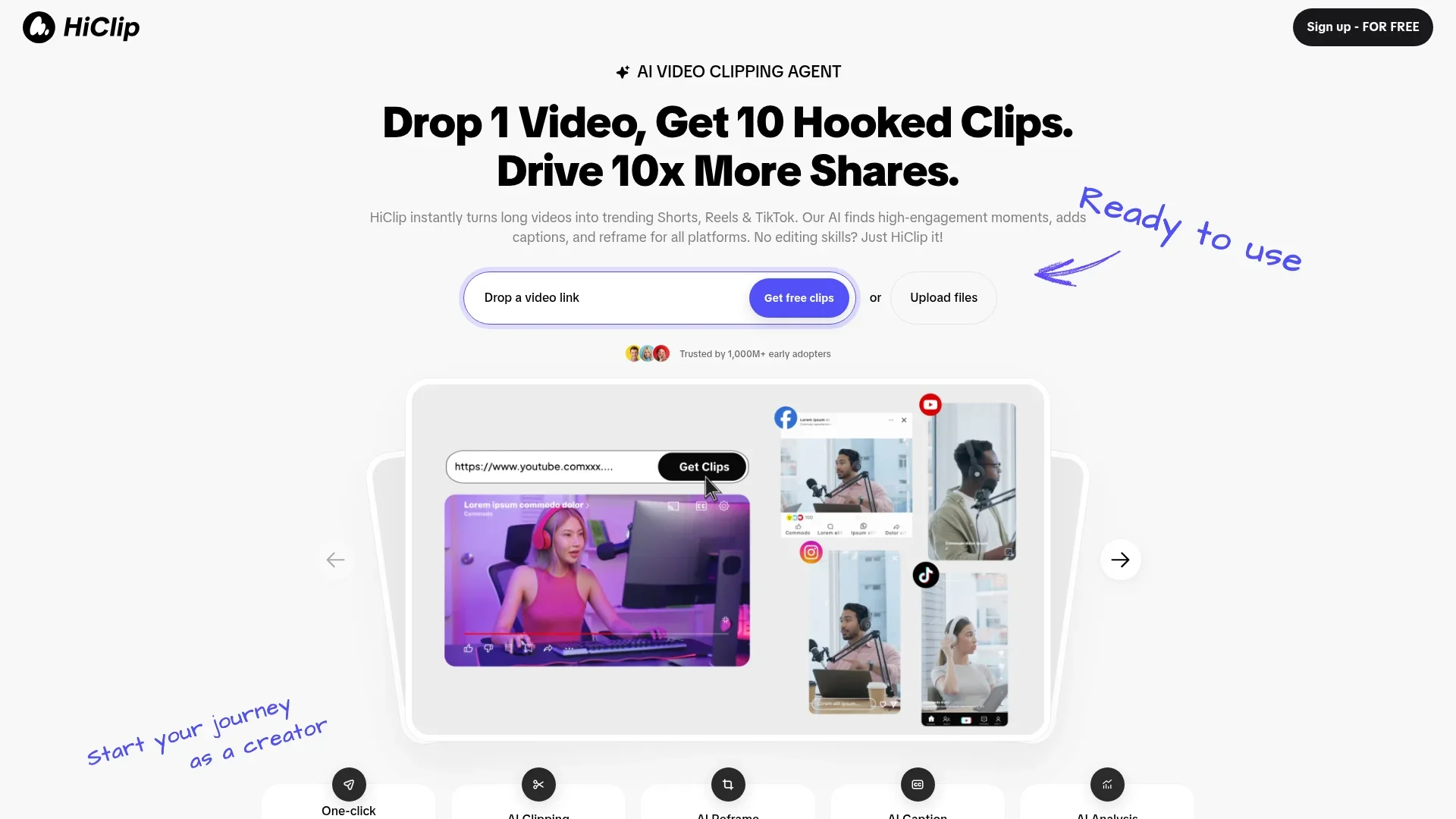
HiClip is a cutting-edge AI video clipping tool designed to transform lengthy videos into engaging short clips, perfect for social media platforms like TikTok, Instagram Reels, and YouTube Shorts. Tailored for content creators and marketers looking to amplify their reach, HiClip simplifies the process of video editing by automating the creation of high-engagement clips.
HiClip stands out with its proprietary Context-Aware Analysis™, which accurately identifies high-engagement moments in videos. This feature, combined with its ability to automate various editing tasks, sets it apart from traditional video editing software.
HiClip is a fantastic tool for anyone looking to make the most of their video content without diving deep into the complexities of video editing. Its AI-driven features not only save time but also enhance the quality and engagement of video clips, making it an invaluable asset for content creators and marketers alike.
Who is Using HiClip?
Content Creators
Turning long-form content into shareable snippets for increased engagement on social media.
Digital Marketers
Leveraging the tool to create high-impact promotional clips quickly and efficiently.
Social Media Influencers
Using HiClip to maintain a consistent presence across multiple platforms with minimal effort.
Video Editors
Streamlining their workflow by automating repetitive tasks, allowing them to focus on creative aspects.
Uncommon Use Cases
Utilized by educational platforms to create engaging short learning modules; Adopted by event organizers to quickly share highlights from live events.
Key Features
Rating Breakdown
Pricing Plans
Starter
$9 per month
- Includes no watermarks, 1 account per platform, and 2 hours of usage per month
Creator
$20 per month
- Includes no watermarks, 6 accounts per platform, and 5 hours of usage per month
Team
$250 per month
- Includes no watermarks, 20 accounts per platform, and 50 hours of usage per month
HiClip Use Cases
Create short-form clips
Turn a long video into multiple short clips for social platforms.
Outcome: Produce platform-ready Shorts, Reels, and TikTok videos.
Repurpose YouTube content
Paste a YouTube URL and use the YouTube-to-Reels workflow.
Outcome: Extract hook clips for Instagram Reels.
Prepare TikTok videos
Apply automatic vertical reframing and caption generation.
Outcome: Create TikTok-oriented clips with a 9:16 layout.
Workflow Ideas with HiClip
YouTube-to-Reels repurposing
- 1Paste a YouTube URL
- 2Let HiClip extract ten or more hook clips
- 3Auto-post the clips for Instagram Reels
Long-video social clipping
- 1Upload an MP4 or MOV file
- 2Have HiClip identify high-engagement moments
- 3Export clips using platform presets or custom resolutions
TikTok formatting
- 1Provide a video or supported video link
- 2Auto-crop the video to a 9:16 ratio
- 3Generate captions and hashtag suggestions
How HiClip fits into your stack
Browser
HiClip is used through its web app: users paste video links or upload files, then generate short-form clips for social platforms.
Pros
- +Time Efficiency: Users report saving over 85% of their editing time, turning a 30-minute manual task into a 20-second automated process.
- +User-Friendly: Designed for those with no editing skills, making video content creation accessible to everyone.
- +Multi-Platform Support: Supports a variety of input formats and exports clips in over 10 presets tailored for different social media platforms.
- +High Engagement: By focusing on high-engagement moments, the tool helps drive more shares and interactions on social media.
Cons
- −Initial Learning Curve: New users might need some time to familiarize themselves with all the features.
- −Limited Manual Control: While automation is a key selling point, users seeking detailed manual editing options might find it lacking.
- −Platform Dependency: Relies heavily on social media trends, which might not suit all types of content or audiences.
Limitations & when to consider alternatives
Known limitations
- Personal, non-commercial use by default. The terms state that content may be used only for personal, non-commercial purposes unless commercial use is licensed.
- No partial-period refunds. The terms state that HiClip does not provide refunds for partially used billing periods.
- Account credentials cannot be shared outside the organization. Users are prohibited from sharing credentials outside their organization.
- Security details are broad. The privacy policy mentions industry-standard encryption and access controls but does not specify encryption at rest, encryption in transit, AES-256, or TLS.
- Supported inputs are video-focused. The official FAQ lists MP4, MOV, YouTube, and Vimeo inputs; it does not document standalone image, document, or spreadsheet processing.
Look elsewhere when
- You need a documented developer API.
- You need a native mobile application.
- You need explicit enterprise SSO or SAML support.
- You need documented encryption-at-rest or encryption-in-transit guarantees.
How to Use HiClip
- 1
Open HiClip
Sign in through the web app using Google, Discord, or email.
- 2
Provide a video
Paste a YouTube or Vimeo link, or upload an MP4 or MOV file.
- 3
Generate clips
Let HiClip identify high-engagement moments and create short clips.
- 4
Apply platform formatting
Use automatic reframing, including 9:16 TikTok formatting, and add captions.
- 5
Export or publish
Export using a platform preset or custom resolution; the YouTube-to-Reels workflow also documents automatic posting.
Frequently Asked Questions
What video editing tasks can HiClip automate?
HiClip can automatically generate clips, extract highlights, add subtitles, and reframe videos for different platforms.
How much time can HiClip save compared to manual editing?
HiClip says users save more than 85% of editing time; generating ten highlights takes about 20 seconds versus more than 30 minutes manually.
How can I repurpose YouTube videos for Instagram Reels?
Paste a YouTube URL, let the AI extract ten or more hook clips, and auto-post clips for Instagram Reels.
What input sources and output formats does HiClip support?
HiClip supports MP4 and MOV files plus YouTube and Vimeo links. Exports include more than ten presets or custom resolutions.
How does HiClip identify engaging video moments?
Its Context-Aware Analysis considers visual dynamics, audio cues, and semantic context.
How does HiClip edit videos for TikTok?
HiClip can auto-crop videos to a 9:16 vertical ratio and generate captions with trending hashtag suggestions.
Community reviews
Be the first to share your experience.
Sign in to leave a review for HiClip.
HiClip Alternatives
Looking for alternatives to HiClip? Here are similar tools in the same category: