Helium 10
Optimize online selling with data-driven insights.
Key Takeaways
- What it is
- Optimize online selling with data-driven insights.
- Pricing
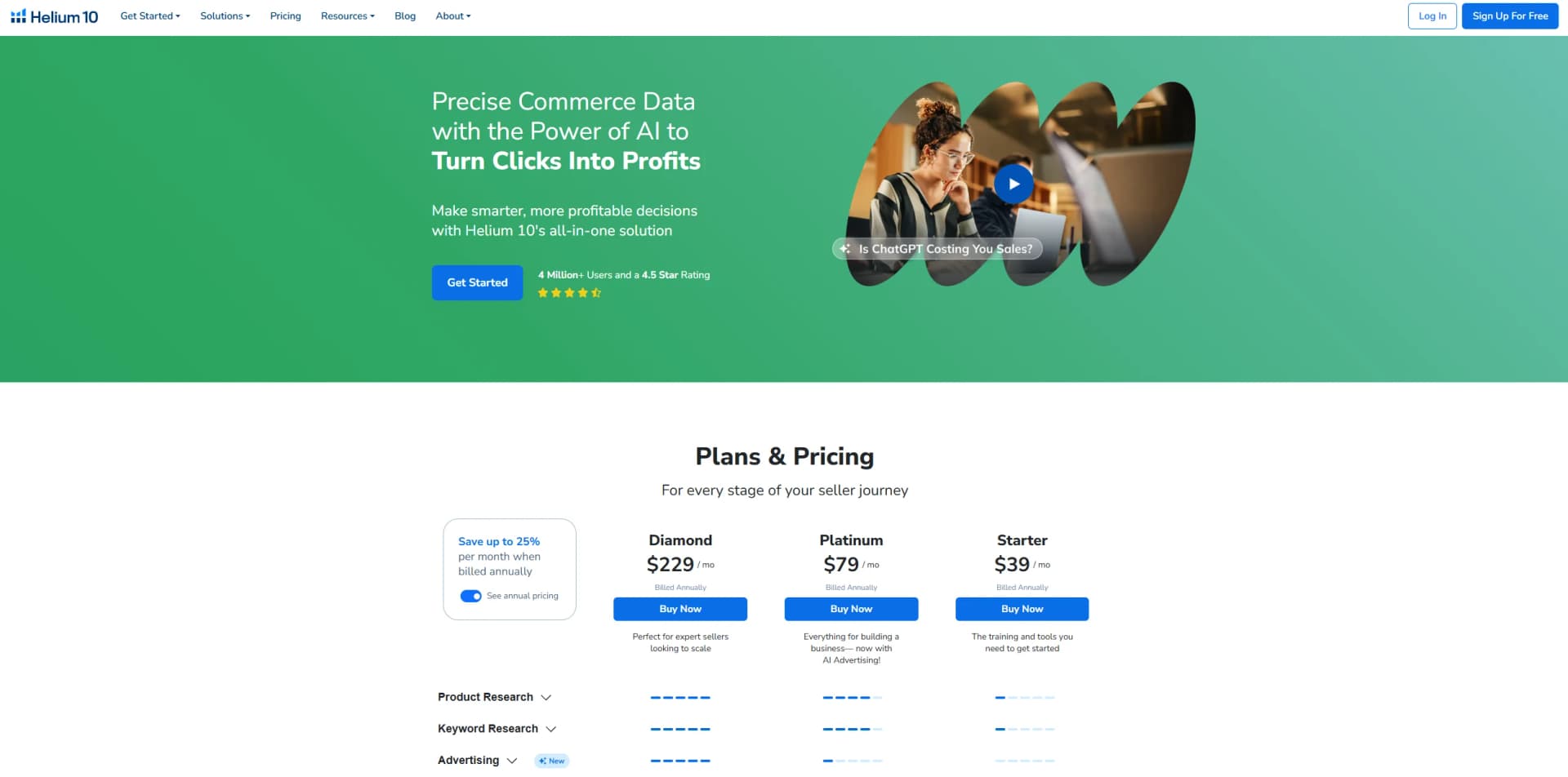
- Freemium · $39 per month. when billed annually · $79 per month when billed annually · $229 per month. when billed annually
- Best for
- Advanced Product Research
- Keyword Optimization
- Listing Optimization
- Rating
- 4.4/5
What is Helium 10?
Helium 10 is a comprehensive software suite designed specifically for Amazon and Walmart sellers. Offering over 30 tools, it aids in product research, keyword discovery, listing optimization, and more. Ideal for both new and experienced e-commerce sellers, Helium 10 simplifies the complexities of managing online marketplaces, enabling users to make informed, data-driven decisions.
Helium 10 stands out with its all-in-one suite that addresses every aspect of an Amazon seller's needs. Its AI-powered advertising tools and precise data analytics offer a competitive edge, making it indispensable for serious e-commerce sellers.
Helium 10 delivers a robust solution for Amazon and Walmart sellers, blending advanced analytics with user-friendly tools. Whether you're just starting or scaling your business, this tool suite offers the insights and automation needed to thrive in the competitive e-commerce landscape.
Who is Using Helium 10?
E-commerce Businesses
Leveraging the suite for comprehensive market analysis and product launches.
Digital Marketing Agencies
Utilizing tools for optimizing client campaigns and product listings.
Amazon and Walmart Sellers
From beginners to enterprises, sellers use Helium 10 to enhance their marketplace presence.
Brand Marketing Firms
Using the software to track and analyze competitive products and strategies.
Uncommon Use Cases
Employed by educational institutions for teaching e-commerce strategies; utilized by influencers for optimizing affiliate marketing efforts.
Key Features
Rating Breakdown
Pricing Plans
Free Tier
Free
- Offers limited access to tools for initial exploration
Starter Plan
$39 per month. when billed annually
- Ideal for beginners
Platinum Plan
$79 per month when billed annually
- Includes comprehensive tools for business growth
Diamond Plan
$229 per month. when billed annually
- Designed for expert sellers looking to scale
Which Helium 10 plan should you pick?
Start with Free to validate the workflow, upgrade to Platinum for full core seller tools, choose Diamond for AI, ads, and advanced analytics, and use Enterprise for larger teams and higher limits.
Free
Good for new users who need limited access to product research, keyword, listing, alerts, and operations tools.
Platinum
Good for sellers who need the core research, listing, operations, training, and Chrome extension capabilities.
Diamond
Good for scaling brands that need Helium Agent, MCP, advanced AI, advertising automation, broader analytics, and additional users.
Enterprise
Good for large brands and agencies that need larger advertising budgets, more users, more seller accounts, higher ASIN limits, and dedicated support.
Helium 10 Use Cases
Find profitable products
Use Black Box and the Chrome extension to evaluate demand, competition, sales estimates, fees, reviews, and inventory.
Outcome: Identify product opportunities with stronger sales potential.
Research keywords and competitors
Use Cerebro, Magnet, and keyword tools to discover competitor rankings, search demand, and keyword gaps.
Outcome: Build more targeted SEO and PPC keyword strategies.
Create and optimize listings
Import keywords, product details, competitor ASINs, and images into Listing Builder to generate or refine titles, bullets, and descriptions.
Outcome: Produce keyword-informed, marketplace-specific listing copy.
Manage advertising
Use Helium 10 Ads and rules-based automation to monitor campaigns, adjust bids and budgets, and apply keyword rules.
Outcome: Reduce manual PPC work and improve campaign control.
Automate post-purchase messaging
Create Follow-Up automations that send buyer messages or review requests after defined Amazon order events.
Outcome: Systematize compliant customer communication.
Workflow Ideas with Helium 10
Launch a competitive listing
- 1Provide competitor ASINs or a seed keyword
- 2Build and filter a keyword bank
- 3Generate, review, and export or publish the listing
Automate post-purchase follow-up
- 1Choose an order trigger such as shipped, delivered, returned, or refunded
- 2Add filters, wait times, and message or review-request actions
- 3Activate the automation and monitor its status
Diagnose and act on advertising data
- 1Connect Helium 10 MCP to a compatible AI client
- 2Ask the AI to analyze campaigns and identify underperformance
- 3Review and approve proposed bid, budget, keyword, or campaign changes
How Helium 10 fits into your stack
Browser
Helium 10 primarily operates as a web application for Amazon, Walmart, and TikTok Shop research, analytics, advertising, listings, and operations.
Browser extension
Its Chrome extension adds Xray, keyword research, profitability analysis, review insights, and product research directly to Amazon and Walmart pages.
Automation and APIs
Helium 10 supports MCP connections to AI assistants such as Claude, ChatGPT, and Codex, plus Zapier automation through Portals.
Mobile
The native mobile app provides mobile dashboards, profits, advertising monitoring and management, alerts, account settings, and learning content.
Pros
- +Time Efficiency: Streamlines complex tasks, significantly reducing time spent on market research and analysis.
- +Comprehensive Toolset: Provides a wide array of tools for every aspect of selling on Amazon and Walmart.
- +User-Friendly Interface: Intuitive design makes it accessible for users at all levels.
- +Data Accuracy: Offers precise data insights, crucial for making informed business decisions.
Cons
- −Steep Learning Curve: New users may find the extensive range of tools overwhelming initially.
- −Pricey for Small Sellers: The cost might be a barrier for those just starting out.
Limitations & when to consider alternatives
Known limitations
- Free-plan usage is limited. The Free plan provides restricted uses, searches, ASIN coverage, and marketplace access compared with paid plans.
- Mobile functionality is limited. The mobile app does not support account connections and provides only limited campaign-management functionality.
- Some AI features require Diamond or higher. Premium Helium Agent capabilities and MCP access require Diamond-level access or above.
- Follow-Up does not affect previous orders. Automations send messages only for orders placed after the automation is created.
- MCP has usage limits. Diamond plans include a monthly MCP call quota, with additional calls available through top-up packs.
Look elsewhere when
- You need a downloadable Windows, Mac, or Linux desktop application.
- You need SSO or SAML administration.
- You need programming-code generation.
How to Use Helium 10
- 1
Create an account and choose a plan
Start on Free to test the platform, then select Platinum, Diamond, or Enterprise based on required tools, users, marketplaces, and limits.
- 2
Connect seller accounts
Use the web application's Connections area to connect eligible Amazon, Walmart, or TikTok Shop seller accounts.
- 3
Install the Chrome extension
Install the official extension to view product, sales, fee, review, and inventory data while browsing supported marketplaces.
- 4
Research products and keywords
Use Black Box, Xray, Cerebro, Magnet, and Product Launchpad to evaluate opportunities, competitors, demand, and keyword coverage.
- 5
Build or optimize listings
Import keywords and competitor ASINs, optionally upload product images, generate listing copy with AI, review it, and sync or export the result.
- 6
Automate ongoing operations
Set up Follow-Up automations, advertising rules, inventory monitoring, alerts, and MCP-connected AI workflows to reduce recurring manual work.
Who is Helium 10 For?
New sellers and beginners
Helium 10 offers product research, keyword research, listing tools, training, and a Free plan for starting an Amazon business.
Amazon sellers
The platform provides product discovery, keyword research, listing optimization, advertising, inventory, profit tracking, and refund recovery.
E-commerce brands
Brand teams can use cross-marketplace analytics, competitive intelligence, automated advertising, and centralized reporting.
Agencies
Multi-user accounts, permissions, multiple seller accounts, and MCP workflows support agencies managing several brands.
TikTok Shop and Walmart sellers
Helium 10 supports marketplace research, profitability, inventory, advertising, and product tools for Walmart and TikTok Shop.
Frequently Asked Questions
Which plan is right for me?
The Free plan is for trying limited tools; Platinum adds core research and operations, Diamond adds advanced AI, advertising, and analytics, and Enterprise is for larger brands.
Does Helium 10 have a free plan?
Yes. The Free plan provides limited access to tools such as Xray, Cerebro, Scribbles, Alerts, and Inventory Management.
Is there a mobile app?
Yes. Helium 10 provides native Android and iOS apps with Profits, Ads, Alerts, learning content, and account features.
Does Helium 10 have a Chrome extension?
Yes. The Chrome extension provides product research, sales estimates, FBA fees, reviews, inventory data, ASIN extraction, and related tools.
Can Helium 10 automate customer follow-up?
Yes. Follow-Up can trigger customized messages and review requests based on order events such as shipment, delivery, return, or refund.
Can Helium 10 connect to AI tools?
Yes. Helium 10 MCP connects Helium 10 data and actions to compatible AI clients such as Claude, ChatGPT, and Codex.
Community reviews
Be the first to share your experience.
Sign in to leave a review for Helium 10.
Helium 10 Alternatives
Looking for alternatives to Helium 10? Here are similar tools in the same category: