Granola
Automatically turn meetings into searchable notes and tasks.
Key Takeaways
- What it is
- Automatically turn meetings into searchable notes and tasks.
- Pricing
- Freemium · $14 per user per month · $35 per user per month
- Best for
- AI Notepad With Live Transcription
- Automatic Note Enhancement
- Meeting-Aware AI Chat
- Rating
- 4.5/5
What is Granola?
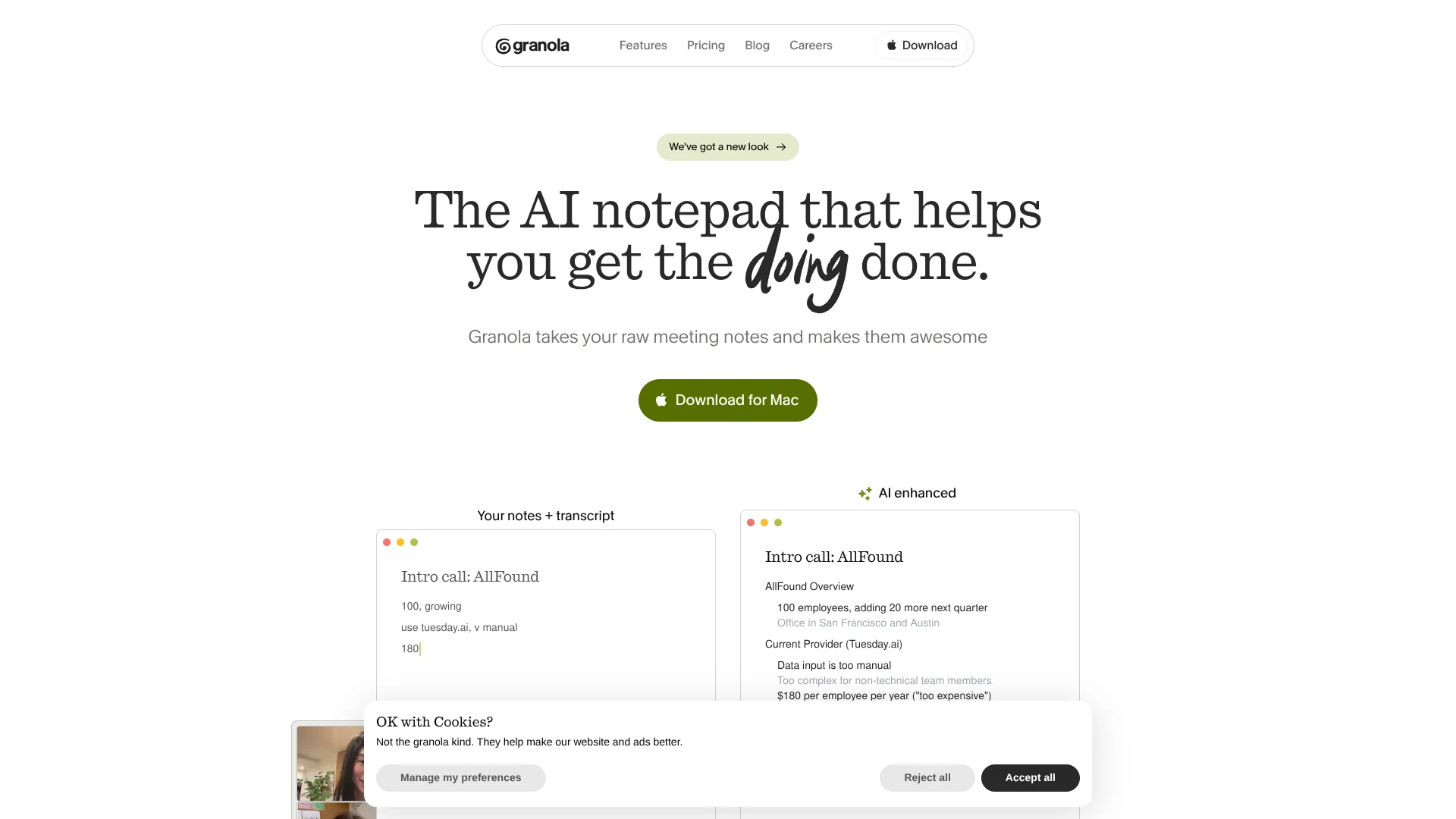
Granola is an AI notepad built for people who live in back‑to‑back meetings. It records your computer’s audio, pairs it with the notes you type, then uses modern language models to turn that raw material into structured summaries, action lists, and follow ups. Instead of a separate meeting bot, it behaves more like an upgraded Apple Notes that quietly does transcription and thinking in the background. The result is calmer meetings, better recall, and less admin work after every call.
Granola sits in an interesting middle ground: it is not just an automatic notetaker, and not just a blank notebook. Its core idea of “your notes + transcript” keeps humans in the loop while still delivering AI‑polished documents seconds after a call. The lack of meeting bots keeps calls feeling normal, yet users still gain rich summaries, searchable transcripts, and meeting‑aware chat. Clear separation between original notes and AI output, plus opinionated templates for common meeting types, gives teams structure without feeling like they adopted a heavy new system.
Granola offers a focused way for meeting‑heavy professionals to capture, understand, and reuse what was said without drowning in transcripts or manual documentation. People who care about active participation can keep typing simple bullets while Granola quietly handles recording, structure, and follow ups. The limited free history and paywalled integrations mean power users will likely land on a paid plan, yet the tradeoff often makes sense for teams that live in calls. For product‑driven, sales‑driven, and research‑driven organizations, Granola stands out as a thoughtful AI notepad that helps turn conversations into concrete next steps.
Who is Using Granola?
Sales teams
Granola captures discovery calls, demos, negotiations, follow-ups, CRM updates, and proposals for customer-facing teams.
Customer success teams
Teams can document customer feedback, query past sales calls, update CRM records, and identify renewal risks.
Product and engineering teams
Granola helps capture product feature requests, create action items, and route meeting insights into project workflows.
Hiring teams
Hiring teams can use meeting notes and automations for candidate-related workflows, including scorecards.
Design teams
Design teams can use shared meeting knowledge to align on workflows, priorities, and technical roadmaps.
Key Features
Rating Breakdown
Pricing Plans
Basic
Free
- AI meeting notes, limited meeting history, AI chat within/across meetings, shared folders, customized note templates, multi-language support, and opt-out of model training any time
Business
$14 per user per month
- Everything in Basic plus unlimited meeting notes/history, access to advanced AI thinking models, advanced integrations (Attio, Notion, Slack, Hubspot, Affinity, Zapier), centralized billing & user management, and MCP integration in all apps
Enterprise
$35 per user per month
- Everything in Business plus enterprise-grade security & admin controls, SSO, priority support + usage analytics, API data access, org-wide auto-deletion periods, admin controls for meeting link sharing, team-wide opt-out of model training, and org-wide Granola usage notifications
Which Granola plan should you pick?
Start with Basic for free core meeting notes, upgrade to Business for unlimited history and integrations, and choose Enterprise for SSO and organization-wide controls.
Basic
Good for individuals who need free AI-enhanced notes, chat, shared folders, templates, and multi-language support.
Business
Good for individuals and small teams who need unlimited history, advanced models, integrations, MCP, centralized billing, and API access.
Enterprise
Good for larger organizations who need SSO, advanced security and administration, usage analytics, retention controls, and organization-wide training opt-out.
Granola Use Cases
Meeting note capture
Start Granola during Zoom, Google Meet, Microsoft Teams, in-person meetings, or voice memos, then combine rough notes with transcription.
Outcome: AI-enhanced notes with summaries, decisions, and action items.
Customer research synthesis
Organize customer conversations in folders and chat across multiple meetings to identify recurring themes and requests.
Outcome: Cross-meeting insights for product and customer decisions.
Sales and CRM follow-up
Use recipes and CRM integrations to extract commitments and send meeting notes to HubSpot, Attio, or Affinity.
Outcome: Less manual CRM data entry and more consistent follow-up.
Automated follow-up emails
Run a saved recipe against a meeting transcript to draft a personalized follow-up email.
Outcome: A reviewable email draft based on the meeting context.
AI-assisted meeting knowledge
Connect Granola notes to ChatGPT, Claude, Cursor, or other MCP-compatible AI tools.
Outcome: Searchable meeting context and answers from historical notes.
Workflow Ideas with Granola
Customer interview to product feedback
- 1Start Granola during the customer interview and capture rough notes.
- 2Enhance the note using a customer-feedback template.
- 3Run a recipe to extract feature requests and recurring themes.
- 4Review the results across multiple interviews in a folder.
Sales meeting to CRM
- 1Transcribe and enhance the sales meeting in Granola.
- 2Run a recipe to extract decisions, objections, and next steps.
- 3Automatically send the note to the matching HubSpot, Attio, or Affinity record.
Meeting to team follow-up
- 1Capture and enhance the meeting notes.
- 2Run a follow-up-email or action-items recipe.
- 3Post the summary to Slack or send it through a Zapier workflow.
How Granola fits into your stack
Browser
Granola provides a web app for shared notes and browser-based access to summarized meeting content.
Desktop / IDE
The native macOS and Windows apps capture computer audio, transcribe meetings, generate notes, and connect with tools such as Cursor through MCP.
Team chat and tickets
Granola can share notes to Slack and use integrations or Zapier to send action items into project-management tools.
Automation and APIs
Zapier workflows automate post-meeting actions across thousands of apps, while the Granola API provides programmatic access to notes and transcripts.
Knowledge and files
Shared folders, team spaces, uploaded files, transcripts, and Granola Chat create a searchable meeting-knowledge layer.
Pros
- +Human‑First Workflow: Encourages people to keep jotting their own thoughts while AI fills in the gaps and structure.
- +No Meeting Bots: Transcribes from system audio, so there is no extra participant joining your calls or spooking guests.
- +High‑Quality Meeting Summaries: Combining typed notes with transcripts produces more contextually accurate recaps than transcript‑only tools.
- +Great For Product & Research Work: Templates and chat over transcripts fit discovery calls, user research, roadmap debates, and internal syncs especially well.
- +Simple, Fast Interface: Feels more like a lightweight notes app than a bulky meeting suite, which keeps adoption friction low.
Cons
- −Limited History On Free Plan: Basic users only see the last 30 days of notes inside the app, which can feel tight for heavy meeting schedules.
- −Integrations Locked To Paid Tiers: Connections to Slack, Notion, Zapier, and CRMs require Business or Enterprise plans.
- −No Dedicated Android App Yet: Mobile support is currently focused on iOS, which leaves Android‑first teams waiting.
Limitations & when to consider alternatives
Known limitations
- Free-plan history is limited. Basic users can access only notes from the last 30 days in the app; older notes remain stored but are inaccessible there.
- Pre-recorded audio cannot be imported. Granola is designed for live transcription and does not support uploading pre-recorded audio files such as MP3s for transcription.
- Mobile virtual-meeting capture is limited. On iPhone, iOS does not allow Granola to capture audio from other applications, so virtual meeting calls cannot be transcribed there.
- iOS file upload is unavailable. File upload is supported in Granola Chat, but not in Granola Chat on iOS.
- Desktop live speaker diarization is limited. Desktop transcription currently distinguishes microphone audio as Me and system audio as Them; live diarization is supported on iPhone instead.
Look elsewhere when
- You need fine-tuning or training jobs on your own data.
- You need to transcribe pre-recorded audio files.
- You need virtual-meeting transcription from an iPhone.
How to Use Granola
- 1
Install the desktop or mobile app
Download Granola for macOS, Windows, iPhone, or Android, depending on where you capture meetings.
- 2
Sign in and connect your calendar
Use Google or Microsoft authentication and grant calendar access so Granola can show upcoming meetings and meeting context.
- 3
Start a note before or during a meeting
Select an upcoming calendar event or create an ad-hoc note, then manually start transcription.
- 4
Add rough notes and enhance them
Capture the decisions or details that matter to you, then let Granola combine them with the transcript into structured notes.
- 5
Use Chat and Recipes
Ask questions about one or more meetings, upload supporting files where supported, or run recipes for follow-ups, action items, and analysis.
- 6
Share or automate the result
Share notes with teammates, post them to Slack, send them to CRM systems, connect Zapier, or access them through the API or MCP.
Who is Granola For?
Product Managers & Product Teams
Using it to capture discovery calls, prioritize feature discussions, and document decisions without maintaining separate specs during every meeting.
Sales & Customer Success Teams
Relying on it for discovery, demos, renewals, and QBRs, then using AI to draft follow up emails, list objections, and track budget signals.
User Researchers & Designers
Turning interview transcripts into tagged insights and highlight reels, and querying past sessions for quotes or patterns.
Founders, Executives, and Investors
Keeping a searchable record of board meetings, portfolio check‑ins, and strategic conversations so nothing important lives only in memory.
Uncommon Use Cases
Utilized by educators running live cohorts who want automated summaries of each session; Adopted by content marketers who turn meeting conversations into briefs, blog outlines, and case study drafts.
Frequently Asked Questions
Does Granola have a free plan?
Yes. The Basic plan costs $0 and includes AI-enhanced notes, Granola Chat, shared folders, templates, and multi-language support. Free-plan note access is limited to the last 30 days.
Which platforms does Granola support?
Granola provides desktop apps for macOS and Windows, plus native iPhone and Android apps. Desktop versions transcribe meetings across platforms such as Zoom, Meet, and Teams.
Does Granola add a bot to meetings?
No. Granola runs locally on the computer or phone, accesses device audio, and does not add a bot to video calls.
Can Granola connect to other tools?
Yes. Granola supports integrations including Slack, Notion, Zapier, HubSpot, Affinity, Attio, and AI tools through MCP.
Does Granola support SSO?
Yes. SSO is available on Enterprise plans, while Google and Microsoft authentication are supported across plans.
Does Granola store meeting recordings?
No. Granola transcribes audio in real time or from temporarily cached mobile audio, then stores transcripts and notes rather than meeting recordings.
Community reviews
Be the first to share your experience.
Sign in to leave a review for Granola.
Granola Alternatives
Looking for alternatives to Granola? Here are similar tools in the same category: