Grammarly
Elevate writing with real-time grammar, tone, and plagiarism checks.
Watch Grammarly in Action
Key Takeaways
- What it is
- Elevate writing with real-time grammar, tone, and plagiarism checks.
- Pricing
- $12 per month · $12.50 per member per month
- Best for
- Advanced Grammar Checker
- Contextual Spelling Correction
- Vocabulary Enhancement Suggestions
- Rating
- 4.6/5
What is Grammarly?
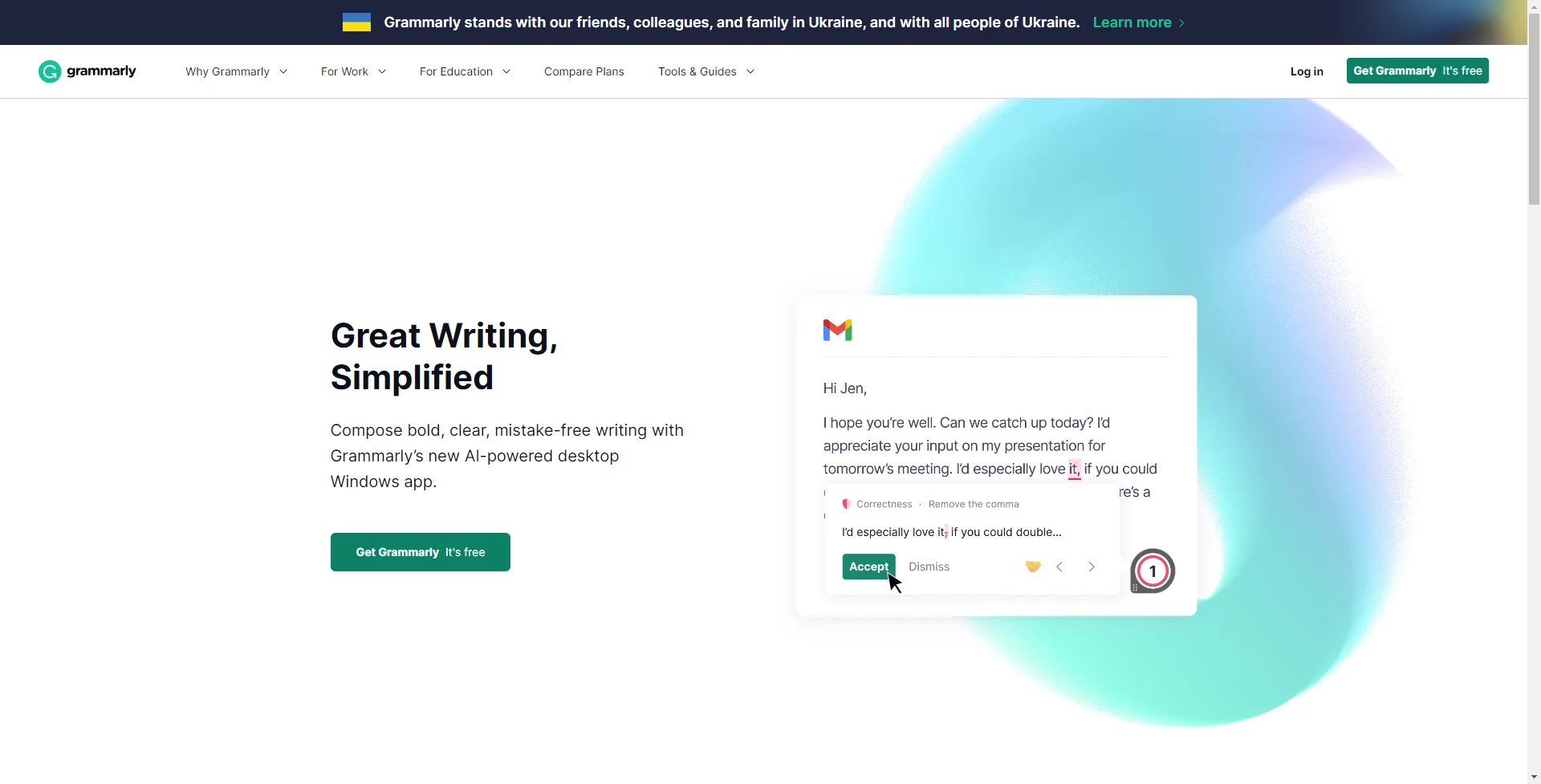
If you've ever found yourself second-guessing your comma placement, scratching your head over sentence structure, or simply wishing for a second pair of eyes on your writing, then Grammarly might just be the companion you need. At its core, Grammarly is a cutting-edge AI tool designed to refine and enhance the writing process. It acts as an automated proofreader, an editor, and even a writing coach, offering real-time feedback and suggestions to improve the clarity, effectiveness, and correctness of your text.
What sets Grammarly apart is its sophisticated AI that not only corrects mistakes but also provides explanations and learning opportunities, allowing users to improve their writing skills over time. Its personalized feedback and goals feature helps you adapt your writing to the specific context and audience, making it more than just a proofreading tool.
Grammarly shines as a comprehensive writing assistant, delivering immediate value to a wide array of users. Its robust grammar checking, style guidance, and plagiarism detection features make it indispensable for anyone looking to elevate their written communication. With its user-friendly interface and multi-platform support, Grammarly stands out as a leading tool in AI-assisted writing, empowering users to express themselves clearly and effectively. Whether you're a student, professional, or casual writer, Grammarly is a potent ally in the quest for impeccable writing.
Who is Using Grammarly?
Students and Academics
Enhancing essays, research papers, and ensuring academic integrity through plagiarism checks.
Professionals
Polishing emails, reports, and professional documents to maintain a high standard of communication.
Writers and Content Creators
Crafting compelling blog posts, articles, and stories with engaging language and correct grammar.
Non-Native English Speakers
Improving language proficiency and writing confidence by learning through corrections and suggestions.
Uncommon Use Cases
Assisting individuals with learning disabilities like dyslexia in writing more effectively; aiding scriptwriters in refining dialogues and screenplays.
Key Features
Rating Breakdown
Pricing Plans
Free Version
- Offers critical grammar and spelling checks
Premium Subscription
$12 per month
- Providing advanced suggestions on grammar
- Sentence structure
- Style
- More
Business Plan
$12.50 per member per month
- Added features like style guide and snippets
Which Grammarly plan should you pick?
Start with Free for essential grammar and spelling support; upgrade to Pro for advanced rewriting, tone, translation, plagiarism and AI detection, or choose Enterprise for organization-wide administration and security.
Free
Good for individuals who need essential spelling, grammar, tone, and limited AI writing assistance at no cost.
Pro
Good for individuals and teams who need full-sentence rewrites, advanced tone and fluency support, translation, plagiarism detection, AI detection, and more AI prompts.
Enterprise
Good for larger organizations that need centralized administration, team management, SSO, security controls, and organization-wide writing configuration.
Grammarly Use Cases
Polish business communication
Review emails, reports, proposals, and internal updates for grammar, clarity, tone, and effectiveness.
Outcome: Clearer and more professional communication.
Create and revise content
Use generative AI to brainstorm, draft, rewrite, and refine content across supported applications.
Outcome: Faster movement from a blank page to a finished draft.
Maintain brand consistency
Upload a company style guide and configure brand voice profiles for organization-wide writing suggestions.
Outcome: More consistent on-brand messaging.
Translate and refine writing
Translate text into supported languages and then improve its grammar, clarity, and tone.
Outcome: More polished multilingual communication.
Review uploaded documents
Upload supported Word, OpenOffice, text, or rich-text files to check and edit them in the Grammarly Editor.
Outcome: Improved existing documents without manually reformatting them.
Workflow Ideas with Grammarly
Review and share a document
- 1Upload an existing document or create a new Grammarly document
- 2Apply Grammarly suggestions and revise the text
- 3Share the document with viewers, commenters, or editors
Create on-brand marketing content
- 1Upload the company style guide and configure a brand voice profile
- 2Use AI to brainstorm, draft, and revise campaign content
- 3Apply real-time brand and writing suggestions before publishing
Translate and polish a message
- 1Select the text and open Grammarly’s translation feature
- 2Choose a supported target language and insert the translation
- 3Review the translated text for grammar, clarity, and tone
How Grammarly fits into your stack
Wide Range of Platforms
Grammarly integrates with popular platforms like Microsoft Office, Google Docs, and leading web browsers.
Mobile Keyboard App
Available for both iOS and Android, allowing you to write clearly and correctly on your mobile devices.
Email Integration
Works with email clients to ensure professional and mistake-free communication.
Social Media Compatibility
Can be used across various social media platforms to help maintain a strong and error-free online presence.
Pros
- +Enhanced Writing Quality: Grammarly helps to ensure your writing is not only correct but also clear and concise.
- +Time-Saving: The tool's real-time suggestions can drastically reduce editing and proofreading time.
- +Versatility: Grammarly is available as a browser extension, desktop app, and mobile keyboard, making it accessible across various devices and platforms.
- +User-Friendly Interface: Its intuitive design is suitable for both amateur writers and professionals, streamlining the user experience.
Cons
- −Internet Dependency: Requires an internet connection for most features, limiting offline utility.
- −Limited Free Version: While useful, the free version includes only basic features, with more advanced options locked behind a premium subscription.
Limitations & when to consider alternatives
Known limitations
- Limited upload formats. The Grammarly Editor supports .doc, .docx, .odt, .txt, and .rtf files, but not PDF, LaTeX, or Markdown.
- Document size limits. Uploaded documents are limited to 100,000 characters and 4 MB.
- Usage limits. Accounts can check up to 100 documents or 50,000 words in 24 hours and up to 300 documents or 150,000 words in 30 days.
- Browser support exclusions. Grammarly supports Chrome, Safari, Firefox, and Edge; Opera and Brave are not supported.
- Platform-specific feature differences. Some advanced features, including translation and advanced suggestions, are available only on selected plans, platforms, or product offerings.
Look elsewhere when
- You need programming-code generation or image understanding.
- You need automated cross-application workflows.
- You need to upload PDFs or Markdown files for checking.
How to Use Grammarly
- 1
Comprehensive tutorials and documentation assist users in navigating the platform from basic functionalities to advanced features.
Who is Grammarly For?
Individuals
Grammarly helps people improve essays, emails, messages, and other everyday writing across web, desktop, and mobile applications.
Students
Students can use Grammarly for school-related writing such as essays, presentations, and dissertations.
Marketing teams
Marketing teams can use brand voice profiles, style guides, and AI assistance to produce consistent on-brand content.
Customer support teams
Customer support teams can write clear, polite, and friendly resolutions in live chat and email workflows.
Enterprise organizations
Organizations can manage members, roles, groups, writing preferences, analytics, SSO, and security controls.
Frequently Asked Questions
What does Grammarly Free include?
Grammarly Free provides essential writing assistance, including spelling and grammar support, tone detection, and a monthly allowance of AI prompts.
Which languages does Grammarly support?
Grammarly provides writing support in more than 20 languages, with language availability varying by feature and platform.
What file types can I upload?
The Grammarly Editor supports Microsoft Word .doc and .docx, OpenOffice .odt, .txt, and .rtf files. PDF, LaTeX, and Markdown files are not supported.
How large can an uploaded document be?
Uploaded documents can contain up to 100,000 characters and must not exceed 4 MB.
Does Grammarly support team collaboration?
Users can share documents with viewers, commenters, or editors, including real-time editing and transferable ownership.
Does Grammarly support single sign-on?
SAML SSO is available for Grammarly Business, Enterprise, and Education plans through supported identity providers.
Community reviews
Be the first to share your experience.
Sign in to leave a review for Grammarly.
Grammarly Alternatives
Looking for alternatives to Grammarly? Here are similar tools in the same category: