
GPTinf
Detects AI writing, then rewrites it to pass.
Key Takeaways
- What it is
- Detects AI writing, then rewrites it to pass.
- Pricing
- $9.99 per month · $24.99 per month · $59.99 per month
- Best for
- AI Text Humanizer
- Multi-Detector Testing
- Freeze Keywords Control
- Rating
- 4.0/5
What is GPTinf?
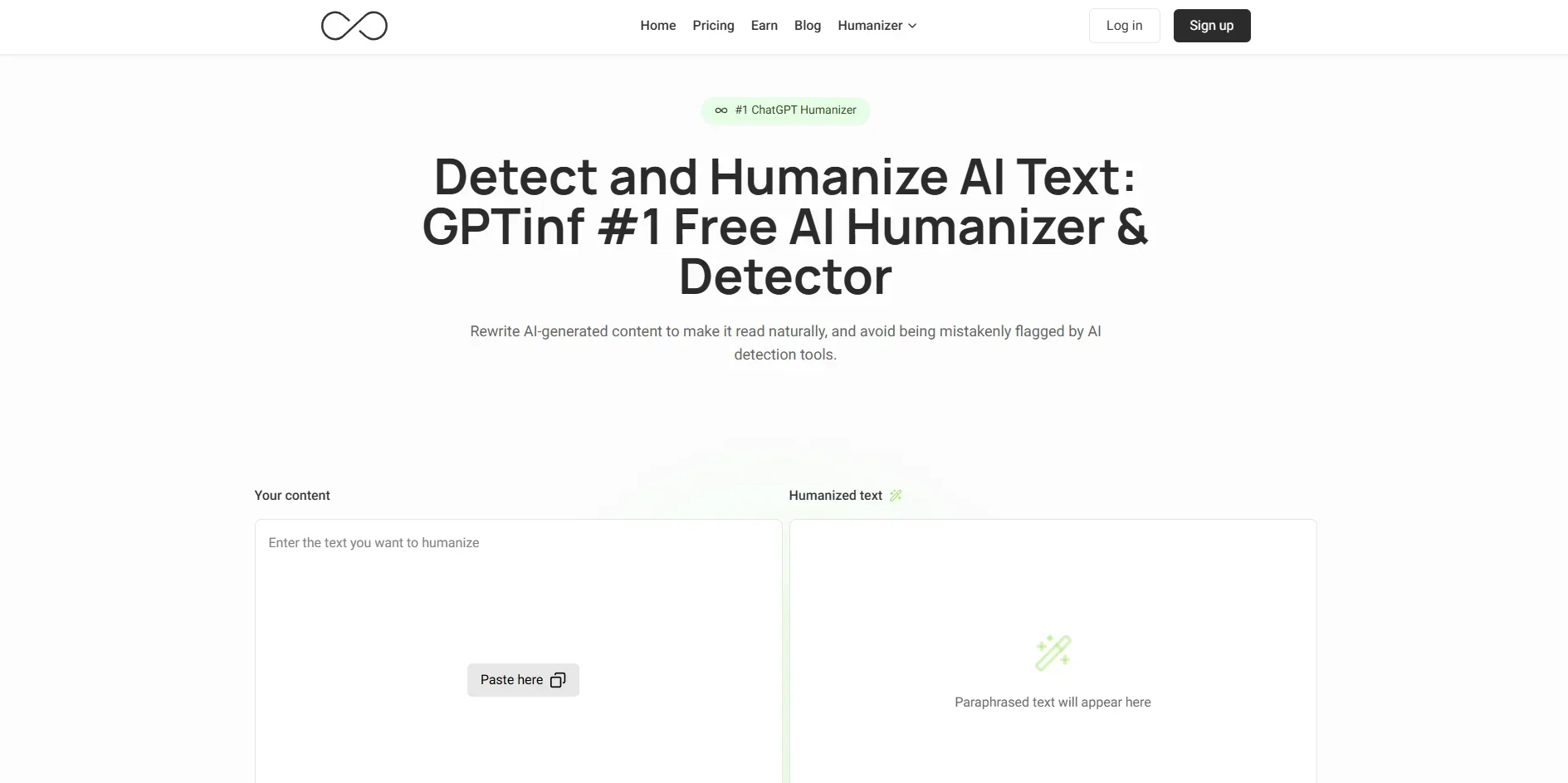
GPTinf focuses on turning AI generated content into text that looks and reads like it was written by a human, with the specific goal of slipping past popular AI detectors such as GPTZero and Turnitin. It does this by reworking wording, sentence structure, and patterns so that the meaning stays intact while the output scores as human in multiple built in detection tests.
GPTinf sets itself apart by centering everything around bypassing AI detectors, from its Ultra Humanizer engine to built in multi detector testing that shows scores from several services in one place. The Freeze Keywords feature and unlimited plan tier make it especially appealing for power users who want aggressive humanization while still preserving brand or citation accuracy at very high volumes.
GPTinf offers a focused way to take AI written drafts and push them closer to human style, especially for content creators, agencies, and developers who want speed without obvious machine signatures. Anyone considering it should treat it as a specialized rewriting tool rather than a magic invisibility cloak, use it within the rules of their school or workplace, and enjoy the fact that, when used wisely, its humanizer and detector dashboard can be pretty cool additions to an AI heavy writing workflow.
Who is Using GPTinf?
Freelance Writers and Content Creators
Using GPTinf to rewrite AI assisted drafts into text that passes AI checks for blog posts, newsletters, and marketing content.
Agencies and Marketing Teams
Running bulk humanization on blog articles, landing pages, and campaign copy so content feels more natural and avoids being flagged by AI filters.
SEO Specialists and Publishers
Applying the tool to AI assisted SEO content to try to keep search engines and third party detectors from classifying it as machine written.
Developers and SaaS Platforms
Integrating the GPTinf API into custom dashboards, writing assistants, or content management flows for automated rewriting at scale.
Uncommon Use Cases
Used by educators and researchers who want to test and stress AI detectors by running controlled experiments on humanized AI text; adopted by tool reviewers and AI consultants who benchmark bypass tools for clients or public reports.
Key Features
Rating Breakdown
Pricing Plans
Lite
$9.99 per month
- 5,000 words, unlimited uses of “Freeze Keywords,” unlimited AI detector checks, built-in AI detector, passes AI detection tools, and access to all rewrite modes
Pro
$24.99 per month
- 25,000 words, unlimited re-paraphrasing, unlimited uses of “Freeze Keywords,” unlimited AI detector checks, built-in AI detector, passes AI detection tools, access to all rewrite modes, and priority email support
Unlimited
$59.99 per month
- Unlimited words, unlimited re-paraphrasing, unlimited uses of “Freeze Keywords,” unlimited AI detector checks, built-in AI detector, passes AI detection tools, access to all rewrite modes, top-tier customer support, and first access to new features
Which GPTinf plan should you pick?
Start with Free to test the tools, upgrade to Lite for regular short pieces, choose Pro for iterative rewriting, and use Unlimited when monthly word limits become restrictive.
Free
Good for trying GPTinf, uploading files, using the unlimited AI Detector, and processing short humanizer requests.
Lite
Good for users who need 5,000 humanizer words per month plus unlimited plagiarism and grammar checks.
Pro
Good for daily writers who need 25,000 words monthly, selective rephrase, and re-humanize.
Unlimited
Good for heavy daily users, agencies, or teams that need unlimited humanizer words.
GPTinf Use Cases
Humanize an AI-assisted essay
Upload or paste an essay, choose Academic mode, and run the Humanizer.
Outcome: The draft reads more naturally while retaining its meaning and formal register.
Check AI-writing signals
Run text through the AI Detector to review sentence-level classifications and detector scores.
Outcome: You can identify passages that may need additional review.
Check originality
Submit text to the Plagiarism Checker and inspect matched sources and flagged sentences.
Outcome: Potential overlap is identified before submission or publication.
Improve grammar
Paste text into the Grammar Checker and review contextual, spelling, and punctuation corrections.
Outcome: The draft becomes cleaner and more polished.
Create a first essay draft
Use the Essay Writer with a topic, type, length, and tone.
Outcome: GPTinf produces a structured first draft.
Workflow Ideas with GPTinf
Draft, humanize, and review
- 1Paste text or upload a PDF, Word, or plain text file
- 2Choose a rewriting mode and click Humanize
- 3Review the output and the automatic AI-detection score
Check originality before publishing
- 1Run the draft through the AI Detector
- 2Run the draft through the Plagiarism Checker
- 3Review flagged sentences and matched sources
Polish an academic draft
- 1Select Academic mode in the Humanizer
- 2Freeze important names or terms
- 3Review the rewritten text and correct remaining grammar issues
How GPTinf fits into your stack
Browser
GPTinf is used as a web-based writing workspace at gptinf.com. Users paste text or upload files, then humanize, paraphrase, check AI detection, grammar, plagiarism, or readability.
Docs and writing
The product sits alongside document-writing workflows by processing PDF, Word, and plain-text files. Its tools cover humanizing, paraphrasing, essay drafting, grammar correction, plagiarism checking, and readability review.
Knowledge and files
Users can upload PDF, Word, or plain-text documents for humanization and AI detection. Paid plans also provide file-to-file humanization with plan-specific word limits.
Pros
- +Strong for Basic and Mid-Tier Detectors: Users often see high bypass rates on many common AI detection tools, especially for short to medium length content.
- +Fast Rewriting with One Click: The interface focuses on quick copy paste in, rewrite, then instant detector testing, which makes the workflow feel snappy.
- +Good Fit for Bulk and Technical Use: Word based plans, unlimited tiers, and an API make it attractive for agencies, developers, and large teams that need scale.
- +Fine Grained Control with Freeze Keywords: Being able to protect specific terms while still chasing undetectable output is genuinely cool for brands and academic citations.
- +Free/Low-Cost Entry Options: Between free trials and relatively low starting prices, users can test results before committing more budget.
Cons
- −Mixed Performance on Top Tier Detectors: Advanced tools such as Turnitin or the toughest GPTZero checks can still flag content, especially on longer or more complex pieces.
- −More Technical for Non-Developers: While basic use is simple, the most powerful workflows, including the API and bulk automation, tend to favor users who are comfortable with technical setups.
Limitations & when to consider alternatives
Known limitations
- Free humanizer limits. Anonymous users receive 120 words per process; registered free users receive 240 total words.
- Free plagiarism limit. Registered free users can check up to 500 words per day.
- Advanced rewriting is paid. Selective rephrase and re-humanize are available on Pro and higher plans.
- Third-party detector processing. The AI Detector sends text to eight underlying detector services, each with its own privacy policy.
- Email-only support. GPTinf states that it does not offer phone support or live chat.
Look elsewhere when
- You need a documented developer API.
- You need a native mobile or desktop application.
- You need image analysis.
- You need shared team workspaces or SSO.
How to Use GPTinf
- 1
Open the AI Humanizer
Go to GPTinf and choose AI Humanizer from the tool list.
- 2
Add your draft
Paste text or upload a PDF, Word, or plain text file.
- 3
Choose a rewriting mode
Select Standard, Academic, Formal, Informal, Simple, Expand, Shorten, or Creative based on the intended output.
- 4
Freeze important terms
Add proper nouns, keywords, or phrases that must remain unchanged.
- 5
Run Humanize
Click Humanize to restructure the text and receive the rewritten output.
- 6
Review the result
Check the output against the original, inspect the automatic AI score, and run grammar or plagiarism checks if needed.
Who is GPTinf For?
Students and graduates
They can refine AI-assisted coursework and review how drafts may appear to AI detectors.
Researchers and academics
Academic mode helps smooth formal prose while retaining the intended register.
ESL writers
GPTinf is positioned for writers who want stiff or textbook-like English to read more naturally.
Bloggers and newsletter writers
They can humanize drafts and selectively improve flat paragraphs before publication.
Business and marketing teams
The tool is intended to improve automated-sounding emails, landing pages, reports, and marketing copy.
Frequently Asked Questions
What is GPTinf?
GPTinf is a writing toolkit with an AI Humanizer, AI Detector, Plagiarism Checker, Grammar Checker, Essay Writer, Paraphraser, and Readability Checker.
Is GPTinf free?
Yes. The Free tier provides limited humanizer usage, while the AI Detector is free and unlimited.
What file types can I upload?
GPTinf supports PDF, Word, and plain text uploads across its plans.
How does the AI Humanizer work?
It restructures sentences, changes grammatical constructions, and adjusts rhythm while preserving the original meaning.
Does GPTinf use submitted text to train models?
GPTinf says submitted text is not used to train new models.
How can I contact support?
Support is provided by email at [email protected]; GPTinf says it has no phone line or live chat.
Community reviews
Be the first to share your experience.
Sign in to leave a review for GPTinf.
GPTinf Alternatives
Looking for alternatives to GPTinf? Here are similar tools in the same category:
Learn to Master GPTinf
With Skill Leap courses
Get in-depth training on GPTinf and 50+ other AI tools with our expert-led video courses.
Start 7-Day Free Trial