GovDash
Streamline GovCon lifecycle: capture, proposal, contract management, automated compliance.
Key Takeaways
- What it is
- Streamline GovCon lifecycle: capture, proposal, contract management, automated compliance.
- Best for
- Capture Cloud
- Proposal Cloud
- Contract Cloud
- Rating
- 4.6/5
What is GovDash?
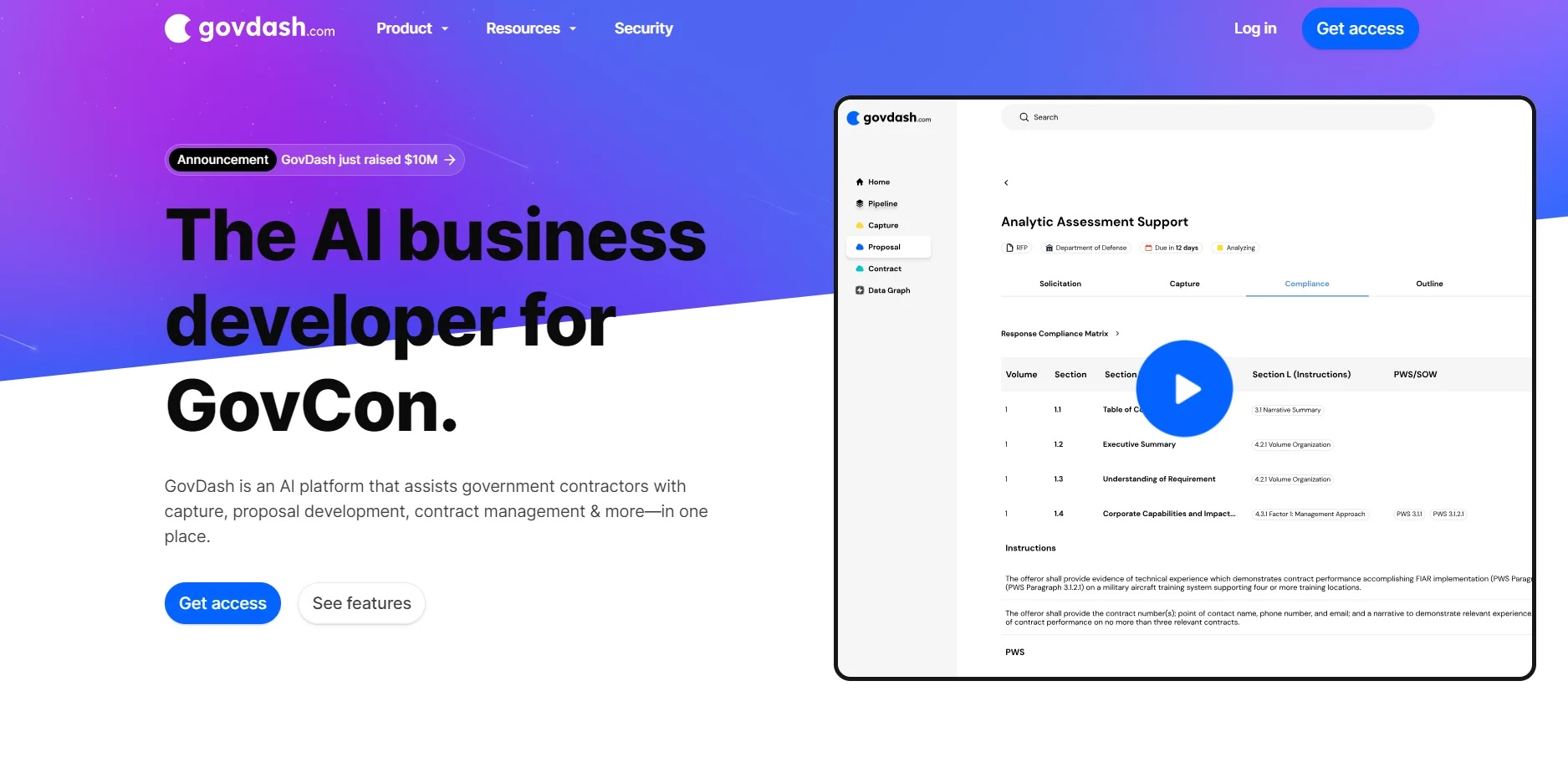
GovDash is a cutting-edge AI platform designed specifically for government contractors, aiming to streamline and enhance the entire process of government contracting. This tool is a game-changer in the GovCon sector, providing an all-in-one solution for capture, proposal development, contract management, and more. As someone who has navigated the complexities of government contracts, I find GovDash to be an indispensable ally. It not only identifies opportunities but also guides users through capture, builds compliance matrices, annotates outlines, writes proposals, and manages contracts. This isn't just another AI tool; it's a dedicated teammate ready to help you produce winning bids.
GovDash stands out for its comprehensive approach to managing the GovCon lifecycle. From opportunity identification through proposal submission and contract management, it offers a level of specialization and functionality that general-purpose tools can't match. Its integration with Microsoft Word, ensuring a user-friendly experience while maintaining high standards of security and compliance, sets it apart in the marketplace.
GovDash excels in providing a comprehensive, secure, and efficient platform for managing the entire GovCon lifecycle. Its unique blend of features, including automated compliance, integrated proposal development, and contract management, makes it an essential tool for anyone involved in government contracting. The platform's user-friendly design, coupled with its robust security measures, offers an unmatched advantage for government contractors looking to streamline their processes and increase their chances of winning contracts.
Who is Using GovDash?
Government Contractors
The primary users, leveraging GovDash to streamline their bid and proposal processes.
Federal Proposal Managers
Professionals who manage the complex process of creating and submitting proposals for government contracts.
Contract Managers
Individuals responsible for the oversight and administration of contracts within the GovCon sector.
Business Development Teams
These teams use GovDash to identify new opportunities and manage the capture process efficiently.
Uncommon Use Cases
Educational institutions may use GovDash for instructional purposes in courses related to government contracting. Additionally, non-profit organizations involved in government projects can leverage its capabilities for better project management.
Key Features
Rating Breakdown
Pricing Plans
Discover
- Match & Qualify
- User-initiated workflows included in subscribed modules
- Dash included in subscribed modules
- Agents at 25% off
- Dedicated account manager
- SSO
Capture
- Score & Decide
- User-initiated workflows included in subscribed modules
- Dash included in subscribed modules
- Agents at 25% off
- Dedicated account manager
- SSO
Pricer
- Build & Defend
- User-initiated workflows included in subscribed modules
- Dash included in subscribed modules
- Agents at 25% off
- Dedicated account manager
- SSO
Proposal
- Draft and submit
- User-initiated workflows included in subscribed modules
- Dash included in subscribed modules
- Agents at 25% off
- Dedicated account manager
- SSO
Contract
- Track & Modify
- User-initiated workflows included in subscribed modules
- Dash included in subscribed modules
- Agents at 25% off
- Dedicated account manager
- SSO
Which GovDash plan should you pick?
Start with the Discover module for opportunity research, then add Capture, Proposal, Contract, or Pricer as your workflow requires.
Discover
Good for teams who need opportunity discovery, qualification, and pipeline research.
Capture
Good for teams who need pursuit strategy, solutioning, teaming, and competitive intelligence.
Pricer
Good for teams who need solicitation-driven labor, cost, rate, and line-item modeling.
Proposal
Good for teams who need compliance matrices, outlines, proposal drafting, and document generation.
Contract
Good for teams who need contract inventory, task-order tracking, modifications, and deliverable management.
GovDash Use Cases
Discover and qualify opportunities
Search federal, state, and local procurement sources, analyze requirements, and add opportunities to the pipeline.
Outcome: A more focused opportunity pipeline.
Develop capture strategies
Record customer needs, competition, differentiators, risks, budgets, and solutioning details for pursuits.
Outcome: Better-prepared capture plans and pursuit decisions.
Generate compliant proposals
Upload solicitation documents, generate an outline and compliance matrix, then draft proposal content.
Outcome: A structured, solicitation-aligned proposal draft.
Monitor awarded contracts
Track contracts, modifications, task orders, deliverables, and recurring status-report workflows.
Outcome: Improved contract visibility and risk management.
Model government-contract pricing
Extract pricing information from solicitations and model labor, indirect rates, escalation, fees, and line items.
Outcome: A traceable pricing model connected to capture.
Workflow Ideas with GovDash
Turn a solicitation into a proposal draft
- 1Upload the solicitation, PWS or SOW, and supporting documents
- 2Generate the compliance matrix and annotated outline
- 3Generate and export the proposal draft
Automate recurring contract monitoring
- 1Choose or configure a contract-monitoring agent
- 2Set a schedule or workflow-event trigger
- 3Review the logged report and outputs written to the contract record
Research an opportunity from a webpage
- 1Open a procurement or agency webpage in the GovDash browser extension
- 2Ask Dash to analyze the page and compare it with company data
- 3Create or add the opportunity to the GovDash pipeline
How GovDash fits into your stack
Microsoft Word Integration
Offers full functionality within a familiar interface.
Capture, Proposal, and Contract Cloud
These specialized tools are seamlessly integrated to provide a comprehensive management solution.
Security Standards Compliance
Ensures compatibility with NIST 800-171 and FedRAMP Moderate standards, important for government contractors.
Infrastructure
Runs on GovCloud in AWS and Azure, ensuring reliability and security.
Pros
- +Efficiency: GovDash significantly reduces the time and effort required to manage government contracts, from opportunity discovery to proposal submission and contract management.
- +Compliance Simplified: The automated compliance feature ensures that proposals meet all necessary requirements, a critical factor in government contracting.
- +User-Friendly: Integration with Microsoft Word makes GovDash accessible and easy to use for those already familiar with Microsoft Office products.
- +Secure and Compliant: Adherence to NIST 800-171 and FedRAMP Moderate standards means users can trust in the security and compliance of the platform.
Cons
- −Learning Curve: New users may require some time to fully understand and utilize all features effectively.
- −Specialization: As it's specifically designed for GovCon, its application is limited to this sector and may not be as useful for general contract management outside government contracts.
- −Integration Limitations: While it integrates well with Microsoft Word, users might find limitations with other software they use for contract management.
Limitations & when to consider alternatives
Known limitations
- Connector restrictions for CUI. Connectors do not work with CUI contexts, and GovDash will not send CUI to external connector providers.
- Image processing is text-only. GovDash can extract clear text from image files but does not process the actual visual image.
- Webhooks are outbound only. GovDash sends opportunity events to external systems but does not receive webhooks.
- Agents require human oversight. Dash automates workflows, but important actions remain subject to human review and approval.
- Pricing is sales-led. The pricing page presents module subscriptions and credits but directs prospective customers to talk to sales.
Look elsewhere when
- You need visual image analysis rather than OCR.
- You need inbound webhooks into the platform.
- Your workflow requires connectors to process CUI.
- You need fully autonomous execution without approval.
How to Use GovDash
- 1
For those looking to get up to speed with GovDash, the platform offers detailed tutorials and support resources. These materials cover everything from basic setup to advanced features, designed to help users make the most of the platform.
Who is GovDash For?
Government contractors
GovDash supports opportunity identification, capture, pricing, proposals, contracts, and compliance in one platform.
Capture teams
Capture teams can qualify opportunities, develop win strategies, manage teaming, and research competitors.
Proposal teams
Proposal teams can generate outlines, compliance matrices, drafts, and solicitation responses.
Contract teams
Contract teams can manage contract inventories, task orders, modifications, deliverables, and risks.
Business development teams
BD teams can discover opportunities, manage pipelines, connect CRM data, and track relationships.
Frequently Asked Questions
What is Dash?
Dash is GovDash’s AI assistant for summaries, questions, document creation, proposal work, and platform guidance.
Can Dash automate workflows?
Yes. Dash Agents perform multi-step workflows on schedules, workflow events, or manual triggers.
Where can Dash be accessed?
Dash is available in GovDash, Microsoft Word, Excel, PowerPoint, Slack, Teams, and the browser extension.
Can Dash use external systems?
Yes. Connectors let Dash access tools such as Slack, Google Drive, GitHub, Linear, HubSpot, and Microsoft services.
Does Dash provide citations?
Dash outputs include source references so users can verify claims against source documents.
Is Dash fully autonomous?
No. Human judgment remains in the loop, with users reviewing and approving important actions.
Community reviews
Be the first to share your experience.
Sign in to leave a review for GovDash.
GovDash Alternatives
Looking for alternatives to GovDash? Here are similar tools in the same category: