
GoSearch
Revolutionizes enterprise search with AI, custom GPTs, and extensive integrations.
Watch GoSearch in Action
Key Takeaways
- What it is
- Revolutionizes enterprise search with AI, custom GPTs, and extensive integrations.
- Best for
- Enterprise Search
- Generative AI-powered Recommendations
- GoAI—Enterprise ChatGPT Assistant
- Rating
- 4.6/5
What is GoSearch?
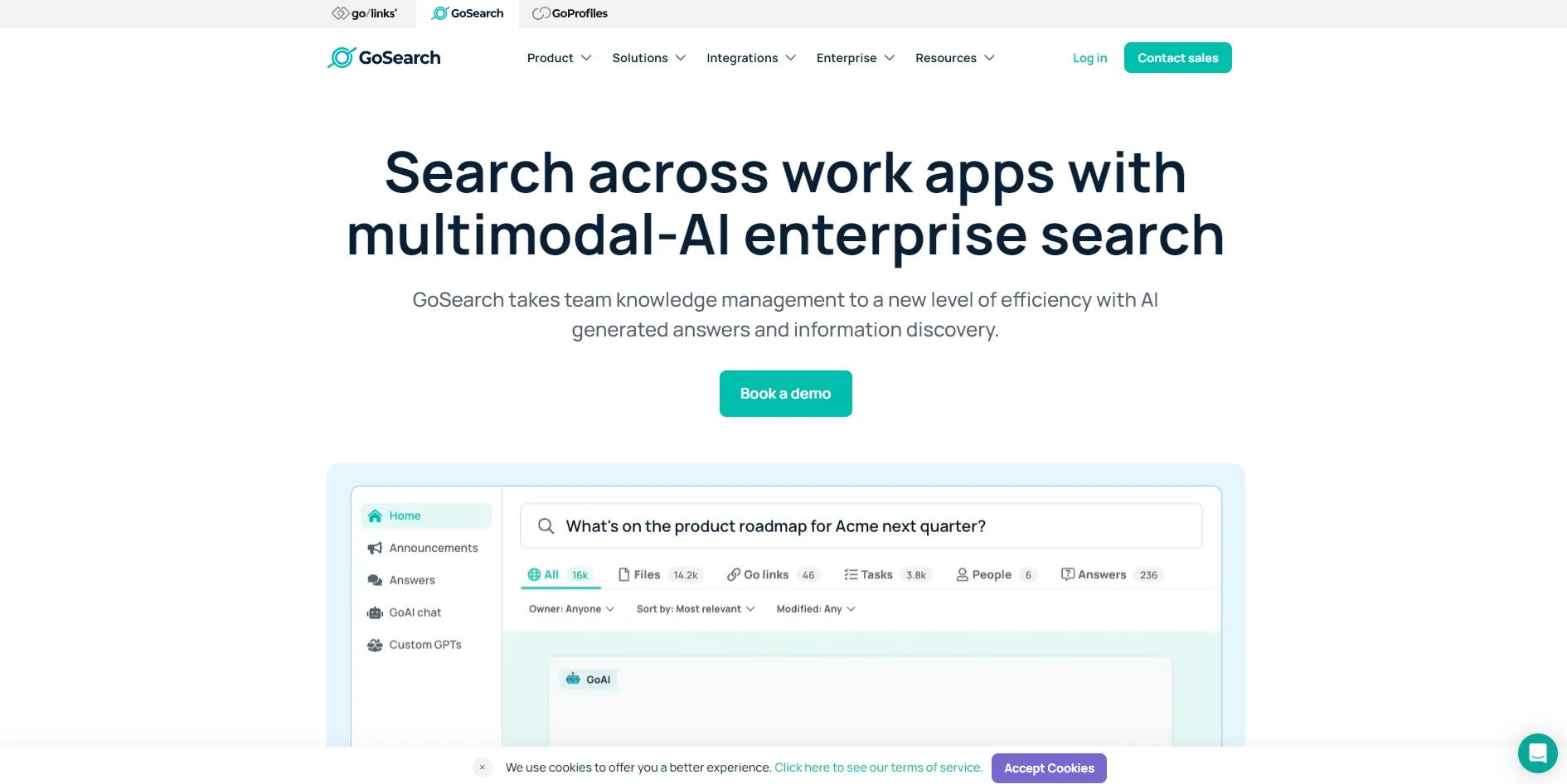
In today's fast-paced digital workspace, finding the right information at the right time can be akin to searching for a needle in a haystack. This is where GoSearch comes into play, revolutionizing the way enterprises manage and access their knowledge. At its core, GoSearch is an AI-powered enterprise search and resource discovery tool that promises to take team knowledge management to unprecedented levels of efficiency. Designed for businesses inundated with data across numerous applications, GoSearch simplifies the task of locating and utilizing information scattered across various platforms. With its cutting-edge generative AI, multimodal AI capabilities, and custom GPT options, GoSearch is not just another search tool; it's a comprehensive solution for unified knowledge management.
GoSearch stands out in the crowded space of enterprise search solutions with its unique blend of generative AI, custom GPT creation, and comprehensive integration capabilities. The option to bring your own cloud for data hosting and the ability to control API keys for large language models are particularly distinctive features that cater to the growing concerns around data privacy and security in the digital age. Its emphasis on reducing the friction of information discovery across a plethora of apps addresses a critical pain point for businesses today.
GoSearch excels in transforming the enterprise search and knowledge management landscape with its advanced AI capabilities, making it an indispensable tool for businesses of all sizes. Its emphasis on customization, security, and integration sets it apart, offering a level of adaptability and assurance that is highly valued in today's fast-evolving business environment. Whether it's streamlining workflows, enhancing data privacy, or simply saving time on information discovery, GoSearch provides a robust, scalable solution that addresses the multifaceted challenges of modern knowledge management.
Who is Using GoSearch?
Engineering Teams
Utilizing the tool to streamline the search and management of project documentation and code repositories.
HR Departments
Leveraging the platform for quick access to employee information, policies, and HR documents.
IT Professionals
Using GoSearch to efficiently manage IT resources, documentation, and support tickets.
Product Marketing Teams
Employing the tool to gather market research, product documentation, and campaign materials.
Uncommon Use Cases
Nonprofits using GoSearch for grant management and documentation; Educational institutions adopting it for research and academic resource management.
Key Features
Rating Breakdown
Which GoSearch plan should you pick?
Start with Free for personal data and light usage, upgrade to Pro for unlimited individual usage and workflows, and choose Enterprise for shared connectors, API access, SSO/SAML/SCIM, and advanced governance.
Free
Good for individuals who need basic private connectors, limited searches, a small number of GoAI queries, and one small file upload.
Pro
Good for users who need unlimited searches and GoAI conversations, private agents, workflows, tasks, and larger or unlimited file uploads.
Enterprise
Good for organizations that need shared connectors, API access, SSO/SAML/SCIM, advanced permissions, audit logs, BYO LLM, or BYO cloud.
GoSearch Use Cases
Unified workplace search
Search documents, messages, tickets, links, and other content across connected applications.
Outcome: Relevant company knowledge is available through one search interface.
New-hire onboarding
Use an agent to provide step-by-step onboarding tasks and orientation resources.
Outcome: New employees receive consistent onboarding guidance.
Jira and documentation support
Create an agent that summarizes Jira issues, sprint progress, release notes, and related Confluence or Notion documentation.
Outcome: Engineering information is easier to retrieve and understand.
Opportunity insights
Use an agent to surface opportunity data and next steps from CRM tools for sales representatives.
Outcome: Sales users receive consolidated opportunity context.
Customer support
Create an agent that answers common customer questions and provides troubleshooting guidance.
Outcome: Support responses become more consistent and accessible.
Workflow Ideas with GoSearch
Recurring opportunity review
- 1Select the Opportunity Insights agent
- 2Provide instructions and set a schedule
- 3Run the scheduled task to surface CRM opportunity data and next steps
Cross-tool research workflow
- 1Connect the relevant sources or tools
- 2Arrange workflow steps so information is gathered and processed in order
- 3Test, save, and run the workflow
New-hire onboarding assistant
- 1Create an agent with onboarding instructions
- 2Connect orientation resources and relevant company data
- 3Share the workspace agent with permitted users
How GoSearch fits into your stack
Wide Range of Data Connectors
Integration with over 100 apps ensures that GoSearch can serve as a central hub for enterprise search.
Custom GPT and AI Capabilities
Offers unique possibilities for businesses to tailor the AI's functionality to their specific needs.
Security Focused
The BYOC option and customizable API key access provide a high degree of security and privacy control.
Pros
- +Efficiency Boost: Significantly speeds up the process of finding information, reducing the need for toggling between apps.
- +Customizable AI: The ability to build custom enterprise GPTs offers unparalleled flexibility for specific organizational needs.
- +Enhanced Data Privacy: The BYOC option gives businesses full control over their security measures and data privacy.
- +Comprehensive Integration: Supports integration with over 100 apps and data connectors, ensuring a wide range of enterprise applications can be seamlessly searched.
Cons
- −Learning Curve: Some users may require time to fully grasp the capabilities and setup of custom GPTs and integrations.
- −Dependency on Third-Party Apps: The efficiency of GoSearch is partly contingent on the connectors to other applications, which might limit functionality if key apps are not supported.
- −Potential Overwhelm with Features: The extensive range of features and customizations might be overwhelming for smaller teams or businesses new to AI-driven solutions.
Limitations & when to consider alternatives
Known limitations
- Free-plan usage limits. The Free plan includes 10 searches per day, 3 GoAI queries per day, and one file upload with a 5 MB limit.
- File-size limits. Uploaded files must be under 80 MB on paid plans, and supported formats are limited to PDF, Word, Excel, PowerPoint, plain text, and CSV.
- API availability. Access to the GoSearch API requires the Enterprise plan.
- Personal files and workspace agents. Adding a personal file to an agent prevents that agent from being made available as a workspace agent.
- Enterprise trial availability. Enterprise trials or proofs of concept are offered case by case rather than as a standard self-serve trial.
Look elsewhere when
- You need model fine-tuning rather than configurable agents.
How to Use GoSearch
- 1
For those looking to get started or dive deeper into GoSearch's capabilities, the platform offers a range of resources from on-demand webinars to product videos and a comprehensive help center. These tutorials cover everything from basic setup to advanced customization and integration techniques.
Who is GoSearch For?
Enterprises
GoSearch unifies company knowledge across workplace applications while providing permissions, governance, security, and audit controls.
Knowledge workers
Knowledge workers can search documents, messages, tickets, and other connected resources from one interface.
HR teams
HR teams can build agents for PTO, benefits, and new-hire onboarding questions.
Developers and engineering teams
Engineering teams can use agents to summarize Jira issues, sprint progress, release notes, and technical documentation.
Sales and customer-success teams
Sales and customer-success teams can use agents for opportunity insights, customer questions, and CRM-based workflows.
Frequently Asked Questions
Is there a free plan?
Yes. GoSearch offers a Free plan at $0 per user per month with no credit card required.
What are the available GoSearch plans?
The plans are Free, Pro, and Enterprise.
Does GoSearch offer an API?
Yes. The GoSearch API is available to Enterprise customers and uses access tokens for authentication.
Can users upload files?
Yes. GoSearch supports PDF, Word, Excel, PowerPoint, plain-text, and CSV uploads. Files can be personal or shared with a workspace.
Does GoSearch support SSO?
Yes. GoSearch supports Google SSO on the Free plan and SSO, SAML, and SCIM on Enterprise.
Can GoSearch connect to custom tools?
Yes. GoSearch supports more than 100 connectors and provides API and MCP connector options for extending connected data sources.
Community reviews
Be the first to share your experience.
Sign in to leave a review for GoSearch.
GoSearch Alternatives
Looking for alternatives to GoSearch? Here are similar tools in the same category:
Learn to Master GoSearch
With Skill Leap courses
Get in-depth training on GoSearch and 50+ other AI tools with our expert-led video courses.
Start 7-Day Free Trial