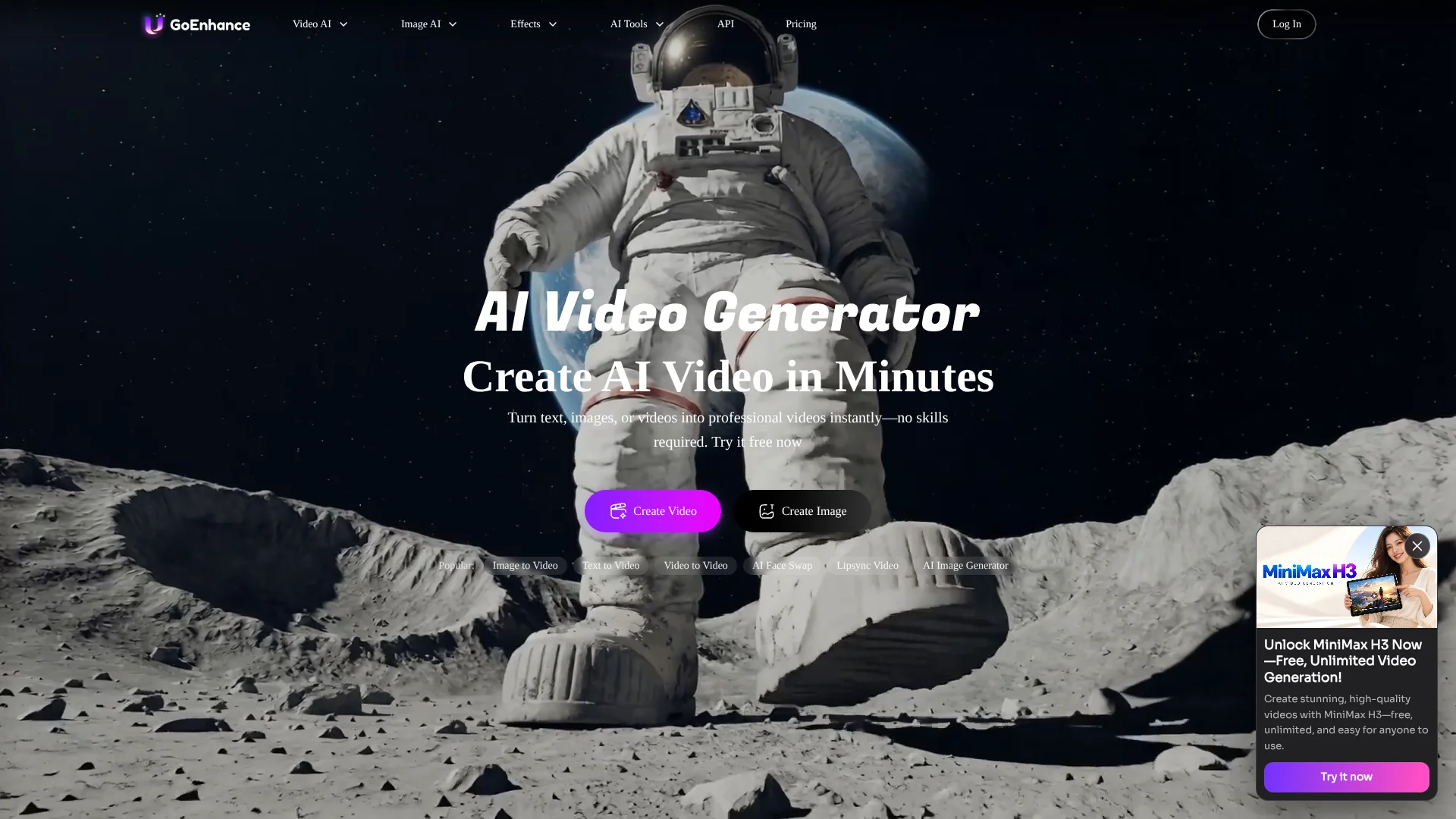
GoEnhance AI
Transform footage and still images into stylized videos with AI.
Key Takeaways
- What it is
- Transform footage and still images into stylized videos with AI.
- Pricing
- Freemium · $9.99 per month · $24.99 per month · $49.99 per month · $99.99 per month
- Best for
- Video to Video
- Text and Image to Video
- AI Face Swap
- Rating
- 4.2/5
What is GoEnhance AI?
GoEnhance AI turns text prompts, still images, and existing footage into AI-generated video, and also offers tools for image creation and enhancement. Video creators can restyle clips, animate a picture, or make a talking avatar; image creators can generate or upscale artwork. Its model choices and token-based plans help creators choose between different generation options and levels of usage.
A GoEnhance-made Chrome extension can turn a Pinterest image into an editable text prompt, then open GoEnhance’s image generator with that prompt filled in. That connects visual inspiration to a starting point for a new AI-generated image.
GoEnhance is a fit for creators who want several ways to make or transform video and images, including video-to-video styling and face-swap tools. The tradeoff is that generation uses tokens, and commercial use is limited to Standard, Pro, and Mega subscribers. Check the plan’s token allowance and usage rights before building a regular production workflow around it.
Who is Using GoEnhance AI?
Short-Form Video Creator
A distinct visual style can be applied to existing footage for social video experiments.
Digital Illustrator
Image generation and upscaling help develop concepts and prepare artwork at higher detail.
Video Editor
Video-to-video and video face swap tools offer ways to transform source footage.
Marketing Content Creator
AI avatars, lip sync, and video generation can support promotional visual content.
Uncommon Use Cases
Pinterest images can become editable prompts for exploring visual styles; a single character image can be animated with a motion video.
Key Features
Rating Breakdown
Pricing Plans
Free plan
Free
- A small amount of tokens to try the tools
- Personal use only
Basic
$9.99 per month
- 600 tokens per month
- Annual billing: $8 per month, billed as $96 yearly
- Personal use only
Standard
$24.99 per month
- 1,600 tokens per month
- Annual billing: $17.50 per month, billed as $210 yearly
- Commercial license and Relax Mode on supported features
Pro
$49.99 per month
- 3,500 tokens per month
- Annual billing: $35 per month, billed as $420 yearly
- Commercial license, up to 60-second video-to-video generation, and 6 concurrent fast jobs
Mega
$99.99 per month
- 8,000 tokens per month
- Annual billing: $70 per month, billed as $840 yearly
- Commercial license, up to 60-second video-to-video generation, and 12 concurrent fast jobs
Which GoEnhance AI plan should you pick?
Try the free plan first, then choose Basic for personal use or Standard and above if you need commercial rights, more tokens, or Relax Mode.
Free plan
Good for creators who want to try the tools with a small amount of tokens.
Basic
Good for personal projects that need 600 monthly tokens without a commercial license.
Standard
Good for regular creation that needs 1,600 monthly tokens, commercial use, and Relax Mode on supported features.
Pro
Good for heavier creation that needs 3,500 monthly tokens, a commercial license, and up to 60-second video-to-video generation.
Mega
Good for high-volume work that needs 8,000 monthly tokens and up to 12 concurrent fast jobs.
GoEnhance AI Use Cases
Restyle Existing Footage
A source clip becomes the basis for an animated or otherwise restyled video.
Outcome: A transformed video based on the original footage.
Animate a Still Image
A still image gains motion through image-to-video generation or character animation.
Outcome: A generated video from a still image.
Create AI Video from Text
A written scene description provides the starting point for a generated clip.
Outcome: A video generated from a text prompt.
Improve an Image
Image enhancement and upscaling add detail or increase resolution.
Outcome: An enhanced or upscaled image.
Turn a Pinterest Pin into a Prompt
The Chrome extension describes a selected pin in text that can be edited or sent to GoEnhance’s image generator.
Outcome: An editable image prompt ready for image generation.
Workflow Ideas with GoEnhance AI
Restyle a Source Clip
- 1Open Video to Video and upload the source video.
- 2Choose a style and video duration.
- 3Generate the restyled clip.
Animate a Character Image
- 1Open Character Animation and upload the character image.
- 2Select or upload a motion video and choose a style.
- 3Set the duration, add a prompt if needed, and generate.
Develop an Image from Pinterest Inspiration
- 1Hover over a Pinterest image and click the GoEnhance extension button.
- 2Edit or copy the generated prompt.
- 3Open the GoEnhance image generator with the prompt and create an image.
How GoEnhance AI fits into your stack
Web Creative Workspace
The GoEnhance website brings video generation, video transformation, image creation, and enhancement tools together for browser-based creative work.
Pinterest Inspiration
The Chrome extension turns a selected Pinterest image into a text prompt that can be sent to GoEnhance’s image generator.
Developer API
GoEnhance Open API provides video and image generation through documented API requests, with token-based usage.
Pros
- +Video restyling: Existing footage can be transformed into different visual styles.
- +Broad creative toolkit: Video generation, face swaps, character animation, and image enhancement are available on the same service.
- +Model choice: The service offers multiple video and image models, with access varying by plan.
- +Pinterest prompt extension: A selected pin can become a text prompt for an image-generation workflow.
Cons
- −Token budgeting: Fast generation uses tokens, so frequent creation can require tracking usage.
- −Commercial-use restriction: Free and Basic accounts are limited to personal use.
- −Relax Mode tradeoff: Supported generations can be slower when queued.
Limitations & when to consider alternatives
Known limitations
- Free plan has limited tokens. The free plan provides a small amount of tokens for trying the tools; the site does not specify a fixed amount on its pricing page.
- Commercial use depends on the plan. Free and Basic subscribers are limited to personal use; the site lists a commercial license for Standard, Pro, and Mega.
- Relax Mode is not available for every feature. It supports only selected functions, can queue jobs, and is available to Standard, Pro, and Mega subscribers.
- Some video-to-video plans have duration limits. The pricing page lists a maximum of 20 seconds for Standard and 60 seconds for Pro and Mega.
- Token-pack purchases do not expire. The pricing page says the 500-token pack does not expire; subscription tokens are listed as a monthly allowance.
Look elsewhere when
- You need a downloadable desktop application rather than a web-based creative workspace.
- You need a shared team workspace with named users and collaboration controls.
- You need a commercial license on the free or Basic plan.
How to Use GoEnhance AI
- 1
Try the Free Plan
Sign up to receive a small amount of tokens and try the available tools before subscribing.
- 2
Choose a Creation Tool
Pick a workflow such as Video to Video, Text to Video, Image to Video, or Image Enhancer based on the media you have.
- 3
Add Your Source or Prompt
Upload the image or video required by the selected tool, or enter a text prompt for generation.
- 4
Generate and Review
Submit the job and review the result; fast generation uses tokens, while Relax Mode is available for supported features on Standard, Pro, and Mega.
- 5
Check Usage Rights Before Publishing
The site limits commercial use to Standard, Pro, and Mega subscribers; Free and Basic are for personal use.
Who is GoEnhance AI For?
Video Creators
Video-to-video styling and text- or image-to-video tools support making new clips or changing existing footage.
Social Media Creators
Video effects, face swaps, avatars, and image tools can help produce varied visual posts.
Digital Artists
Image generation, image editing, and upscaling support making and refining visual work.
Commercial Creators
Standard, Pro, and Mega plans include a commercial license for generated creations.
Frequently Asked Questions
Does GoEnhance AI have a free plan?
Yes. Signing up gives you a small amount of tokens to try the tools before subscribing.
How do Fast Mode and Relax Mode work?
Fast Mode uses tokens for faster generation. Relax Mode does not use tokens on supported features, but jobs may be queued and take longer; it is available to Standard, Pro, and Mega subscribers.
Can I use GoEnhance creations commercially?
The site says commercial use is permitted for Standard, Pro, and Mega subscribers. Free users and Basic subscribers are limited to personal use.
Does GoEnhance offer an API?
Yes. GoEnhance Open API offers video and image generation through API requests, with usage paid for using tokens.
Is there a GoEnhance browser extension?
Yes. GoEnhance for Pinterest is a Chrome extension that turns a selected Pinterest image into an editable prompt.
Community reviews
Be the first to share your experience.
Sign in to leave a review for GoEnhance AI.
GoEnhance AI Alternatives
Looking for alternatives to GoEnhance AI? Here are similar tools in the same category: