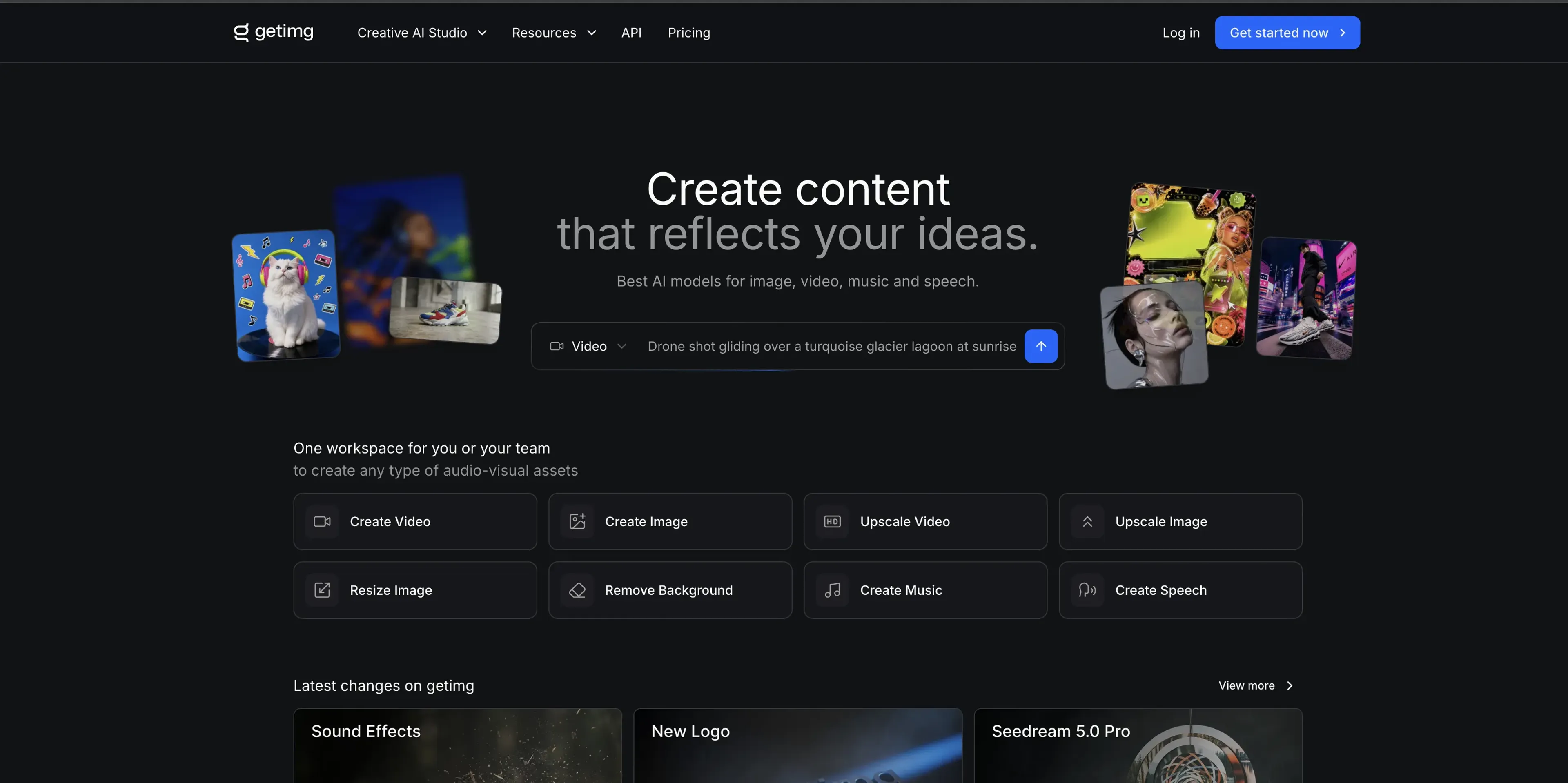
getimg.ai is an online creative studio that lets individuals and teams generate and edit images, video, music, speech, and sound effects in one shared workspace. It pulls together leading image, video, and audio models under a single subscription, auto-selecting the right model for each task so non-technical users can produce media assets without stitching multiple tools together.
Key Features:
Unified image, video, and audio studio: Generate images, video clips, music, speech, and sound effects inside one browser workspace instead of juggling separate apps.
Multi-model engine with auto selection: Access Seedream, FLUX.2, Google Veo 3.1, Seedance 2.0, Lyria 3, and other models, with getimg.ai choosing the best option for each prompt.
Built-in editing toolkit: Use image and video upscaling, smart image resizing, background removal, and hairstyle swapping without leaving the project.
Shared teams workspace and asset management: Give studios and agencies a shared library of generations, uploads, and brand Elements, organized in folders across clients and campaigns.
Image and video generation API: Add text-to-image and text-to-video generation to products through a per-generation API that is billed separately from studio plans.
Pros
Broad media coverage: Handles images, video, music, speech, and sound effects in one place, reducing the need for extra tools.
Model choice without complexity: Auto model selection on top-tier providers saves non-experts from constant manual testing.
Team-ready organization: Shared workspaces and folders keep AI work visible and organized across agencies and production teams.
Scalable credits: Tiered credit packages and per-seat plans let creators grow usage from solo work to larger teams.
Cons
Separate billing for API: Subscription credits do not cover API calls, so developers must manage a distinct credit pool.
Limited top-ups on lower tiers: Top-up credits are only available on Plus and Ultra, which restricts flexibility for Entry and Core users.
Per-seat pricing for teams: Core, Plus, and Ultra all bill per seat, so costs rise directly with headcount.
Who is Using getimg.ai?
Photographers and retouchers: Restore archives, swap backdrops, and generate concept stills before shoots inside a shared studio.
Architects and interior designers: Produce client-ready renders and material explorations in a workspace the whole studio can access.
Video creators and editors: Turn prompts or images into clips, then refine and upscale them for social and campaigns.
Marketing and social media teams: Create campaigns, social variants, and AI stock-style visuals across brands from one shared folder structure.
Product and ecommerce teams: Generate product shots and stylized backgrounds for catalogs and listings without full photo shoots.
Uncommon Use Cases: Internal comms teams pulling quick AI stock-style images for decks; educators generating lesson visuals, short clips, and voiceovers without a full production crew.
Pricing:
Entry: $10 per month ($8 per month when billed annually); 3,000 credits per month, commercial rights, access to 11 image models and 9 video models, 4K upscaling, and 2 generations at a time
Core: $30 per user per month ($25 per user per month when billed annually); 15,000 credits per seat, access to all image and video models, 8K upscaling, 4 generations at a time, and 2 teams
Plus: $65 per user per month ($55 per user per month when billed annually); 35,000 credits per seat, 16K upscaling, 8 generations at a time, 5 teams, and top-up credits (most popular)
Ultra: $175 per user per month ($150 per user per month when billed annually); 100,000 credits per seat, 16K upscaling, 10 generations at a time, 10 teams, and top-up credits
Disclaimer: Please note that pricing information may not be up to date. For the most accurate and current pricing details, refer to the official getimg.ai website.
What Makes getimg.ai Unique?
getimg.ai combines a multi-model engine that auto-selects from providers like Seedream, FLUX.2, and Google Veo with a true shared workspace, so whole teams can generate, edit, and deliver AI media from the same models, references, and folders instead of bouncing between single-purpose apps.
How We Rated It:
Accuracy and Reliability: 4.2/5
Ease of Use: 4.5/5
Functionality and Features: 4.7/5
Performance and Speed: 4.4/5
Customization and Flexibility: 4.0/5
Data Privacy and Security: 3.8/5
Support and Resources: 3.9/5
Cost-Efficiency: 4.1/5
Integration Capabilities: 3.7/5
Overall Score: 4.1/5
Shared Studio For AI-First Media:
getimg.ai suits creative teams and serious solo makers who already work with AI and now want one place to take projects from prompt to export. Its strengths sit in multi-model quality, team organization, and built-in editing, while separate API billing and per-seat pricing may push very cost-sensitive or highly technical users to mix it with other tools.