
GetGC
Streamline legal tasks with AI-driven drafting, advice, and review.
Key Takeaways
- What it is
- Streamline legal tasks with AI-driven drafting, advice, and review.
- Pricing
- $250 per month · $250 per seat per month
- Best for
- Real-Time Legal Advice
- Customized Document Drafting
- Review Assistance
- Rating
- 4.6/5
What is GetGC?
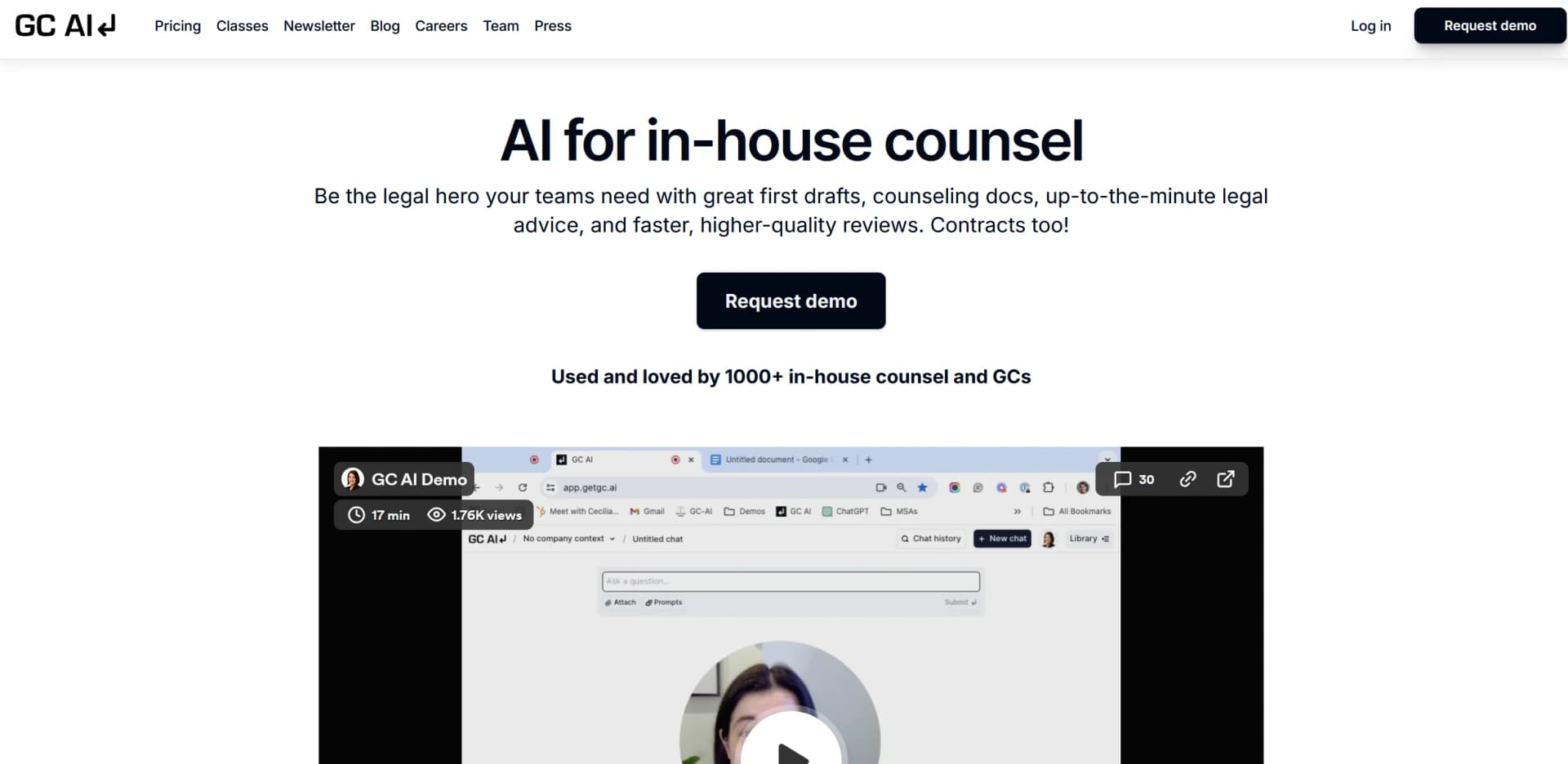
GetGC, accessible at getgc.ai, is an advanced AI platform designed to cater specifically to the needs of in-house legal teams and general counsels. The tool offers a range of features aimed at streamlining legal document drafting, delivering strategic legal advice, and enhancing overall efficiency in legal reviews. GetGC is positioned to support legal professionals in creating high-quality documents, obtaining timely legal advice, and automating routine workflows.
GetGC is distinguished by its specialized focus on legal functions, offering advanced tools tailored specifically for legal professionals. Unlike general-purpose AI tools, GetGC delivers features designed for high-quality legal document handling, strategic advice, and compliance, making it a specialized asset for legal departments.
GetGC excels in delivering tailored, efficient, and secure AI-driven solutions for legal professionals. Its advanced features for real-time advice and high-quality document drafting make it an invaluable tool for in-house legal teams and general counsels. By automating routine tasks and enhancing communication, GetGC boosts productivity while ensuring compliance and data security, solidifying its position as a leader in legal AI solutions.
Who is Using GetGC?
In-House Legal Teams
Utilizes GetGC for managing daily legal operations and document preparation.
General Counsels
Employs the tool for strategic legal advice and rapid assessments.
Compliance Officers
Uses GetGC to streamline compliance documentation and ensure regulatory adherence.
Contract Managers
Leverages the platform for efficient contract drafting and review.
Uncommon Use Cases
Applied by educational institutions for legal course instruction and by NGOs managing legal affairs with limited resources.
Key Features
Rating Breakdown
Pricing Plans
Core - Individual
$250 per month
- Unlimited chats
- Prompts
- File uploads
- Access to the founding team
Core - Teams
$250 per seat per month
- Including all individual features plus team training sessions and custom terms
Which GetGC plan should you pick?
Start with the Individual plan for one legal professional; upgrade to Team when you need shared chats, team skills, SSO, and broader collaboration.
Individual
Good for solo or fractional GCs who need full platform access, unlimited chats and skills, file uploads, Word integration, connectors, analytics, and Easy Prompt.
Team
Good for legal teams that need Enterprise SSO, team skill libraries, shared chats, organizational collaboration, and team support.
GetGC Use Cases
Contract review and redlining
Upload or open agreements, identify risks, generate alternative clauses, and apply tracked changes.
Outcome: Faster contract review with documented redlines and issue spotting.
Legal research
Use web research, legal sources, and US case law tools to investigate current legal questions.
Outcome: Cited summaries, checklists, and synthesized legal answers.
Policy creation
Draft company policies and other legal documentation from chat and reusable skills.
Outcome: Structured first drafts that can be refined and exported.
Portfolio contract intelligence
Analyze thousands of contracts, extract fields, connect related agreements, and ask questions across the portfolio.
Outcome: Sortable, cited views of contract information.
Automated legal workflows
Use the API, playbooks, and connected applications to run legal questions and reviews programmatically.
Outcome: Legal analysis extended to internal tools, automated systems, and non-seated employees.
Workflow Ideas with GetGC
Review and redline a contract
- 1Upload or open the Word agreement in GC AI
- 2Ask GC AI to identify risks and deviations from preferred positions
- 3Review, accept, reject, or export the tracked redlines
Build a reusable contract-review workflow
- 1Create or attach a reusable skill or playbook
- 2Define negotiation positions, fallbacks, and escalation rules
- 3Run the playbook against new agreements and review flagged provisions
Automate legal analysis through the API
- 1Create an organization or personal API key
- 2Send chat-completion requests with questions or file IDs
- 3Retrieve the result and continue the conversation using the returned chat ID
How GetGC fits into your stack
Data Security
Compliant with modern security standards, ensuring encrypted and isolated data handling.
Custom Integration
Allows for integration with existing legal and corporate systems.
User Collaboration
Supports team collaboration within the platform, boosting productivity.
Legal Framework Compliance
Adheres to legal standards such as the California Bar AI guidance.
Pros
- +Efficiency Boost: Accelerates the drafting and reviewing process, saving valuable time.
- +High-Quality Outputs: Produces high-quality documents that often require minimal adjustments.
- +User-Friendly Interface: Features an intuitive interface that simplifies adoption for legal teams.
- +Secure and Confidential: Adheres to rigorous data privacy and security standards, ensuring confidentiality.
Cons
- −Learning Curve: New users may need time to master all the advanced functionalities.
- −Specialization Limitation: Primarily focuses on legal tasks, which may not benefit users needing broader applications.
- −Dependency on Input Quality: The effectiveness of the tool relies on the clarity and specificity of user inputs.
Limitations & when to consider alternatives
Known limitations
- Interactive clarification is unavailable in the API. The API cannot pause during a completion to ask a follow-up question.
- PDF uploads have a 50MB limit. GC AI documents superior PDF parsing for files up to 50MB.
- Servers are located exclusively in the United States. GC AI states that its infrastructure and servers are US-based.
- Niche or paywalled legal sources may require supplementary resources. GC AI notes limitations for niche case law, closed systems, and paywalled legal databases.
- Document editing is limited to DOCX files. PDFs and other formats can be analyzed, but Easy Edit opens Word DOCX files for editing.
Look elsewhere when
- You need a native iOS or Android application.
- You need a dedicated browser extension.
- You need image-understanding workflows.
- You need model fine-tuning on your own data.
How to Use GetGC
- 1
Start a trial or select a plan
Use the 14-day trial to evaluate GC AI, or purchase the Individual plan for immediate single-seat access.
- 2
Add legal context
Upload documents, create projects, connect Google Drive or other applications, and add company-specific skills or playbooks.
- 3
Ask for research, drafting, or analysis
Use chat to request legal research, contract review, policy drafting, summaries, or document comparisons.
- 4
Review and refine outputs
Check citations, inspect flagged risks, refine drafts in Easy Edit, and accept or reject tracked changes.
- 5
Collaborate with your team
Share projects, playbooks, chats, and files with teammates using organization permissions.
- 6
Extend workflows programmatically
Create an API key and use the REST API for automated legal questions, playbook runs, batch processing, and internal integrations.
Who is GetGC For?
Generalist in-house counsel
GC AI is designed for lawyers who serve multiple stakeholders and handle varied legal matters.
Product counsel
It fits consumer-focused legal work and time-sensitive advice in rapidly changing legal environments.
Contract management teams
It supports diverse contract portfolios, contract review, drafting, playbooks, and portfolio-scale analysis.
Legal teams
Organizations can invite team members, share projects, manage permissions, and collaborate on documents and chats.
Solo or fractional GCs
The Individual plan is positioned for solo or fractional general counsels needing full platform access.
Frequently Asked Questions
What is GC AI?
GC AI is an AI platform built for in-house lawyers and legal teams, supporting legal research, drafting, document analysis, projects, playbooks, and connected applications.
How much does GC AI cost?
The Individual plan costs $500 per month. Team pricing is available on request.
Does GC AI offer a free plan?
GC AI offers a 14-day free trial, but the pricing page does not list a permanent $0 plan.
Does GC AI support API access?
Yes. GC AI provides a REST API with organization or personal API keys, chat completions, playbook runs, and file-based processing.
Does GC AI support single sign-on?
Yes. GC AI supports SAML and OIDC through identity providers such as Okta, Azure AD, OneLogin, Google Workspace, and JumpCloud.
What integrations does GC AI support?
Agent Connectors support more than 20 applications, including Gmail, Outlook, Slack, Drive, HubSpot, Microsoft 365, Teams, OneDrive, SharePoint, and OneNote.
Community reviews
Be the first to share your experience.
Sign in to leave a review for GetGC.
GetGC Alternatives
Looking for alternatives to GetGC? Here are similar tools in the same category:
Learn to Master GetGC
With Skill Leap courses
Get in-depth training on GetGC and 50+ other AI tools with our expert-led video courses.
Start 7-Day Free Trial