
Genei
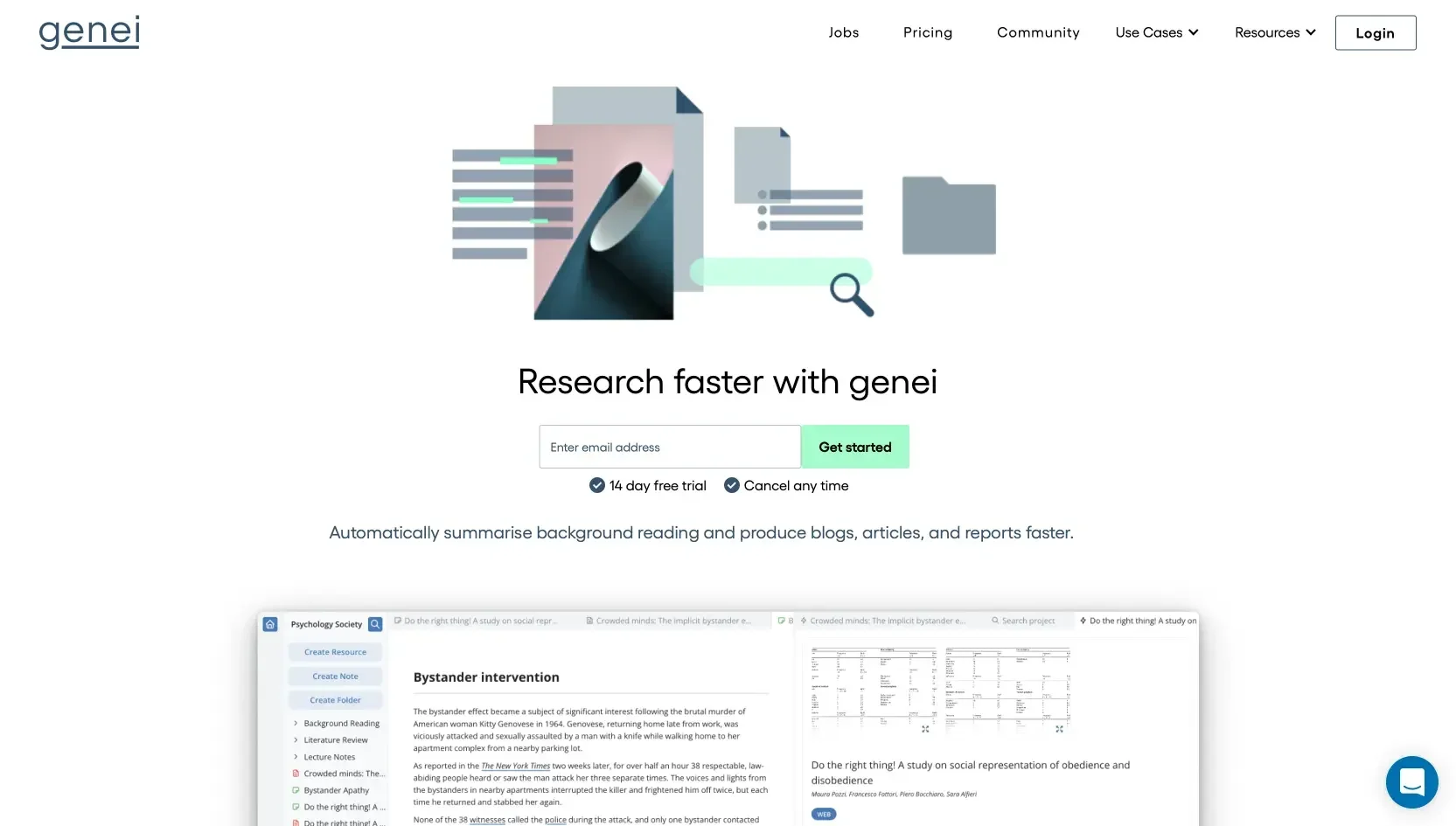
Revolutionize research and writing with AI-powered summarization, keyword extraction, and document management.
Watch Genei in Action
Key Takeaways
- What it is
- Revolutionize research and writing with AI-powered summarization, keyword extraction, and document management.
- Best for
- AI-Powered Summarization
- Keyword Extraction
- Document Management
- Rating
- 4.5/5
What is Genei?
genei is an advanced AI-powered summarization and research tool designed to transform the way individuals and professionals approach their writing, research, and content production tasks. At its core, genei aims to significantly reduce the time spent on background reading, allowing users to produce blogs, articles, and reports more efficiently. As someone who has spent countless hours sifting through documents and web pages for relevant information, I found genei's promise of streamlining research processes highly appealing. Its affiliation with Y-Combinator and recognition by TechCrunch as one of the favorite startups of summer 2021 further piqued my interest, indicating a strong endorsement from the tech and startup community.
genei distinguishes itself with its comprehensive suite of features designed to optimize the research and writing process. Its integration of AI-powered summarization, keyword extraction, and question-answering capabilities into a single platform sets it apart from traditional research tools. Moreover, the endorsement by reputable entities like Y-Combinator and coverage by TechCrunch highlight genei's potential to revolutionize how we approach writing and research tasks.
genei excels in providing a robust, AI-powered platform that significantly enhances the efficiency and quality of research and writing. Its unique combination of summarization, keyword extraction, and document management capabilities, alongside positive feedback from the user community, makes it an indispensable tool for a wide range of users. Whether for academic, professional, or personal projects, genei offers an unmatched advantage in navigating the vast sea of information we contend with daily.
Who is Using Genei?
Content Creators
To streamline the research process and improve the quality of written content.
Academic Researchers
For efficient literature review and management of academic sources.
Professional Writers
Leveraging the tool to enhance productivity and focus on writing tasks.
Digital Marketers
Utilizing keyword extraction to optimize content for SEO purposes.
Uncommon Use Cases
Non-profits using genei for grant writing and policy development; Entrepreneurs conducting market research for business planning.
Key Features
Rating Breakdown
Pricing Plans
genei Basic
- Offering essential features like document summarization
- Management
- Citation generation
genei Pro
- Which includes higher quality AI
- GPT-3 access
- Advanced functionalities such as multi-document summarization and paraphrasing
Which Genei plan should you pick?
Start with Basic for summaries, notes, search, references, and exports; upgrade to Pro for multi-document analysis, advanced AI writing, and question answering.
Basic
Good for readers, students, and researchers who need PDF and web-page analysis, summaries, notes, annotations, references, and exports.
Pro
Good for users who need advanced summarisation, GPT-3-powered rephrasing and paraphrasing, multi-document analysis, and AI-powered question answering.
Genei Use Cases
Essay research
Upload readings, generate summaries and keywords, and organise evidence in the notepad.
Outcome: A structured foundation for writing and editing an essay.
Literature reviews
Store papers in projects, link notes across documents, and follow references to related sources.
Outcome: A connected research collection for identifying themes and relationships.
Presentation preparation
Summarise reports or papers, extract important points, and arrange notes into a presentation structure.
Outcome: Organised material that can be transferred into presentation software.
Exam revision
Compile summaries, keywords, facts, figures, and questions in the notepad.
Outcome: A consolidated revision resource for active recall and exam preparation.
Online research
Use the Chrome extension to summarise web pages or save them for later reading.
Outcome: Faster processing and organisation of web-based research.
Workflow Ideas with Genei
Research paper to literature-review notes
- 1Create a project and add PDF or web-page resources.
- 2Review the document overview, keywords, references, and summaries.
- 3Add linked summaries and annotations to project notes.
Web research to article outline
- 1Use the Chrome extension to save or summarise relevant web pages.
- 2Add important passages and AI-generated notes to the notepad.
- 3Arrange notes under headings to form an article structure.
Reading list to exam revision
- 1Upload lecture notes and relevant PDFs.
- 2Generate summaries, keywords, and question-based answers.
- 3Compile the results into revision notes and question lists.
How Genei fits into your stack
Browser
Genei is primarily a web app for researching webpages and PDFs. Its Chrome extension summarizes pages while browsing and saves resources for later reading.
Docs and writing
The workspace provides cloud-based notes, highlights, annotations, paraphrasing, rephrasing, expansion, and summarization for research-based writing.
Knowledge and files
Users import PDFs and webpages, organize them into projects and resources, search within or across documents, and generate citations and references.
Pros
- +Time Efficiency: Dramatically reduces the amount of time required for background reading and research.
- +Improved Productivity: 95% of users report enhanced work productivity thanks to streamlined document management and summarization features.
- +Enhanced Research Quality: The AI's ability to extract key information and answer questions leads to deeper insights and more focused research outcomes.
- +User-Friendly Interface: Designed with the user in mind, genei offers an intuitive experience that requires minimal learning curve.
Cons
- −Dependence on AI Accuracy: The effectiveness of summarizations and keyword extractions is heavily reliant on the AI's understanding, which may not always align with user expectations.
- −Subscription Cost: While there is a free trial, continued access to premium features comes at a monthly cost, which may be a consideration for some users.
- −Internet Dependency: As a cloud-based platform, genei requires a stable internet connection for optimal functionality.
Limitations & when to consider alternatives
Known limitations
- English-only support. Genei states that it currently supports only English-language files and documents.
- Desktop-only access. The FAQ states that Genei is not currently available on mobile devices.
- PDF and web-page inputs. The documented supported file types are PDF files and web pages.
- No permanent free plan. The pricing page lists paid Basic and Pro plans with a 14-day trial rather than a $0 plan.
- No documented model training. Genei documents summarisation, search, question answering, paraphrasing, and note generation, but not fine-tuning or user-controlled model training.
Look elsewhere when
- You need a native mobile app.
- You need multilingual document support.
- You need a permanent free tier.
- You need documented SSO or enterprise identity controls.
How to Use Genei
- 1
Create a project
Organise a research topic in a project before adding documents and web pages.
- 2
Add source material
Upload PDFs or paste web-page and PDF links so Genei can analyse the material.
- 3
Review the overview
Use summaries, outlines, keywords, extracted figures, tables, links, and references to understand the source quickly.
- 4
Search and ask questions
Use exact-match, related-content, or question mode to find information within individual documents or across projects.
- 5
Build linked notes
Highlight passages, add comments, generate notes, and connect ideas back to their original sources.
- 6
Export and cite
Use reference generation and export functionality to move organised research into the next stage of writing.
Who is Genei For?
Students
Students can use Genei to process readings, prepare essays and presentations, organise notes, and revise for exams.
Researchers
Researchers can summarise papers, extract keywords, connect notes, explore references, and manage literature-review material.
Content writers
Content writers can research topics, summarise sources, paraphrase material, and organise article plans.
Professionals
Professionals can process lengthy reports and documentation, identify key information, and produce notes more efficiently.
Frequently Asked Questions
What is Genei?
Genei is an AI-powered research and note-taking tool that analyses web pages, documents, and PDF files.
What does Genei do?
Its core features include keyword extraction, semantic and query-based search, document summarisation, project organisation, annotations, definitions, and notes.
Does Genei offer a free trial?
Yes. Genei offers a 14-day free trial that can be cancelled at any point.
What file types does Genei support?
Genei supports PDF files and web pages.
Does Genei support languages other than English?
No. Genei currently supports only English-language files and documents.
Is Genei available on mobile devices?
No. Genei states that it is currently compatible only with desktop devices.
Community reviews
Be the first to share your experience.
Sign in to leave a review for Genei.
Genei Alternatives
Looking for alternatives to Genei? Here are similar tools in the same category:
Learn to Master Genei
With Skill Leap courses
Get in-depth training on Genei and 50+ other AI tools with our expert-led video courses.
Start 7-Day Free Trial