GanttPRO
Turn plain descriptions into detailed Gantt project plans.
Key Takeaways
- What it is
- Turn plain descriptions into detailed Gantt project plans.
- Pricing
- $9 per user per month · $15 per user per month
- Best for
- AI-generated WBS and timelines
- Industry-aware planning
- Automatic dependencies and milestones
- Rating
- 4.4/5
What is GanttPRO?
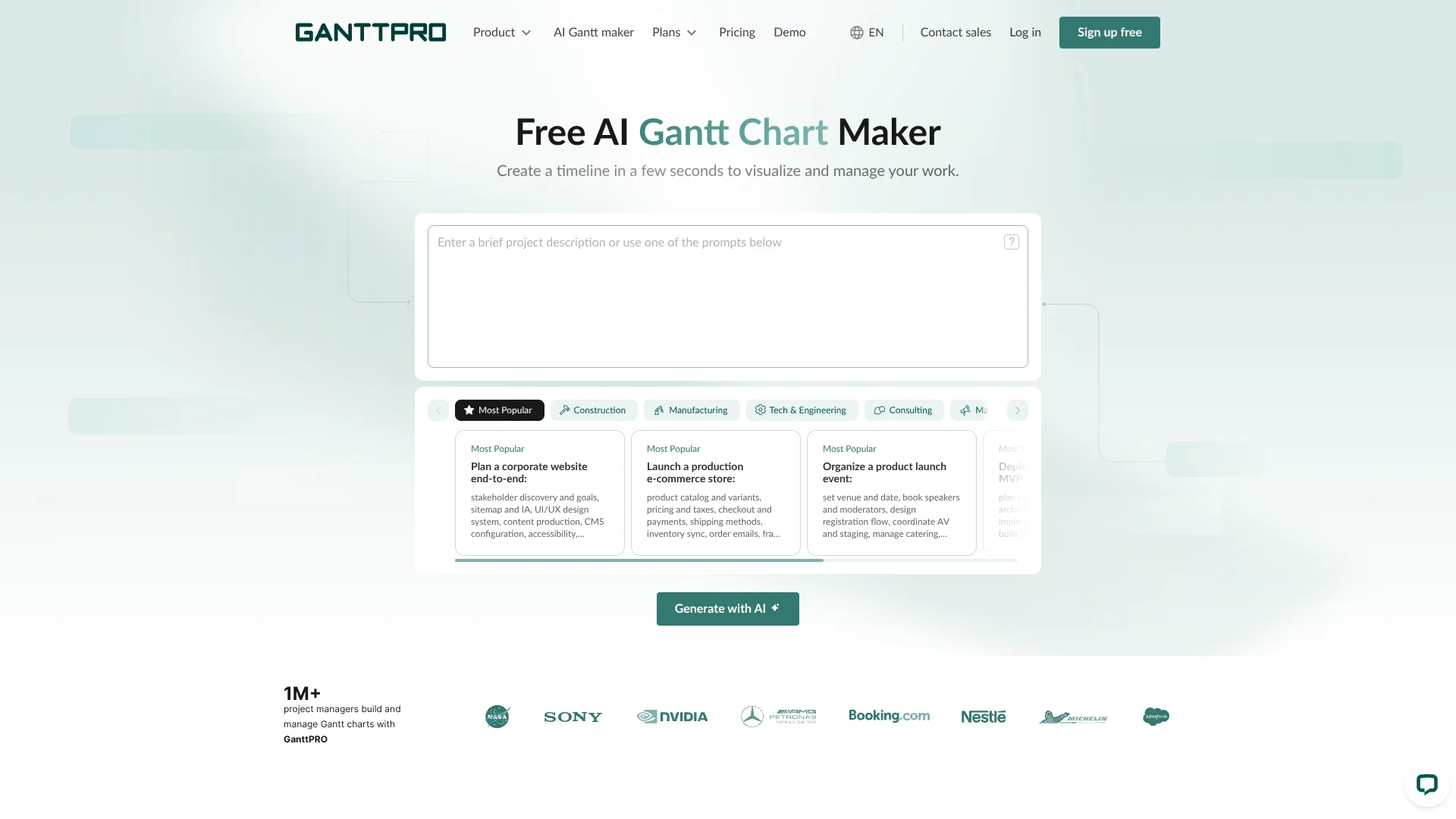
GanttPRO is a project management tool that adds an AI Gantt Chart Maker on top of its traditional timeline and workload features. The AI component turns a short natural language project description into a structured project plan with phases, tasks, dependencies, milestones, and role suggestions, so teams in construction, software, marketing, manufacturing, healthcare, and other fields can move from idea to workable schedule in minutes.
GanttPRO stands out by pairing an AI Gantt generator with a mature Gantt-based project management environment rather than leaving users with a static diagram. The AI is tuned to common project journeys across many industries, produces clearly phase-based timelines with milestones, and uses realistic role labels that can be mapped directly to team members. Combined with templates, exports to formats like PDF, PNG, XML, and Excel, and support for many interface languages, it suits both individual planners and cross-functional teams.
GanttPRO’s AI Gantt Chart Maker gives teams a quick route from loose project description to a structured, editable schedule that already reflects how real projects unfold. The AI removes the blank-page hurdle, while the broader GanttPRO platform supplies the detailed controls for dependencies, resources, portfolios, and reporting that project professionals expect. For anyone managing recurring project types across industries, it offers a convincing blend of automation, clarity, and practical day‑to‑day usability.
Who is Using GanttPRO?
Project Managers and PMOs
Turning high-level scopes into detailed, shareable timelines for multi-team initiatives.
Construction and Engineering Teams
Scheduling complex builds, infrastructure projects, and phased renovations with dependencies visible.
IT, Software, and Tech Groups
Planning SaaS launches, migrations, DevOps programs, and AI or data projects.
Marketing, Events, and Agencies
Structuring campaigns, product launches, and events from brief to final report.
Operations in Healthcare and Manufacturing
Coordinating plant setups, process changes, EHR rollouts, and accreditation programs.
Uncommon Use Cases
Used by film and media producers to plan documentary or video workflows; adopted by nonprofits and public-sector teams to organize grants, outreach, and relief programs.
Key Features
Rating Breakdown
Pricing Plans
Core
$9 per user per month
- Includes powerful Gantt charts, project calendar, auto scheduling, and virtual resources
Advanced
$15 per user per month
- Includes everything in Core, plus overdue tasks, custom fields and filters, calendar exceptions, and custom project templates
Business
- Pricing not fully provided. Intended for teams and companies needing more comprehensive project management capabilities
Which GanttPRO plan should you pick?
Start with Core for essential planning and collaboration, upgrade to Advanced or Business for deeper planning and resource controls, and choose Enterprise for SSO, custom roles, onboarding, and increased API limits.
Core
Good for smaller teams that need Gantt charts, dependencies, milestones, task management, basic collaboration, and core integrations.
Advanced
Good for teams needing calendar views, custom fields, overdue tasks, bulk changes, custom filters, and reusable project templates.
Business
Good for organizations managing portfolios, reports, workloads, budgets, time tracking, Google SSO, and API access.
Enterprise
Good for larger organizations needing SAML SSO options, custom roles and rights, onboarding assistance, priority support, and higher API limits.
GanttPRO Use Cases
Plan a corporate website
Generate a plan covering stakeholder discovery, information architecture, design, content, CMS configuration, QA, launch, and handover.
Outcome: A structured end-to-end website project timeline.
Launch an e-commerce store
Organize catalog, pricing, checkout, shipping, inventory, fraud checks, analytics, SEO, and post-launch operations.
Outcome: A coordinated e-commerce launch plan.
Organize a product launch event
Plan venue booking, speakers, registration, AV, catering, travel, sponsors, event logistics, feedback, and reporting.
Outcome: A complete event delivery schedule.
Deploy a SaaS MVP
Map product flows, architecture, implementation, authentication, CI/CD, monitoring, security review, beta testing, and launch.
Outcome: A structured MVP delivery roadmap.
Produce a documentary
Plan research, scripting, locations, crew, shoots, editing, sound, color grading, distribution, and marketing.
Outcome: A production schedule with phases and dependencies.
Workflow Ideas with GanttPRO
Generate and refine an AI project plan
- 1Enter a project description with goals, timeframe, teams, and scope
- 2Generate a Gantt-ready work breakdown structure
- 3Review and edit dates, dependencies, assignees, and fields in GanttPRO
Set up a collaborative project
- 1Create or import a project
- 2Invite team members and assign tasks or resources
- 3Use comments, attachments, mentions, and notifications to coordinate work
Track project execution
- 1Set milestones, deadlines, dependencies, and baselines
- 2Monitor progress, overdue tasks, workload, time, and budget
- 3Export reports or share a private project link with stakeholders
How GanttPRO fits into your stack
Browser
GanttPRO is a cloud-based online project-planning workspace for building Gantt charts, scheduling tasks, managing resources, and collaborating across projects.
Team chat and tickets
The workspace connects with Slack and Microsoft Teams, while comments, mentions, notifications, and communication tools support project coordination.
Automation and APIs
GanttPRO provides a documented REST API, API keys, webhooks, and integrations for syncing project data with external systems and custom services.
Knowledge and files
Tasks support uploaded attachments and connections to Google Drive and OneDrive, allowing project files to remain associated with work items.
Pros
- +Huge planning time savings: Replaces manual task breakdown with an AI draft in seconds.
- +Strong starting structure: Produces plans that already match common real-world project stages.
- +No prompting expertise required: Works from plain-language briefs rather than complex AI instructions.
- +Tight link to full PM tool: AI output opens inside GanttPRO for resource management, calendars, and exports.
Cons
- −AI plans still need review: Generated structures are drafts and can miss project-specific nuances.
- −Editing beyond basics needs subscription: Deep customization and collaboration sit behind the 14‑day trial and paid tiers.
- −Occasional capacity limits: The AI service can report overload during peak demand.
Limitations & when to consider alternatives
Known limitations
- No permanent free plan. The product provides a 14-day trial rather than an ongoing free subscription.
- Advanced work requires the web version. The mobile app supports core on-the-go actions, while comprehensive project management requires the web version.
- Offline editing is unavailable. Project data cannot be modified offline because GanttPRO is a cloud-based SaaS application.
- AI output requires review. Generated charts are first drafts that users should review and refine for dates, dependencies, assignees, and project-specific details.
Look elsewhere when
- You need a permanent free plan.
- You need a downloadable Windows, Mac, or Linux desktop application.
- You need offline project editing.
- You need model fine-tuning or custom AI training.
How to Use GanttPRO
- 1
Start a project
Create a project from scratch, use a template, or import an Excel, CSV, MS Project, or Jira Cloud project.
- 2
Generate an AI plan
Describe the project in plain language and generate phases, tasks, dependencies, milestones, and role assignments.
- 3
Refine the schedule
Adjust dates, durations, dependencies, assignees, fields, milestones, and workload to match the actual project.
- 4
Invite collaborators
Add team members, assign tasks, define project rights, and coordinate through comments, mentions, attachments, and notifications.
- 5
Track execution
Monitor progress, deadlines, overdue tasks, workload, budgets, time logs, baselines, and reports according to the selected plan.
- 6
Share or export results
Share a private project link or export projects and reports to PDF, PNG, XML, or Excel.
Who is GanttPRO For?
Construction teams
The AI maker includes construction project templates and can structure phases, tasks, dependencies, milestones, and roles.
Manufacturing teams
Manufacturing is one of the industries supported by the AI project-planning generator.
Technology and engineering teams
The tool supports technology and engineering planning with structured work breakdowns and logical dependencies.
Marketing and digital teams
Marketing and digital projects are supported through industry-specific AI-generated Gantt plans.
Public, nonprofit, healthcare, and finance organizations
These industries are listed among the AI maker's supported project categories.
Frequently Asked Questions
Is GanttPRO free?
GanttPRO does not offer a permanent free plan. It provides a 14-day fully featured trial, after which a paid subscription is required.
Is the AI Gantt chart maker free?
The AI generator can create plans for free, but customizing and continuing to work on them requires the 14-day trial or a paid subscription.
Can I collaborate with my team?
Yes. You can invite team members, assign tasks, exchange comments, attach files, and work with synchronized project data.
Can I import and export projects?
Projects can be imported from Excel, CSV, MS Project, and Jira Cloud. Exports include PDF, PNG, XML, and Excel formats.
Is there a mobile app?
Yes. GanttPRO provides Android and iOS apps for task management, notifications, comments, attachments, and time tracking.
Can I use GanttPRO offline?
No. GanttPRO is a SaaS product and project data cannot be modified offline, although charts can be saved as PDF or PNG.
Community reviews
Be the first to share your experience.
Sign in to leave a review for GanttPRO.
GanttPRO Alternatives
Looking for alternatives to GanttPRO? Here are similar tools in the same category: