
FloQast
Streamline financial closes with AI, real-time dashboards, and ERP integration.
Key Takeaways
- What it is
- Streamline financial closes with AI, real-time dashboards, and ERP integration.
- Pricing
- $25 per user per month · $45 per user per month
- Best for
- Automated Reconciliation
- Close Management
- ERP Integration
- Rating
- 4.6/5
What is FloQast?
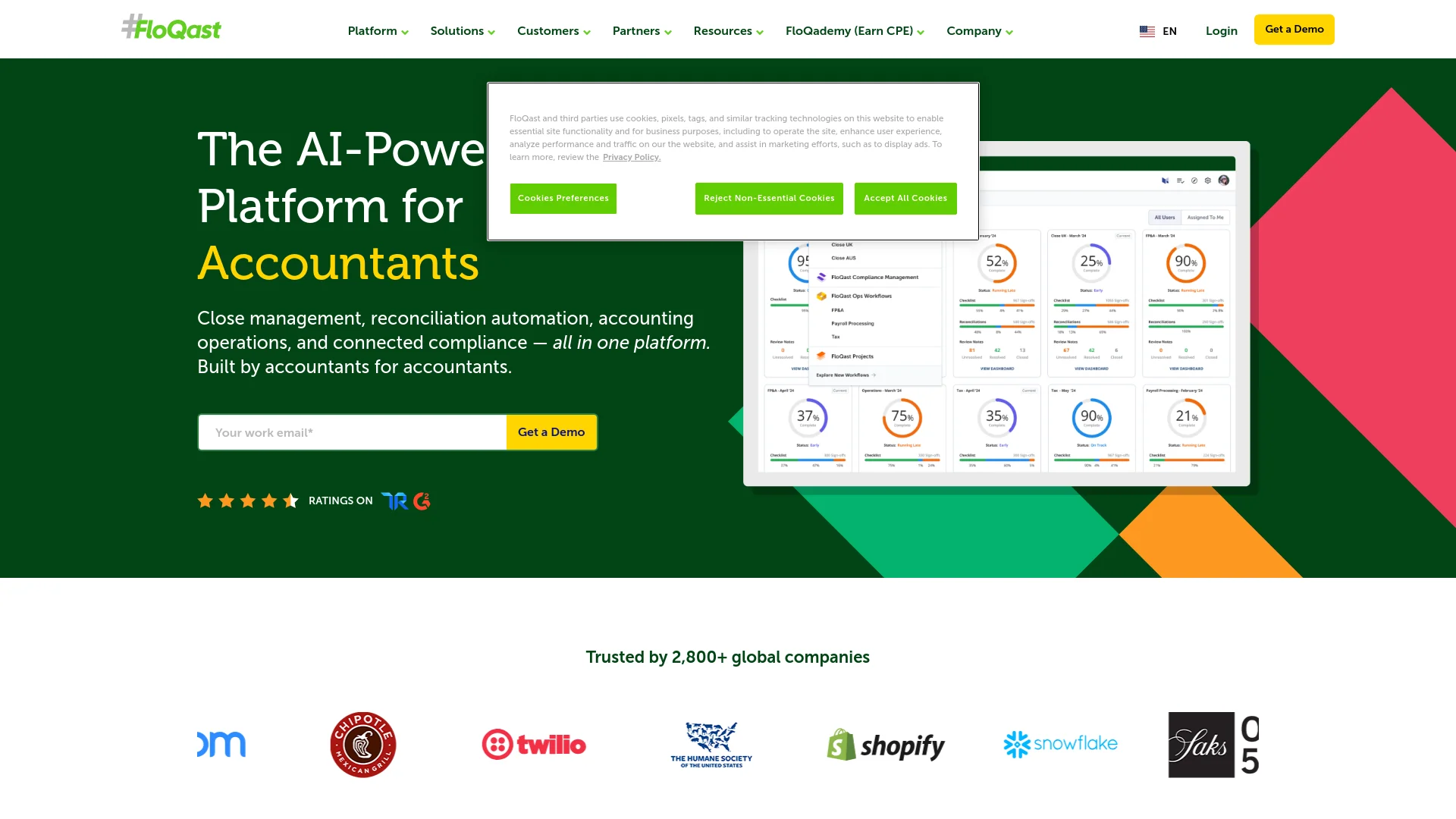
FloQast is a cloud-based software designed to streamline and improve the financial close process for accounting teams. It helps businesses close their books faster and more accurately with features such as automated reconciliations, centralized close management, ERP integration, and collaboration tools.
FloQast integrates close management, reconciliation, and collaboration into a single platform with seamless ERP integration, offering a comprehensive solution that enhances financial close efficiency and accuracy.
FloQast significantly enhances financial close efficiency and accuracy, offering robust features, strong ERP integration, and a user-friendly interface. It is a valuable tool for accounting teams and finance departments aiming to optimize their financial processes.
Who is Using FloQast?
Mid to Large-Sized Companies
For efficient management of complex accounting tasks.
Accounting Firms
To enhance client services and speed up closes.
Finance Departments
For maintaining accuracy in financial reporting.
Remote Teams
Facilitates effective remote collaboration.
Uncommon Use Cases
Non-profits for grant management; educational institutions for advanced accounting training.
Key Features
Rating Breakdown
Pricing Plans
Starter Plan
$25 per user per month
Professional Plan
$45 per user per month
Which FloQast plan should you pick?
Start with Close Optimization for standardized close management, then upgrade or add Close Automation, Connected Compliance, Reporting, or Transform when you need deeper automation, compliance, reporting, or AI-agent workflows.
Close Optimization
Good for accounting teams that need centralized close visibility, controls, collaboration, and workflow standardization.
Close Automation
Good for teams that need automated reconciliations, transaction matching, journal entries, and cross-system workflow actions.
Connected Compliance
Good for organizations that need integrated controls, risk management, evidence collection, and compliance reporting.
Compliance Pro
Good for enterprises with extensive internal audit functions that require continuous testing, sampling, and remediation workflows.
FloQast Reporting
Good for organizations that need multi-entity consolidation, intercompany workflows, variance analysis, and custom financial reports.
FloQast Transform
Good for enterprises that want to build custom no-code AI agents for accounting and finance workflows.
FloQast Use Cases
Financial Close Management
Teams centralize month-end close tasks, controls, checklists, and status visibility.
Outcome: More predictable and auditable close processes.
Reconciliation Automation
Accounting teams automate reconciliations, transaction matching, and rollforward schedules.
Outcome: Less manual reconciliation work and faster closes.
Compliance and Internal Audit
Organizations manage controls, collect evidence, test processes, and track remediation.
Outcome: Improved audit readiness and risk visibility.
Financial Reporting
Teams consolidate financial statements, analyze variances, and build reports across entities.
Outcome: More accurate and timely financial reporting.
Accounting Workflow Automation
Teams build AI-driven workflows for activities such as accruals, allocations, journal entries, and report compilation.
Outcome: Preparers spend less time on repetitive work and more time reviewing outputs.
Workflow Ideas with FloQast
Automated Reconciliation Workflow
- 1Connect ERP and financial data sources
- 2Match transactions and identify exceptions with AI
- 3Review and approve reconciliation results
Month-End Close Workflow
- 1Create and assign close checklist tasks
- 2Track completion and bottlenecks centrally
- 3Review supporting documentation and sign off
AI Accounting Agent Workflow
- 1Describe accounting business rules in natural language
- 2Build and test a no-code AI agent
- 3Deploy the agent and review its auditable outputs
How FloQast fits into your stack
ERP Integration
Works with Oracle, SAP, NetSuite.
Cloud-Based
Accessible from anywhere.
API Access
Custom integration options.
Microsoft Excel Compatibility
Works well with Excel for finance professionals.
Pros
- +Enhanced Accuracy: Reduces human error in financial statements.
- +Time Efficiency: Speeds up financial close processes.
- +Scalability: Suitable for both small and large organizations.
- +User-Friendly Interface: Intuitive design for ease of use.
Cons
- −Initial Learning Curve: Some time needed to master all features.
- −Cost Prohibitive for Smaller Firms: Pricing may be high for smaller businesses.
- −Dependency on Internet Connection: Requires stable internet for optimal use.
Limitations & when to consider alternatives
Known limitations
- Custom pricing. FloQast does not publish fixed subscription prices. Packages are customized to the organization’s needs, scope, and scale.
- Browser-based delivery. The platform is delivered through a cloud-native, browser-based SaaS model rather than a dedicated desktop or mobile application.
Look elsewhere when
- You need a native mobile application.
- You need fixed, self-serve subscription pricing.
How to Use FloQast
- 1
Access a range of tutorials on the FloQast website, covering everything from basic setup to advanced features.
Who is FloQast For?
Controllers
FloQast provides controllers with visibility, automation, and speed across record-to-report processes.
Accounting Managers
Accounting managers can standardize close workflows, monitor progress, and coordinate team responsibilities.
Internal Audit Managers
Internal audit teams can manage controls, testing, evidence collection, remediation, and audit readiness.
CFOs and CAOs
CFOs and CAOs gain organization-wide visibility into accounting operations, compliance, and reporting.
Compliance Managers
Compliance managers can connect risk, controls, evidence, testing, and remediation in one platform.
Frequently Asked Questions
How does FloQast tailor solutions to my specific needs?
FloQast says its solutions are highly configurable and recommends a personalized demo to match packages and add-ons to organizational needs.
Does FloQast charge per user?
No. FloQast says pricing is customized to organizational needs, scope, and scale rather than charged per user.
What is the implementation process like?
FloQast describes a guided implementation covering setup, integrations, and user training.
What kind of support does FloQast provide?
Support includes customer success managers, in-app support, knowledge bases, and training through FloQademy.
What integrations does FloQast offer?
FloQast connects with ERP systems, banks, Microsoft Teams, Slack, Google Drive, secure SFTP connections, and APIs.
How does FloQast ensure data security and compliance?
FloQast highlights enterprise-grade security, compliance certifications, encrypted connections, access controls, and ISO 42001 for its AI technology.
Community reviews
Be the first to share your experience.
Sign in to leave a review for FloQast.
FloQast Alternatives
Looking for alternatives to FloQast? Here are similar tools in the same category:
Learn to Master FloQast
With Skill Leap courses
Get in-depth training on FloQast and 50+ other AI tools with our expert-led video courses.
Start 7-Day Free Trial