Fliz
Turn articles and product pages into narrated videos without filming.
Key Takeaways
- What it is
- Turn articles and product pages into narrated videos without filming.
- Pricing
- $14.90 per month · $29.90 per month · $69.90 per month · $119.90 per month
- Best for
- URL, text, and brief to video
- Scene-by-scene script editing
- Multiple visual styles
- Rating
- 4.2/5
What is Fliz?
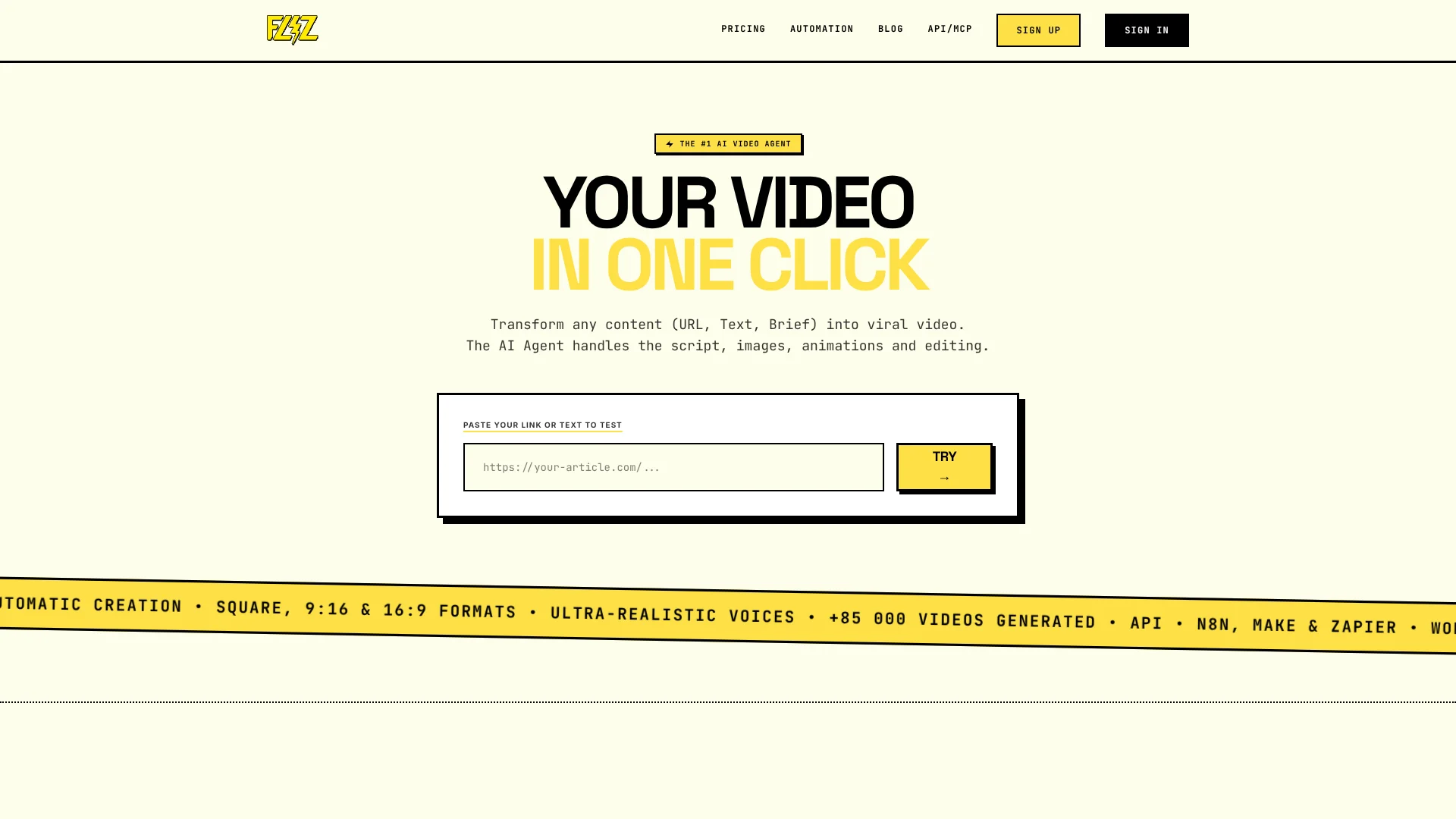
Fliz turns a public page, pasted text, product photos, or a short brief into a narrated video, with AI-written scenes, generated images, voiceover, subtitles, and music. It is built for creators, marketers, and publishers who want video versions of written content without filming or learning a video editor. Finished videos export as 1080p MP4s in portrait, square, or landscape formats.
Instead of filling a template with stock clips, Fliz creates AI images in one chosen visual style and writes narration for the content. You can review the script scene by scene and regenerate images before the video is made.
Fliz fits people turning articles, product pages, or briefs into regular social and marketing videos. Its output is a narrated sequence of images, not filmed footage, talking avatars, or a timeline-based edit, so it is less suited to projects that need those elements.
Who is Using Fliz?
Digital publisher
An article becomes a shorter narrated video for social channels or the publisher's site.
Content creator
A written idea becomes a faceless video with a chosen visual style and AI voice.
E-commerce marketer
Product details and photos become a video presentation or ad.
WordPress editor
New posts can trigger video creation through the Fliz plugin.
Uncommon Use Cases
A recipe becomes a step-by-step cooking video; a children's story becomes a narrated video.
Key Features
Rating Breakdown
Pricing Plans
Starter
$14.90 per month
- 1,000 credits per month
- Yearly billing is also available; the pricing page advertises savings of up to 34%.
Creator
$29.90 per month
- 2,000 credits per month
- Yearly billing is also available; the pricing page advertises savings of up to 34%.
Advanced
$69.90 per month
- 5,000 credits per month
- Yearly billing is also available; the pricing page advertises savings of up to 34%.
Enterprise
$119.90 per month
- 10,000 credits per month
- Yearly billing is also available; the pricing page advertises savings of up to 34%.
Which Fliz plan should you pick?
Start with Starter for 1,000 monthly credits, then move to a higher plan if your video volume needs more credits.
Starter
For occasional video creation that fits within 1,000 credits per month.
Creator
For regular video publishing that needs 2,000 credits per month.
Advanced
For higher-volume creation with 5,000 credits per month.
Enterprise
For video production that needs 10,000 credits per month.
Fliz Use Cases
Repurpose an article
A published article becomes a shorter narrated video with scene-by-scene visuals.
Outcome: A 1080p video for a social platform or article page.
Make a product video ad
Product details and photos provide the starting point for an ad or presentation.
Outcome: A product-focused video without filming.
Create a video from a brief
A few lines of direction become an AI-written script, images, and narration.
Outcome: A complete narrated video from a short brief.
Localize a video
The same source content can become videos with narration adapted to other supported languages.
Outcome: Video versions for audiences in multiple languages.
Automate videos for new posts
A WordPress post can trigger video creation when it is published.
Outcome: A video generated for each new post.
Workflow Ideas with Fliz
Turn a new WordPress post into a video
- 1Connect the Fliz WordPress plugin with an API key.
- 2Set the video style, narrator, and format.
- 3Publish a post and let the plugin generate its video.
Make versions for different social platforms
- 1Start with an article or brief.
- 2Review the script and select a visual style.
- 3Export versions in portrait, square, or landscape format.
Generate videos from a spreadsheet
- 1Connect Fliz to a spreadsheet through Zapier, Make, or n8n.
- 2Set a new row to trigger video generation.
- 3Send the finished video into the next step of your publishing workflow.
How Fliz fits into your stack
Browser-based video creation
Fliz is a web app, so video creation takes place in a browser rather than a downloadable editor.
Written content
Articles, public URLs, product pages, and short briefs can become narrated videos.
Publishing formats
Finished 1080p MP4s are available in portrait, square, and landscape formats for publishing.
Automation and integrations
The REST API is included in every plan, and WordPress, Zapier, Make, and n8n can connect video creation to publishing workflows.
Pros
- +Written-content workflow: Turns existing articles, product pages, and briefs into narrated video.
- +Consistent visual style: AI-generated images share a selected look across scenes.
- +Editorial control: The script and individual images can be changed before generation.
- +Multiple publishing formats: Exports portrait, square, and landscape 1080p MP4s.
- +Automation included: Every plan includes API access, with WordPress, Zapier, Make, and n8n options.
Cons
- −No free video credits: Creating an account is free, but generating videos uses paid credits.
- −No filmed footage or avatars: The finished video relies on narration, AI images, subtitles, and music.
- −No timeline editing: Detailed edits to existing footage are outside Fliz's video-making workflow.
Limitations & when to consider alternatives
Known limitations
- Credits do not roll over. Unused monthly plan credits are not carried into the next billing period.
- No free plan with video credits. Account creation is free, but video generation uses credits and there is no free credit allowance.
- No avatars or talking heads. Videos use narration, AI visuals, subtitles, and music rather than an on-screen speaking avatar.
- No timeline editor. Fliz focuses on editing the script and generated images, not arranging or trimming footage on a video timeline.
- Article-to-video direction only. Fliz creates videos from content; it does not turn existing videos into articles or download and transcribe videos.
Look elsewhere when
- You need a timeline editor for detailed edits to existing footage.
- You need a speaking avatar or talking-head video.
- You need a free video-generation plan with included credits.
- You need to turn an existing video into an article or transcript.
How to Use Fliz
- 1
Choose your source
Start with a public URL, pasted text, product photos, or a short brief that explains the video you want.
- 2
Set the video direction
Choose a script style, visual style, language, and format that suit the content and audience.
- 3
Review the script
Edit individual scenes before generation so the narration keeps the points you want.
- 4
Adjust visuals and audio
Regenerate images that do not fit, select a voice, and set subtitles, music, and watermark.
- 5
Generate and export
Create the video and export the finished 1080p MP4 in portrait, square, or landscape format.
- 6
Automate repeat work
For recurring content, connect the REST API, WordPress plugin, Zapier, Make, or n8n.
Who is Fliz For?
Publishers
Turn written stories into narrated videos for social platforms and article pages.
Content creators
Make faceless videos for YouTube, TikTok, and Instagram from content or a brief.
Marketing teams
Create promotional videos and video ads from product pages or existing content.
E-commerce teams
Build product presentations or ads from a store page and product photos.
Educators and trainers
Turn lessons, tutorials, and written guides into narrated explainer videos.
Frequently Asked Questions
Is Fliz free to use?
Creating an account is free, but there is no free plan with video credits. Video generation uses credits.
How much does a video use?
A simple slideshow-style video uses an average of 95 credits. Credits are spent on AI actions such as script generation, images, voice, and editing.
Does every plan include API access?
Yes. The REST API is included in every plan, and plan credits can be used through the web app or supported automation options.
Which video formats can Fliz export?
Fliz exports 1080p MP4 videos in 9:16 portrait, 1:1 square, and 16:9 landscape.
Can I cancel or change my plan?
Yes. You can change or cancel a monthly or yearly subscription at any time. Cancellation takes effect at the end of the paid period.
Community reviews
5 reviews from people who use Fliz.
Sign in to leave a review for Fliz.
env.gfxt011
Audrey Garcia
Michele Mossali
Enrick Pellegrin
David Reed
Fliz Alternatives
Looking for alternatives to Fliz? Here are similar tools in the same category: