
Flexor
Streamline workflows with intelligent automation and advanced data analytics.
Key Takeaways
- What it is
- Streamline workflows with intelligent automation and advanced data analytics.
- Pricing
- $30 per month
- Best for
- Smart Automation
- Data Analytics
- Customizable Workflows
- Rating
- 4.5/5
What is Flexor?
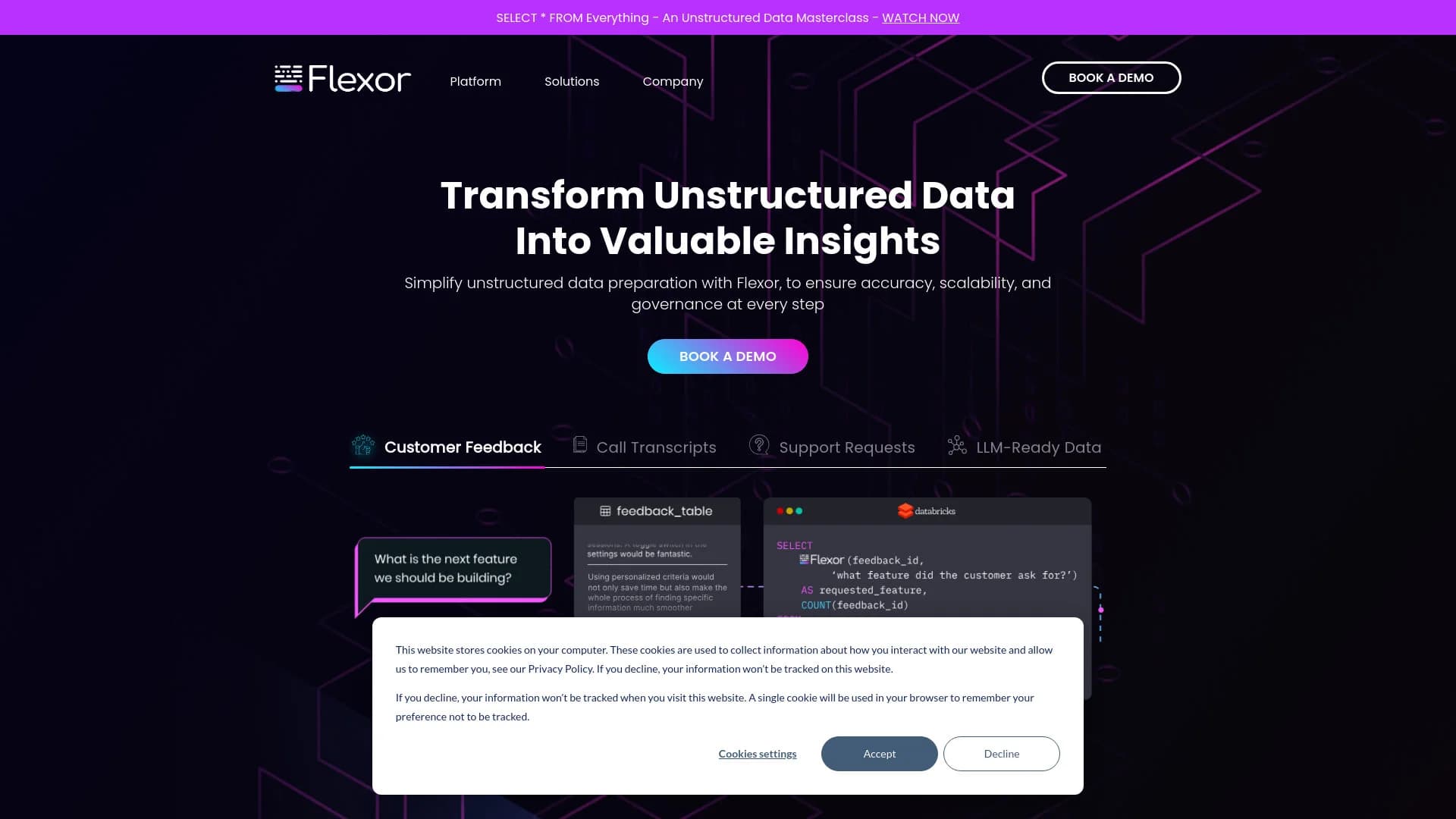
Flexor is an innovative AI-driven platform designed to streamline workflows and enhance productivity through intelligent automation. By offering a suite of tools tailored to automate complex processes and improve decision-making, Flexor aims to transform how businesses operate across various industries. Its cloud-based architecture ensures accessibility and scalability, making it a versatile solution for diverse business needs.
Flexor stands out with its highly customizable AI-driven automation capabilities. Its ability to adapt workflows to varying business needs and integrate seamlessly with multiple platforms sets it apart from other solutions, making it a powerful tool for businesses seeking to enhance efficiency and responsiveness.
Flexor excels in providing advanced automation and customizable workflows, making it an essential tool for businesses aiming to boost productivity and efficiency. Its robust integration features, user-friendly interface, and cloud-based accessibility offer significant advantages for organizations of all sizes. Whether for small startups or large enterprises, Flexor delivers the tools necessary to optimize operations and drive growth.
Who is Using Flexor?
Tech Startups
Streamline development processes and administrative tasks.
Financial Institutions
Improve data analysis capabilities and customer service operations.
Healthcare Providers
Manage patient data more effectively and enhance care delivery.
Educational Organizations
Automate administrative tasks and enrich educational content delivery.
Uncommon Use Cases
Non-profits use Flexor for managing donor data and optimizing outreach; small cafes employ it to automate inventory management and customer service.
Key Features
Rating Breakdown
Pricing Plans
Free Trial
- Offers a 30-day free trial to explore the platform's features
Standard Plan
$30 per month
Enterprise Solutions
- Custom pricing available based on specific needs and scale
Flexor Use Cases
Procurement optimization
Process contracts and procurement data to identify vendor terms, renewal information, and savings opportunities.
Outcome: More competitive vendor terms and reduced procurement costs.
Churn mitigation
Unify customer calls, chats, emails, and support interactions to identify dissatisfaction and churn signals.
Outcome: Earlier intervention and improved retention decisions.
Lead scoring and revenue operations
Combine CRM, sales-call, email, campaign, and support signals to identify buying intent, urgency, fit, and revenue risk.
Outcome: Smarter prioritization, forecasting, and pipeline decisions.
Sales coaching and enablement
Analyze top-performer calls to identify effective talk tracks, objection handling, and discovery techniques.
Outcome: Scalable coaching and repeatable sales playbooks.
Product discovery and portfolio management
Contextualize fragmented company and portfolio data for analysis across products, companies, and business domains.
Outcome: More accurate and consistent investment and product decisions.
Workflow Ideas with Flexor
Prepare enterprise data for AI agents
- 1Connect enterprise data sources and existing data platforms
- 2Clean, normalize, enrich, and contextualize unstructured data with ACE
- 3Deliver structured context to AI agents and workflows
Detect customer churn risk
- 1Unify calls, emails, chats, CRM notes, and support interactions
- 2Extract sentiment, complaints, renewal signals, and customer context
- 3Prioritize accounts for retention action
Improve sales pipeline intelligence
- 1Combine CRM activity, sales conversations, proposals, and campaign responses
- 2Extract buying intent, objections, timing, competitors, and stakeholder roles
- 3Feed standardized signals into forecasting and revenue workflows
How Flexor fits into your stack
Salesforce Integration
Enhances CRM capabilities through smooth integration with Salesforce.
Slack Compatibility
Integrates with Slack to streamline team communication and collaboration.
API Access
Provides API access for developers to create custom integrations.
Cloud Storage Services
Compatible with major cloud storage providers such as Google Drive and Dropbox.
Flexor offers extensive integration capabilities to enhance its functionality
Pros
- +Enhanced Productivity: Automates and optimizes repetitive tasks, saving time and increasing overall output.
- +Scalability: Adaptable to growing business needs, supporting expansion without compromising performance.
- +User-Friendly Interface: Designed for ease of use, accommodating users with varying levels of technical expertise.
- +Secure Data Handling: Incorporates robust security measures to protect sensitive information and maintain data privacy.
Cons
- −Connectivity Dependency: Requires a stable internet connection due to its cloud-based nature, which may be a limitation in areas with unreliable connectivity.
- −Initial Setup Complexity: The setup and customization process may be challenging for new users, requiring a learning curve to fully leverage its capabilities.
Limitations & when to consider alternatives
Known limitations
- Enterprise implementation required. Flexor says implementation requires collaboration with the customer’s internal data and AI team.
- Designed for existing enterprise data environments. Flexor is positioned to work with data warehouses, lakes, applications, and data platforms rather than as a standalone consumer workspace.
- No public self-service pricing shown. The official product pages direct prospective customers to request a demo and do not publish plan names or prices.
- General-purpose AI outputs still require organizational context. Flexor’s central premise is that direct access to raw enterprise sources produces incomplete or inconsistent AI results without curation and context engineering.
Look elsewhere when
- You need a native mobile app.
- You need a browser extension or desktop productivity app.
- You need a public self-service developer API.
How to Use Flexor
- 1
A variety of tutorials are available on the Flexor website, covering basic setup, advanced features, and custom integrations to help users maximize the platform's capabilities.
Who is Flexor For?
Sales and marketing teams
Flexor helps unify CRM notes, calls, emails, campaigns, proposals, and customer feedback for pipeline, lead-scoring, coaching, and positioning work.
Data and analytics departments
Flexor turns emails, documents, calls, tickets, and chats into clean, unified, analysis-ready data.
Technology companies
Flexor helps product and engineering teams make documentation, API references, tickets, chats, calls, and logs AI-ready.
Financial services organizations
Flexor provides context engineering and unstructured-data preparation for finance workflows and AI systems.
Enterprise AI teams
Flexor provides curated, domain-specific context for AI agents, applications, automation, ML, analytics, and BI.
Frequently Asked Questions
What types of unstructured data can Flexor process?
Flexor processes emails, calls, documents, messages, notes, surveys, agent logs, PDFs, CRM notes, support tickets, and other enterprise data.
How does Flexor improve AI outputs?
ACE cleans, structures, normalizes, enriches, and contextualizes unstructured data so AI systems operate on complete and relevant business context.
Where can Flexor be deployed?
Flexor supports fully managed SaaS deployment or deployment inside a customer’s private VPC across Azure, AWS, and GCP.
Does Flexor use customer data to train models?
Flexor states that customer data is never used to train models.
How does Flexor reduce manual work?
Flexor automates data preparation and context engineering, reducing manual research, CRM updates, call analysis, reporting, and feedback review.
Community reviews
Be the first to share your experience.
Sign in to leave a review for Flexor.
Flexor Alternatives
Looking for alternatives to Flexor? Here are similar tools in the same category:
Learn to Master Flexor
With Skill Leap courses
Get in-depth training on Flexor and 50+ other AI tools with our expert-led video courses.
Start 7-Day Free Trial