Findle Inventory
Scan inventory, sync sites, chat for restock lists.
Key Takeaways
- What it is
- Scan inventory, sync sites, chat for restock lists.
- Pricing
- Freemium · $29 per month · $79 per month
- Best for
- One Source of Truth
- Real-Time Updates
- Inventory Visibility
- Rating
- 3.7/5
What is Findle Inventory?
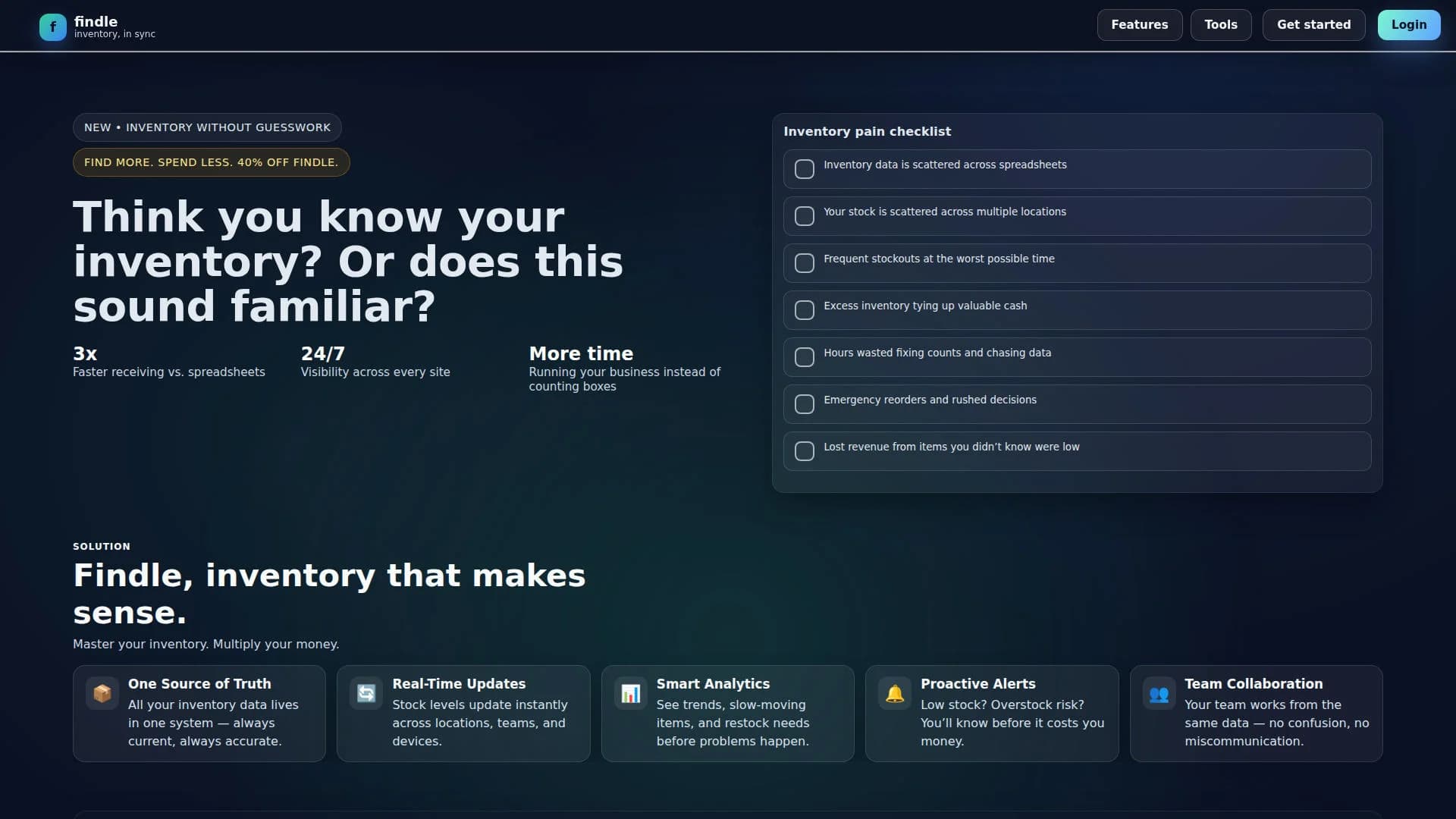
Findle Inventory is a web-based inventory management tool built to keep inventory counts accurate across locations, teams, and devices. It positions itself as “inventory without guesswork,” aiming to replace spreadsheet chaos with live visibility, analytics, forecasting signals, and proactive alerts. It also includes an integrated, inventory-native chat assistant that can answer questions and draft actions based on real-time counts.
Findle Inventory pairs real-time inventory sync with an inventory-native chat assistant that can answer stock questions and draft operational actions like restock lists, runout ETAs, and transfer drafts. It also adds a no-login utility lab for barcodes, QR codes, purchase orders, and invoices, which is a practical bonus for operators who just need the output fast.
Findle Inventory targets teams that want live inventory visibility across locations, faster receiving through scanning, and earlier warnings through analytics, forecasting signals, and proactive alerts. Its inventory-native chat assistant stands out by turning plain-language questions into answers and drafts tied to real-time counts. With clear tiering from Free to Enterprise, it fits small teams first, while larger orgs get API access and custom reporting at the top tier.
Who is Using Findle Inventory?
Multi-Location Operators
Keeping each site in sync automatically while maintaining location-level visibility.
Warehouse And Stockroom Teams
Speeding up receiving and inventory moves through scanning and live counts.
Retail Operations
Tracking stock by item and location while relying on alerts to reduce stockouts.
Small Business Owners
Spending less time fixing counts and chasing data, and more time running the business.
Uncommon Use Cases
Used by makerspaces to track shared tools and components; adopted by small event teams to manage gear across storage locations.
Key Features
Rating Breakdown
Pricing Plans
Free
Free
- 1 user, a single workspace, core inventory features, and email support
Pro
$29 per month
- 3 users, analytics and charts, and priority support
Enterprise
$79 per month
- Unlimited users, custom reporting, API access, and dedicated success support
Which Findle Inventory plan should you pick?
Start with the free app experience, then upgrade to Findle Pro for regular paid use or Findle Enterprise for larger operational needs.
Findle Pro
Good for teams that need the core inventory assistant, multi-location tracking, alerts, analytics, and forecasting.
Findle Enterprise
Good for organizations that need the higher-priced enterprise subscription option.
Findle Inventory Use Cases
Track inventory by location
Create and manage warehouses, trucks, shelves, bins, stores, and job sites.
Outcome: See exactly where inventory lives.
Identify parts from photos
Use AI-powered visual search to find parts when labels are missing, damaged, or difficult to read.
Outcome: Locate the right item faster.
Monitor stock levels
Search inventory, filter by category, set low-stock thresholds, and update quantities with reason codes.
Outcome: Catch shortages before they disrupt work.
Review inventory movement
Scan or search by SKU, review movement history, and make audited adjustments.
Outcome: Maintain a clear inventory trail.
Ask inventory questions
Use the AI Assistant to ask natural-language questions about stock and locations.
Outcome: Get fast inventory insights.
Workflow Ideas with Findle Inventory
Set up location-based inventory
- 1Create warehouses, trucks, shelves, bins, stores, or job sites.
- 2Add inventory manually or import items by CSV.
- 3Search stock by item, SKU, category, location, or image.
Prevent stockouts
- 1Set low-stock thresholds for inventory items.
- 2Review low-stock risks and critical alerts.
- 3Use the AI Assistant to decide what to reorder or move.
Run a daily inventory review
- 1Open the Daily Recap.
- 2Review the inventory health score, alerts, slow-moving items, and value impact.
- 3Follow the recommended inventory actions.
How Findle Inventory fits into your stack
Mobile field operations
The native iOS and Android apps support inventory work across trucks, warehouses, stores, and job sites, including scanning, adjustments, and location tracking.
Knowledge and files
Teams can import inventory records through CSV and organize parts, products, tools, and supplies inside the inventory system.
Analytics and planning
Runout projections, inventory trends, top-mover analysis, low-stock alerts, and daily recaps support replenishment and operational planning.
AI inventory assistance
The built-in assistant answers natural-language inventory questions, while visual search identifies parts from photographs.
Pros
- +Faster Receiving: Claims faster receiving compared to spreadsheets, supported by scanning and structured receiving workflows.
- +Always-On Visibility: Promotes 24/7 visibility across sites, which helps teams stay aligned on counts.
- +Actionable Signals: Combines forecasting signals, analytics, and alerts so operators can react earlier instead of doing emergency reorders.
- +Inventory-Native Chat: The assistant can draft restock lists and transfer drafts from live counts, which is genuinely a cool time-saver.
Cons
- −Free Plan User Limit: The Free tier is limited to 1 user, which can restrict collaboration.
- −Pro Plan User Limit: The Pro tier includes 3 users, which may be tight for larger teams.
- −API And Custom Reporting Are Tiered: API access and custom reporting are reserved for Enterprise.
Limitations & when to consider alternatives
Known limitations
- iOS version requirement. The iPhone and iPad app requires iOS or iPadOS 15.1 or later.
- Mac support is not verified. The App Store identifies the app as designed for iPad and not verified for macOS.
- English is the listed App Store language. The App Store metadata lists English, although the release notes mention expanded multiple-language support.
- Subscriptions renew automatically. Paid subscriptions renew unless auto-renewal is disabled at least 24 hours before the current period ends.
- No documented browser extension. The official product listings describe mobile apps and inventory features but do not document a Chrome, Firefox, or Edge extension.
Look elsewhere when
- You need a documented developer API.
- You need SSO or SAML authentication.
- You need a dedicated desktop installer.
- You need third-party integrations.
How to Use Findle Inventory
- 1
Add your inventory
Create items manually or import them using CSV so Findle has a current inventory record.
- 2
Create locations
Set up trucks, warehouses, shelves, bins, stores, and job sites to map where inventory is stored.
- 3
Set stock thresholds
Configure low-stock thresholds to surface shortages before they affect jobs or sales.
- 4
Search or scan parts
Find items by SKU, part number, description, category, location, or photo.
- 5
Ask the AI Assistant
Ask natural-language questions about stock, replenishment, movement, and inventory risks.
- 6
Review the Daily Recap
Check inventory health, alerts, slow-moving stock, value impact, and recommendations each day.
Who is Findle Inventory For?
Service teams
Track parts, counts, and alerts across field locations, trucks, and warehouses.
Retail stores
Maintain live inventory visibility across stores and stock locations.
Suppliers
Monitor inventory movement and availability across locations.
Contractors
Give field teams visibility into parts at trucks, warehouses, and job sites.
Multi-location businesses
Manage inventory across multiple locations and location hierarchies.
Frequently Asked Questions
What is Findle Inventory?
Findle Inventory is an AI-powered inventory-management app for tracking parts, products, tools, and supplies across trucks, warehouses, stores, and job sites.
Can Findle Inventory import existing inventory?
Yes. Items can be added manually or imported using CSV files.
Can Findle Inventory track multiple locations?
Yes. It supports multiple locations and location hierarchies for trucks, stores, warehouses, and job sites.
What does the AI assistant do?
The AI assistant answers natural-language questions about inventory and provides inventory insights.
Can Findle identify parts from images?
Yes. AI-powered visual search can identify parts from photos when labels are missing, damaged, or difficult to read.
What paid plans are listed?
The App Store lists Findle Pro at $29.99 monthly or $209 annually, and Findle Enterprise at $79.99 monthly or $569 annually.
Community reviews
Be the first to share your experience.
Sign in to leave a review for Findle Inventory.
Findle Inventory Alternatives
Looking for alternatives to Findle Inventory? Here are similar tools in the same category: