
Fellow
Meeting intelligence with compliance controls for regulated teams.
Watch Fellow in Action
Key Takeaways
- What it is
- Meeting intelligence with compliance controls for regulated teams.
- Pricing
- Freemium · $7 per user per month billed annually · $15 per user per month billed annually · $25 per user per month billed annually
- Best for
- AI Meeting Notes
- Botless Recording
- Ask Fellow
- Rating
- 4.4/5
What is Fellow?
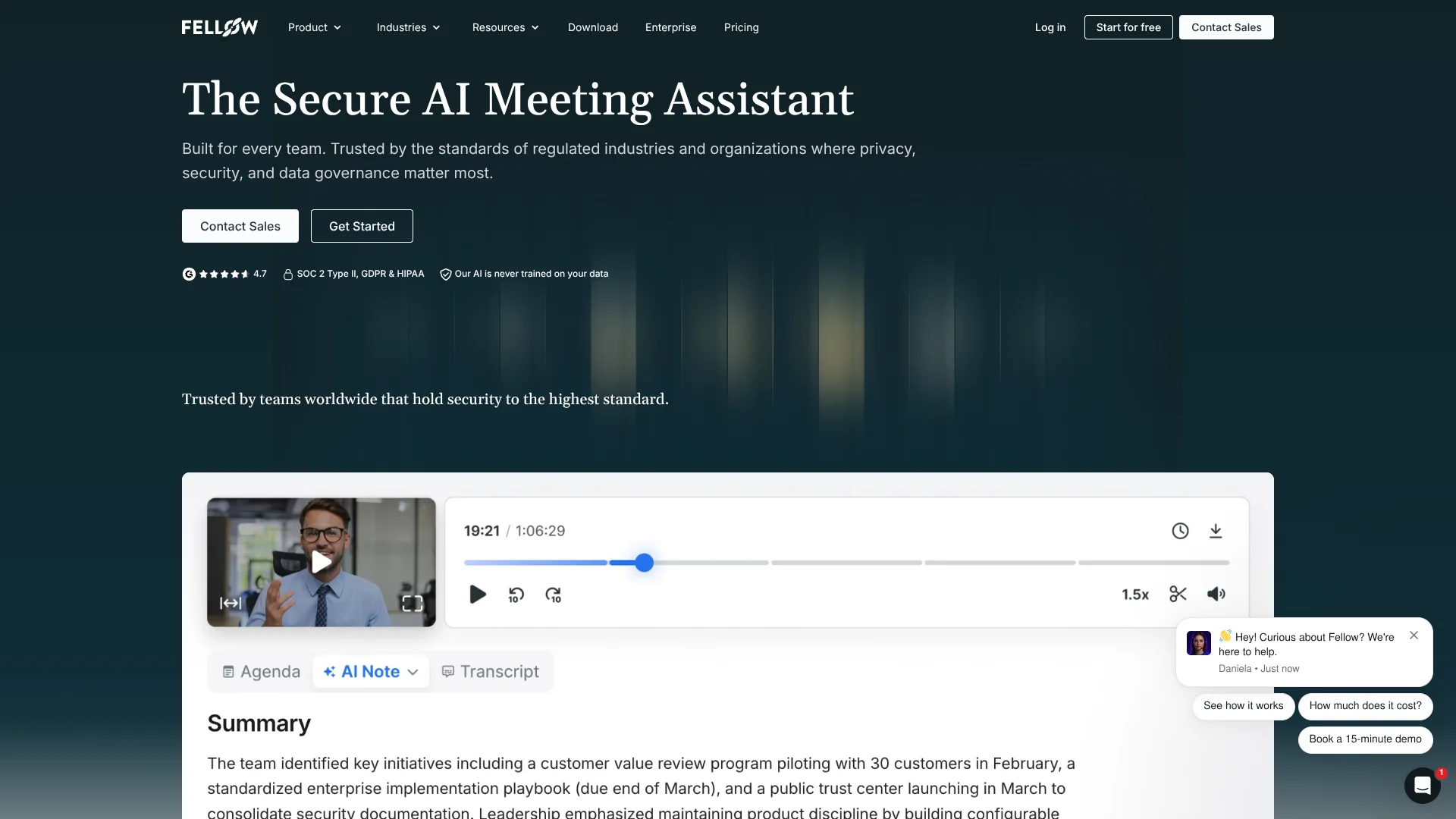
Fellow records, transcribes, and summarizes meetings across Zoom, Google Meet, Microsoft Teams, in-person conversations, and uploaded audio or video. Its AI identifies decisions and action items, then keeps the results searchable in a shared meeting library. Teams can choose bot-based or botless recording, which makes Fellow useful when meeting capture needs to fit different privacy policies.
Fellow can apply recording consent, access rules, retention settings, transcript redaction, and audit trails across the organization. Enterprise teams can preserve summaries while using zero-day retention for recordings and transcripts, a combination aimed at regulated work where meeting data cannot be kept indefinitely.
Fellow is strongest for teams that need meeting notes tied to project tools, CRMs, and compliance processes, especially finance, legal, healthcare, and sales organizations. It is less suited to people who want unlimited personal transcription on a permanent free plan, since Free includes only five AI notes and five AI recordings per user for life. The product stands out when meeting intelligence must remain governed after the call ends.
Who is Using Fellow?
Sales representatives
Customer conversations become searchable recaps that can be sent to Salesforce or HubSpot.
Project managers
Action items from planning meetings can flow into project tools such as Asana, Jira, Linear, ClickUp, or Notion.
Compliance officers
Meeting policies, retention, redaction, access, and audit events can be reviewed through Fellow's governance controls.
Executive assistants
Shared agendas, recordings, summaries, and follow-up tasks make it easier to support meetings executives cannot attend.
People managers
Structured 1-on-1 notes, collaborative agendas, and assigned action items keep recurring conversations organized.
Uncommon Use Cases
Archive compliance records through the Developer API; pass transcripts to an external language model for tailored recaps and action plans.
Key Features
Rating Breakdown
Pricing Plans
Free
Free
- 5 AI notes per user for life
- 5 AI recordings per user for life
- Audio and video uploads
- Google Meet, Zoom, Microsoft Teams, and Slack integrations
Team
$7 per user per month billed annually
- Or $11 per user per month billed monthly
- 10 AI notes per user per month
- 10 AI recordings per user
- Meeting automations, project management integrations, Confluence and Notion integrations, and API access
Business
$15 per user per month billed annually
- Or $23 per user per month billed monthly
- Unlimited AI notes and recordings
- Sales AI recap templates and org-wide meeting templates
- Advanced CRM integration with Salesforce and HubSpot
Enterprise
$25 per user per month billed annually
- Starts at 10 users
- Unlimited AI notes and recordings
- Advanced recording permissions, user provisioning, analytics, transcript redaction, and security reviews
- Contact sales for purchase
Which Fellow plan should you pick?
Start with Free for occasional notes, choose Team for shared meeting workflows, move to Business for unlimited AI notes and CRM features, and select Enterprise for organization-wide governance and security.
Free
Good for small groups testing AI meeting notes with limited recording credits and basic integrations.
Solo
Good for individuals who want unlimited AI meeting notes, recordings, and transcriptions without a team workspace.
Team
Good for small teams that need meeting automations, shared work, project integrations, and API access.
Business
Good for organizations that need unlimited AI notes, sales recap templates, meeting templates, and CRM integrations.
Enterprise
Good for regulated or large organizations that need advanced recording permissions, user provisioning, analytics, redaction, and security reviews.
Fellow Use Cases
Meeting capture
A bot or botless recording produces a transcript, summary, and action items for calls held across major video platforms or in person.
Outcome: A searchable meeting record with clear next steps.
Sales follow-up
Customer call notes and AI recaps can be attached to Salesforce or HubSpot records.
Outcome: Less manual CRM entry after customer meetings.
Project handoff
Decisions and action items from meetings can move into tools such as Asana, Jira, Linear, ClickUp, Notion, or Confluence.
Outcome: Meeting commitments become trackable work.
Meeting search
Ask Fellow questions about past conversations instead of reading every transcript or replaying every recording.
Outcome: Faster access to decisions, context, and follow-up details.
Compliance recording
Enterprise teams can document consent, restrict access, redact sensitive material, and set retention rules for meeting data.
Outcome: Meeting intelligence that fits internal governance requirements.
Workflow Ideas with Fellow
Customer call to CRM
- 1Record the customer meeting with Fellow.
- 2Review the AI recap and suggested follow-up.
- 3Send the note and recap to the matching Salesforce or HubSpot record.
Planning meeting to project task
- 1Capture the planning meeting and let Fellow identify action items.
- 2Assign owners and due dates in the meeting note.
- 3Send selected tasks to Asana, Jira, Linear, ClickUp, or another connected project tool.
Regulated meeting review
- 1Apply recording and consent rules before the meeting begins.
- 2Redact sensitive content and restrict recap access after the meeting.
- 3Review retention and access events through the Compliance Portal or API.
How Fellow fits into your stack
Video meetings
Fellow works with Zoom, Google Meet, and Microsoft Teams, and it can capture in-person conversations or other calls through desktop audio.
Calendar and browser
The Chrome and Firefox extensions place agendas, notes, recordings, and action items inside Google Meet and Google Calendar.
CRM and sales
Business and Enterprise plans connect meeting context to Salesforce and HubSpot, including AI-suggested Salesforce field updates on Enterprise.
Projects and documents
Meeting notes can be sent to Slack, Microsoft Teams, Zapier, Google Docs, Notion, and Confluence, while project integrations route action items into work systems.
Automation and APIs
The Developer API exposes transcripts and structured notes through REST calls for custom workflows, dashboards, archives, and language-model processing.
Desktop and mobile capture
Mac, Windows, iOS, and Android apps support meeting access and recording outside the browser, with some advanced workspace settings limited on mobile.
Pros
- +Botless capture: Record meetings from desktop or mobile without placing a Fellow bot in the participant list.
- +Governance controls: Consent workflows, retention settings, redaction, and audit trails support regulated teams.
- +Meeting-to-workflow handoff: Send notes and action items to Salesforce, HubSpot, Slack, Notion, Confluence, and project tools.
- +Multilingual transcription: AI meeting transcription supports more than 100 languages.
- +Flexible capture: One recording library can hold meetings from major video platforms, in-person sessions, and uploaded files.
Cons
- −Limited Free plan: Only five AI notes and five AI recordings are included per user for life.
- −Team-oriented pricing: Solo users may pay for collaboration and workspace features they do not need.
- −Internet dependence: The desktop app requires Wi-Fi to sync notes, calendars, and changes.
Limitations & when to consider alternatives
Known limitations
- Free recording limit. The Free plan includes five AI notes and five AI recordings per user for life.
- Free workspace size. The Free plan is designed for teams of up to 10 people, and the pricing comparison lists a maximum of five seats for the Free tier.
- Paid API access. The Developer API is available on Fellow workspaces with a paid plan.
- Desktop connectivity. The desktop app requires Wi-Fi to update changes, connect to the calendar, and save notes.
- Mobile admin settings. Some advanced workspace and administration settings are not available in the mobile app.
Look elsewhere when
- You need unlimited personal meeting transcription on a permanent free plan.
- Your workflow requires offline desktop use.
- Your team needs image analysis or code generation inside the meeting tool.
- You want a general-purpose AI workspace rather than a meeting-focused system.
How to Use Fellow
- 1
Connect your calendar
Link your calendar so Fellow can associate meetings with notes, agendas, recordings, and follow-up tasks.
- 2
Choose a recording method
Invite the Fellow bot, record without a bot through the desktop or mobile app, or upload audio and video.
- 3
Review the AI recap
Check the transcript, summary, decisions, and automatically identified action items after the meeting.
- 4
Assign follow-up
Add owners and due dates, then send selected notes or tasks to your connected collaboration, project, or CRM tools.
- 5
Ask about meeting history
Use Ask Fellow to find decisions, customer details, or unfinished work across accessible meeting records.
- 6
Set workspace controls
On higher plans, configure consent, access, retention, redaction, SSO, and audit settings for your organization.
Who is Fellow For?
Regulated financial teams
Private equity firms, hedge funds, investment banks, asset managers, fintechs, RIAs, and broker-dealers get retention, consent, redaction, and audit controls for sensitive meetings.
Sales organizations
Sales teams can turn customer conversations into recaps, keyword signals, and CRM updates.
Distributed teams
Remote and hybrid teams can capture meetings across Zoom, Google Meet, Microsoft Teams, and in-person settings.
Healthcare and legal teams
Organizations with privacy requirements can use HIPAA-ready controls, BAAs, access restrictions, and configurable retention.
Small teams
Teams that want shared agendas, action items, meeting history, and project integrations can start with the Team plan.
Frequently Asked Questions
Does Fellow have a free plan?
Yes. Free includes five AI notes and five AI recordings per user for life, plus audio and video uploads, summaries, transcription, action items, Ask Fellow, and basic meeting integrations.
Does Fellow record meetings without a bot?
Yes. Fellow can capture audio through its desktop and mobile apps, so a bot does not need to appear as a meeting participant.
Which meeting platforms does Fellow support?
Fellow supports Zoom, Google Meet, and Microsoft Teams, and can also capture in-person conversations and other calls through desktop audio.
Does Fellow have a mobile app?
Yes. Fellow has iOS and Android apps for recording meetings, viewing recaps, managing action items, accessing the meeting library, and editing agendas.
Does Fellow integrate with Salesforce and HubSpot?
Yes. Advanced CRM integrations are available on Business and Enterprise plans, with Salesforce field suggestions and workspace-level controls on Enterprise.
Does Fellow train AI models on meeting data?
No. Fellow states that it does not use meeting data to train its AI models or the models of its AI providers.
Community reviews
Be the first to share your experience.
Sign in to leave a review for Fellow.
Fellow Alternatives
Looking for alternatives to Fellow? Here are similar tools in the same category:
Learn to Master Fellow
With Skill Leap courses
Get in-depth training on Fellow and 50+ other AI tools with our expert-led video courses.
Start 7-Day Free Trial