Fathom
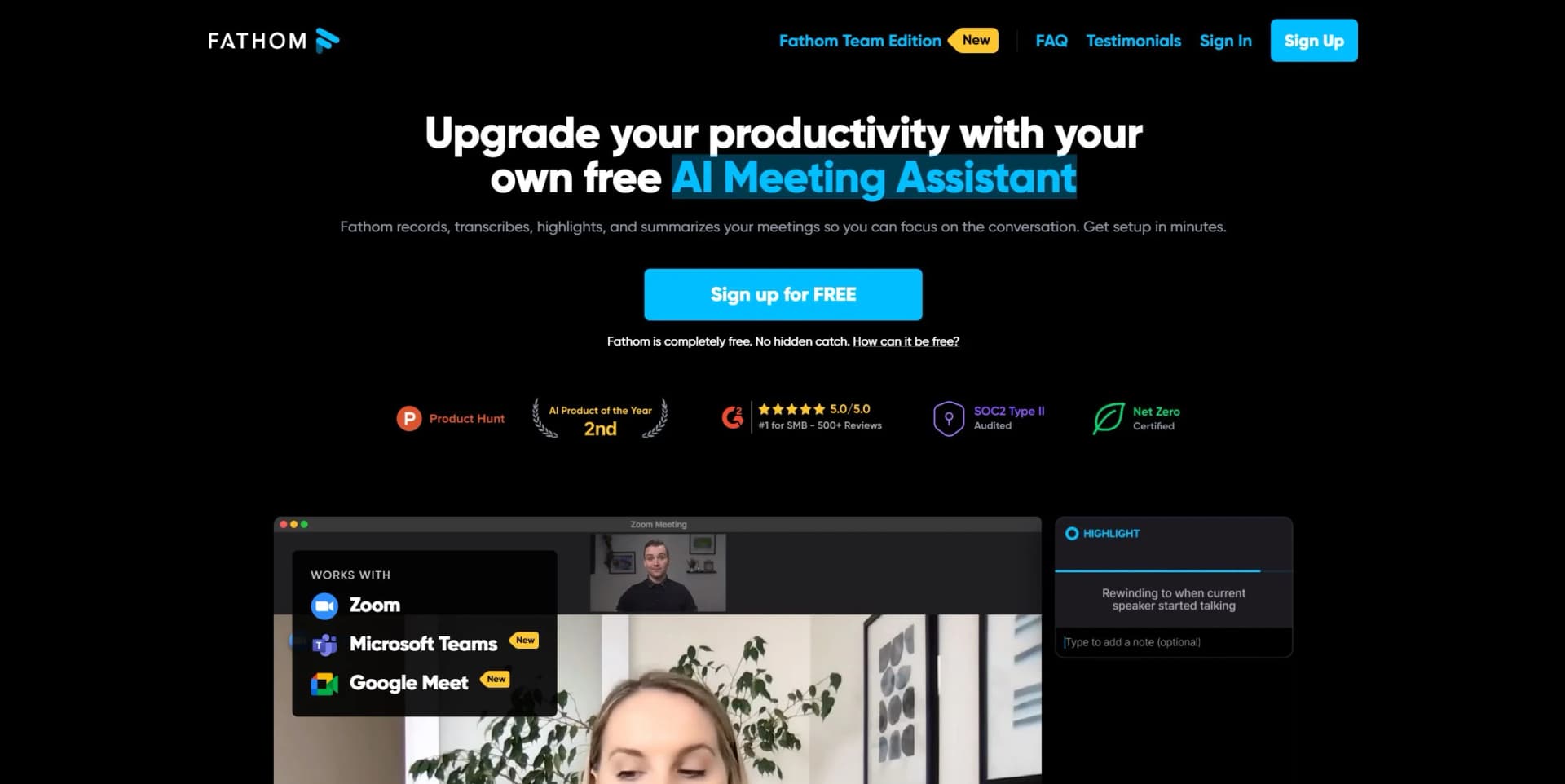
Effortlessly record, transcribe, highlight, and summarize meetings instantly.
Key Takeaways
- What it is
- Effortlessly record, transcribe, highlight, and summarize meetings instantly.
- Pricing
- Freemium
- Best for
- AI-Powered Summaries
- Multi-Language Support
- CRM Integration
- Rating
- 4.6/5
What is Fathom?
Fathom Video is an AI-driven notetaker designed to revolutionize meeting management by recording, transcribing, highlighting, and summarizing your meetings. This tool allows users to fully engage in conversations without the distraction of manual note-taking. Recognized as the #1 Highest Satisfaction product by G2 in 2024, Fathom Video enhances productivity and efficiency across various professional settings.
Fathom Video stands out for its rapid transcription and summary generation, distinguishing it from other virtual meeting tools. Its seamless CRM integration and support for multiple languages make it particularly versatile for global business environments.
Fathom Video transforms meeting management by saving time and improving interaction quality. With its powerful features, it allows users to concentrate on discussions rather than note-taking. Its support for multiple languages and CRM integration, coupled with a strong focus on security and privacy, makes it an essential tool in modern digital workspaces.
Who is Using Fathom?
Sales Teams
Enhances client interactions and streamlines the sales process.
Customer Success Managers
Improves customer relations and operational efficiency.
Executives
Optimizes management and leadership communications.
Project Managers
Tracks progress and maintains detailed records of team meetings.
Uncommon Use Cases
Freelancers use it for client call management, and educators incorporate it for remote teaching.
Key Features
Rating Breakdown
Pricing Plans
Free Tier
Free
- Basic features available at no cost
Premium Tier
- Advanced features are accessible via a free trial and then through a paid subscription
Which Fathom plan should you pick?
Start with Free for individual meeting capture and summaries; upgrade to Premium for advanced individual AI features, Team for shared collaboration, Business for CRM and coaching features, or Enterprise for SSO and governance.
Free
Good for individuals who need unlimited recordings, transcriptions, summaries, clips, playlists, and search.
Premium
Good for individuals who need advanced summaries, action items, conversational assistance, and custom meeting-bot settings.
Team
Good for teams who need shared meeting visibility, collaboration, folders, comments, and team-wide search.
Business
Good for customer-facing teams who need CRM field sync, deal views, coaching metrics, and advanced summaries.
Enterprise
Good for organizations that need SSO, SCIM provisioning, organization-wide security controls, custom retention, and dedicated support.
Fathom Use Cases
Sales call intelligence
Record and summarize sales calls, extract objections and next steps, and sync structured insights into CRM records.
Outcome: Less administrative work and better deal visibility.
Customer onboarding and handoffs
Capture goals, commitments, risks, and decisions across customer conversations and make them searchable.
Outcome: Faster onboarding and smoother ownership transitions.
Campaign and creative feedback
Record marketing meetings and turn feedback, creative direction, and decisions into briefs, decks, or project-board inputs.
Outcome: Faster campaign execution and clearer alignment.
Team knowledge sharing
Organize meeting clips, summaries, folders, comments, and searchable recordings in a shared workspace.
Outcome: Improved visibility and cross-team alignment.
Automated post-meeting workflows
Send summaries, transcripts, action items, and meeting events to CRMs, Slack, project tools, or other applications.
Outcome: Reduced manual copy-paste and more consistent follow-through.
Workflow Ideas with Fathom
Sales call to CRM follow-up
- 1Capture and transcribe the sales meeting
- 2Generate summaries, action items, and deal insights
- 3Sync the outputs to HubSpot or Salesforce
Meeting to project task
- 1Record and summarize the meeting
- 2Extract action items
- 3Send tasks to Asana or another connected tool
Search alert to team notification
- 1Create a saved AI search or keyword alert
- 2Detect matching topics in new meetings
- 3Send highlights or alerts to a Slack channel
How Fathom fits into your stack
Broad Platform Support
Compatible with major video conferencing tools like Zoom, Google Meet, and Microsoft Teams.
CRM Integration
Syncs with popular CRM platforms for improved workflow integration.
Language Versatility
Transcribes in multiple languages, suitable for international teams.
Security
Adheres to strict security protocols to ensure safe and responsible data handling.
Pros
- +Enhanced Productivity: Saves an average of 20 minutes per meeting, translating to about 1.5 weeks annually.
- +Focus on Engagement: Enables full participation in discussions without the need to take notes.
- +Immediate Accessibility: Summaries and transcriptions are quickly available after meetings.
- +Ease of Use: Intuitive design with minimal setup and maintenance.
Cons
- −Dependence on Tech: Requires a stable internet connection and compatibility with existing tech setups.
- −Privacy Concerns: Recording meetings may raise privacy issues among participants unfamiliar with the tool.
- −Feature Overload: The extensive feature set might overwhelm users who are less tech-savvy.
Limitations & when to consider alternatives
Known limitations
- No native mobile meeting capture. Fathom currently records meetings on Mac and Windows computers; mobile devices and tablets are not supported for recording.
- No uploaded-call analysis. Fathom does not currently support uploading external recordings for transcription or analysis.
- Chromebooks and Linux are unsupported. Fathom's supported recording environments are macOS and Windows; Chromebooks and Linux are not supported.
- Some meeting types are unsupported. Fathom does not support webinars, breakout rooms, phone calls, or meetings without a standard meeting link.
- API rate limits apply. Users are limited to 60 API calls per minute, and Fathom does not currently offer higher rate limits.
Look elsewhere when
- You need native mobile meeting capture.
- You need to upload existing recordings for analysis.
- You need Linux or Chromebook recording support.
How to Use Fathom
- 1
Fathom Video offers a range of tutorials on its website, covering everything from basic setup to advanced features, helping users maximize the tool's potential.
Who is Fathom For?
Sales teams
Fathom captures sales calls, creates deal summaries and action items, and syncs insights to CRM systems.
Customer Success teams
Fathom helps teams preserve customer context, manage handoffs, track risks, and support onboarding and renewals.
Marketing teams
Fathom organizes campaign feedback, creative direction, customer insights, and meeting decisions.
Operations teams
Fathom provides searchable meeting context, action points, and automated follow-through across conversations.
Product and Engineering teams
Fathom helps teams synthesize feature requests, monitor user satisfaction, and identify customer-driven priorities.
Frequently Asked Questions
What does Fathom cost?
Fathom offers a free version for individuals with unlimited storage and recordings. Paid plans add advanced functionality for individuals and teams.
Which meeting platforms does Fathom support?
Fathom supports Zoom, Google Meet, and Microsoft Teams meetings.
Can I upload an external recording into Fathom?
No. Fathom currently records and transcribes live meetings and does not support uploaded calls.
Does Fathom have a public API?
Yes. The public API provides access to meeting summaries, transcripts, and action items, with API keys and OAuth support.
Is Fathom available on mobile devices?
Fathom's meeting recording currently requires a Mac or Windows computer; mobile devices and tablets are not supported for recording.
Does Fathom support SSO?
Enterprise customers can use SAML-based SSO with identity providers including Okta.
Community reviews
Be the first to share your experience.
Sign in to leave a review for Fathom.
Fathom Alternatives
Looking for alternatives to Fathom? Here are similar tools in the same category: