
FakeYou
Revolutionize content with AI-driven, accurate voice cloning technology.
Watch FakeYou in Action
Key Takeaways
- What it is
- Revolutionize content with AI-driven, accurate voice cloning technology.
- Pricing
- Freemium
- Best for
- Wide Range of Voices
- Custom Voice Generation
- Real-Time Voice Cloning
- Rating
- 4.6/5
What is FakeYou?
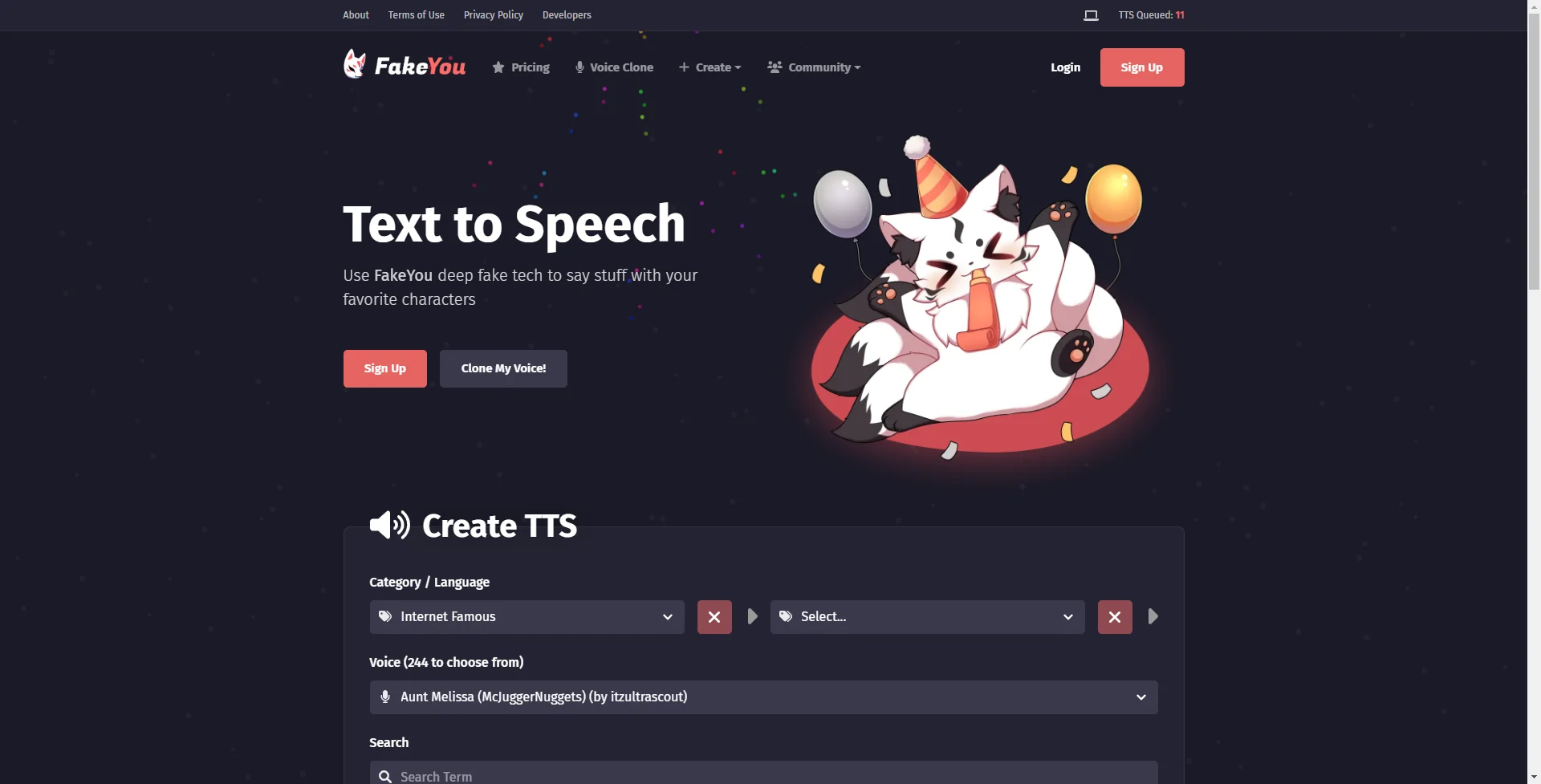
FakeYou is a cutting-edge AI tool that is changing the landscape of digital communication through deep fake text-to-speech technology. Designed for creators, developers, and anyone in between who seeks to experiment with voice synthesis, FakeYou simplifies the process of converting written text into spoken words using a variety of digitized voices. This platform stands out for its ability to mimic famous voices, offering users a unique way to bring their content to life.
FakeYou distinguishes itself with its deep fake text-to-speech technology, enabling users to clone voices with remarkable accuracy. This capability is a game-changer for personalized content creation, offering an unmatched level of engagement and immersion.
FakeYou excels in offering innovative and engaging solutions for voice synthesis, making it an indispensable tool for anyone looking to create content with a unique twist. Its ability to mimic voices with high accuracy offers an unmatched advantage in personalizing digital experiences. Despite potential ethical concerns, its wide range of applications and user-friendly interface make FakeYou a leading choice in the realm of text-to-speech technology.
Who is Using FakeYou?
Content Creators
For adding narration to videos or podcasts with familiar voices.
Marketing Professionals
In creating unique and engaging advertising content.
Educators
For generating lessons that capture students' attention through the use of varied voices.
Game Developers
To create diverse character dialogues without the need for extensive voice actor budgets.
Uncommon Use Cases
Utilized by therapists for creating personalized relaxation audio tracks; Used by authors for bringing audiobook characters to life with distinct voices.
Key Features
Rating Breakdown
Pricing Plans
Free Tier
Free
- Offers basic access with limitations on the number of uses per day
Premium Tier
- Enhanced features and unlimited usage starting from a monthly subscription
Which FakeYou plan should you pick?
Start with FakeYou's free features for experimentation; upgrade to Plus for faster short clips, Pro for longer audio and private models, or Elite for the highest priority and model sharing.
Plus
Good for users who need faster processing, unlimited generation, and TTS clips up to 30 seconds.
Pro
Good for users who need faster processing, up to one-minute TTS audio, and private model uploads.
Elite
Good for users who need the fastest processing, longer audio, private models, and private-model sharing.
FakeYou Use Cases
Text-to-speech narration
Enter text and generate speech with a selected character voice.
Outcome: Downloadable or shareable generated audio.
Voice conversion
Upload or record audio and transform it into another community voice.
Outcome: A converted speech or singing performance.
Music covers
Convert singing voices using voice-conversion models and pitch controls.
Outcome: A transformed vocal track.
Voice acting practice
Experiment with different voices for acting and character work.
Custom voice creation
Train, upload, and share custom AI voice models with the community.
Outcome: A reusable community voice model.
Workflow Ideas with FakeYou
Generate character narration
- 1Browse or search the community voice library
- 2Enter the text to be spoken
- 3Generate, play, download, or share the audio
Convert an existing recording
- 1Record audio or upload an MP3, WAV, FLAC, or OGG file
- 2Select a target voice
- 3Adjust pitch and conversion settings, then convert
Create a community voice model
- 1Prepare suitable voice data
- 2Train a voice model using FakeYou's community process
- 3Upload and optionally share the model
How FakeYou fits into your stack
Web-Based Platform
Easily accessible from any modern web browser.
API for Developers
Enables integration into custom applications for various uses.
Compatibility with Video Editing Software
Can be used alongside video editing tools for adding voiceovers.
Support for Multiple File Formats
Outputs can be saved in commonly used audio formats for easy use across platforms.
Pros
- +Creativity Unleashed: Offers unparalleled opportunities for creativity in content creation.
- +User-Friendly Interface: Easy to navigate and use, even for beginners.
- +High-Quality Audio Output: Produces clear, natural-sounding voice outputs.
- +Versatility: Suitable for a wide array of applications, from entertainment to educational content.
Cons
- −Ethical Considerations: The potential for misuse raises ethical concerns.
- −Voice Limitations: Not all voices may accurately mimic the intended real-life counterparts.
- −Dependency on Internet: Requires a stable internet connection for optimal functionality.
Limitations & when to consider alternatives
Known limitations
- Free processing is slower. Premium plans provide higher processing priority and faster output.
- Audio duration varies by plan. Plus supports up to 30-second TTS audio, Pro up to one minute, and Elite up to two minutes.
- Voice quality varies. Quality depends on the community-created model, input clarity, and selected settings.
- Voice conversion pitch range is limited. The documented pitch-shift control supports up to 36 semitones.
- Commercial use is restricted. FakeYou's terms prohibit commercial use unless specifically allowed for specially denoted commercial voices.
Look elsewhere when
- You need a documented developer API with endpoints and API keys.
- You need workflow automation across multiple services.
How to Use FakeYou
- 1
Explore a range of tutorials available on the FakeYou website, covering everything from basic setup to advanced voice cloning techniques.
Who is FakeYou For?
Content creators
Create narrated audio, videos, and other content with character voices or voice conversion.
Musicians
Use voice conversion for music covers and other creative audio projects.
Gamers and game creators
Use character voices and custom voices for gaming and NPC-related projects.
Voice enthusiasts
Explore, rate, train, and share community-created voice models.
Frequently Asked Questions
What is FakeYou's Text to Speech?
It converts text into speech using more than 3,500 community-created character voices.
Where do the voices come from?
Most voices are created, trained, and shared by FakeYou community members.
What is FakeYou Voice Conversion?
It transforms uploaded or recorded speech into another voice using community-created voice-conversion models.
Can I create and share my own AI voices?
Yes. Users can train their own AI voice models, upload them, and share them with others.
Community reviews
Be the first to share your experience.
Sign in to leave a review for FakeYou.
FakeYou Alternatives
Looking for alternatives to FakeYou? Here are similar tools in the same category:
Learn to Master FakeYou
With Skill Leap courses
Get in-depth training on FakeYou and 50+ other AI tools with our expert-led video courses.
Start 7-Day Free Trial