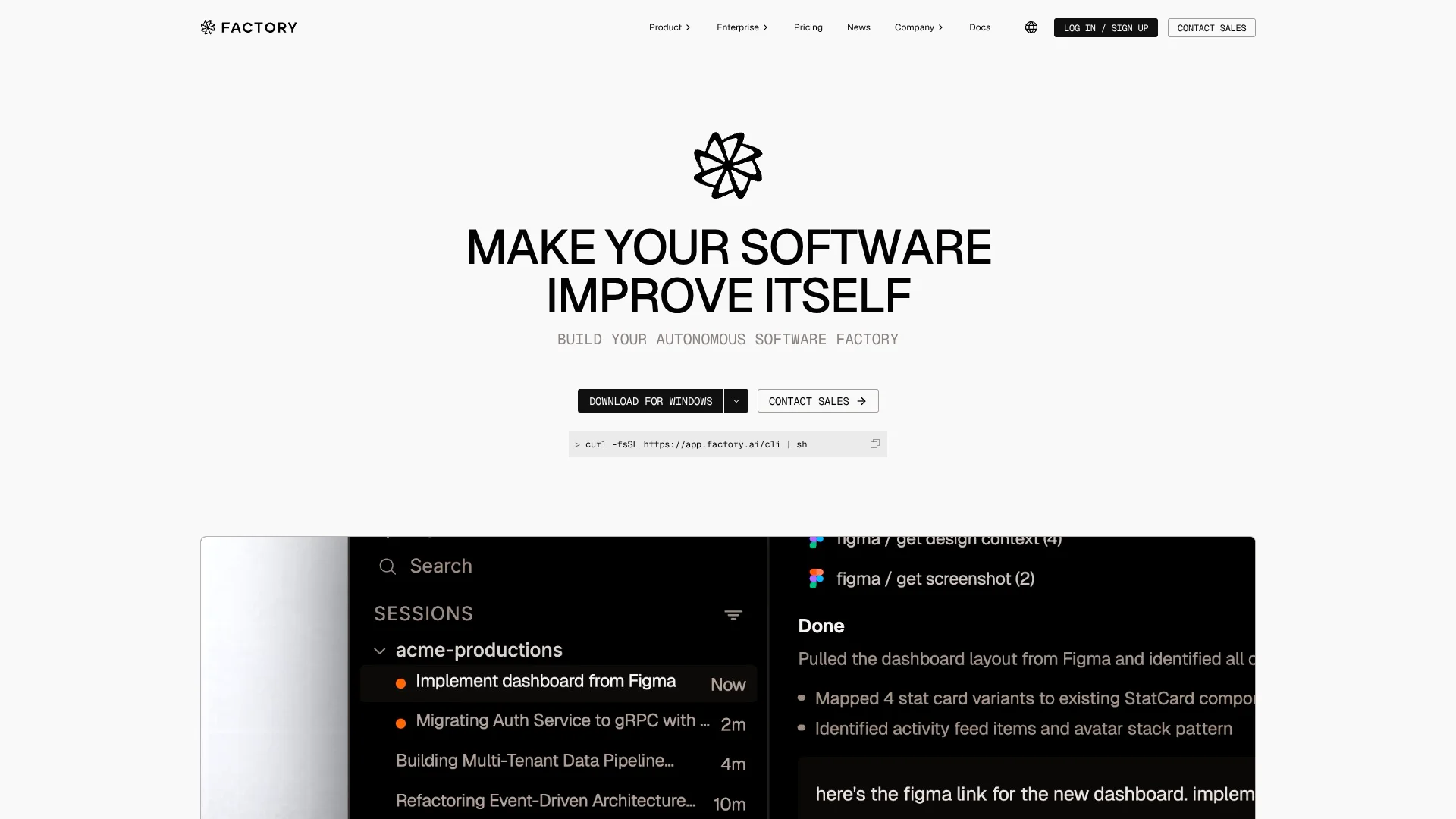
Factory
Delegate repository-level engineering tasks to AI agents built for software teams.
Key Takeaways
- What it is
- Delegate repository-level engineering tasks to AI agents built for software teams.
- Pricing
- $20 per month · $100 per month · $200 per month · $60 per month per team, plus $40 per month per seat
- Best for
- Droid coding agents
- Missions and Mission Control
- Automations
- Rating
- 4.3/5
What is Factory?
Factory’s Droid agents work in a codebase to plan, change, and test software from a task or specification. Developers can run them in the Factory App or terminal, while teams can assign work from connected tools such as Linear and Slack. Factory is aimed at software engineers who want AI to take on implementation and repeatable development tasks, with people reviewing the results.
For larger projects, Factory Missions turn an agreed plan into milestones that multiple agents can carry out and track in Mission Control. That gives teams a way to delegate a bounded project as coordinated work rather than one coding session.
Factory fits developers who want agents working directly with their repositories and engineering workflows. It is less suited to people seeking a general-purpose writing or research tool; its strengths are tied to software development and its integrations.
Who is Using Factory?
Software engineers
Repository-aware agents help implement features and make changes developers can inspect.
Engineering managers
Usage analytics and Agent-readiness tracking provide visibility into how teams use Factory.
Code reviewers
Automated reviews can flag potential issues on pull requests and add inline comments.
Site reliability engineers
Incident-response workflows can investigate alerts and help trace their causes.
Uncommon Use Cases
Keep repository wikis current with AutoWiki; schedule recurring dependency and documentation maintenance.
Key Features
Rating Breakdown
Pricing Plans
Pro
$20 per month
- Desktop app, CLI, and SDK
- Cloud and local background agents
- Billing and usage statistics
Plus
$100 per month
- Everything in Pro
- About five times the usage of Pro
- Droid Computers for remote agents
Max
$200 per month
- Everything in Plus
- About ten times the usage of Pro
- Early access to new features
Teams
$60 per month per team, plus $40 per month per seat
- Everything in Pro for the team
- Up to 10 seats with centralized billing
Business
- Custom usage limits
- SSO and SAML/SCIM provisioning
- Audit logging and administrative controls
Enterprise
- Unlimited team members
- Dedicated compute with partitioned inference
- On-premise deployment options and data residency
Which Factory plan should you pick?
Start with Pro for individual development work, move to Plus or Max when you need more usage, and consider Teams or a custom organization plan for shared administration and controls.
Pro
For individual developers who need the Factory App, CLI, SDK, and standard usage limits.
Plus
For individual developers who need about five times Pro’s usage and access to Factory-managed cloud computers.
Max
For high-volume individual work that needs about ten times Pro’s usage and early access to features.
Teams
For small teams that need shared billing and up to 10 seats.
Business
For growing teams that need custom usage limits, SSO, and administrative controls.
Enterprise
For organizations that need unlimited seats, dedicated compute, deployment options, and premium support.
Factory Use Cases
Implementing a feature
A ticket, specification, or prompt gives Droid a starting point for repository changes and validation.
Outcome: A proposed code change for a developer to review.
Reviewing pull requests
Automated code review checks changes and posts findings as comments on pull requests.
Outcome: Review findings attached to the pull request.
Automating recurring engineering work
A schedule or event trigger can start jobs such as QA, issue triage, and documentation updates.
Outcome: Repeatable work runs when its configured trigger fires.
Coordinating a larger project
Missions turn a multi-feature goal into planned milestones and tracked agent work.
Outcome: A structured plan with execution progress in Mission Control.
Investigating incidents
An incident-response automation can start from an alert in a connected channel and investigate the issue.
Outcome: An investigation and root-cause analysis.
Workflow Ideas with Factory
Turn a ticket into a pull request
- 1Connect the repository and issue tracker.
- 2Assign a ready ticket to Factory or start a Droid session with its details.
- 3Review the proposed changes and test results before merging.
Automate pull request review
- 1Choose a code-review automation template or create one.
- 2Set a GitHub event or schedule as its trigger.
- 3Inspect Droid’s review comments on each pull request.
Plan a multi-feature project
- 1Describe the project goal and agree on features, milestones, and success criteria.
- 2Approve the Mission plan.
- 3Follow agent progress and validation in Mission Control.
How Factory fits into your stack
Factory App and terminal
Run Droid in a visual workspace or from the terminal, connected to a local codebase or a managed computer.
Code repositories
Factory works with GitHub and GitLab repositories for coding sessions and pull-request workflows.
Issue tracking and team chat
Connectors include Linear, Jira, Notion, and Slack, so Droid can work with engineering context in those tools.
Automation and APIs
Automations can start from schedules, Slack, GitHub, or webhooks. Factory also documents APIs and a TypeScript SDK for programmatic workflows.
Pros
- +Works where developers code: Droid is available through the Factory App and terminal, with support for common IDEs.
- +Repeatable engineering tasks: automations can start from a schedule, Slack message, GitHub event, or webhook.
- +Project-level coordination: Missions organize larger efforts into milestones with progress tracked in Mission Control.
- +Model choice: supported models can be selected for different tasks.
Cons
- −Developer-focused: its main features are built around codebases and software engineering work.
- −Usage-based limits: individual plans have rolling usage limits, so heavy work may require a higher tier or additional usage.
- −Many team features cost more: Teams has a base fee plus a per-seat charge, while Business and Enterprise pricing is custom.
Limitations & when to consider alternatives
Known limitations
- Some API features are restricted. The sessions API is enabled for selected organizations only.
- Missions depend on repository readiness. Factory recommends Agent Readiness Level 4 or higher for best results, and reliable user-facing checks require a scriptable way to exercise the application.
- Webhook triggers are in private preview. Factory documents webhook triggers as a private-preview feature.
- Business and Enterprise pricing is custom. The pricing page does not publish fixed prices for these plans.
Look elsewhere when
- You need an AI tool primarily for general writing, study, or research.
- Your team needs published fixed pricing for Business or Enterprise plans.
How to Use Factory
- 1
Choose where to work
Install the Factory App or start Droid in a repository from the terminal.
- 2
Connect a codebase
Give Droid access to the repository it needs so it can work with the project context.
- 3
Set the task and review level
Describe the change, select a model if needed, and choose how much autonomy Droid should have.
- 4
Review the session
Check the code diff and validation results before accepting changes.
- 5
Automate repeat work
Choose a template or create an automation with instructions and a schedule, Slack, GitHub, or webhook trigger.
Who is Factory For?
Individual developers
Droid can take on repository tasks from the Factory App or terminal while you review its changes.
Software engineering teams
Shared billing, team seats, and automations support recurring work across engineering repositories.
Growing engineering organizations
Business and Enterprise plans add features such as SSO, audit logging, and administrative controls.
Frequently Asked Questions
Does Factory have a free plan?
Factory’s listed individual plans start with Pro at $20 per month. The pricing page does not list a free plan.
Which models can Factory use?
Factory says it supports leading frontier and open-weight models, including GPT, Claude, and Gemini models.
Can Factory automate code review?
Yes. Automations can run code review from a schedule or a GitHub event and post findings on pull requests.
Does Factory have an API?
Yes. Factory documents APIs for sessions, computers, and analytics, plus a TypeScript SDK. Some API features are enabled only for selected organizations.
Can Factory connect to Slack and Linear?
Yes. Both are listed among Factory’s connectors, and automations can also start from Slack messages.
Community reviews
Be the first to share your experience.
Sign in to leave a review for Factory.
Factory Alternatives
Looking for alternatives to Factory? Here are similar tools in the same category: