
FaceSwap
Revolutionize digital content with seamless, high-quality AI face swaps.
Key Takeaways
- What it is
- Revolutionize digital content with seamless, high-quality AI face swaps.
- Pricing
- Freemium
- Best for
- High-Quality Outputs
- User-Friendly Interface
- Rapid Processing
- Rating
- 4.6/5
What is FaceSwap?
In the dynamic world of digital media, Face Swap AI emerges as a revolutionary tool redefining our interaction with images and videos online. At its core, Face Swap AI provides a sophisticated platform for seamlessly swapping faces in photos and videos, leveraging advanced deepfake technology to produce astonishingly realistic and high-quality results. Catering to both individuals and professionals, this tool simplifies content creation, enhances visual storytelling, and fosters creative photo and video manipulation.
Face Swap AI distinguishes itself with its blend of high-quality output, user-friendly interface, and rapid processing. Its ability to create realistic face swaps effortlessly provides users with a powerful tool for creativity without the complexity of advanced editing software.
Face Swap AI excels in providing a user-friendly, high-quality face-swapping experience, making it essential for adding creativity to digital content. Its ability to produce realistic and seamless face swaps offers a distinct advantage in digital media manipulation. Whether for professional or personal use, Face Swap AI is a powerful ally in the evolving digital landscape.
Who is Using FaceSwap?
Content Creators
Adding novelty and creativity to digital content.
Marketing Professionals
Creating engaging advertisements with standout visuals.
Film and Video Producers
Editing and post-production effects requiring face replacements.
Social Media Enthusiasts
Crafting fun and viral content.
Uncommon Use Cases
Educational institutions for interactive learning materials; HR departments for engaging presentations on team changes.
Key Features
Rating Breakdown
Pricing Plans
Free Tier
Free
- Limited features available at no cost
Premium Tier
- Extended features for a comprehensive experience. Visit the official website for current pricing
Which FaceSwap plan should you pick?
Start with Free for personal use and evaluation; upgrade to Pay as you go One-Time Payment to remove watermarks permanently.
Free
Good for personal users who need free previews, 10 starting credits, and credit-based face swapping.
Pay as you go One-Time Payment
Good for users who want to remove the watermark permanently without choosing a recurring plan.
FaceSwap Use Cases
Photo face swapping
Upload an original photo and target face, then generate a replacement.
Outcome: A downloadable face-swapped image.
Multiple-face photo editing
Replace multiple faces in a single picture.
Outcome: A group image with transformed faces.
Video face swapping
Upload a compatible video and select the face to use.
Outcome: A face-swapped video.
GIF meme creation
Apply face swaps to dynamic GIFs for animated content.
Outcome: A shareable face-swapped GIF.
Social media content creation
Create humorous or creative face-swapped media for social platforms.
Workflow Ideas with FaceSwap
Create a face-swapped photo
- 1Upload the original photo
- 2Upload a target face or choose a demo
- 3Swap, preview, and download the result
Create a face-swapped video
- 1Pick a compatible video from your gallery
- 2Select the face to use in the video
- 3Start the swap and download the result
Create a face-swapped meme GIF
- 1Choose or upload a GIF
- 2Apply the target face
- 3Preview and download the animated result
How FaceSwap fits into your stack
Currently, Face Swap AI focuses on standalone service, with potential future updates expanding compatibility and integration capabilities.
Pros
- +Accessibility: No technical expertise required to create professional-level face swaps.
- +Innovation: Harnesses advanced AI technologies, positioning itself as a leader in digital image manipulation.
- +Engagement Boost: Ideal for content creators seeking to enhance viewer engagement with unique posts.
- +Privacy Focus: Prioritizes user data security, ensuring confidentiality of uploaded content.
Cons
- −Ethical Considerations: Ease of creating realistic face swaps raises concerns about potential misuse and misleading content.
- −Internet Dependency: Requires stable internet connection for image and video processing, potentially limiting accessibility.
- −Learning Curve: Despite user-friendly interface, newcomers to digital editing may need time to explore its full potential.
Limitations & when to consider alternatives
Known limitations
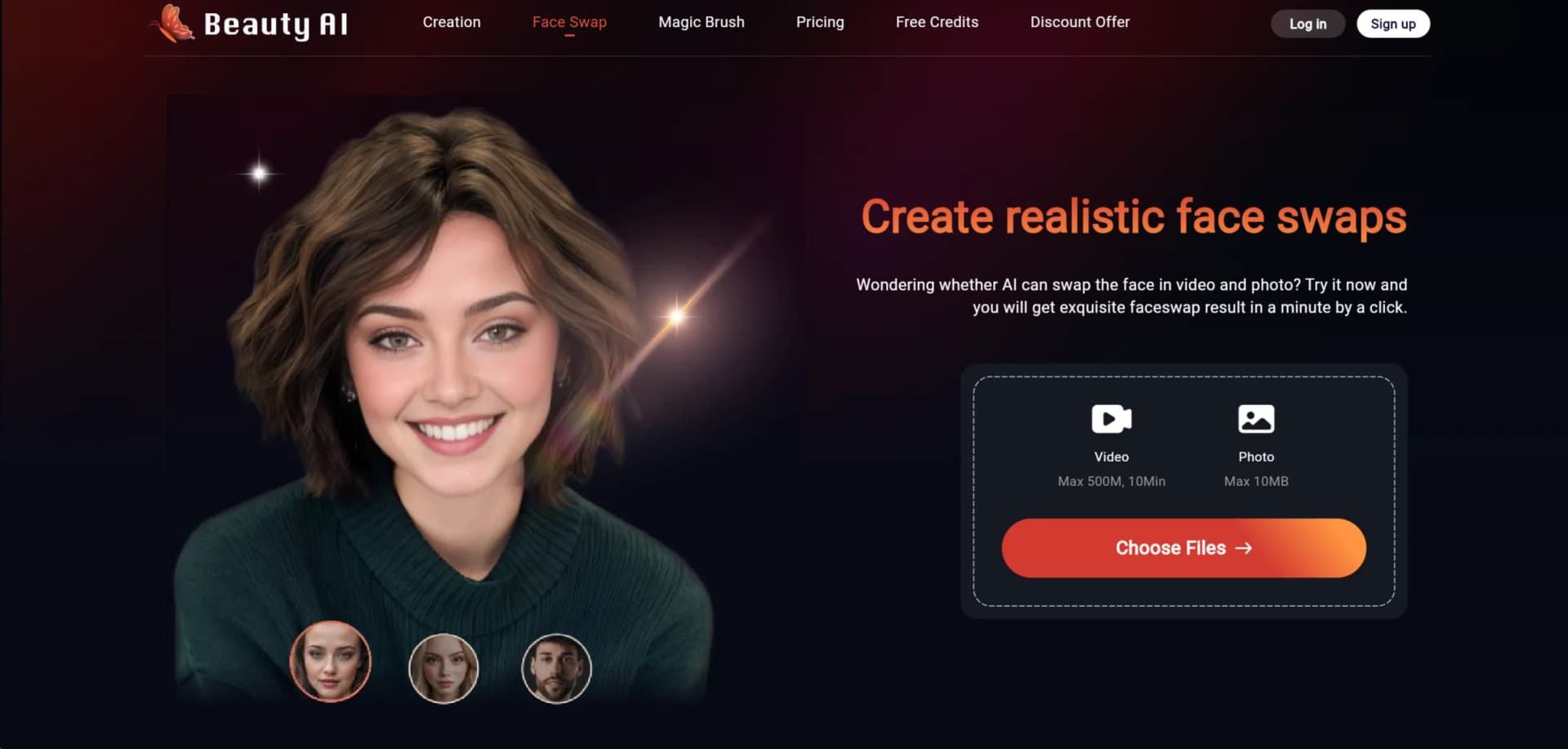
- Photo uploads are limited to 10MB. The photo face-swap uploader displays a 10MB file limit.
- Video uploads have size and duration limits. Multiple video face swap supports videos up to 500MB and 10 minutes.
- Supported video formats are limited. The multiple-video tool lists MP4, MOV, and M4V as compatible formats.
- Video processing requires credits. The site states that video face swaps require credits, while basic photo swapping can be free.
- Real-time face swapping is unavailable. The site says it currently focuses on post-processing and is only exploring real-time features.
Look elsewhere when
- You need real-time face swapping.
- You need a native desktop application.
- You need collaboration, roles, or shared workspaces.
How to Use FaceSwap
- 1
The website offers tutorials ranging from basic setups to advanced manipulation techniques, enabling users to maximize the tool's potential.
Who is FaceSwap For?
Social media creators
They can create memes, face-swapped photos, GIFs, and videos for social media trends.
Filmmakers
They can use video face swapping to enhance filmmaking and transform video content.
Photo editors
They can replace faces in photos and download the resulting images.
Meme creators
They can create face-swapped memes, including animated GIF content.
General users
The site describes the tool as accessible to everyone and usable online without complex setup.
Frequently Asked Questions
Can I use Face Swap for free?
Yes. Beauty AI offers free previews, free credits, and unlimited free face-swap features with credits.
What files can I upload?
Photo face swap supports uploads up to 10MB. Multiple video face swap supports MP4, MOV, and M4V videos up to 500MB and 10 minutes.
Can I swap multiple faces?
Yes. The product includes multiple-picture and multiple-video face-swapping tools.
Are GIF face swaps supported?
Yes. Beauty AI documents dynamic GIF face swaps for memes and animated content.
Are uploaded files kept permanently?
The site says uploaded photo files are stored temporarily and deleted shortly after processing.
Does Beauty AI support real-time face swapping?
No. The site says it currently focuses on high-quality post-processing while exploring real-time features.
Community reviews
Be the first to share your experience.
Sign in to leave a review for FaceSwap.
FaceSwap Alternatives
Looking for alternatives to FaceSwap? Here are similar tools in the same category:
Learn to Master FaceSwap
With Skill Leap courses
Get in-depth training on FaceSwap and 50+ other AI tools with our expert-led video courses.
Start 7-Day Free Trial