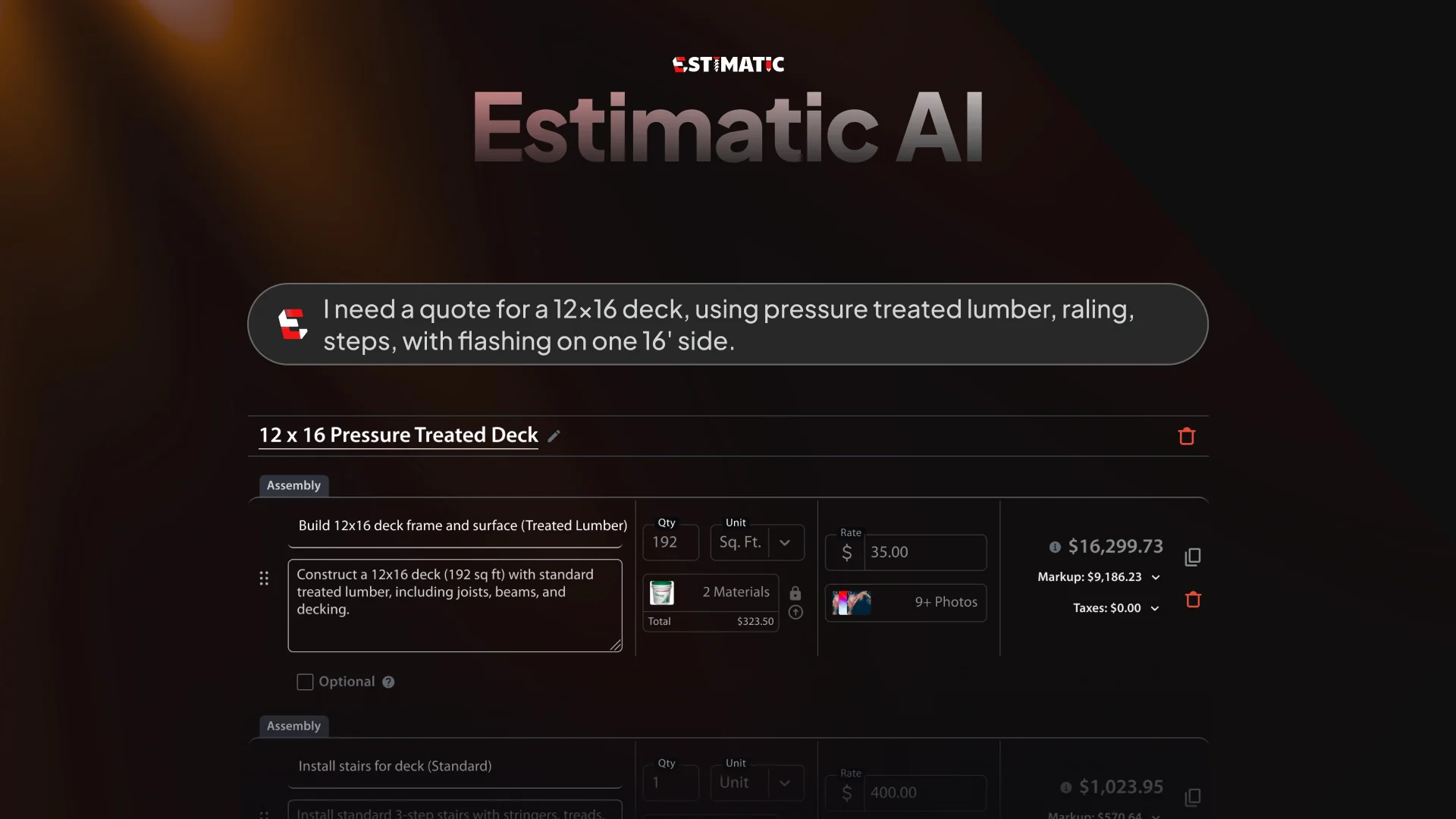
Estimatic AI
Generate quick, precise estimates for contractors.
Watch Estimatic AI in Action
Key Takeaways
- What it is
- Generate quick, precise estimates for contractors.
- Pricing
- $49 per month for solopreneurs · $98 per month for teams of two users
- Best for
- Automated Estimates
- Integration with Contractor+
- Customizable Templates
- Rating
- 4.4/5
What is Estimatic AI?
Estimatic AI redefines how contractors manage estimates and quotes, providing a streamlined solution that integrates seamlessly into the Contractor+ platform. Designed specifically for contractors, this tool simplifies the complex task of generating accurate estimates, ensuring that users can focus more on their projects and less on paperwork. By automating the estimation process, Estimatic AI helps contractors save time and reduce errors, making it an essential tool for anyone in the construction and service industries.
Estimatic AI stands out with its seamless integration into the Contractor+ platform, offering a unified experience for users. Its ability to automate and update estimates in real-time sets it apart, providing contractors with a tool that not only saves time but also increases accuracy and reliability.
Estimatic AI offers a practical, efficient solution for contractors seeking to enhance their estimation processes. Its integration within the Contractor+ platform makes it a valuable tool for professionals looking to streamline their workflow while maintaining high accuracy and reliability. Whether you're a general contractor or a specialist in a niche field, Estimatic AI provides the tools you need to create precise, professional estimates with ease.
Who is Using Estimatic AI?
General Contractors
Leveraging the tool to streamline the estimation process and improve project efficiency.
HVAC Technicians
Using Estimatic AI to provide accurate quotes for installations and repairs.
Plumbers
Employing the tool to generate precise estimates for plumbing projects.
Electricians
Utilizing the AI for quick and reliable electrical project quotes.
Uncommon Use Cases
Adopted by landscape designers for project cost assessments; Used by solar panel installers to estimate installation costs.
Key Features
Rating Breakdown
Pricing Plans
Freedom Plan
- Includes lead and client management, unlimited estimates and invoices, custom logo, national average material pricing, multiple workspaces, and access via web, mobile, and tablet
Pro Plan
$49 per month for solopreneurs
- Includes all Freedom features plus optional line items, add-ons, requests and scheduling, client portal, live local cost data, 10 monthly Estimatic AI credits, and a Pro website
Pro Team Plan
$98 per month for teams of two users
- Includes all Pro features plus unlimited Estimatic AI, group and client chats, custom URL and branding, QuickBooks Online integration, Zapier connection, and $29 per additional user
Which Estimatic AI plan should you pick?
Start with Freedom to test basic estimating, move to Pro for AI estimating as a solo contractor, and upgrade to Pro Team when you need unlimited credits, collaboration, and integrations.
Freedom
Good for new or small operations that need basic CRM, estimates, invoices, and web/mobile access at $0 per month.
Pro
Good for solo contractors who need unlimited estimates and invoices, live local pricing, and 10 Estimatic AI credits per month.
Pro Team
Good for growing businesses that need unlimited Estimatic AI credits, team collaboration, permissions, QuickBooks, Zapier, and developer API access.
Estimatic AI Use Cases
Generate a job estimate from a description
Describe the work and let Estimatic AI assemble labor, materials, pricing, and estimate options.
Outcome: A send-ready estimate can be produced in minutes.
Estimate from plans and reports
Upload PDF plans, measurements, EagleView or Hover reports, or competitor bids for AI-assisted quantity and scope extraction.
Outcome: The estimator starts with extracted quantities and job information instead of manual entry.
Create Good, Better, and Best options
Use pricing tiers, optional line items, add-ons, and upsells within a customer estimate.
Outcome: Customers can choose the scope that matches their budget.
Update estimates when plans change
Upload revised sheets, run another AI pass, compare quantities and pricing, and issue a revised estimate.
Outcome: Updated bids can be created without rebuilding the estimate from scratch.
Move from estimate to signed job
Convert the estimate into a contract, collect a digital signature, and connect the result to scheduling and project workflows.
Outcome: The signed estimate feeds downstream job operations.
Workflow Ideas with Estimatic AI
Photo-to-estimate workflow
- 1Snap or upload photos and describe the job
- 2Review AI-generated labor, materials, and live pricing
- 3Adjust margins and send the estimate
PDF plan takeoff workflow
- 1Upload the architect's PDF plan and validate the sheets
- 2Let Estimatic extract measurements and quantities
- 3Review quantities, update prices, and issue the bid
Estimate-to-job workflow
- 1Create an estimate with Good, Better, and Best options
- 2Convert the accepted estimate into a signed contract
- 3Use the approved scope for scheduling, purchasing, and job tracking
How Estimatic AI fits into your stack
Browser
Contractor+ provides the web-based workspace where Estimatic AI creates estimates, applies live material and labor pricing, and supports quote-to-contract workflows.
Knowledge and files
Users can attach measurements, reports, competitor bids, documents, and job photos to estimates. The API also supports attaching files, documents, and photos to records.
Team chat and tickets
The platform includes team and client chat, job-specific communication, staff assignment, and permission-controlled collaboration.
Automation and APIs
Contractor+ exposes a developer API and Zapier integration for automating lead, client, invoice, work-order, estimate, and other business-data flows.
Pros
- +Time Efficiency: Speeds up the estimation process, allowing contractors to focus more on their projects.
- +Accuracy: Reduces the likelihood of human error in estimates, leading to more reliable quotes.
- +Integration: Seamlessly integrates with other Contractor+ features, offering a cohesive user experience.
- +User-Friendly: Designed with an intuitive interface that simplifies the estimation process for users of all skill levels.
Cons
- −Initial Learning Curve: Some users may require time to fully understand all features and capabilities.
- −Limited to Contractor+ Users: Only available within the Contractor+ platform, which may not suit all contractors.
- −Customization Constraints: While templates are customizable, some users may find them limiting for highly specialized projects.
Limitations & when to consider alternatives
Known limitations
- AI credits vary by plan. The Pro plan includes 10 Estimatic AI credits per month; unlimited credits are reserved for Pro Team.
- The free plan has usage limits. The Freedom plan is free but limits users to up to five estimates or invoices per month.
- AI quantities still require review. Contractor+ recommends verifying key quantities when plans are unclear or the scale has not been confirmed.
- Some features require Pro Team. Advanced collaboration, permissions, integrations, and unlimited Estimatic AI credits require the Pro Team plan.
- Integration sync can fail when data does not match. QuickBooks synchronization may fail because of tax mismatches, incomplete client data, or connection delays.
Look elsewhere when
- You need a dedicated Windows, Mac, or Linux desktop installer.
- You need SSO or SAML identity management.
- You need model fine-tuning on proprietary training data.
How to Use Estimatic AI
- 1
Choose a plan
Create a free Freedom account for basic use, or select Pro or Pro Team if you need Estimatic AI credits and advanced estimating features.
- 2
Prepare job information
Gather the job description, photos, measurements, PDF plans, supplier reports, or competitor bid that Estimatic will use.
- 3
Create the estimate
Open the estimate workflow, describe the work or upload source documents, and let Estimatic propose labor, materials, and pricing.
- 4
Refine pricing and scope
Review quantities, select or update estimate templates, modify labor and material rates, and adjust markup and optional items.
- 5
Present options
Add Good, Better, and Best pricing levels, optional line items, add-ons, and upsells before previewing the customer document.
- 6
Send and continue the workflow
Send the estimate, convert accepted work into a signed contract, and continue with scheduling, purchasing, invoicing, or team operations.
Who is Estimatic AI For?
HVAC contractors
The app is designed for HVAC businesses that need AI-assisted estimates, live pricing, scheduling, and field-service workflows.
Plumbing and electrical contractors
These trades are explicitly listed among the contractor types supported by Contractor+ and Estimatic AI.
Roofing and remodeling contractors
Roofing and remodeling businesses can use photos, plans, reports, material pricing, and estimate-to-contract workflows.
Residential builders and specialized trades
Contractor+ describes Estimatic as suitable for residential builders, remodelers, and specialized trades working from plans.
Growing contractor teams
Pro Team is intended for companies needing multiple users, collaboration, permissions, integrations, and unlimited AI estimating.
Frequently Asked Questions
What does Estimatic AI create?
It creates contractor estimates from job details, photos, measurements, reports, or competitor bids, using material and local labor pricing.
Can Estimatic AI use PDF plans?
Yes. Contractor+ says Estimatic can read standard 2D architect and designer PDFs, extract quantities, and support measurement workflows.
Can I edit the AI-generated estimate?
Yes. Users can adjust quantities, assemblies, markup, overhead, prices, and the final customer-facing amount.
Can I use my own labor and material prices?
Yes. Contractor+ documents support for synchronizing price lists, preferred suppliers, and labor rates.
What happens when plans change?
Users can upload revised sheets, run another AI pass, compare changes, and generate a clean revised estimate.
Which plans include Estimatic AI?
The Pro plan includes 10 Estimatic AI credits per month, while Pro Team includes unlimited credits.
Community reviews
Be the first to share your experience.
Sign in to leave a review for Estimatic AI.
Estimatic AI Alternatives
Looking for alternatives to Estimatic AI? Here are similar tools in the same category: