Eskritor
Streamline writing with multilingual AI content generation.
Key Takeaways
- What it is
- Streamline writing with multilingual AI content generation.
- Pricing
- $9.99 per week. Unlock unlimited editing · $39.99 per year (equivalent to $0.76/week)
- Best for
- Multilingual Capabilities
- AI-Powered Editing Tools
- Intuitive User Interface
- Rating
- 4.6/5
What is Eskritor?
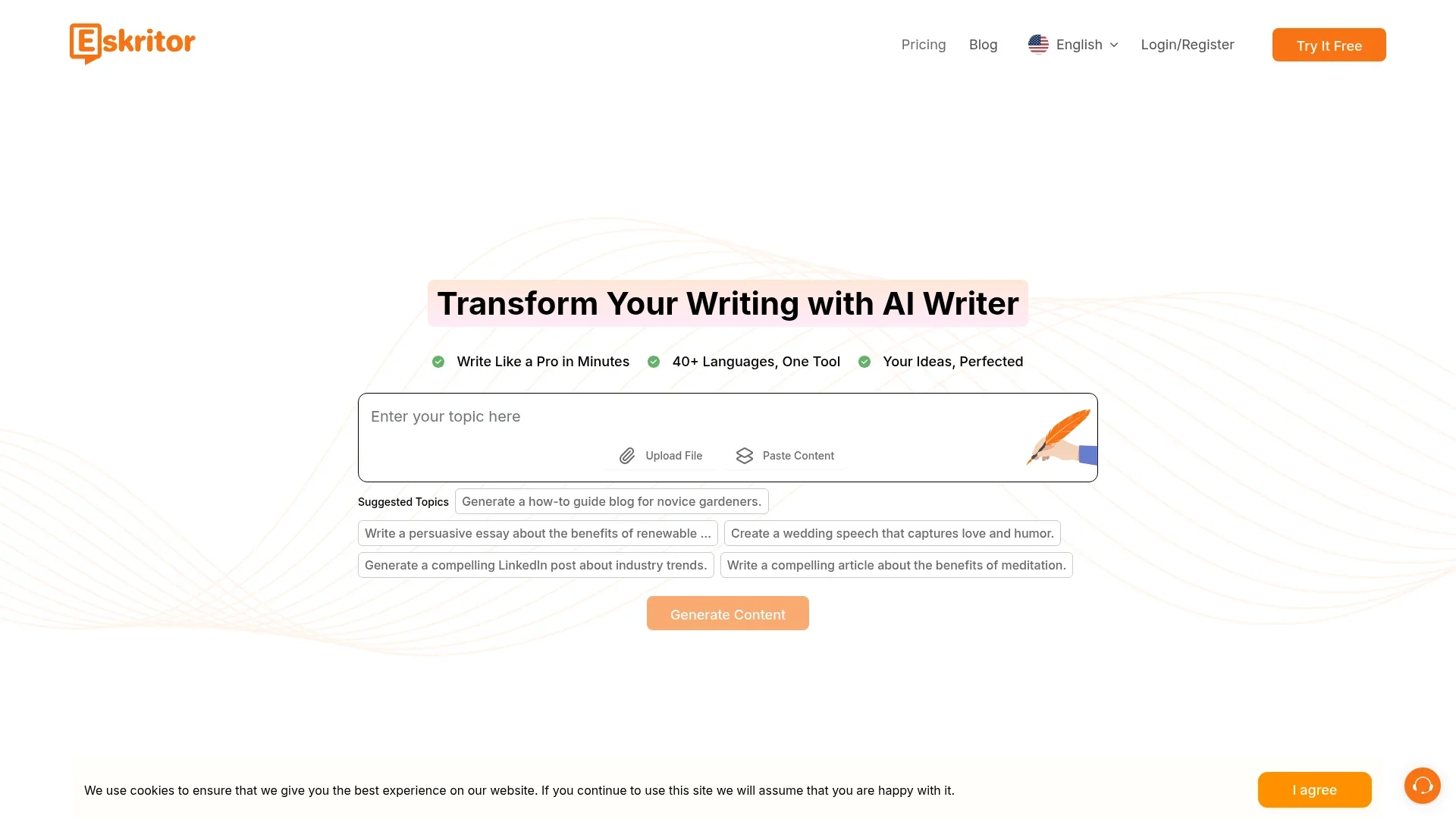
Eskritor is a cutting-edge AI content generator designed to streamline the writing process across a variety of tasks, from creative writing to business communications. Available at eskritor.com, this tool leverages advanced AI algorithms to transform writing into a seamless, efficient experience. Whether you need to generate compelling blog posts, insightful business proposals, or engaging social media content, Eskritor is crafted to cater to diverse writing needs, making it an indispensable tool for individuals and professionals alike.
Eskritor stands out with its specialized AI writers, providing tailored content solutions for various industries. Its interactive follow-up question feature enhances content originality and user engagement, setting it apart in the AI writing tool landscape.
Eskritor offers an innovative approach to content creation, making it an essential tool for anyone looking to enhance their writing efficiency and quality. With its advanced AI capabilities, multilingual support, and user-friendly interface, Eskritor empowers users to produce high-quality content across various domains effortlessly. Whether you're a seasoned writer or a novice, Eskritor helps you achieve professional results, making it a valuable asset in the digital age.
Who is Using Eskritor?
Content Creators & Bloggers
Leveraging Eskritor to produce engaging blog posts and articles efficiently.
Freelancers & Remote Workers
Utilizing the tool for generating accurate and polished content for various clients.
Businesses & Entrepreneurs
Streamlining business communications and marketing materials with professional quality content.
Marketers & Influencers
Creating compelling social media posts and marketing campaigns with ease.
Uncommon Use Cases
Employed by educational institutions for creating teaching materials; utilized by podcast producers for generating show notes.
Key Features
Rating Breakdown
Pricing Plans
Weekly
$9.99 per week. Unlock unlimited editing
- Tailored templates
- AI chat and summarization
- Version comparison
- Content history
- Export options including PDF
- TXT
- DOCX
Yearly
$39.99 per year (equivalent to $0.76/week)
- Includes all Pro features at 93% off the weekly rate—ideal for long-term creative power and content flexibility
Eskritor Use Cases
Academic writing
Create essays, papers, theses, case studies, and personal statements.
Outcome: A structured academic draft.
Blog and article creation
Generate blog posts, articles, paragraphs, and long-form content from instructions.
Outcome: A ready-to-edit content draft.
Professional communication
Draft emails, speeches, cover letters, resumes, and other workplace writing.
Outcome: Faster production of polished professional text.
Creative writing
Create stories, poems, scripts, books, and novels with dedicated writing tools.
Outcome: A creative writing draft to revise.
Text improvement and summarization
Rewrite, paraphrase, summarize, proofread, and adjust the tone or length of existing text.
Outcome: Clearer, shorter, or better-targeted copy.
Workflow Ideas with Eskritor
Create and polish a blog post
- 1Choose the blog or article writing tool
- 2Enter the topic, requirements, style, and length
- 3Generate the draft, edit it, and download the finished text
Turn handwritten notes into polished text
- 1Upload a scanned document or image of handwritten notes
- 2Convert the image into editable text
- 3Use Eskritor to organize, rewrite, and improve the result
Improve text inside the browser
- 1Install and pin the Eskritor Chrome extension
- 2Create a new file and select a use case
- 3Generate, edit, save, and download the content
How Eskritor fits into your stack
Browser
Eskritor runs as a web writing workspace for generating, rewriting, summarizing, and editing content.
Docs and writing
It sits alongside document workflows as an AI writer and editor for essays, articles, emails, reports, scripts, and other text.
Browser extension
The Chrome extension provides a popup workflow for creating files, choosing use cases, generating text, editing it, and downloading it.
Knowledge and files
The mobile experience can convert scanned documents and handwritten-note images into editable text before further refinement.
Pros
- +Time Efficiency: Significantly reduces the time needed to create and refine content, enabling users to focus on other tasks.
- +Cost-Effective: Offers a high return on investment by automating content creation processes and minimizing the need for additional resources.
- +Versatile Applications: Suitable for a wide range of writing tasks, from professional emails to creative storytelling.
- +High-Quality Output: Delivers professional-grade content that can be easily customized to fit specific styles and requirements.
Cons
- −Initial Learning Curve: Some users may need time to fully explore and utilize all advanced features effectively.
- −Limited Offline Functionality: Requires an internet connection to access full capabilities, which could be a limitation in areas with poor connectivity.
Limitations & when to consider alternatives
Known limitations
- Human review is still required. The official site says human oversight remains essential because AI-generated text can contain factual errors.
- Outputs may sound generic. The official site notes that AI writers can produce repetitive patterns and generic phrasing.
- Specialist accuracy is limited. The official site says AI writers may struggle with detailed subject expertise without human oversight.
Look elsewhere when
- You need a documented developer API
- You need a native desktop application
- You need shared team workspaces with roles
- You need fine-tuning on proprietary data
How to Use Eskritor
- 1
Start in the web app
Open Eskritor, sign in with email or Google, and enter the writing workspace.
- 2
Choose a writing use case
Select a tool such as article, essay, email, blog, story, script, speech, or citation generation.
- 3
Describe the desired content
Provide the topic and requirements, then set available style and length options before generating.
- 4
Edit and improve the draft
Use rewriting, paraphrasing, summarization, grammar, tone, readability, and length controls to refine the output.
- 5
Process a scanned source
Upload a scanned document or handwritten-note image when you need editable text extracted from an image.
- 6
Save or export the result
Save the file in Eskritor and download or share the completed text for later use.
Who is Eskritor For?
Students
Eskritor provides essay, paper, thesis, personal-statement, and academic-content writing tools.
Professionals
The official app description highlights reports, presentations, meeting notes, and professional emails.
Writers
Writers can create and improve manuscripts, articles, stories, books, novels, poems, and scripts.
Businesses and marketers
Eskritor offers blog, email, speech, article, citation, and other content-generation tools for business and marketing work.
Frequently Asked Questions
What can Eskritor generate?
Eskritor generates articles, essays, reports, blogs, stories, poems, scripts, speeches, emails, resumes, citations, and social-media content.
Can Eskritor rewrite existing content?
Yes. It can rewrite, paraphrase, extend, shorten, proofread, summarize, and adjust style or tone.
Does Eskritor support multiple languages?
Yes. Eskritor states that it supports multiple languages across generated outputs.
Can Eskritor process scanned documents or images?
Yes. Its mobile listing describes scan-to-text for scanned documents and handwritten-note images.
Is Eskritor available on mobile?
Yes. Dedicated Eskritor apps are listed for iPhone and Android, and an Eskritor Chrome extension is available.
Does Eskritor offer a free option?
The official website promotes generating text with AI for free and provides a free-start path.
Community reviews
Be the first to share your experience.
Sign in to leave a review for Eskritor.
Eskritor Alternatives
Looking for alternatives to Eskritor? Here are similar tools in the same category: