Enginy
B2B sales teams turn LinkedIn prospects into coordinated outbound campaigns.
Key Takeaways
- What it is
- B2B sales teams turn LinkedIn prospects into coordinated outbound campaigns.
- Pricing
- $99 per month
- Best for
- AI Finder
- AI Recommendations
- Enrichment and AI Research
- Rating
- 4.1/5
What is Enginy?
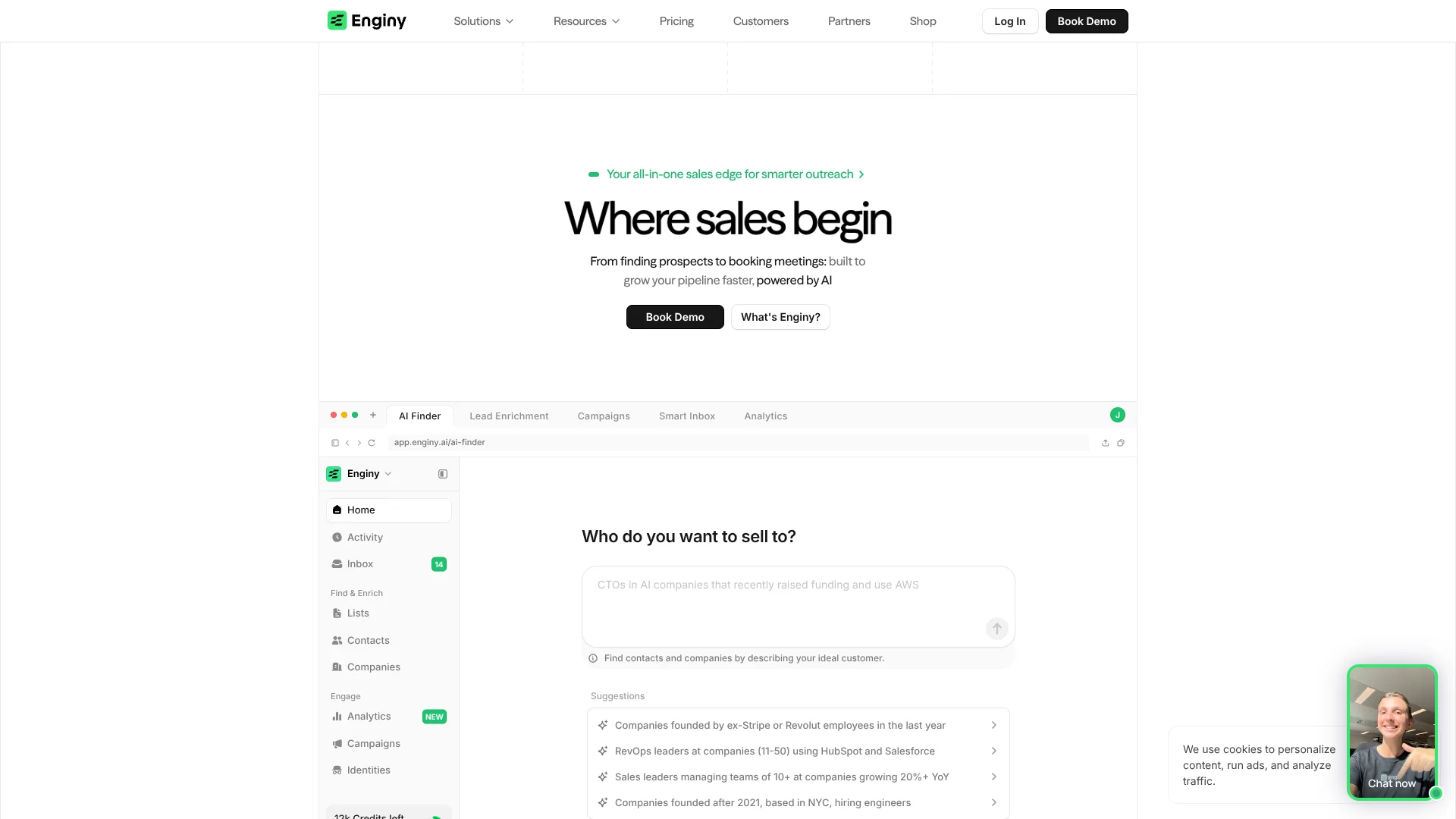
Enginy helps B2B sales teams find prospects, enrich their contact details, and run outreach across email and LinkedIn. Its AI Finder turns a natural-language description of your target buyers into search filters, so reps can spend less time building lists by hand.
Enginy connects prospecting to follow-up: AI-generated lead research and enrichment can feed campaigns, while replies collect in a shared inbox with AI intent tags and draft suggestions. That gives outbound teams a way to move from finding a prospect to handling their response inside the same sales workflow.
Enginy is aimed at B2B sales and go-to-market teams. It is less suited to someone who wants a standalone lead database, since its AI Finder currently works with LinkedIn imports and its pricing page requires a quote request.
Who is Using Enginy?
Sales Development Representatives
Prospecting lists, enriched contact details, and campaign sequences support daily outbound work.
Sales Operations Managers
CRM field mapping and campaign activity sync help keep sales records aligned.
Revenue Leaders
Analytics and lead scoring give sales leaders ways to review prospecting and outreach activity.
Outbound Sales Managers
A shared inbox and AI conversation tags help managers prioritize replies and meeting requests.
Uncommon Use Cases
Tracking job changes and hiring as buying signals; using AI research to prepare context before a prospect conversation.
Key Features
Rating Breakdown
Pricing Plans
Free Trial
- 30-day free trial available
Standard Plan
$99 per month
Enterprise Solutions
- Custom pricing based on business needs and scale
Which Enginy plan should you pick?
Request a quote to match Enginy’s plan and credits to your team’s prospecting volume, users, and required integrations.
Custom plan
For B2B sales teams that want pricing tailored to their expected usage and setup.
Enginy Use Cases
Build a Targeted Prospect List
A description of the target buyer becomes editable LinkedIn search filters for a more focused list.
Outcome: A reviewed list of relevant contacts or companies.
Enrich Lead Records
Missing contact details and company context can be added before a sales rep reaches out.
Outcome: Prospect records with enriched contact information and research.
Run Multichannel Outbound
Email and LinkedIn steps can be arranged into a campaign with conditions and follow-up actions.
Outcome: A sequenced outreach campaign across supported channels.
Prioritize Replies
AI intent tags and draft suggestions help reps focus on conversations that may lead to a meeting.
Outcome: Replies organized by lead intent, with suggested responses.
Keep CRM Records Updated
Contact, company, and campaign details can be mapped and synced with a connected CRM.
Outcome: Synced sales records and campaign activity.
Workflow Ideas with Enginy
From Buyer Profile to Campaign
- 1Describe the target buyer in AI Finder.
- 2Review and adjust the LinkedIn search filters.
- 3Enrich selected prospects and add them to a campaign.
Route Replies to the Right Follow-Up
- 1Run an email and LinkedIn campaign.
- 2Review replies and AI-applied conversation tags in Smart Inbox.
- 3Send an AI-assisted reply or follow the relevant campaign next step.
Sync Prospecting Activity to Your CRM
- 1Connect one supported CRM and set record-matching rules.
- 2Map Enginy fields to CRM fields.
- 3Sync selected contacts, companies, and campaign activity.
How Enginy fits into your stack
Prospecting
AI Finder and AI Recommendations help build contact and company searches from LinkedIn.
Lead Data
Enginy enriches prospect records with verified emails, phone numbers, and AI research through connected providers.
Email and LinkedIn Outreach
Campaign sequences coordinate email and LinkedIn actions, with conditional steps and follow-ups.
CRM
Enginy syncs records and campaign activity with one active CRM at a time, including HubSpot, Salesforce, Pipedrive, and Zoho.
Team Notifications
Slack integration can notify the team when a lead replies with interest.
Pros
- +Prospecting to replies: Leads, outreach campaigns, and replies connect in a single sales workflow.
- +Editable AI search: Review and adjust the filters AI Finder creates before importing results.
- +Reply triage: AI conversation tags help sales reps spot interested leads and meeting requests.
- +CRM connections: Sync with named CRMs including HubSpot, Salesforce, Pipedrive, and Zoho.
Cons
- −Quote-based pricing: The pricing page does not show a standard public price, so comparing costs takes an extra step.
- −Outbound focus: The feature set is centered on B2B prospecting and sales campaigns rather than general AI work.
- −LinkedIn-dependent AI Finder: Its natural-language search is limited to LinkedIn imports.
Limitations & when to consider alternatives
Known limitations
- One active CRM. Enginy supports only one active CRM connection at a time; switching requires disabling the current one.
- AI Finder uses LinkedIn imports. The help center says AI Finder currently works exclusively with LinkedIn imports.
- Usage limits vary. Scraping and sending actions can have daily or hourly limits based on the subscription plan or sender configuration.
Look elsewhere when
- You need AI prospect searches across sources other than LinkedIn.
- Your team needs two or more active CRM connections at the same time.
How to Use Enginy
- 1
Set Up Your AI Playbook
Add company, product, and ideal-customer context so Enginy can tailor search suggestions and outreach.
- 2
Connect a Sender Identity
Connect an email account, LinkedIn profile, or both to send campaigns through that identity.
- 3
Connect Your CRM
Choose one active CRM, then configure record matching and field mapping for data sync.
- 4
Find Prospects
Describe the people or companies you want in AI Finder, then review and edit its suggested filters.
- 5
Enrich and Launch a Campaign
Add contact details and research, choose a campaign template, and review its sequence before launch.
- 6
Work Replies in Smart Inbox
Use conversation tags and AI draft suggestions to decide which lead to answer and what to send.
Who is Enginy For?
B2B Sales Teams
Outbound teams can manage prospecting, campaigns, and lead replies in one sales workflow.
SaaS Companies
SaaS sales teams can target buyer profiles and coordinate email and LinkedIn outreach.
Recruitment Agencies
Recruiting teams can build targeted prospect lists and enrich contact records for outreach.
IT Consultancies
Consultancies can identify potential business buyers and follow up through multichannel campaigns.
Cybersecurity and Professional Services Firms
Teams selling specialized B2B services can use intent signals and enriched profiles to prioritize outreach.
Frequently Asked Questions
Does Enginy have a free plan?
The official site does not list a free plan. Its terms describe a trial that may be offered at Enginy’s discretion.
How much does Enginy cost?
The pricing page asks visitors to request pricing and says Enginy will create a custom plan. It does not publish a standard US plan price.
Which CRMs does Enginy connect to?
The help center lists HubSpot, Salesforce, Pipedrive, Microsoft Dynamics 365, Zoho, TribeCRM, Attio in beta, and a custom CRM option in beta. Only one CRM can be active at a time.
Can I search for prospects with AI?
Yes. AI Finder turns natural-language queries into LinkedIn search filters, which you can review and edit before importing results.
Can Enginy run email and LinkedIn campaigns?
Yes. Campaigns can include email and LinkedIn actions, with conditions and follow-up steps.
Community reviews
Be the first to share your experience.
Sign in to leave a review for Enginy.
Enginy Alternatives
Looking for alternatives to Enginy? Here are similar tools in the same category: