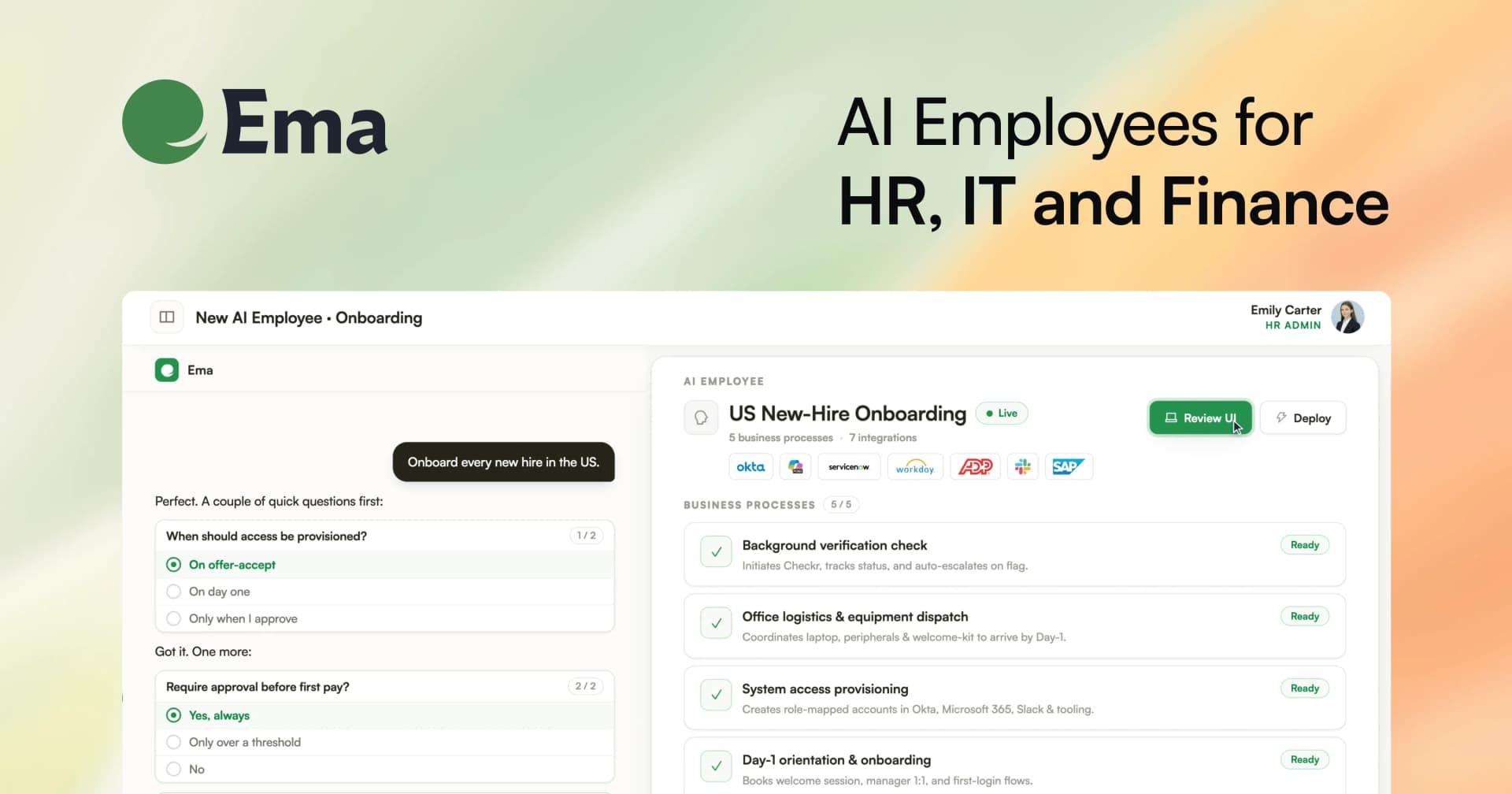
Ema
AI employees that complete enterprise workflows across your connected business systems.
Key Takeaways
- What it is
- AI employees that complete enterprise workflows across your connected business systems.
- Best for
- AI Employee Builder
- Autopilot
- EmaFusion
- Rating
- 4.3/5
What is Ema?
Ema helps enterprise teams build AI Employees that read company data, make decisions, and complete multi-step work across HR, IT, finance, recruiting, and customer operations. Each AI Employee combines plain-language instructions, private knowledge bases, connected business systems, and approval steps so routine work can move from request to completed action.
Ema can build and edit an AI Employee from a plain-language description through Autopilot, then test, publish, monitor, and debug the resulting workflow. Its EmaFusion model layer routes each request across multiple models and can switch models when one is unavailable.
Ema is best for organizations with repetitive, cross-system processes and teams that need audit trails, permissions, and enterprise deployment controls. It is less suitable for casual personal use because setup centers on workspaces, integrations, governance, and custom deployment rather than a low-cost individual subscription.
Who is Using Ema?
HR Operations Managers
Employee requests, onboarding tasks, policy questions, and HR system updates can move through governed workflows.
IT Service Managers
Ticket triage, incident creation, knowledge answers, and system changes can run through connected IT tools.
Recruiters
Candidate profiles, role criteria, scorecards, outreach, and ATS updates can be handled from a shared recruiting workflow.
Finance Operations Analysts
Structured records can be extracted, checked against rules, approved, and written back to finance systems.
AI Platform Administrators
Workspace owners manage access, SSO, integrations, audit records, tenant settings, and deployment controls.
Uncommon Use Cases
Document finishing triggers can start an automated review; dashboards can run repeatable workflows across spreadsheet-style rows.
Key Features
Rating Breakdown
Pricing Plans
Subscription Model
- Ema offers tailored subscription plans based on the scale and specific needs of the business
Which Ema plan should you pick?
Start with Free to evaluate Recruiter, upgrade to Starter or Pro for paid usage, and choose Enterprise for negotiated deployments.
Free
Good for teams who want to try Recruiter without payment or a payment method.
Starter
Good for teams who need paid Recruiter access beyond the free plan.
Pro
Good for teams who need a higher paid Recruiter subscription and larger operating scope.
Enterprise
Good for organizations that need a separately negotiated Recruiter agreement and enterprise deployment.
Ema Use Cases
Employee Helpdesk
An AI Employee answers internal policy questions from approved knowledge bases and routes requests to the right system or person.
Outcome: Faster employee answers with traceable sources and controlled escalation.
Ticket Triage and Resolution
Incoming tickets can be classified, enriched, routed, and updated through systems such as ServiceNow, Jira, Freshservice, or Zendesk.
Outcome: Less manual ticket handling and more consistent routing.
Recruiting Automation
Recruiter workflows source candidates, score them against role criteria, draft outreach, and update connected recruiting systems.
Outcome: A more consistent path from job brief to candidate pipeline.
Document Processing
Documents can be ingested, searched, summarized, classified, extracted into fields, or checked against defined rules.
Outcome: Structured information from documents without repeated manual review.
Batch Operations
Dashboard rows provide a repeatable way to run the same AI workflow across many records and export the results.
Outcome: High-volume processing with per-row outputs and run history.
Workflow Ideas with Ema
Internal IT Request
- 1Receive a request through web chat, Microsoft Teams, Slack, or an API
- 2Search the approved knowledge base and identify the required action
- 3Ask for approval when needed, then update the connected IT system
Recruiting Intake to Outreach
- 1Read a job description and create search criteria
- 2Rank candidates against the team's scorecard
- 3Draft outreach and update the recruiting system after review
Document Review Pipeline
- 1Ingest a document into a knowledge base or dashboard
- 2Extract fields and validate them against business rules
- 3Publish the result or send an approval request to a human reviewer
How Ema fits into your stack
Business Systems
Ema sits between employees and systems such as Workday, Salesforce, ServiceNow, Slack, Microsoft Teams, Google Drive, and many others. AI Employees can read data and write approved changes back to connected applications.
Knowledge and Files
Documents and data connectors feed private knowledge bases that agents search during a run. This supports grounded answers, extraction, validation, and document generation.
Channels
End users can reach an AI Employee through web chat, Microsoft Teams, Slack, dashboards, voice, APIs, or an embeddable chat SDK.
Automation and APIs
Triggers can start workflows from schedules, webhooks, connected applications, new email, tickets, or completed document ingestion. Developers can also start runs through Ema's API.
Administration
Workspace roles, groups, SSO, PII controls, versioning, audit logs, and human approvals provide the operating layer for enterprise AI deployment.
Pros
- +Cross-system automation: AI Employees can read from and write to business applications during one workflow.
- +Plain-language building: Autopilot can create and modify workflows without requiring every builder to configure each step manually.
- +Enterprise controls: SSO, role-based access, PII masking, audit trails, and approval chains support governed deployments.
- +Integration coverage: The current catalog includes 161 native integrations across HR, IT, finance, sales, communication, and productivity.
- +Deployment flexibility: Ema supports web chat, dashboards, voice, APIs, Microsoft Teams, Slack, and an embeddable chat SDK.
Cons
- −Enterprise buying process: Public pricing is not listed, so evaluating cost requires contacting Ema.
- −Setup overhead: The platform is built around workspaces, workflows, permissions, integrations, and deployment operations.
- −Beta areas: Voice AI Employees and the Recruiter AI Employee are documented as beta features.
Limitations & when to consider alternatives
Known limitations
- Public pricing is unavailable. Ema does not publish standard subscription prices for its enterprise platform, so cost depends on the deployment and requires a quote.
- Cloud-hosted platform. The current documentation describes Ema as a managed multi-tenant cloud service and says there is no self-hosted deployment in the documented platform.
- Beta product areas. Voice AI Employees and the Recruiter AI Employee are marked beta, so their availability and behavior may change.
- Integration availability varies. Some integrations may not be enabled in a workspace and require an Ema representative to activate them.
Look elsewhere when
- You need a low-cost personal AI tool with public monthly pricing.
- Your team needs a native mobile or desktop application.
- Your security policy requires a self-hosted deployment.
- Your workflow depends on an integration that Ema has not enabled for your workspace.
How to Use Ema
- 1
Choose an AI Employee type
Start with a chat, dashboard, document, voice, orchestrator, or API-based workflow based on how people or systems will use it.
- 2
Describe the job in Autopilot
Explain the outcome in plain language so Autopilot can help create the workflow and configure its agents.
- 3
Add knowledge
Upload documents or connect data sources so the AI Employee can answer from company information instead of general model knowledge.
- 4
Connect tools
Choose native integrations or create a REST API or MCP integration for the systems the workflow needs to read or update.
- 5
Add controls
Set permissions, conditions, human approvals, and output rules before exposing the workflow to end users.
- 6
Test and publish
Run test conversations, inspect traces, fix errors, publish a version, and monitor later runs through the workspace tools.
Who is Ema For?
Enterprise HR and People Teams
HR teams can automate recruiting, onboarding, employee questions, benefits work, and other hire-to-retire processes.
IT and Service Operations
IT teams can connect support workflows to systems such as ServiceNow, Jira, Okta, Freshservice, and Zendesk.
Finance Operations
Finance teams can automate structured reviews and actions across systems such as Coupa, Stripe, and ERP tools.
Recruiting Organizations
Recruiting teams can use the Recruiter AI Employee for candidate sourcing, scoring, outreach, and pipeline work.
AI Builders and Administrators
Builders and administrators can create, publish, monitor, govern, and connect AI Employees for multiple teams.
Frequently Asked Questions
Does Ema have a free plan?
The enterprise platform does not publish a standard free plan. Ema does offer a free trial for its Recruiter product, with capped trial usage.
How is Ema priced?
Ema uses custom enterprise pricing rather than a public seat-based price list. Recruiter pricing is described as usage-based and tailored to hiring volume, integration scope, and deployment needs.
Can Ema connect to existing business tools?
Yes. Ema documents native integrations for systems including Workday, SAP SuccessFactors, ServiceNow, Salesforce, Slack, Microsoft Teams, Google Drive, Jira, and many others.
Does Ema offer an API?
Yes. The API can start AI Employee runs, provide inputs, and return run results and named outputs.
Does Ema support SSO?
Yes. Ema supports SSO through SAML 2.0 and OpenID Connect.
Where can people use an Ema AI Employee?
Supported surfaces include web chat, embeddable chat, dashboards, voice, APIs, Microsoft Teams, and configured Slack channels.
Community reviews
Be the first to share your experience.
Sign in to leave a review for Ema.
Ema Alternatives
Looking for alternatives to Ema? Here are similar tools in the same category: