Vogent
Automate customer support calls with AI agents that navigate phone menus.
Key Takeaways
- What it is
- Automate customer support calls with AI agents that navigate phone menus.
- Pricing
- $0.09 per minute
- Best for
- Flow Builder
- IVR Detection
- Counterfactual Analysis
- Rating
- 4.0/5
What is Vogent?
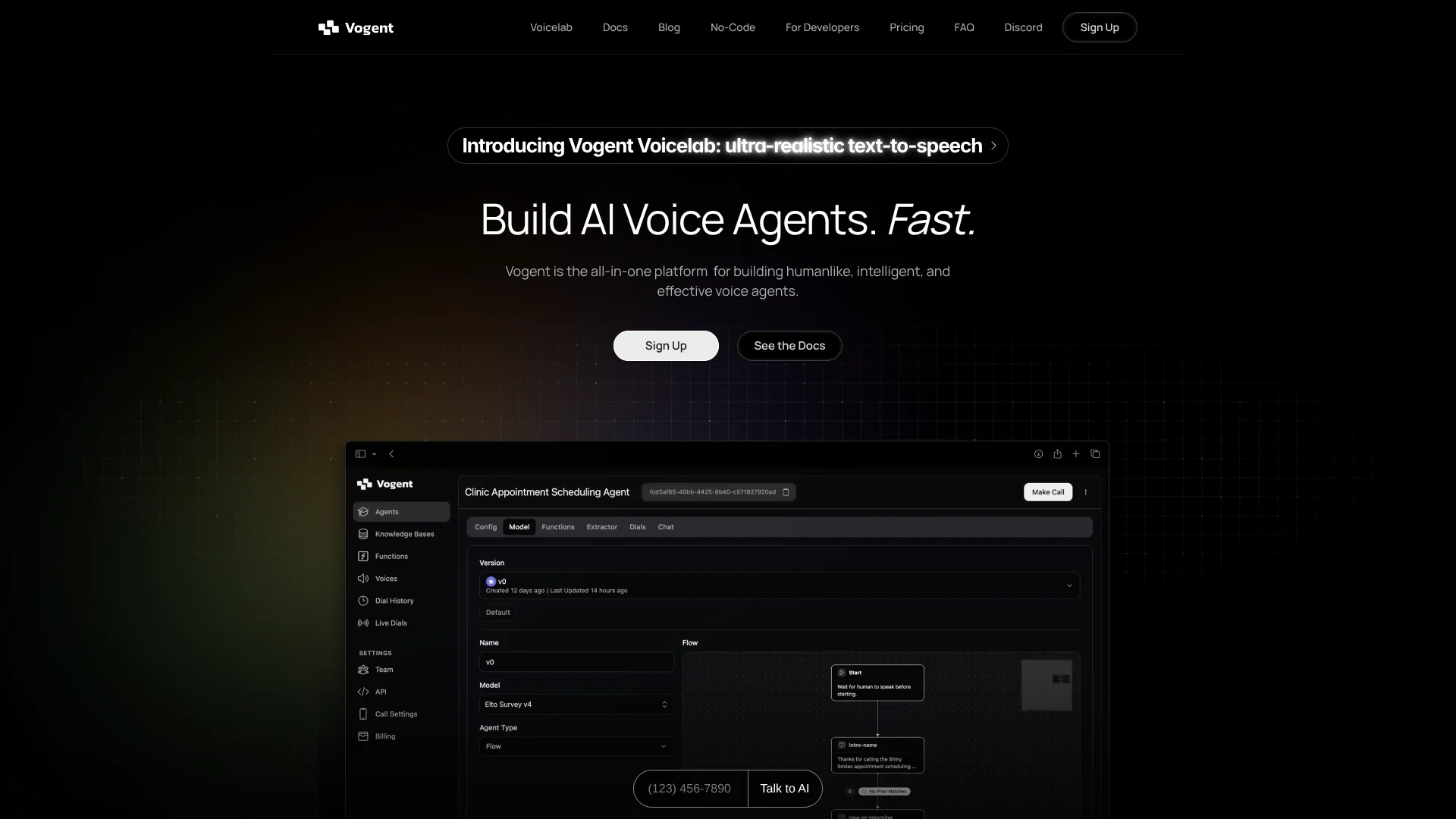
Vogent builds AI agents that handle live phone conversations, from answering customer questions to navigating phone menus and handing calls to a person. Its visual Flow Builder lets teams set up call logic without writing code, while developers can connect agents to apps through Vogent’s API and SDKs. The platform is aimed at organizations that want to automate phone support or build voice features into their own products.
Counterfactual Analysis lets teams replay past calls against a new agent and see how it would have handled those same situations. That makes it possible to compare changes against real conversations before putting a revised agent into service.
Vogent is a fit for utilities, telecom providers, and product teams building phone-based AI. The main trade-off is usage-based pricing: calls cost by the minute, with premium voices charged extra, so heavy call volume can make costs harder to predict.
Who is Using Vogent?
Contact Center Operations Managers
Call history and extracted outcomes help them review agent performance and follow-ups.
Customer Support Designers
Flow Builder helps them shape call paths and decide when an agent should transfer a caller.
Software Developers
The API and SDKs let them add voice-agent functions to their own products.
Telecom Support Leaders
Phone agents can take on routine troubleshooting and plan-change conversations.
Uncommon Use Cases
Navigating IVR menus to reach a person or department; comparing a revised agent with historical calls before deployment.
Key Features
Rating Breakdown
Pricing Plans
Pay-as-you-go
$0.09 per minute
- No subscription or upfront costs
- Access to Vogent features, including Flow Builder
- Premium voices cost an additional 5.1¢ per minute
- Metered by the second
Enterprise
- Custom solutions for high-volume users
- Volume discounts of up to 50% off pay-as-you-go rates
- Custom fine-tuned models and custom-trained voices
- Dedicated account manager and Slack channel
Which Vogent plan should you pick?
Start with Pay-as-you-go for metered voice-agent calls, and consider Enterprise if you need custom models, trained voices, or volume discounts.
Pay-as-you-go
Good for teams that want access to Vogent’s voice-agent features without a subscription or upfront cost.
Enterprise
Good for high-volume users who need custom fine-tuned models, custom-trained voices, or dedicated support.
Vogent Use Cases
Automated Phone Support
Routine customer questions can be handled through a structured voice conversation.
Outcome: Callers can get answers without waiting for a human agent.
Utility Billing and Outage Calls
Utility agents can handle calls about service interruptions and payment arrangements.
Outcome: Common service calls can be handled by an AI voice agent.
Telecom Troubleshooting
A phone agent can guide customers through support conversations and plan changes.
Outcome: Customers can resolve routine requests through a phone conversation.
Call Outcome Follow-Up
Extracted call details can trigger an action after the conversation ends.
Outcome: Call results can feed into a follow-up workflow.
Agent Quality Checks
Past calls give teams scenarios for evaluating how a new agent would respond.
Outcome: Teams can compare agent behavior on historical conversations.
Workflow Ideas with Vogent
Handle a Customer Support Call
- 1Map the conversation in Flow Builder.
- 2Connect the agent to a knowledge base or external function.
- 3Set a call transfer for situations that need a human.
Review and Improve an Agent
- 1Review call recordings and transcripts.
- 2Run Counterfactual Analysis on past calls with the revised agent.
- 3Adjust the conversation flow based on the results.
Capture Call Outcomes
- 1Choose the information to extract from a call.
- 2Set a post-call action based on the extracted outcome.
- 3Send the result to a connected system through a workflow or API.
How Vogent fits into your stack
Phone Calls
Vogent hosts voice agents on live phone numbers and includes IVR detection for navigating phone menus.
Call Logic
Flow Builder lays out the agent’s conversation, including questions, external tools, and call transfers.
Knowledge and APIs
Agents can reference uploaded documents or call external APIs during a conversation.
App Development
Vogent’s API and SDKs let developers add voice-agent functions to their own apps.
Utility and Telecom Systems
Vogent lists pre-integrations with Oracle, SAP, NISC, and Milsoft for utility workflows, and Amdocs, Oracle BRM, Salesforce, and MATRIXX for telecom.
Pros
- +Visual call design: Flow Builder lets non-developers map out conversation logic.
- +Real-call testing: Counterfactual Analysis checks changes against past conversations.
- +Flexible development: APIs and SDKs support adding Vogent voice features to other apps.
- +Usage-based entry: Pay-as-you-go has no subscription or upfront cost.
Cons
- −Variable monthly spend: The per-minute model means costs rise with call volume.
- −Premium voice surcharge: Premium voices add a separate per-minute charge.
- −Enterprise dependency: Custom fine-tuned models are offered through the Enterprise plan.
Limitations & when to consider alternatives
Known limitations
- Metered call costs. Pay-as-you-go is charged per minute and metered by the second, so total cost depends on usage.
- Premium voice fees. Premium voices have an additional per-minute charge.
- Enterprise fine-tuning. Custom fine-tuned models are listed as an Enterprise offering.
Look elsewhere when
- You need a fixed monthly subscription price rather than per-minute call billing.
- You need a native mobile app or a downloadable desktop app.
How to Use Vogent
- 1
Choose a Call Task
Define the caller’s goal, such as getting billing help or changing a plan, so the conversation has a clear purpose.
- 2
Map the Conversation
Build the call path in Flow Builder, including questions, responses, and points where the agent should transfer the call.
- 3
Add Reference Information
Provide documents through a knowledge base or connect an external function for information the agent needs during a call.
- 4
Test Against Past Calls
Run Counterfactual Analysis to compare the agent’s responses with real historical conversations.
- 5
Connect a Phone Number
Choose a phone number to host the agent, then review call recordings and extracted outcomes as it handles calls.
Who is Vogent For?
Utilities
Voice agents can handle calls about outages, billing, and payment arrangements.
Telecom Providers
Phone agents can support troubleshooting, plan changes, and customer retention.
Developers
APIs and SDKs provide building blocks for adding voice agents to an app or service.
High-Volume Call Operations
Pay-as-you-go service and an Enterprise option address teams handling substantial call traffic.
Frequently Asked Questions
How much does Vogent cost?
Pay-as-you-go is $0.09 per minute, metered by the second. Premium voices cost an additional 5.1 cents per minute.
Does Vogent have a free plan?
The voice-agent pricing page lists pay-as-you-go and Enterprise, but no free plan.
Can I build an agent without coding?
Yes. Flow Builder is a visual editor for arranging an agent’s conversation and connecting external tools.
Can Vogent connect to other systems?
Agents can call external APIs, and Vogent lists integrations for utility and telecom systems, including Oracle, SAP, Salesforce, and Amdocs.
Can I test changes using past calls?
Yes. Counterfactual Analysis evaluates a new agent against past conversations.
Community reviews
Be the first to share your experience.
Sign in to leave a review for Vogent.
Vogent Alternatives
Looking for alternatives to Vogent? Here are similar tools in the same category: