Eightify
Timestamped summaries help YouTube learners find useful parts of long videos.
Key Takeaways
- What it is
- Timestamped summaries help YouTube learners find useful parts of long videos.
- Pricing
- Freemium · $9.99 per month · $59.99 per year
- Best for
- AI-Powered Insights
- Timestamped Summaries
- Top Comment Overview
- Rating
- 4.0/5
What is Eightify?
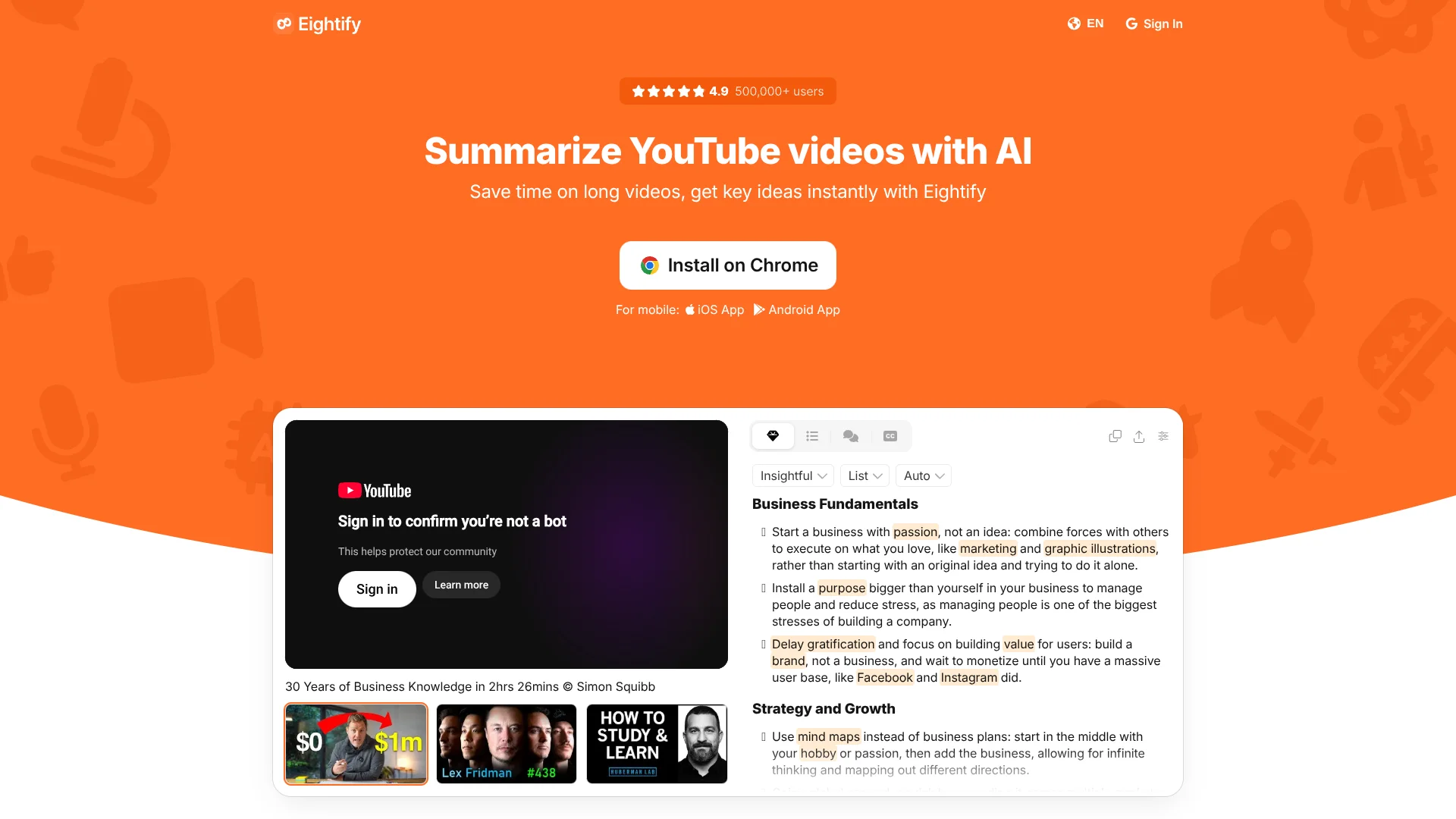
Eightify turns YouTube videos into AI-generated summaries, so you can judge a lecture, interview, or podcast before committing to the full runtime. Its Chrome extension puts summaries beside the video, while iOS and Android apps let you summarize a video link on your phone.
A summary can pair key ideas with timestamps, so you can jump from a written overview to the exact section of the video. Eightify also shows an overview of top comments, giving you a quick sense of viewer reactions alongside the video's main points.
Eightify is best for people who rely on YouTube for learning or research, including students, educators, journalists, and content creators. It is narrowly focused: the official site says it supports YouTube videos, not other kinds of content. Choose it when video is your source and timestamps matter.
Who is Using Eightify?
Students
Lecture summaries and transcripts give them text to revisit while studying.
Educators
Lesson preparation can start with the key ideas from a YouTube video.
Content Creators
Video transcripts help with research and editing preparation.
Journalists
Timestamped points help locate details in video reporting.
Uncommon Use Cases
Checking top-comment reactions before sharing a video; translating a video summary for a multilingual study group.
Key Features
Rating Breakdown
Pricing Plans
Free
Free
- The app is free to download; the official listing does not state the free-use allowance.
Eightify Pro – Monthly
$9.99 per month
- US App Store in-app purchase price.
Eightify Pro – Annual
$59.99 per year
- US App Store in-app purchase price.
Which Eightify plan should you pick?
Try the free app for occasional summaries, and consider Eightify Pro if you need ongoing access to paid features.
Free
Good for trying Eightify on YouTube videos before deciding whether you need a subscription.
Eightify Pro – Monthly
Good for people who want a paid subscription without committing to annual billing.
Eightify Pro – Annual
Good for regular users who prefer the annual subscription.
Eightify Use Cases
Preview a long video
A concise overview helps you decide whether a lecture, interview, or podcast video merits your time.
Outcome: A quick view of the video's key ideas before you watch.
Review a specific section
Timestamped summary points make it easier to return to the part that covers a topic.
Outcome: A faster route to the relevant section.
Study from video material
Transcripts and summaries turn YouTube lectures into text that is easier to review.
Outcome: Written material for study and review.
Check viewer reactions
The top-comment overview adds a snapshot of what viewers are saying about a video.
Outcome: A quick sense of viewer responses.
Share video insights
A shareable summary or article lets you pass key ideas to classmates or colleagues.
Outcome: A shareable written overview.
Workflow Ideas with Eightify
Screen a research video
- 1Open the YouTube video in a browser with the Eightify extension.
- 2Review the key ideas and timestamps.
- 3Watch the sections relevant to your research.
Turn a lecture into review material
- 1Open the lecture in Eightify or share its YouTube link to the mobile app.
- 2Read the summary and transcript.
- 3Return to timestamped sections when you need more context.
Share useful video notes
- 1Summarize the YouTube video.
- 2Check the key points and top-comment overview.
- 3Share the summary or turn it into a shareable article.
How Eightify fits into your stack
YouTube in Chrome
The Chrome extension places the summarizing workflow on YouTube video pages, so key points and timestamps are close to the source.
Mobile video viewing
The iOS and Android apps accept YouTube links shared from a phone, making them useful away from a desktop.
Notes and sharing
Transcripts and summaries can be copied, downloaded, or shared as articles for use in your own study or research notes.
Pros
- +Timestamp links: Move from a written point to the relevant part of the video.
- +Comment context: See an overview of top comments alongside the summary.
- +Transcript options: Read, copy, or download video text.
- +Multiple languages: Summaries and translations are available in more than 40 languages.
Cons
- −YouTube-only focus: It is a poor fit if your video sources are elsewhere.
- −Narrow purpose: Its features center on summarizing and transcribing videos rather than broader AI work.
Limitations & when to consider alternatives
Known limitations
- YouTube videos only. Eightify's official site says the tool currently supports YouTube videos, so other video platforms are outside its stated scope.
Look elsewhere when
- You need summaries of videos hosted outside YouTube.
- Your source material is a document, webpage, or uploaded file rather than a YouTube video.
How to Use Eightify
- 1
Choose where to start
Install the Chrome extension for summaries beside YouTube videos, or get Eightify from the iOS or Android app store.
- 2
Open a YouTube video
The tool is designed for YouTube videos; on mobile, share the video to Eightify or paste its link.
- 3
Read the summary
Review the key ideas and use timestamps to jump to sections that need more context.
- 4
Check the transcript
Switch to the transcript when you need more detail than the summary provides.
- 5
Share or save the result
Copy or share the summary, or use the transcript download option.
Who is Eightify For?
Students
Lecture summaries and transcripts can make review easier when course material is posted on YouTube.
Educators
Video summaries can help with lesson preparation and sharing useful material with students.
Content Creators
YouTube transcripts and summaries can support research and idea gathering.
Journalists
Key points and timestamps can help locate relevant details in YouTube news videos.
Busy Professionals
A summary can help assess whether a long informational video is worth watching in full.
Frequently Asked Questions
Does Eightify have a free option?
The app is listed as free with in-app purchases. The official store listing does not specify a free-use allowance.
How much does Eightify Pro cost?
The US App Store lists Eightify Pro – Monthly at $9.99 and Eightify Pro – Annual at $59.99.
Can Eightify summarize videos in other languages?
Eightify says it supports summaries and translations in more than 40 languages.
Can I use Eightify on my phone?
Eightify has iOS and Android apps. The mobile workflow can use a shared YouTube video link or a pasted link.
Does Eightify work with videos outside YouTube?
The official site says Eightify currently supports YouTube videos.
Community reviews
1 review from people who use Eightify.
Sign in to leave a review for Eightify.
Максим Мартынов
Eightify Alternatives
Looking for alternatives to Eightify? Here are similar tools in the same category: