
Dzine
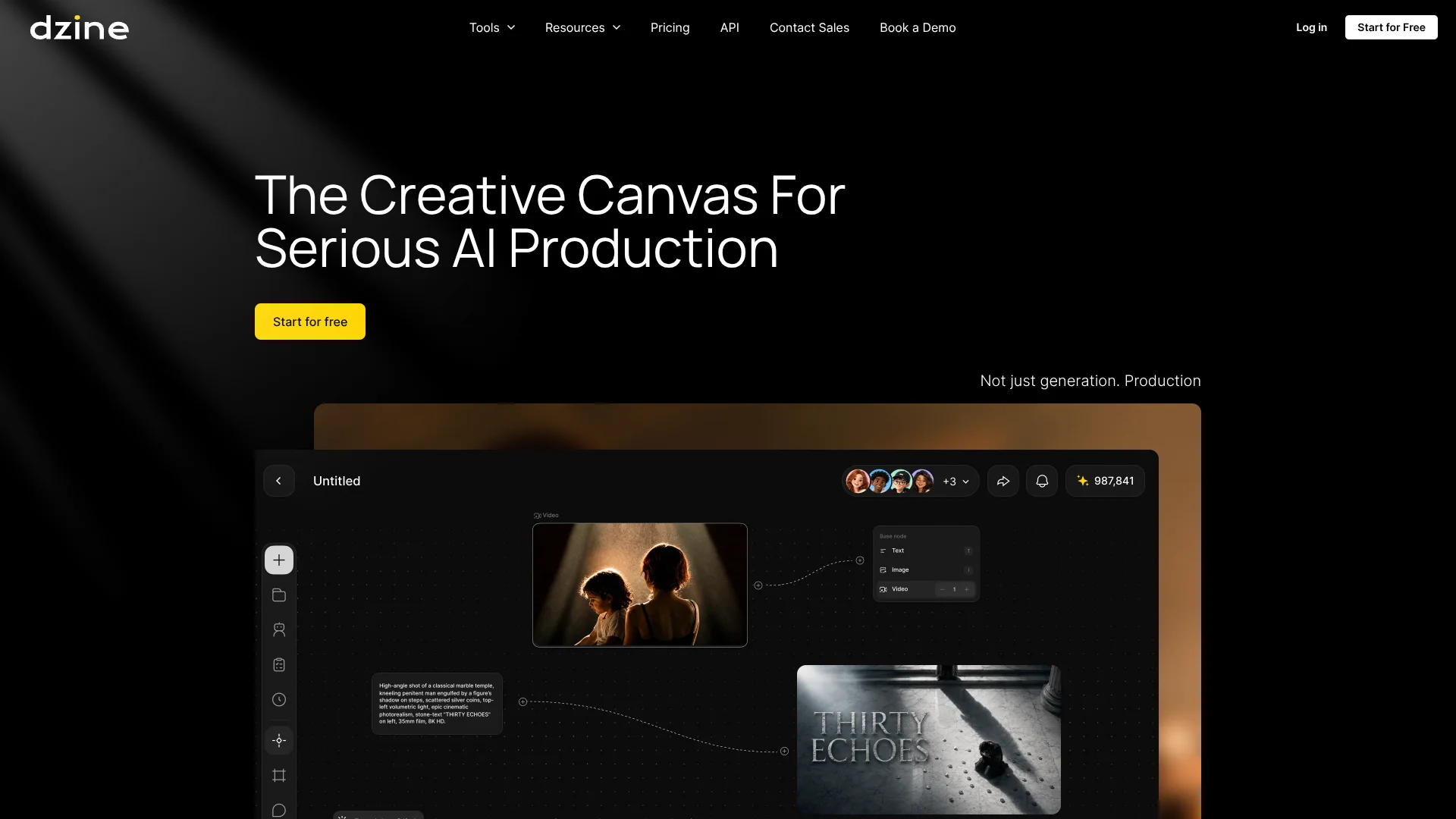
Create connected visual worlds with consistent characters, styles, and scenes.
Watch Dzine in Action
Key Takeaways
- What it is
- Create connected visual worlds with consistent characters, styles, and scenes.
- Pricing
- Freemium · $8.99 per month · $24.99 per month · $59.99 per month · $149.99 per month
- Best for
- AI Image Editor
- Layer-Based Canvas
- Chat Editor
- Rating
- 4.1/5
What is Dzine?
Dzine gives creators a visual workspace for generating and editing images, making videos, building characters, and preparing design assets. Its layer-based canvas, reference images, AI editor, and style controls help people shape results instead of relying on text prompts alone. It is aimed at individual creators, designers, marketers, filmmakers, and creative teams.
Dzine lets you carry a visual idea from character and scene development through image generation, video creation, enhancement, and editing while keeping references and variations connected.
It suits people who need more control than a basic text-to-image generator provides, especially when visual consistency matters across several assets. The tradeoff is a credit-based system with paid access required for several advanced editing, export, privacy, and training features. Dzine is strongest when you are building a connected set of visual assets rather than making a single throwaway image.
Who is Using Dzine?
Graphic Designers
The layer canvas and AI editor help them adjust composition, remove objects, replace backgrounds, and develop variations.
Character Artists
Character training, face matching, consistent character tools, and reusable references help keep a subject recognizable across scenes.
Video Editors
Video-to-video styling, lip sync, enhancement, and upscaling turn existing footage or generated clips into finished edits.
Social Media Creators
Text-to-video, image-to-video, avatars, filters, and short-form video tools support frequent visual publishing.
Creative Directors
Shared projects, visual references, iterations, approvals, and team asset libraries keep creative decisions connected.
Uncommon Use Cases
Developing consistent characters for stories or games; turning product images into styled campaign scenes and short videos.
Key Features
Rating Breakdown
Pricing Plans
Free
Free
- 100 credits after sign-up, valid for 12 months
- Public Generation
- Non-Commercial Use
- 1 GB asset library
- 8 concurrent jobs
Beginner
$8.99 per month
- $7 per month when billed annually, or $84 billed annually
- 1,000 credits per month
- 10 GB asset library
- Store 10 private characters and 10 Pro Styles
- Private Generation and Commercial Use
- Up to 2X Video Enhance and 1080p Video Upscale
- Credits do not roll over
Creator
$24.99 per month
- $20 per month when billed annually, or $240 billed annually
- 6,000 credits per month
- Credits can roll over for up to three months
- 10 GB asset library
- Store 10 private characters and 10 Pro Styles
- Private Generation and Commercial Use
- Up to 2X Video Enhance and 1080p Video Upscale
Master
$59.99 per month
- $50 per month when billed annually, or $600 billed annually
- 9,000 credits per month
- Unlimited image access under the Fair Usage Policy
- 100 GB asset library
- Store 60 private characters and 60 Pro Styles
- 15 concurrent jobs
- Up to 4X Video Enhance and 8K Video Upscale
Master Pro
$149.99 per month
- $120 per month when billed annually, or $1,440 billed annually
- 30,000 credits per month
- Unlimited image access under the Fair Usage Policy
- 200 GB asset library
- Store 120 private characters and 120 Pro Styles
- 18 concurrent jobs
- Up to 4X Video Enhance and 8K Video Upscale
Which Dzine plan should you pick?
Start with Free to test the visual workflow, choose Beginner for occasional paid creation, and move to Creator or higher when you need more credits, private generation, commercial work, or larger asset limits.
Free
Good for testing image and video creation with 100 credits, but output is public and commercial use is not included.
Beginner
Good for individual creators who need 1,000 monthly credits, private generation, commercial use, and basic character and style storage.
Creator
Good for regular production that needs 6,000 monthly credits, credit rollover, and higher image and video capacity.
Master
Good for heavy image production with 9,000 monthly credits and unlimited image access under Dzine's Fair Usage Policy.
Master Pro
Good for high-volume production requiring 30,000 monthly credits, 200 GB of asset storage, more concurrent jobs, and up to 8K video upscaling.
Dzine Use Cases
Consistent Character Development
A reference image, character training, and reusable character assets help maintain the same subject across outfits, poses, and scenes.
Outcome: More consistent character sets for stories, games, avatars, and campaigns.
Product and Brand Visuals
Product backgrounds, generative fill, style changes, and image editing turn basic product photos into campaign-ready visuals.
Outcome: More variations from existing product assets.
Short-Form Video Creation
Text-to-video, image-to-video, lip sync, and AI video editing support clips for TikTok, Instagram Reels, and YouTube Shorts.
Outcome: Short videos with generated motion, transitions, voice, and visual styling.
Reference-Based Image Editing
Uploaded images can guide composition, style, characters, products, and other visual details during generation and editing.
Outcome: Generated visuals that follow a chosen reference more closely.
Creative Team Review
Shared canvases, projects, assets, and version history give teams a common place to develop and review visual directions.
Outcome: Fewer disconnected files and clearer creative handoffs.
Workflow Ideas with Dzine
Character to Short Film
- 1Create a character from a prompt or reference image.
- 2Build scenes and storyboard variations with image generation.
- 3Animate selected scenes and add lip sync or video enhancement.
Product Campaign
- 1Upload a product photo and remove or replace its background.
- 2Generate several styled scenes with references and prompts.
- 3Upscale the chosen assets and export them for campaign use.
Video Restyling
- 1Upload an existing video to the Video Editor.
- 2Choose a style with a prompt or reference image.
- 3Preview and download the transformed video.
How Dzine fits into your stack
Visual Ideation
Dzine sits at the concept stage for moodboards, characters, scenes, product directions, and storyboards. Reference images and styles help turn rough ideas into visual options.
Image Production
The layer canvas and AI Editor fit between raw source images and finished design assets, with tools for local edits, object changes, backgrounds, and enhancement.
Video Creation
Text-to-video, image-to-video, video-to-video, lip sync, and video enhancement cover short-form production after concepts or still images are ready.
Team Review
Shared projects, canvases, asset libraries, and credit controls give creative teams a common workspace for developing and reviewing visual work.
Developer Workflows
The Dzine API can upload files, create image or video tasks, detect faces, perform face swaps, and retrieve generated results through authenticated endpoints.
Pros
- +Visual control: Layers, references, sketches, and style controls give you more influence over composition than prompt-only generation.
- +Broad media support: The same workspace covers images, videos, characters, lip sync, enhancement, and 3D-related tools.
- +Model choice: Paid plans provide access to several image and video models, including Nano Banana, Seedream, Wan, Midjourney, and Flux.
- +Team workspace: Paid team features include multi-person canvas collaboration, member management, shared assets, and credit distribution.
- +Developer access: The API supports file uploads, text-to-image generation, face detection, face swap, task tracking, and image or video results.
Cons
- −Credit management: Image, video, editing, training, and export actions consume credits at different rates.
- −Commercial restriction: Free users are limited to personal projects, while commercial use requires a paid plan.
- −No refund policy: Subscription payments are non-refundable, including unused time or accidental purchases.
Limitations & when to consider alternatives
Known limitations
- Free output is public. Free plan creations may be public and can be selected for the Dzine community feed. Private Generation is available on subscription plans.
- Free use is non-commercial. Free-tier users can use generated content for personal projects but cannot use it for commercial purposes.
- Credit rollover varies. Beginner credits do not roll over, while Creator, Master, and Master Pro subscription credits can roll over for up to three months.
- API results expire quickly. Generated output URLs from the Dzine API are stored on Dzine's content delivery network for two days, so results need to be saved elsewhere.
- Unlimited image access has fair-use rules. Master and Master Pro unlimited image generation is subject to Dzine's Fair Usage Policy.
Look elsewhere when
- You need a native desktop editor with an installable Windows, Mac, or Linux app.
- Your team requires documented SSO or SAML login.
- Your workflow depends on named third-party integrations such as Slack, Zapier, or Notion.
- Your main need is programming code generation rather than visual creation.
How to Use Dzine
- 1
Start with the right source
Open a generation or editing tool, then enter a prompt or upload an image, video, audio file, or visual reference.
- 2
Set the visual direction
Choose a model, style, reference, character, or canvas layout so the output follows the look and composition you need.
- 3
Edit the first result
Refine the output with the AI Editor, Chat Editor, layers, generative fill, object removal, face tools, or style controls.
- 4
Keep important assets consistent
Save characters, Pro Styles, references, and approved variations in the asset library for later generations.
- 5
Enhance and export
Apply video enhancement or upscaling, select the required resolution, and export the finished image or video.
- 6
Monitor credit use
Check the credit cost before expensive generations, training actions, high-resolution exports, or video work.
Who is Dzine For?
Individual Creators
A free plan and visual editing tools support people making images, short videos, avatars, and social content.
Designers
The canvas, layers, reference images, styles, and AI editing controls fit design work that needs precise visual changes.
Creative Teams
Shared canvases, team asset libraries, member controls, and credit distribution help groups review and develop visual work together.
Filmmakers and Video Creators
Video generation, video-to-video styling, lip sync, enhancement, and upscaling support production experiments and short-form content.
Marketers and Product Teams
Brand visuals, product backgrounds, consistent characters, social videos, and image editing support campaign asset creation.
Frequently Asked Questions
Does Dzine have a free plan?
Yes. The Free plan provides 100 credits after sign-up, and those credits are valid for 12 months.
Can Dzine content be used commercially?
Paid users can use generated content commercially to the extent permitted by applicable law. Free users are limited to personal projects.
How does Dzine billing work?
Dzine offers monthly and annual subscriptions. Annual billing lowers the monthly equivalent on the published plans, while monthly billing charges the listed monthly price.
Can unused credits roll over?
Beginner credits do not roll over. Creator, Master, and Master Pro subscription credits can roll over for up to three months.
Does Dzine provide an API?
Yes. The developer API uses API-key authentication and includes endpoints for file uploads, text-to-image tasks, face detection, face swap, task progress, and generated results.
Can teams collaborate in Dzine?
Yes. Team features include multi-person canvas collaboration, team member management, shared asset libraries, and team credit recharge and distribution.
Community reviews
Be the first to share your experience.
Sign in to leave a review for Dzine.
Dzine Alternatives
Looking for alternatives to Dzine? Here are similar tools in the same category:
Learn to Master Dzine
With Skill Leap courses
Get in-depth training on Dzine and 50+ other AI tools with our expert-led video courses.
Start 7-Day Free Trial