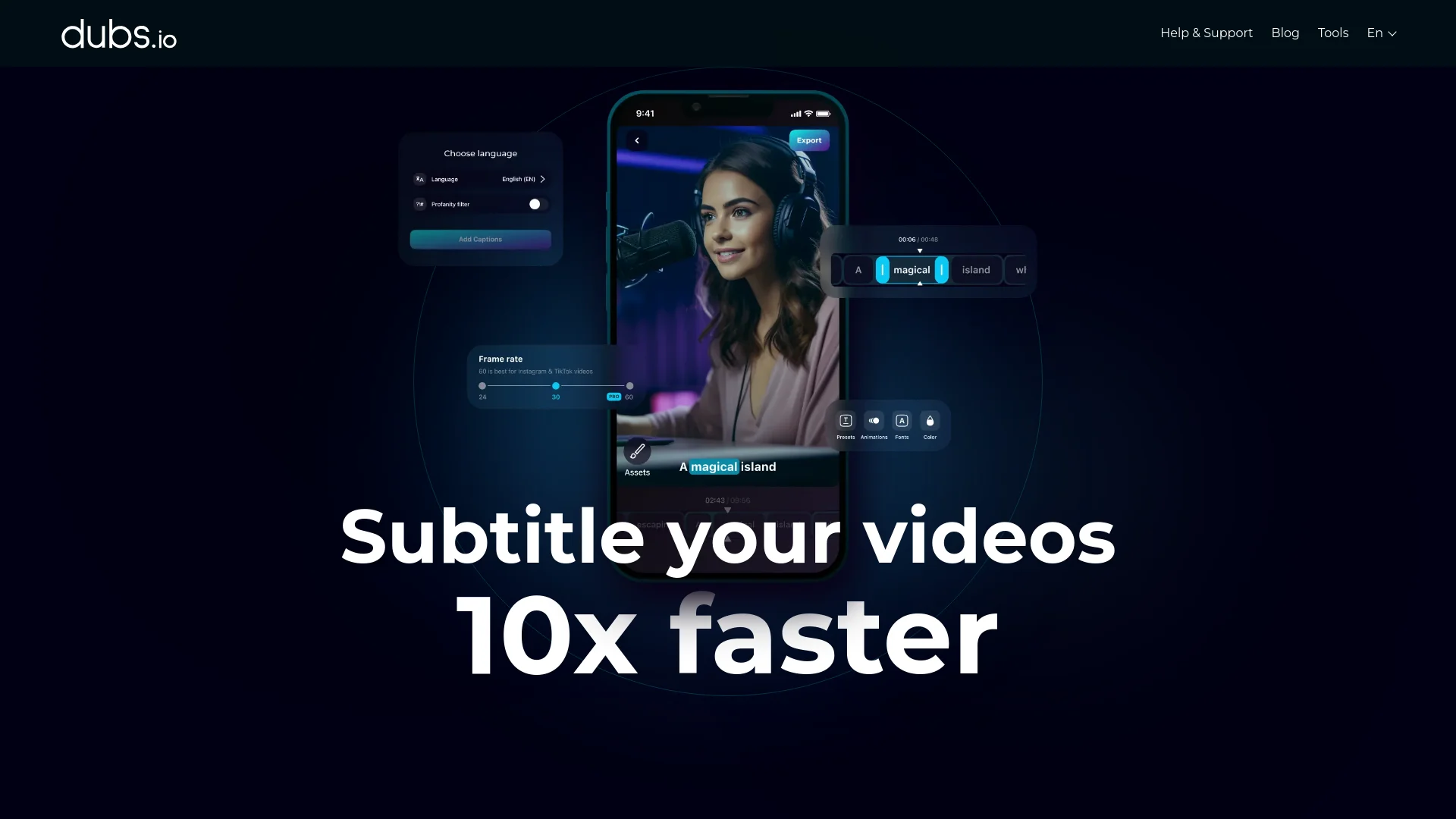
Dubs
AI-powered video dubbing and subtitles for global reach.
Key Takeaways
- What it is
- AI-powered video dubbing and subtitles for global reach.
- Pricing
- Freemium
- Best for
- AI Video Dubbing
- Auto-Subtitle Generator
- Customizable Subtitles
- Rating
- 4.5/5
What is Dubs?
Dubs is a cutting-edge AI-powered tool designed to revolutionize the way content creators manage video subtitles and dubbing. This tool simplifies the process of generating accurate subtitles, translating video content, and even dubbing in multiple languages. Tailored for content creators, digital marketers, and educators, Dubs offers seamless integration of AI technology to enhance accessibility, engagement, and the global reach of video content.
Dubs stands out with its AI-driven video dubbing feature, a game-changer for multilingual content production. Its ability to accurately generate subtitles and translate them into numerous languages sets it apart, making it an invaluable tool for creators looking to expand their audience globally.
Dubs excels in providing a robust platform for AI-powered video dubbing and subtitle generation, making it an essential tool for content creators and marketers. Its unique AI dubbing feature offers unmatched flexibility and reach, setting it apart in the digital content space.
Who is Using Dubs?
Content Creators
Leveraging the tool for seamless video subtitle generation and dubbing.
Digital Marketers
Utilizing AI dubbing to create multilingual marketing content.
Educators
Employing the tool to make educational videos accessible to non-native speakers.
Social Media Influencers
Using subtitles and animations to enhance video engagement.
Uncommon Use Cases
Adopted by language tutors to create multilingual content; used by podcasters for video content expansion.
Key Features
Rating Breakdown
Pricing Plans
Free Tier
Free
- Offers basic features like subtitle editing and video downloads
Pro Tier
- Paid subscriptions available for more advanced features
- Flexible plans ranging from weekly to yearly options
Which Dubs plan should you pick?
Start with the free plan for basic subtitle generation and translation; upgrade when you need longer videos, more languages, or premium editing and dubbing features.
Free plan
Good for trying subtitle generation and translation with limited usage.
Dubs Use Cases
Create multilingual subtitles
Upload a video, generate captions, translate them into multiple languages, and customize their appearance.
Outcome: A captioned video ready for international audiences.
Dub a video in another language
Choose a target language and use Dubs' AI voice dubbing to reproduce the speaker's voice and intonation.
Outcome: A foreign-language version of the original video.
Generate social-media scripts
Provide a prompt and specify tone, audience, platform, length, and language.
Outcome: A draft script for a social video.
Create AI-avatar videos
Write or generate a script and have an AI avatar speak the text.
Outcome: A presenter-style video without filming yourself.
Style video captions
Edit fonts, colors, emojis, animations, placement, and timing after automatic caption generation.
Outcome: Branded, visually customized captions.
Workflow Ideas with Dubs
Localize a social video
- 1Upload the video to Dubs
- 2Generate and review the original-language subtitles
- 3Translate, style, and download the localized version
Create a scripted avatar video
- 1Enter a prompt for a video script
- 2Copy the generated script into the teleprompter or avatar tool
- 3Generate and export the presenter-style video
Caption a YouTube video
- 1Upload the video or use the YouTube conversion workflow
- 2Generate and edit the subtitles
- 3Download the captioned video or subtitle file
How Dubs fits into your stack
Browser
Dubs operates as an online video editor in desktop browsers, supporting transcription, subtitle styling, translation, dubbing, and exporting.
Mobile video creation
Dubs has native iOS and Android apps for recording, uploading videos, generating captions, dubbing, using a teleprompter, and exporting finished content.
Pros
- +Time Efficiency: Streamlines the subtitle and dubbing process, reducing the time spent on manual editing.
- +Global Reach: Supports multiple languages, enabling content to be accessible to a worldwide audience.
- +User-Friendly Interface: Intuitive design ensures ease of use for both beginners and experienced users.
- +Creative Enhancement: Offers tools like teleprompters and script generators to boost creativity and productivity.
Cons
- −Initial Learning Curve: Some users may need time to fully explore and utilize all advanced features.
- −Platform Limitations: Primarily a mobile app, which may limit functionality for desktop users.
Limitations & when to consider alternatives
Known limitations
- Free usage has limitations. The free plan supports subtitle generation and translation but has limits on available time and premium features.
- Caption accuracy is not perfect. Dubs reports high accuracy but recommends reviewing and editing generated captions.
- High-quality downloads may have file-size limits. The YouTube converter states that individual file sizes may be limited depending on selected quality.
- Voice dubbing is limited to supported languages. The product page describes AI dubbing in 28 or more languages rather than unlimited language coverage.
- Browser access requires internet. The web-based tools require a browser and internet connection and do not provide an offline desktop workflow.
Look elsewhere when
- You need a documented developer API
- You need a shared team workspace
- You need a native desktop editor
- You need vision-based image analysis
How to Use Dubs
- 1
Upload your video
Add a video in the supported workflow so Dubs can analyze its audio and generate captions.
- 2
Choose the language
Select the source or target language for subtitle generation, translation, or dubbing.
- 3
Generate captions
Run automatic speech recognition to create synchronized subtitles.
- 4
Review and customize
Correct text and adjust timing, fonts, colors, emojis, animations, and placement.
- 5
Add dubbing or an avatar
Use AI voice dubbing or an AI avatar when you want spoken multilingual or presenter-style content.
- 6
Download the result
Export the finished video or download subtitle files such as SRT, TXT, or VTT.
Who is Dubs For?
Content creators
Dubs helps creators produce captioned, translated, dubbed, and stylized videos for social platforms.
YouTube creators
Creators can generate subtitles, translate videos, create scripts, and download publish-ready video files.
Instagram creators
Dubs supports captions and subtitle customization for Instagram Stories and Reels.
Marketers
Marketers can create product-demo scripts, captioned videos, AI-avatar videos, and multilingual content.
Multilingual video producers
Dubs translates subtitles and creates foreign-language dubs while preserving the speaker's vocal characteristics.
Frequently Asked Questions
Is Dubs free?
Dubs offers free tools and a free subtitle-generation plan, with some limitations on usage and premium features.
How do I create subtitles with Dubs?
Upload a video, select the language, let Dubs generate captions, customize them, and download the completed video.
How many languages does Dubs support?
Dubs supports subtitle translation in more than 100 languages and AI dubbing in 28 or more languages.
Can Dubs imitate my voice?
Dubs says its AI can reproduce a speaker's voice, timbre, and intonations for foreign-language dubbing.
Do I need to install software?
The web converter works directly in a browser and does not require software installation.
Can I edit generated subtitles?
Yes. Users can review and edit subtitle text, timing, speed, fonts, colors, animations, and positioning.
Community reviews
Be the first to share your experience.
Sign in to leave a review for Dubs.
Dubs Alternatives
Looking for alternatives to Dubs? Here are similar tools in the same category: