
Dreamwave AI Headshot Generator
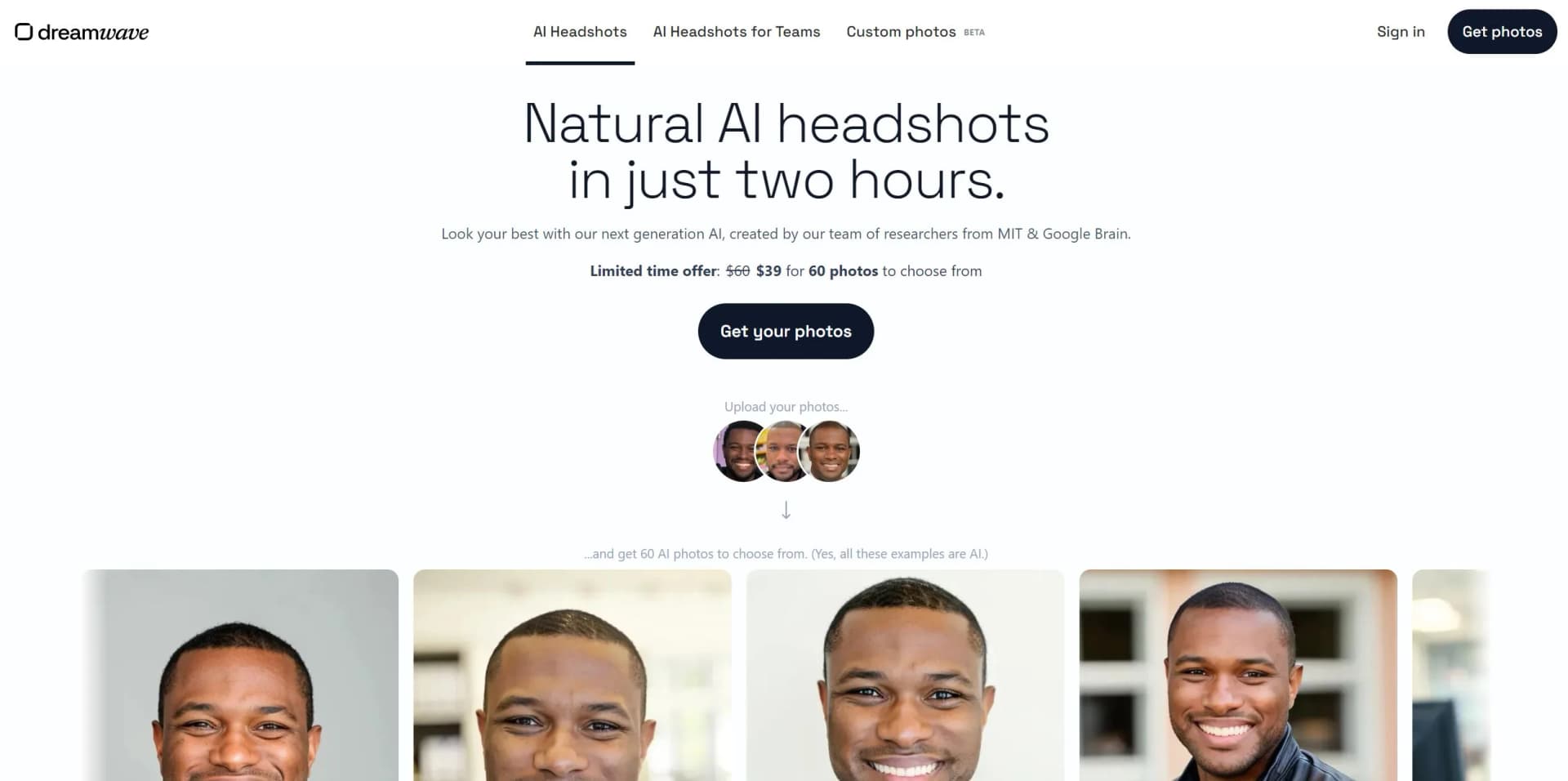
Transforms selfies into professional, natural-looking headshots in minutes, ensuring privacy.
Key Takeaways
- What it is
- Transforms selfies into professional, natural-looking headshots in minutes, ensuring privacy.
- Pricing
- $35 (shown alongside $55) · $45 (shown alongside $65) · $99 (shown alongside $119)
- Best for
- High-Quality Professional Headshots
- No AI Look
- Rapid Turnaround
- Rating
- 4.7/5
What is Dreamwave AI Headshot Generator?
Dreamwave AI Headshot Generator by Dreamwave stands out as a revolutionary tool designed to transform the way we approach headshots. This AI-powered platform promises high-quality, professional headshots without the "AI look," delivering results that rival traditional photography methods. Born from the minds of AI experts at prestigious institutions like MIT and Google, Dreamwave AI Headshot Generator simplifies the process of obtaining professional headshots, making it accessible, quick, and remarkably user-friendly. With over 16 million headshots already created, it caters to a wide audience, from individuals seeking to enhance their professional online presence to teams looking to unify their brand image.
Dreamwave AI Headshot Generator distinguishes itself with its unparalleled blend of quality, efficiency, and user privacy. The ability to produce professional headshots that defy the typical constraints of AI-generated imagery sets it apart. Its foundation in cutting-edge AI research, combined with a commitment to privacy and data security, makes it a standout choice for those seeking professional headshots.
Dreamwave AI Headshot Generator by Dreamwave is a game-changer in the realm of professional imagery, offering a seamless, cost-effective, and privacy-conscious way to obtain high-quality headshots. Its no-AI-look promise, coupled with the expertise of AI researchers, ensures users receive images that are not only professional but also deeply personal. Whether for individual professionals, actors, or corporate teams, Dreamwave AI Headshot Generator delivers on its promise of quality and efficiency, making it an invaluable tool in today's digital age.
Who is Using Dreamwave AI Headshot Generator?
Professionals Across Industries
Enhancing LinkedIn profiles and professional websites.
Actors and Models
Creating diverse portfolios without the cost of multiple photoshoots.
Real Estate Agents
Generating professional imagery for marketing materials.
Corporate Teams
Standardizing employee headshots for a cohesive brand image.
Uncommon Use Cases
Novel writers using it for character visualization; podcasters creating imagery for promotional materials.
Key Features
Rating Breakdown
Pricing Plans
Starter
$35 (shown alongside $55)
- 40 photos
- 1 selfie
- No redos
- No human touchups
Standard
$45 (shown alongside $65)
- 60 photos
- 1 selfie
- 1 free redo
- No human touchups
Best Value
$99 (shown alongside $119)
- 100 photos
- 1 selfie
- 2 free redos
- Unlimited human touchups
Which Dreamwave AI Headshot Generator plan should you pick?
Start with Starter for a low-cost individual shoot, choose Standard when you want a free redo, and upgrade to Best Value for more photos and unlimited human touchups.
Starter
Good for individuals who need 40 photos from one selfie and do not need redos or human touchups.
Standard
Good for users who want 60 photos and one free redo without human touchups.
Best Value
Good for users who need 100 photos, two free redos, and unlimited human touchups.
Dreamwave AI Headshot Generator Use Cases
Create a professional headshot
Upload a selfie and receive a gallery of studio-grade portraits in multiple professional styles.
Outcome: A set of usable professional profile photos.
Standardize company headshots
Invite teammates, select shared styles and backgrounds, and review galleries from a central dashboard.
Outcome: Consistent headshots across the organization.
Automate employee identity updates
Connect HRIS events to downstream systems such as Slack, Outlook, Okta, and badging platforms.
Outcome: Current employee directories and identity photos with less manual work.
Create event headshots
Run a branded AI photobooth at conferences, trade shows, and activations.
Outcome: A memorable attendee gift and a lead-capture mechanism.
Edit generated portraits
Change outfits, replace backgrounds, remove distractions, and apply retouching after generation.
Outcome: More tailored, polished images without Photoshop.
Workflow Ideas with Dreamwave AI Headshot Generator
Personal headshot workflow
- 1Upload one clear, well-lit selfie
- 2Receive a gallery of AI-generated professional headshots
- 3Filter by style and background, then download favorites
Company headshot rollout
- 1Create a team photoshoot and select styles and backgrounds
- 2Bulk-invite teammates and send automatic reminders
- 3Review team galleries and favorites from the central admin dashboard
HRIS identity-sync workflow
- 1Connect Dreamwave to an HRIS such as Workday, ADP, Rippling, Gusto, or BambooHR
- 2Trigger headshot creation when a new hire or profile update occurs
- 3Send the resulting photo to downstream systems such as Slack, Outlook, Okta, or badging
How Dreamwave AI Headshot Generator fits into your stack
Currently, the focus of Dreamwave AI Headshot Generator is on providing a standalone service that specializes in generating professional headshots, with direct functionalities centered around user uploads and customization tools.
Pros
- +Time and Cost Efficiency: Saves users time and money by eliminating the need for traditional photoshoots, including travel, styling, and photographer fees.
- +Ease of Use: Designed with a user-friendly interface that makes generating headshots straightforward and enjoyable.
- +Quality and Accuracy: Delivers high-quality images that accurately capture the subject's likeness, with options to edit and perfect each shot.
- +Strong Privacy and Data Security: Prioritizes user privacy and data security, with clear policies on data use and the option to delete photos anytime.
Cons
- −Dependence on User-Provided Photos: The quality of the generated headshots heavily relies on the quality and variety of the user-uploaded photos.
- −Limited Physical Interaction: Lacks the personalized direction and physical interaction you might find in a traditional photoshoot with a photographer.
- −AI Limitations: While advanced, the AI may not perfectly capture the essence of every individual, particularly in complex or nuanced expressions.
Limitations & when to consider alternatives
Known limitations
- Refunds are generally unavailable after upload. Dreamwave says processing begins immediately after upload and specialized hardware is rented for each photoshoot, making refunds too costly.
- Free-generator availability is limited. Free-generator spots open daily but may fill within a minute or two.
- Input-photo quality affects results. Dreamwave recommends clear, well-lit, unfiltered photos that are not heavily cropped; team shoots work best with seven or eight varied photos.
- Generation is not immediate for every workflow. Dreamwave describes a typical start-to-gallery time of about two hours, while some team offerings advertise one-to-two-hour turnaround.
- Personal data is deleted by default after inactivity. Dreamwave says personal data is deleted by default within 30 days of no use unless a custom policy is arranged.
Look elsewhere when
- You need a documented developer API with keys and endpoints.
- You need a native iOS or Android application.
- You need a downloadable Windows, Mac, or Linux desktop application.
How to Use Dreamwave AI Headshot Generator
- 1
The platform offers intuitive guidance and tips on selecting the best photos for upload, ensuring users can maximize the quality of their generated headshots.
Who is Dreamwave AI Headshot Generator For?
Individuals
People who need studio-grade professional, LinkedIn, business, acting, model, or other headshots from a selfie.
Teams and companies
Organizations that need consistent headshots, centralized gallery review, bulk invitations, and automated new-hire workflows.
Fortune 500 and enterprise organizations
Large organizations seeking enterprise security, centralized administration, consistent visual standards, and compliance-oriented support.
Conference and event organizers
Event teams using AI photobooths to provide branded headshots and improve attendee lead-form completion.
Students and student clubs
Student organizations that want coordinated headshots and a simple one-click invitation process.
Frequently Asked Questions
How many photos do I need to upload?
For individual headshots, Dreamwave says one clear, well-lit, unfiltered photo is sufficient. Team headshots require at least five photos, with seven or eight recommended.
Does Dreamwave work with glasses and head coverings?
Yes. Dreamwave says it supports glasses, hijabs, turbans, and other religious head coverings.
Can I use my AI headshots anywhere?
Yes. Dreamwave says customers own their generated images and may use them for personal or business purposes.
Do I keep every generated photo?
Yes. Dreamwave says customers keep every photo generated, including up to 150 photos per person on team plans.
Do you offer a free AI headshot generator?
Yes. Free-generator spots open each day, but Dreamwave says they fill quickly.
What is the refund policy?
Dreamwave says photoshoots generally cannot be refunded after upload because processing begins immediately and specialized hardware is rented for the job.
Community reviews
Be the first to share your experience.
Sign in to leave a review for Dreamwave AI Headshot Generator.
Dreamwave AI Headshot Generator Alternatives
Looking for alternatives to Dreamwave AI Headshot Generator? Here are similar tools in the same category:
Learn to Master Dreamwave AI Headshot Generator
With Skill Leap courses
Get in-depth training on Dreamwave AI Headshot Generator and 50+ other AI tools with our expert-led video courses.
Start 7-Day Free Trial