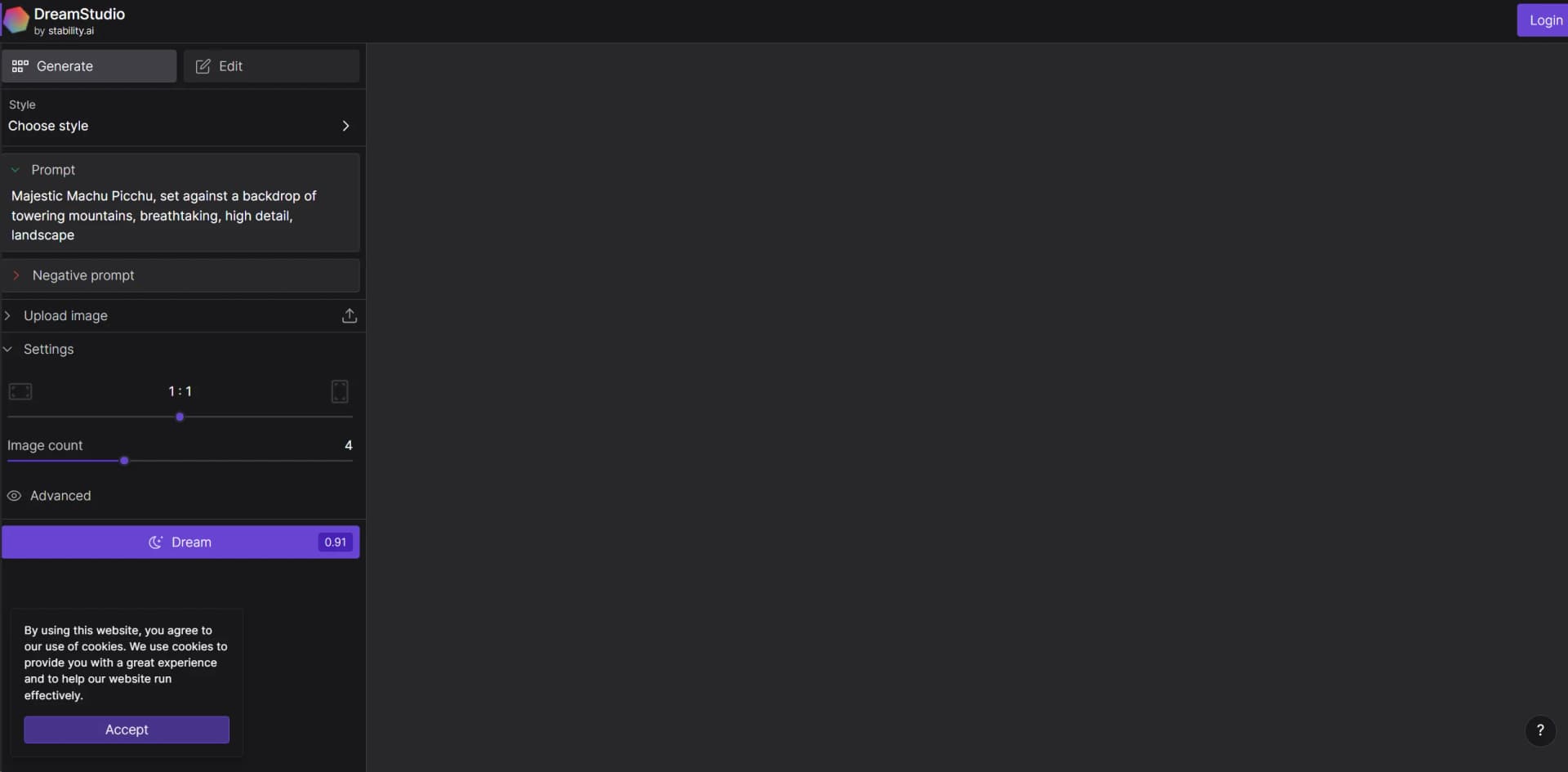
DreamStudio
Transform text into stunning, high-resolution visual content effortlessly.
Key Takeaways
- What it is
- Transform text into stunning, high-resolution visual content effortlessly.
- Pricing
- Freemium · $10 per month
- Best for
- Generative AI
- User-Friendly Interface
- High-Resolution Outputs
- Rating
- 4.4/5
What is DreamStudio?
DreamStudio is a cutting-edge AI tool that leverages advanced machine learning algorithms to empower users in creating stunning visual content. Designed for artists, designers, and creative professionals, it simplifies the process of generating high-quality images from textual descriptions. This innovative platform is built to enhance creativity and streamline workflows in visual arts.
DreamStudio stands out with its robust AI-driven image generation capabilities, a game-changer for the creative industry. Its ability to quickly produce high-quality, customizable images sets it apart from traditional graphic design tools.
DreamStudio excels in providing powerful tools for visual content creation, making it an essential asset for creative professionals and enthusiasts alike. Its innovative AI capabilities, particularly in generating detailed and customizable images, offer an unmatched advantage in the creative process.
Who is Using DreamStudio?
Graphic Designers
Using the tool to quickly generate and iterate on visual concepts.
Marketing Professionals
Employing the tool to create compelling visuals for campaigns and social media.
Art Enthusiasts
Leveraging the tool to explore digital art creation without needing extensive training.
Film and Animation Studios
Utilizing DreamStudio for pre-visualization and storyboarding.
Uncommon Use Cases
Adopted by academic researchers for generating visual data in studies; used by interior designers to envision room setups and décor.
Key Features
Rating Breakdown
Pricing Plans
Free Tier
Free
- Explore DreamStudio with limited functionality at no cost
Pro Tier
$10 per month
Which DreamStudio plan should you pick?
Start with Free or Creator for individual experimentation, move to Core for professional usage, and upgrade to Enterprise for unlimited seats, governance, and custom brand models.
Free
Good for users who want to try Brand Studio with up to 1,000 credits before deciding whether to upgrade.
Creator
Good for individuals who need ongoing image generation and editing with 2,000 monthly credits for $19 per month.
Core
Good for creative professionals who need model routing, precision tools, support, and 5,000 monthly credits for $50 per month.
Enterprise
Good for teams creating on-brand content at scale that need unlimited seats, SSO, project controls, custom credits, and custom models.
DreamStudio Use Cases
Generate images from text
Write a descriptive prompt and generate an image using Stability AI image services.
Outcome: Create visual concepts and production assets.
Transform an existing image
Provide an image, prompt, and strength setting to create an image-to-image variation.
Outcome: Iterate on an existing visual direction.
Edit with generative fill
Use inpainting, outpainting, or other edit services to modify or extend an image.
Outcome: Repair, expand, or alter image content.
Upscale image assets
Use Fast, Conservative, or Creative Upscaler services on an existing image.
Outcome: Increase resolution or enhance degraded imagery.
Create brand-specific models
Work with Stability AI to fine-tune private models on brand identity, products, or intellectual property.
Outcome: Produce brand-aligned creative output.
Workflow Ideas with DreamStudio
Create and refine a visual concept
- 1Write a text prompt
- 2Generate an image
- 3Edit or iterate on the result
Transform and upscale an image
- 1Upload an existing image
- 2Apply image-to-image or editing controls
- 3Upscale the finished image
Build a branded production workflow
- 1Provide brand visual identity and product data
- 2Fine-tune a private custom model
- 3Generate campaign-specific assets
How DreamStudio fits into your stack
Cloud-Based Platform
Accessible from any device with internet connectivity, enhancing flexibility.
API Access
Developers can integrate DreamStudio's capabilities into their own applications.
Image Export Options
Supports exporting images in various file formats for easy use in other software.
Collaboration Tools
Enables teams to work together on projects in real-time.
Pros
- +Enhanced Creativity: Boosts creative possibilities by allowing users to experiment with different visual styles and concepts.
- +Time Efficiency: Significantly reduces the time required to produce complex artwork.
- +Cost-Effective: Offers a more affordable solution compared to traditional graphic design methods.
- +Accessibility: Makes high-quality artistic creation accessible to individuals without advanced graphic design skills.
Cons
- −Resource Intensive: May require a robust hardware setup for optimal performance.
- −Learning Curve: New users may need time to fully understand and utilize all features effectively.
- −Limited by Input: The quality of output heavily depends on the clarity and detail of the input text.
Limitations & when to consider alternatives
Known limitations
- API request-size limit. The documented image-to-image API has a maximum request size of 10 MiB.
- Generation resolution. Several documented generation services output approximately 1 megapixel images by default.
- API rate limiting. The REST API documentation states a limit of 150 requests every 10 seconds.
- Asynchronous result retention. Asynchronous generation results are stored for 24 hours and then deleted.
- Content moderation. Requests may be rejected when they are flagged by Stability AI’s content moderation system.
Look elsewhere when
- You need a native mobile app
- You need multilingual chat, document analysis, or code generation
- You need SSO or SAML administration
How to Use DreamStudio
- 1
Explore the extensive tutorial series on the DreamStudio website, covering everything from basic setup to advanced image generation techniques.
Who is DreamStudio For?
Developers
Stability AI provides APIs, SDKs, API keys, and documented endpoints for building image applications.
Designers
Image generation, editing, composition controls, references, and upscaling support design workflows.
Photographers
Image editing, relighting, background replacement, and upscaling support photographic production.
Content creators
Text-to-image generation and image editing help creators produce visual assets.
Enterprise creative teams
Shared workspaces, role-based access, governed libraries, and custom models support larger teams.
Frequently Asked Questions
How does DreamStudio credit access work?
DreamStudio provides credits through a monthly subscription. Users can upgrade or purchase non-expiring Premium credits.
Does Stability AI provide an API?
Yes. Stability AI provides documented REST and legacy gRPC APIs authenticated with Stability API keys.
Can DreamStudio generate images from existing images?
Yes. Image-to-image generation uses an existing image together with a text prompt and strength control.
Can DreamStudio edit images?
Stability AI documents inpainting, outpainting, background removal, replacement, relighting, and other image-editing services.
Can DreamStudio upscale images?
The platform provides Fast, Conservative, and Creative Upscaler services for increasing image resolution.
Can DreamStudio support enterprise creative teams?
Enterprise Dream Studio supports role-based access, shared workspaces, governed asset libraries, and private custom models.
Community reviews
Be the first to share your experience.
Sign in to leave a review for DreamStudio.
DreamStudio Alternatives
Looking for alternatives to DreamStudio? Here are similar tools in the same category: