
Dr. Fone
Recover lost phone data and fix common iPhone or Android problems.
Watch Dr. Fone in Action
Key Takeaways
- What it is
- Recover lost phone data and fix common iPhone or Android problems.
- Pricing
- $14.95 per month · $24.95 per month · $39.95 per month · $49.95 per month
- Best for
- Data Recovery
- Phone Transfer
- System Repair
- Rating
- 4.1/5
What is Dr. Fone?
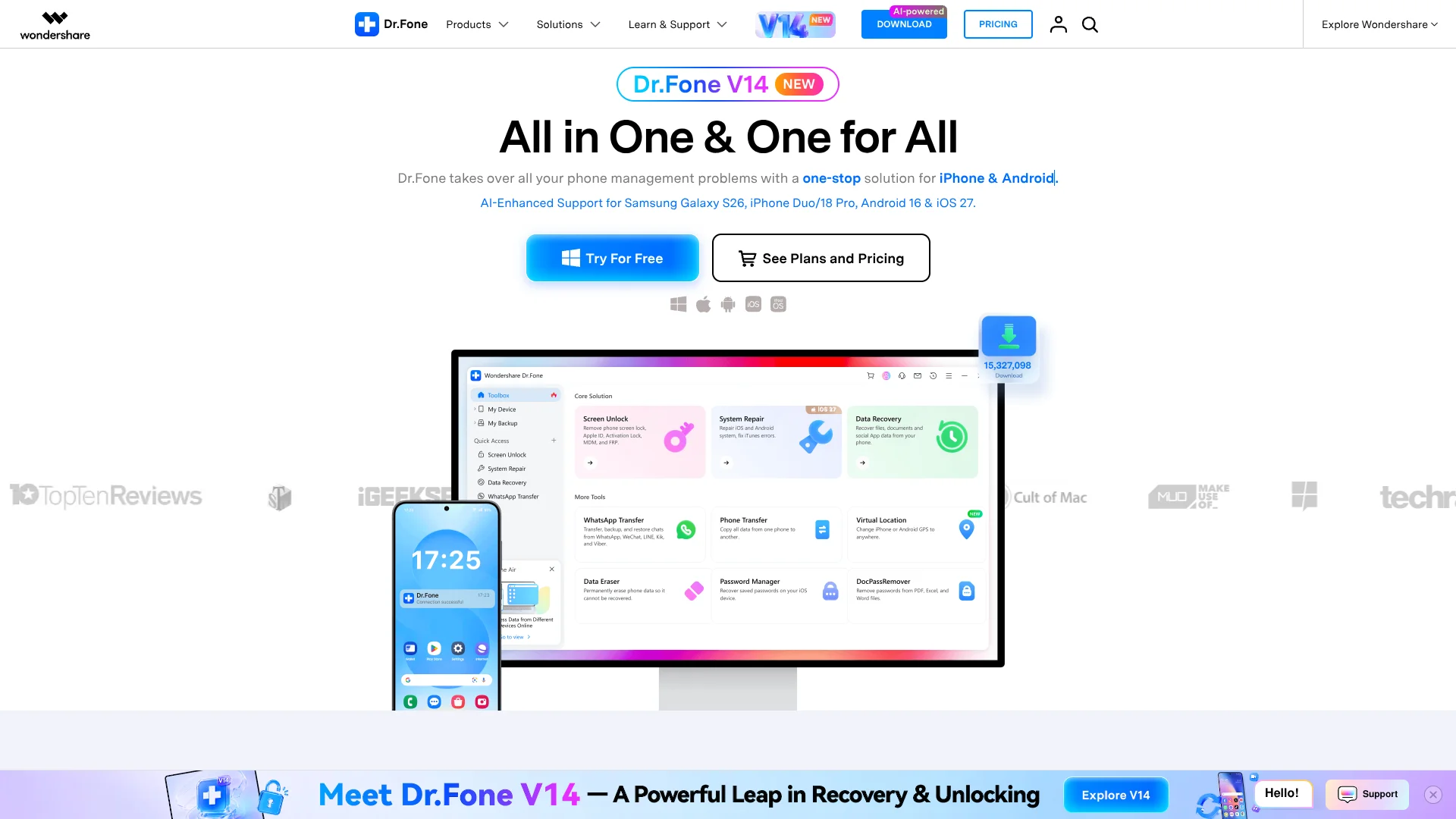
Dr.Fone brings phone data management and repair tools into one desktop and mobile toolkit for iPhone, iPad, Android, Windows, and Mac users. It can move data between phones, back up and restore files, recover deleted content, repair system problems, remove supported screen locks, erase data, and mirror a phone screen.
Its strongest practical distinction is the breadth of phone rescue work covered by the Dr.Fone Full Toolkit, including local data recovery, WhatsApp transfer, system repair, screen unlocking, phone transfer, data erasure, virtual location, and password management under one product family.
Dr.Fone fits people replacing a phone, repairing devices, recovering lost files, or preparing a device for resale. It falls short when a task depends on a specific phone model, operating system, or lock type, and several advanced features require separate purchases. The best reason to choose it is the range of supported phone problems rather than one standout AI feature.
Who is Using Dr. Fone?
Phone repair technicians
Repair technicians handle supported lock, recovery, system, and data-transfer cases from a computer.
IT device administrators
Device administrators move employee data, prepare phones for reassignment, and maintain mobile devices.
People changing phones
A new-phone buyer can move contacts, messages, photos, and WhatsApp data between iOS and Android.
Data recovery users
Someone with deleted files or a damaged phone can preview recoverable content before restoring selected items.
Privacy and resale sellers
A seller can erase phone data before resale and check device details before handing it over.
Uncommon Use Cases
Travelers can simulate a phone's GPS location for supported uses; iPhone owners can enhance old or damaged photos with AI.
Key Features
Rating Breakdown
Pricing Plans
Dr.Fone - Virtual Location
$14.95 per month
- Supports up to 5 mobile devices and 1 PC or 1 Mac.
- Quarterly plan is $9.97 per quarter.
- Annual plan is $19.97 per year.
- Monthly, quarterly, and annual plans auto-renew.
Dr.Fone - System Repair (Android)
$24.95 per month
- Supports up to 5 devices and 2 PCs or 2 Macs.
- Annual plan is $39.95 per year.
- Perpetual plan is $49.95 one time.
- The store marks this module as Windows only.
Dr.Fone - Screen Unlock (Android)
$39.95 per month
- Annual plan is $39.95 per year.
- Perpetual plan is $49.95 one time.
- Supports up to 5 devices and 2 PCs or 2 Macs.
Dr.Fone Basic
$39.95 per month
- Annual plan is $34.95 per year.
- Perpetual plan is $34.95 one time.
- Includes phone management, backup, selective restore, transfer, and screen mirroring.
- Supports up to 5 devices and 2 PCs or 2 Macs.
Dr.Fone - WhatsApp Transfer
$39.95 per month
- Annual plan is $34.95 per year.
- Perpetual plan is $34.95 one time.
- Supports up to 5 devices and 2 PCs or 2 Macs.
- Plans auto-renew except for the perpetual option.
Dr.Fone - Phone Transfer
$39.95 per month
- Annual plan is $34.95 per year.
- Perpetual plan is $34.95 one time.
- Supports up to 5 devices and 2 PCs or 2 Macs.
Dr.Fone - Full Toolkit
$39.95 per month
- Annual plan is $34.95 per year.
- Perpetual plan is $34.95 one time.
- Includes Basic plus Screen Unlock, Data Recovery, Virtual Location, WhatsApp Transfer, Phone Transfer, Data Eraser, System Repair, and Password Manager.
- Supports up to 5 devices and 5 PCs for Windows or 2 Macs for Mac.
Dr.Fone - Data Recovery
$49.95 per month
- Annual plan is $59.95 per year.
- Perpetual plan is $69.95 one time.
- Supports up to 5 devices and 2 PCs or 2 Macs.
- The module supports recovery from iOS, Android, iCloud, iTunes, Google Drive, and broken phones where supported.
Dr.Fone - Screen Unlock (iOS)
$39.95 per month
- Annual plan is $49.95 per year.
- Perpetual plan is $59.95 one time.
- Supports up to 5 devices and 2 PCs or 2 Macs.
Dr.Fone Online Unlock
- The official store lists service prices starting from US$0.99.
- The online service covers supported FRP, SIM, iCloud, Xiaomi account, and IMEI check workflows.
- The actual price depends on the selected unlock service and device.
Which Dr. Fone plan should you pick?
Start with an individual module for one defined phone problem, choose Dr.Fone Basic for management and backup, or move to Full Toolkit when you need several recovery, repair, transfer, and unlock tools.
Dr.Fone Basic
Good for phone data management, backups, selective restoration, transfers, and screen mirroring.
Dr.Fone - Full Toolkit
Good for repair shops, technicians, and users who need several phone recovery, unlock, transfer, erasure, and repair modules.
Dr.Fone - Screen Unlock (Android)
Good for supported Android screen lock and FRP removal cases.
Dr.Fone - Data Recovery
Good for recovering deleted iOS or Android data and extracting content from supported backups.
Dr.Fone Online Unlock
Good for supported browser-based FRP, SIM, Xiaomi, iCloud, and IMEI-related services.
Dr. Fone Use Cases
Switching from Android to iPhone
Phone Transfer moves contacts, messages, photos, and other supported data across operating systems.
Outcome: A new phone with the selected data moved over.
Recovering deleted phone data
Data Recovery scans supported phones and backups, then lets you preview and selectively restore content.
Outcome: Selected photos, messages, WhatsApp data, or files restored.
Repairing a phone that will not start
System Repair addresses supported iOS, iPadOS, Android, and iTunes problems through guided repair steps.
Outcome: A repaired device when the model and issue are supported.
Moving WhatsApp between platforms
WhatsApp Transfer backs up and moves chats and attachments between iOS and Android.
Outcome: WhatsApp history available on the destination phone.
Preparing a phone for resale
Data Eraser permanently removes supported phone content, while Phone Verification reports device details.
Outcome: A cleaner handoff and more information for the next owner.
Workflow Ideas with Dr. Fone
New phone migration
- 1Install Dr.Fone Basic or Phone Transfer on a Windows PC or Mac.
- 2Connect the old and new phones and select the data categories to move.
- 3Review the transfer and confirm the destination phone contains the selected data.
Deleted data recovery
- 1Open Data Recovery and connect the phone or select a supported backup source.
- 2Scan for deleted photos, messages, WhatsApp data, or files.
- 3Preview the results and restore only the items you need.
Repair before escalation
- 1Check the device and operating system against Dr.Fone's supported specifications.
- 2Run the guided System Repair process for the detected issue.
- 3Use local backup or recovery tools before attempting more advanced repair steps.
How Dr. Fone fits into your stack
Phone and tablet management
Dr.Fone sits between your mobile devices and a Windows PC or Mac for backups, transfers, screen mirroring, and data organization.
Cloud and backup sources
Supported recovery workflows can work with iCloud, iTunes, and Google Drive backups, depending on the module and device.
Mobile apps
The iOS and Android app adds storage cleaning, photo recovery, contacts backup, device tools, and AI photo enhancement.
Online services
Dr.Fone Air provides browser-based transfer and screen mirroring, while Online Unlock handles supported FRP, SIM, Xiaomi, and iCloud lock services.
Cloud storage destinations
The iOS app can restore contacts backups to Dropbox, Google Drive, or OneDrive.
Pros
- +Broad phone coverage: Handles recovery, transfer, repair, unlocking, backup, erasure, and screen mirroring.
- +Cross-platform support: Works with major iOS and Android devices alongside Windows and Mac computers.
- +Local processing: Dr.Fone says phone data is scanned and displayed locally rather than uploaded to its cloud.
- +Free evaluation: The software can be downloaded at no cost, with free features and device compatibility checks available.
- +Mobile companion: The iOS and Android app adds storage cleaning, recovery, transfer, device repair, and AI photo enhancement.
Cons
- −Module-based pricing: Many important jobs require buying separate features or a higher toolkit.
- −Compatibility dependent: Results vary by phone model, operating system, lock type, and device condition.
- −Mixed platform coverage: Some tools are limited to iOS, Android, Windows, or Mac.
Limitations & when to consider alternatives
Known limitations
- Feature availability varies. Some features are marked for iOS only, Android only, Windows only, or Mac only.
- Trial restrictions. Free trials may preview backups or recovery results, but restoring, transferring larger amounts, repairing, or unlocking generally requires a full license.
- Perpetual version limits. A perpetual license covers the software version purchased and includes free updates within that major version; a later major upgrade may require another purchase.
- Device support is conditional. Recovery and unlocking results depend on the phone model, operating system, security state, and physical condition.
- Android System Repair is Windows only. The official store marks the Android System Repair module as Windows only.
Look elsewhere when
- You need a documented developer API for automated phone workflows.
- You need a browser extension rather than a desktop or mobile tool.
- Your device or lock type is not listed as supported by Dr.Fone.
- Your team needs shared workspaces, user roles, or SSO.
How to Use Dr. Fone
- 1
Check compatibility
Review the supported device and operating system information before paying for a module.
- 2
Choose the needed module
Pick Basic for management and backup, or select Full Toolkit or an individual feature for recovery, repair, transfer, unlocking, or erasure.
- 3
Install the desktop version
Download the Windows or Mac version, then connect the phone with the required permissions.
- 4
Preview before changing data
Use previews for recovery, backups, or erasure where available so you can confirm the target content.
- 5
Run the guided action
Follow the on-screen process for transfer, repair, recovery, unlocking, backup, or cleanup.
- 6
Use the mobile app when appropriate
The iOS and Android app handles mobile cleanup, photo recovery, transfer, device tools, and AI photo enhancement.
Who is Dr. Fone For?
iPhone and iPad users
Useful for iOS data recovery, backups, system repair, screen unlocks, password recovery, and device transfers.
Android users
Useful for Android recovery, FRP and screen unlocks, system repair, WhatsApp transfers, and phone migration.
Phone repair businesses
The repair-focused modules support common recovery, unlock, repair, cleanup, and transfer jobs.
Mobile carriers and retailers
Business licensing supports device distribution, phone-to-phone transfers, and mobile data management.
IT and enterprise teams
Business options are available for managing employee devices and handling larger device volumes.
Frequently Asked Questions
Can I try Dr.Fone for free?
Yes. Dr.Fone is free to download, and available free features can help you evaluate compatibility before buying a license.
Does Dr.Fone have a mobile app?
Yes. The Dr.Fone app is available for iPhone, iPad, and Android, with tools for cleaning, recovery, transfer, repair, unlocking, and AI photo enhancement.
Does Dr.Fone upload my phone data to the cloud?
Dr.Fone says its desktop software processes phone data locally on your computer rather than uploading it to the Dr.Fone cloud.
Can I buy one Dr.Fone feature instead of the full toolkit?
Yes. Wondershare sells individual features such as Screen Unlock, Data Recovery, System Repair, WhatsApp Transfer, Phone Transfer, Data Eraser, and Virtual Location.
What is the difference between annual and perpetual plans?
Annual plans provide access and updates during the subscription period. Perpetual plans are one-time purchases for the software version purchased, with free updates within that major version.
Which computers can run Dr.Fone?
The official specifications list Windows 11, 10, 8.1, 8, and 7, plus macOS 10.13 or later, with some modules having narrower platform requirements.
Community reviews
Be the first to share your experience.
Sign in to leave a review for Dr. Fone.
Dr. Fone Alternatives
Looking for alternatives to Dr. Fone? Here are similar tools in the same category:
Learn to Master Dr. Fone
With Skill Leap courses
Get in-depth training on Dr. Fone and 50+ other AI tools with our expert-led video courses.
Start 7-Day Free Trial