Demodesk
Sales conversation coaching grounded in what customers actually said.
Key Takeaways
- What it is
- Sales conversation coaching grounded in what customers actually said.
- Pricing
- $31.95 per user per month · $65 per user per month
- Best for
- AI Assistant
- AI Coach
- AI CRM Concierge
- Rating
- 4.2/5
What is Demodesk?
Demodesk captures sales conversations across video calls, phone calls, and in-person meetings, then turns them into searchable transcripts, summaries, coaching feedback, and CRM updates. Revenue teams use it to reduce note-taking and see what customers said across deals. A sales rep can review a call’s next steps, while a manager can compare conversations against the team’s scorecards.
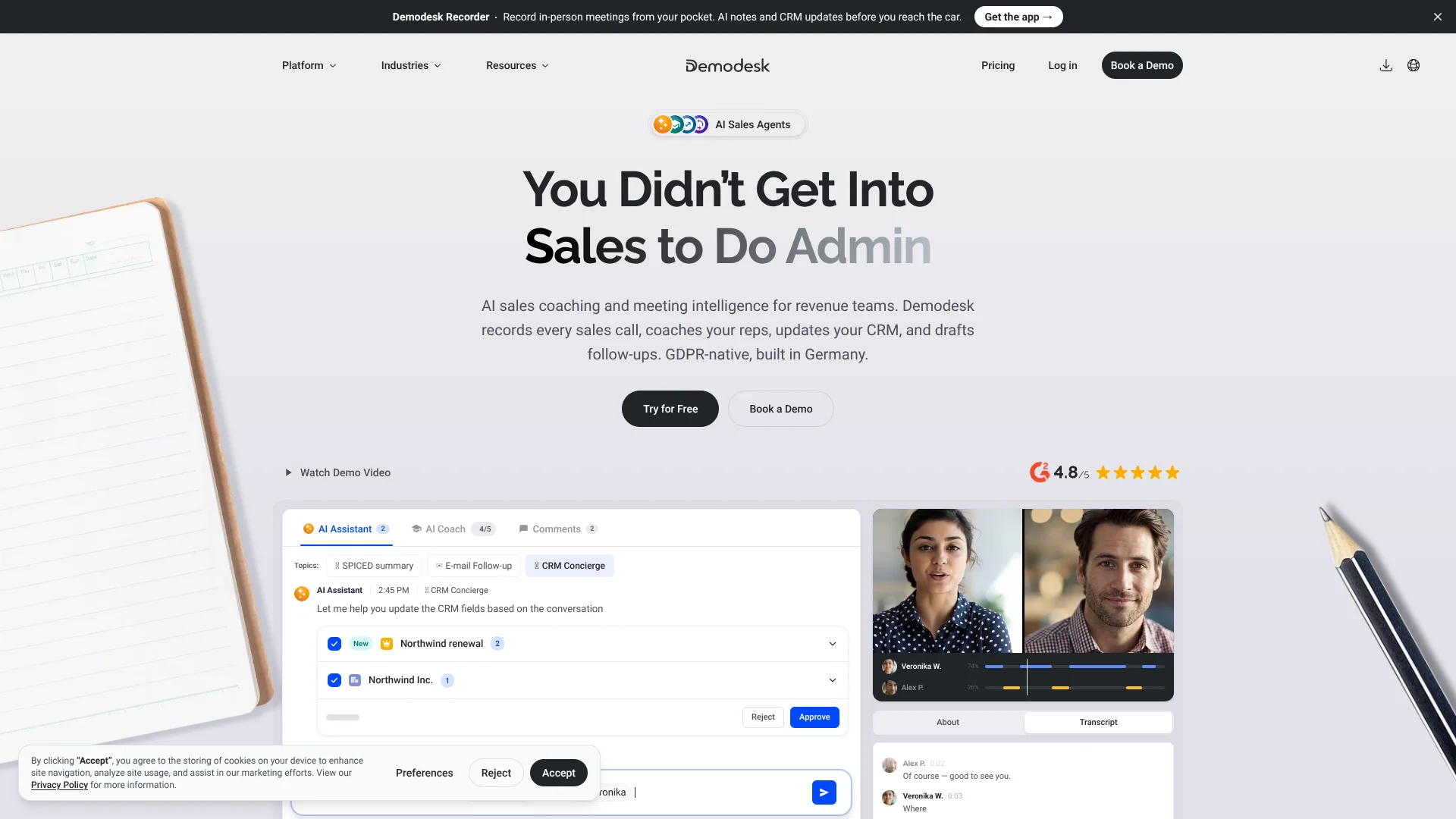
On the Coaching & AI plan, AI CRM Concierge turns call details into suggested CRM field updates and asks for approval before writing them back, so reps can check deal changes first.
Demodesk fits revenue teams that want call records tied to coaching and CRM workflows. Its focus on sales conversations makes it a poor fit for people seeking a general-purpose writing or research tool.
Who is Using Demodesk?
Sales Representatives
Call summaries and suggested follow-ups help reps keep next steps clear after customer meetings.
Sales Managers
Custom scorecards make it easier to review calls and coach against a shared playbook.
Revenue Operations Managers
CRM sync helps keep meeting notes and deal fields connected to the conversations behind them.
Sales Enablement Specialists
Transcripts and call scoring help teams find coaching opportunities across customer conversations.
Uncommon Use Cases
A team can record in-person customer visits with the mobile app; an operations team can ask an AI tool questions about call transcripts through MCP.
Key Features
Rating Breakdown
Pricing Plans
Capture
$31.95 per user per month
- Converted from €29 per user per month; the vendor does not list USD pricing.
- Annual billing is €25 per user per month, about $27.54 at the current exchange rate.
- Includes recording, transcription, summaries, follow-up drafts, and free viewer seats.
Coaching & AI
$65 per user per month
- Converted from €59 per user per month; the vendor does not list USD pricing.
- Annual billing is €49 per user per month, about $53.98 at the current exchange rate.
- Adds AI Coach, AI CRM Concierge, AI Deal Insights, and team analytics.
Enterprise
- Required for 30 or more licenses.
- Includes SSO and dedicated support.
- Offers custom onboarding and multi-entity rollouts.
Which Demodesk plan should you pick?
Choose Capture for recording, transcription, and summaries; upgrade to Coaching & AI when your team needs scorecards and CRM automation.
Capture
Good for smaller teams that need compliant conversation recording, transcription, summaries, and follow-up drafts.
Coaching & AI
Good for revenue teams that need custom scorecards, CRM updates, deal insights, and reporting.
Enterprise
Good for larger or multi-team organizations that need SSO, dedicated support, or 30 or more licenses.
Demodesk Use Cases
Review a Sales Call
A searchable transcript and AI summary help a rep find what the customer agreed to and what happens next.
Outcome: Key points and next steps are easier to revisit.
Coach Against a Sales Playbook
Custom scorecards show how a conversation matched the team’s chosen criteria.
Outcome: Managers get call feedback tied to their playbook.
Prepare CRM Updates
AI CRM Concierge proposes changes to deal and contact fields based on the conversation.
Outcome: Reps can review proposed updates before they sync.
Capture In-Person Meetings
The Recorder mobile app records a visit and sends the audio to Demodesk for transcription and AI analysis.
Outcome: The conversation can be reviewed alongside other meeting records.
Ask Questions Across Meeting Data
Demodesk MCP connects meeting records to compatible AI tools for questions about calls and customer commitments.
Outcome: Answers can draw on Demodesk meeting data.
Workflow Ideas with Demodesk
Call to Reviewed CRM Update
- 1Record a customer conversation.
- 2Review the AI summary and proposed CRM fields.
- 3Approve the updates to sync them to the connected CRM.
Weekly Call Review
- 1Set an AI Agent to run on a weekly schedule.
- 2Have it summarize the week’s meetings.
- 3Check its execution history and share the results with the team.
Playbook-Based Coaching
- 1Set up a custom scorecard for the sales playbook.
- 2Review calls scored against its criteria.
- 3Use the feedback to guide rep coaching.
How Demodesk fits into your stack
Meeting Capture
Demodesk records video meetings and can also capture phone and in-person conversations. Its desktop app records calls from the computer without joining the meeting.
CRM
Native connections are available for Salesforce, HubSpot, and Pipedrive. Suggested CRM changes can be reviewed before they sync.
Browser and Mobile
The Chrome extension provides booking links, recording access, and an AI Analyst view on eligible plans. The mobile Recorder app captures in-person meetings.
AI Tools and Automation
MCP makes meeting records available to compatible AI tools. Webhooks and the Demodesk API can pass meeting events and data to connected systems.
Pros
- +Multiple recording channels: Captures video, phone, and in-person conversations for later review.
- +Approval before CRM changes: Reps can review proposed field updates before they sync.
- +Sales-focused coaching: Custom scorecards let managers assess calls against their team’s playbook.
- +Free viewer seats: People who only watch recordings or read reports do not need a paid seat.
Cons
- −Sales-specific focus: Its coaching and CRM features are built around revenue work, not general-purpose AI tasks.
- −Paid-seat cost: The monthly Coaching & AI price converts to about $65 per user before any exchange-rate or payment fees.
- −Mobile beta: The Recorder app is still in beta and may have occasional bugs.
Limitations & when to consider alternatives
Known limitations
- Seat limit on standard plans. Capture and Coaching & AI are listed for up to 30 licenses; Enterprise is required for 30 or more.
- Custom agent usage is billed separately. AI Agents use Workflow Runs and AI Compute Credits; agents pause when the relevant usage runs out.
- Recorder mobile app is in beta. The help center notes that users may encounter occasional bugs or unexpected behavior.
Look elsewhere when
- You need a general-purpose AI tool for work beyond sales conversations.
- Your team needs more than 30 licenses on a standard plan.
- You need an AI tool that analyzes uploaded images.
How to Use Demodesk
- 1
Start a Trial
Begin the 14-day trial to explore the Coaching & AI plan without entering a credit card.
- 2
Connect Your CRM
Link Salesforce, HubSpot, or Pipedrive so Demodesk can use CRM data and prepare meeting updates.
- 3
Record a Conversation
Choose an online meeting, desktop recording, phone call, or mobile recording based on where the conversation happens.
- 4
Review the AI Output
Check the transcript, summary, scorecard, or proposed CRM fields after the call.
- 5
Set Up a Custom Scorecard
Build scorecard criteria around your sales playbook to make call feedback more relevant to your team.
- 6
Add AI Agents When Needed
Set an agent goal and trigger, then check its execution history and usage as it runs.
Who is Demodesk For?
Revenue Teams
Teams that want customer calls recorded and sales follow-up work tied to what buyers said.
Sales Managers
Managers can review calls with custom scorecards and give feedback based on their playbook.
Smaller Sales Teams
Teams that need compliant recording and transcription before adding coaching or CRM automation.
Larger, Multi-Team Organizations
Organizations with 30 or more licenses or needs such as SSO and multi-entity rollouts can use Enterprise.
Frequently Asked Questions
Does Demodesk have a free plan?
The pricing page lists a 14-day free trial and free viewer seats on paid plans, but no permanent free plan.
Which CRMs does Demodesk connect to?
Its native CRM integrations are Salesforce, HubSpot, and Pipedrive. Other CRMs can be connected through the Demodesk API.
Can Demodesk transcribe calls in different languages?
Yes. Demodesk says its transcription supports 98 languages.
Can I upload recordings I already have?
Yes. Manual upload supports MP4, MP3, and WAV recordings, which Demodesk can transcribe and summarize.
What does the mobile app do?
Demodesk Recorder records meetings on iOS and Android and uploads them for transcription and AI analysis. The app is currently in beta.
Community reviews
Be the first to share your experience.
Sign in to leave a review for Demodesk.
Demodesk Alternatives
Looking for alternatives to Demodesk? Here are similar tools in the same category: