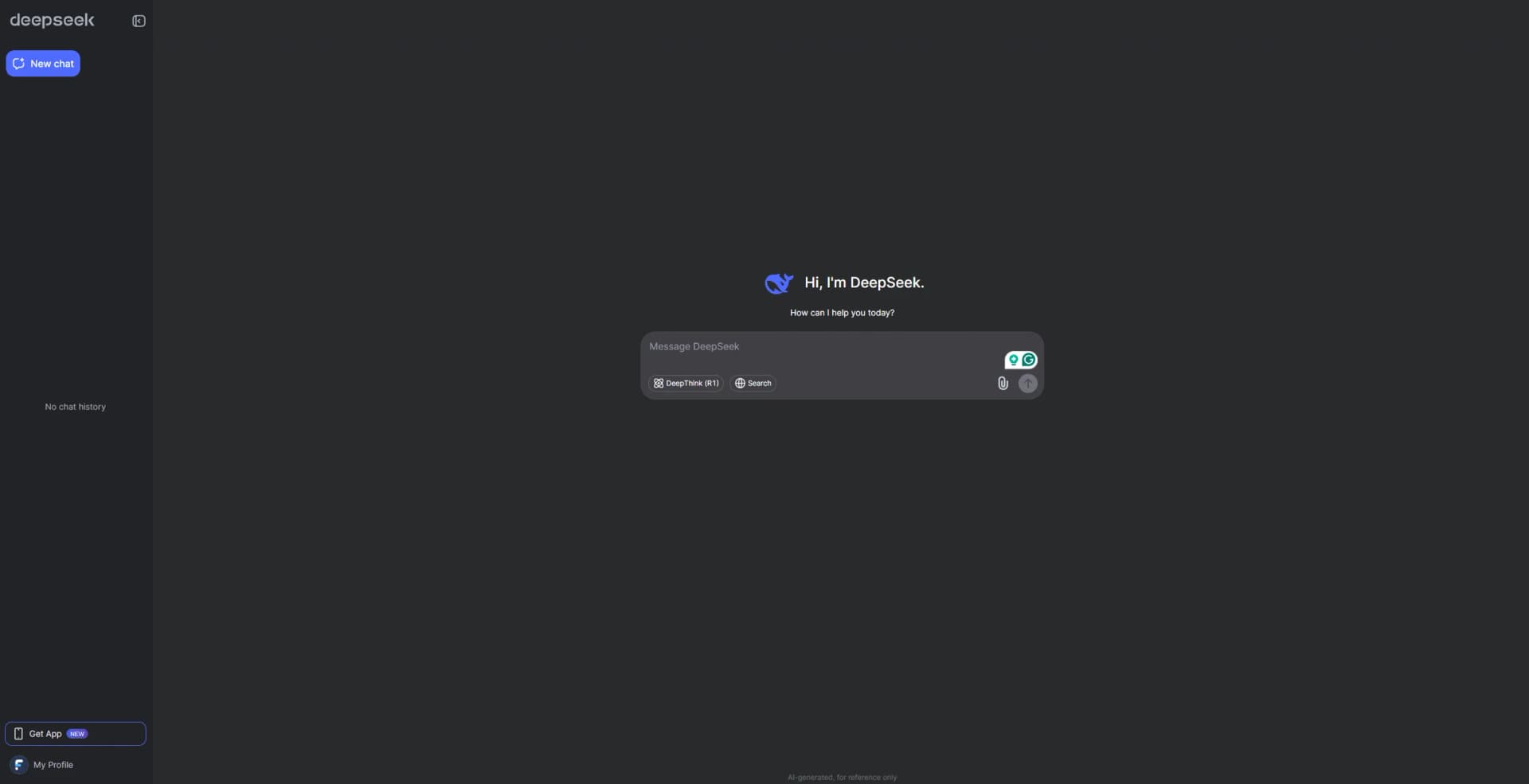
DeepSeek
Reasoning-focused AI with free chat and affordable developer APIs.
Key Takeaways
- What it is
- Reasoning-focused AI with free chat and affordable developer APIs.
- Pricing
- Freemium · $0.022 per 1M input tokens with cache hits during off-peak hours · $0.75 per 1,000 successful requests
- Best for
- DeepThink Mode
- Web Search
- File Upload and Text Extraction
- Rating
- 4.4/5
What is DeepSeek?
DeepSeek combines a free chat service, mobile apps, a desktop coding tool, and an API for developers. Its models handle reasoning, coding, file-based questions, web search, and image understanding, giving newcomers a practical way to try advanced AI before building it into their own software.
DeepSeek's API includes native Search and Fetch endpoints that let an application find current web pages and retrieve page content as Markdown through DeepSeek's own search engine.
It fits developers, technical users, and people who want strong reasoning without a monthly chat subscription. The tradeoff is a fragmented product experience across the web app, mobile app, Harness desktop tool, and usage-based API, with model features that vary by endpoint.
Who is Using DeepSeek?
Software Developers
Code generation, tool calls, and Harness file editing help move from a coding request to a working project.
Technical Writers
Long documents and uploaded files can be turned into explanations, summaries, and structured drafts.
Researchers
Search, Fetch, and reasoning modes support source discovery and analysis of current web information.
Product Engineers
OpenAI and Anthropic-compatible endpoints make it easier to test DeepSeek inside existing AI applications.
Uncommon Use Cases
Local project maintenance through Harness; image-based technical analysis through the multimodal Flash model.
Key Features
Rating Breakdown
Pricing Plans
deepseek-flash
Free
- $0.006 per 1M input tokens with cache hits during peak hours
- $0.15 per 1M input tokens without a cache hit during off-peak hours
- $0.30 per 1M input tokens without a cache hit during peak hours
- $0.60 per 1M output tokens during off-peak hours
- $1.20 per 1M output tokens during peak hours
- Supports vision, tool calls, JSON output, Responses API, and Anthropic API formats
deepseek-v4-pro
$0.022 per 1M input tokens with cache hits during off-peak hours
- $0.044 per 1M input tokens with cache hits during peak hours
- $0.66 per 1M input tokens without a cache hit during off-peak hours
- $1.32 per 1M input tokens without a cache hit during peak hours
- $1.98 per 1M output tokens during off-peak hours
- $3.96 per 1M output tokens during peak hours
- Supports tool calls, JSON output, Responses API, and Anthropic API formats
Search API
$0.75 per 1,000 successful requests
- Searches the web and returns structured results
- Failed requests, empty results, and timeouts are not billed
Fetch API
$0.75 per 1,000 successful requests
- Retrieves a web page and returns its content as Markdown
- A request is billed only when it returns page content successfully
Which DeepSeek plan should you pick?
Start with the free web or mobile app for personal work, then use DeepSeek API or Harness when you need software integration or local project editing.
DeepSeek Web and App
Good for individuals who need free chat, reasoning, web search, file analysis, and image questions.
DeepSeek Harness
Good for developers who need desktop access to local files and longer coding workflows.
DeepSeek API
Good for developers building AI features, agent workflows, or live web retrieval into software.
DeepSeek Use Cases
Coding and Project Development
A desktop coding workflow where the model edits local files and works through a larger project.
Outcome: Faster progress on multi-step software tasks.
Current Web Research
Live search and page retrieval for applications that need information beyond a model's stored knowledge.
Outcome: Search results and page content returned through an API.
Document Analysis
Uploaded files become material for questions, summaries, extraction, and explanation.
Outcome: Answers grounded in the supplied document.
Image Understanding
The multimodal Flash model accepts images as input for visual questions and analysis.
Outcome: Text responses based on image content.
AI Application Prototyping
Existing OpenAI- or Anthropic-style clients can be pointed at DeepSeek's compatible API formats.
Outcome: A shorter path to testing DeepSeek models in an application.
Workflow Ideas with DeepSeek
Research With Live Sources
- 1Send a question to the Search API.
- 2Review the returned pages and select a source URL.
- 3Pass the URL to Fetch and give the Markdown content to the model.
Local Coding Session
- 1Open DeepSeek Harness on the desktop.
- 2Give the model the project goal and relevant files.
- 3Review the proposed edits and test the updated project.
Document Question Answering
- 1Upload the document in the DeepSeek app.
- 2Ask for a summary or specific extracted details.
- 3Follow up with questions about sections that need closer review.
How DeepSeek fits into your stack
Web and Mobile Chat
The free DeepSeek Web and mobile apps sit at the front of a personal research, writing, and question-answering workflow.
Documents and Images
File upload and multimodal input make DeepSeek useful before or after work in a document editor, spreadsheet, or visual review process.
Desktop Coding
DeepSeek Harness fits beside a local codebase when the task requires file editing and longer project work.
APIs and Agents
The API connects model responses, tool calls, Search, and Fetch to software built around OpenAI or Anthropic-compatible interfaces.
Developer Tools
Official documentation covers integrations with Claude Code, Codex, and DeepSeek Harness for agent-style coding workflows.
Pros
- +Free access: The web and mobile chat service is available at no charge.
- +Low usage cost: API billing is based on tokens and includes discounted cache-hit pricing.
- +Strong coding focus: Harness and current models target long, multi-step software tasks.
- +Current information: Search and Fetch provide direct access to live web content.
- +Flexible integrations: Developers can call DeepSeek through OpenAI or Anthropic-compatible API formats.
Cons
- −Scattered experience: Chat, Harness, and the API are separate products with different workflows.
- −Usage-based billing: API costs depend on tokens, model choice, and peak or off-peak timing.
- −Uneven feature support: Vision, web search, and tool calling are not available in exactly the same way across models.
Limitations & when to consider alternatives
Known limitations
- Stateless Responses API. The Responses API does not store conversations, so clients must send the full conversation history again for multi-turn requests.
- Model-Specific Tool Support. Web search through the Responses API is supported with deepseek-v4-pro, while model support for vision, tool calls, and other features differs.
- Peak and Off-Peak Billing. Model prices change by usage period, with off-peak rates set at half of peak rates.
- Separate Search and Fetch Charges. Search and Fetch are billed per successful request rather than as part of token usage.
Look elsewhere when
- You need a shared workspace with user roles and team permissions.
- You want a browser extension rather than a web app or desktop tool.
- Your application needs one model with identical vision, web search, and tool support across every endpoint.
How to Use DeepSeek
- 1
Start in the Web or Mobile App
Create a conversation in DeepSeek Web or the official iOS or Android app to try chat, search, reasoning, and file features for free.
- 2
Choose the Thinking Level
Use the reasoning mode when the task needs deeper analysis and the normal mode when speed matters more.
- 3
Add a File or Image
Attach a document or image when the answer should be based on material you provide.
- 4
Try Harness for Local Projects
Install DeepSeek Harness on macOS or Windows when the work involves local files or a longer coding task.
- 5
Create an API Key
Open the API platform when you need model responses, tool calls, or Search and Fetch inside software.
- 6
Track Token Usage
Review model, cache, output, and peak or off-peak usage because API billing is consumption-based.
Who is DeepSeek For?
AI Developers
DeepSeek fits developers who want token-priced models with OpenAI and Anthropic-compatible APIs.
Coding Professionals
Harness is aimed at people who need an AI tool to edit local files and work through extended software projects.
Researchers and Technical Users
Reasoning modes, long context, and file analysis support demanding technical reading and problem solving.
Everyday AI Users
The free web and mobile apps cover questions, writing, search, document analysis, and image-based requests.
Frequently Asked Questions
Is DeepSeek free?
The official web and mobile chat apps are free to use. The API is usage-based and billed separately.
Does DeepSeek have an API?
Yes. The API supports OpenAI and Anthropic-compatible formats, along with model responses, tool calls, Search, and Fetch.
Can DeepSeek read files?
Yes. The official app supports file upload and text extraction, allowing questions about uploaded documents.
Can DeepSeek analyze images?
Yes. DeepSeek's Flash model has native multimodal support and accepts images through the API.
Does DeepSeek have a desktop app?
Yes. DeepSeek Harness is available for macOS Apple silicon with macOS 13 or later, and for Windows.
How is the API billed?
Model usage is billed per million input and output tokens. Search and Fetch use separate per-request pricing, and model rates vary between peak and off-peak periods.
Community reviews
1 review from people who use DeepSeek.
Sign in to leave a review for DeepSeek.
Jeffrey Munn
DeepSeek Alternatives
Looking for alternatives to DeepSeek? Here are similar tools in the same category: