
DeepScribe
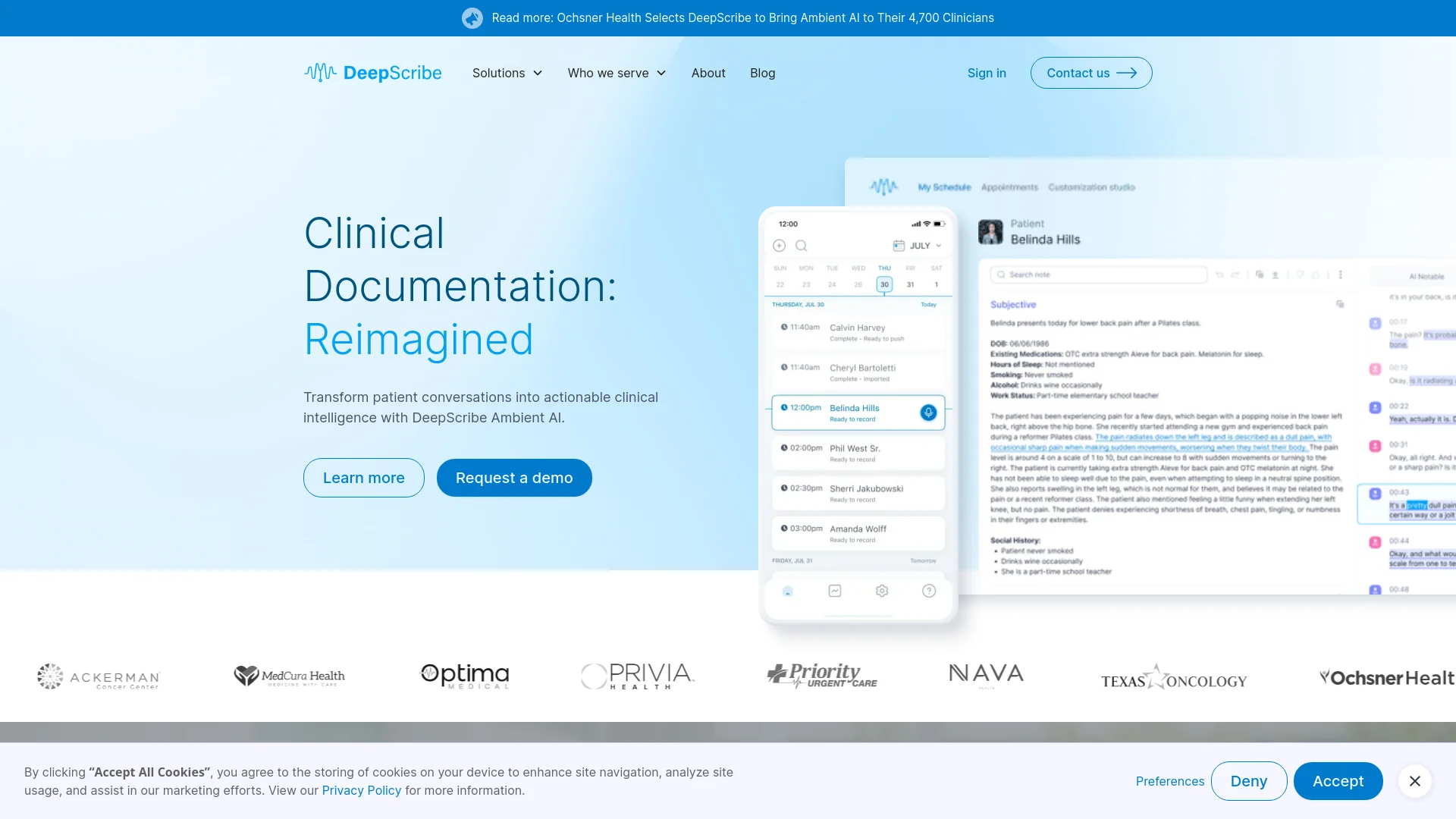
AI-powered medical scribe capturing clinical conversations with precision.
Key Takeaways
- What it is
- AI-powered medical scribe capturing clinical conversations with precision.
- Best for
- AI Medical Scribe
- Customization Studio
- Trust and Safety Suite
- Rating
- 4.6/5
What is DeepScribe?
DeepScribe is an AI-powered medical documentation tool designed to transform how clinical documentation is handled. Utilizing advanced speech recognition technology, DeepScribe captures and transcribes clinical conversations with remarkable accuracy. This enables healthcare providers to focus more on patient care and less on paperwork, enhancing efficiency and accuracy in clinical settings.
DeepScribe's uniqueness lies in its fully customizable, accurate medical documentation achieved through ambient AI. Its composable AI platform allows personalization to match any clinical environment, setting it apart as a leader in medical AI technology.
DeepScribe offers a revolutionary approach to medical documentation, making it an essential tool for healthcare providers. Its ability to deliver accurate, real-time documentation while enhancing clinical efficiency and patient care provides a significant advantage in modern healthcare settings.
Who is Using DeepScribe?
Hospitals
Streamlining documentation processes across various departments.
Private Practices
Improving efficiency and patient interaction during consultations.
Specialty Clinics
Utilizing customizable features for specialty-specific documentation.
Healthcare Administrators
Enhancing overall operational efficiency and patient data management.
Uncommon Use Cases
Used by medical training institutes for educational purposes and research facilities for documenting experimental procedures.
Key Features
Rating Breakdown
Pricing Plans
Subscription Model
- Offers a subscription-based pricing model
- Details available through their sales team
DeepScribe Use Cases
Ambient clinical documentation
Record the natural patient conversation and convert it into a structured clinical note.
Outcome: Less manual charting and more attention available for the patient.
AI pre-charting
Synthesize relevant patient-chart information before the visit and surface context for the clinician.
Outcome: Clinicians enter visits better prepared.
Clinical coding support
Analyze documented diagnoses and surface ICD-10, E/M, and HCC coding intelligence.
Outcome: More complete and compliant coding.
Specialty-specific documentation
Apply specialty workflows, terminology, and note structures to complex care encounters.
Outcome: Notes better aligned with specialty requirements.
EHR workflow automation
Synchronize schedules, notes, and downstream documentation with integrated EHR systems.
Outcome: Less manual transfer between DeepScribe and the EHR.
Workflow Ideas with DeepScribe
Record and complete a patient encounter
- 1Open DeepScribe and select the patient from the synced schedule
- 2Record the natural clinician-patient conversation
- 3Review the generated note and sign off in the EHR
Customize future clinical notes
- 1Open a generated note in Canvas
- 2Edit formatting, phrasing, organization, or patient references
- 3Save the edits and select Learn to generate a customization rule
Use coding intelligence during care
- 1Review relevant HCC information before the visit
- 2Receive prompts during the visit when coding requirements need more detail
- 3Review addressed MEAT elements and follow-up items after the visit
How DeepScribe fits into your stack
EHR Integration
Integrates seamlessly with most Electronic Health Records systems, enhancing workflow without disruption.
HIPAA Compliance
Ensures all data handled is compliant with HIPAA regulations, providing security and trust.
Multi-Device Support
Compatible with various digital devices, offering flexibility across healthcare settings.
API Access
Provides API options for further customization and integration with other healthcare applications.
Pros
- +Time-Saving: Significantly reduces time spent on manual documentation.
- +Increased Accuracy: Ensures that no detail is missed during patient documentation.
- +Enhanced Patient Care: Enables clinicians to focus more on the patient rather than on taking notes.
- +Customizable: Adaptable to various specialty care settings through the Customization Studio.
Cons
- −Technology Adoption: Requires initial training and adjustment for users new to AI documentation tools.
- −Dependency on Speech Recognition: May face challenges in accurately capturing highly technical medical terminology or diverse accents.
- −Integration Complexity: Might require additional setup for seamless integration with existing Electronic Health Records (EHR) systems.
Limitations & when to consider alternatives
Known limitations
- Generated notes are in English. Supported non-English appointments are automatically translated, but the resulting clinical note is generated in English.
- Phone calls interrupt recordings. An incoming phone call can stop an active recording, requiring the clinician to resume it manually.
- No multi-user workflows. The help center states that multi-user workflows are not currently supported.
- EHR re-imports can create duplicates. Pushing an edited note again may send duplicate information to some EHRs, requiring cleanup before sign-off.
- Canvas is still under construction. The help center notes that some Canvas pages remain under construction.
Look elsewhere when
- You need a documented public developer API.
- You need a native Windows, macOS, or Linux desktop installer.
- You need image analysis or vision input.
How to Use DeepScribe
- 1
Access comprehensive tutorials and resources on the DeepScribe website to learn how to maximize the tool’s potential in specific medical practices.
Who is DeepScribe For?
Specialty clinicians
DeepScribe is designed for complex specialties with specialty-specific terminology, workflows, and documentation requirements.
Oncology practices
Its oncology integrations support visit preparation, ambient documentation, coding, and bidirectional EHR synchronization.
Cardiology practices
DeepScribe provides specialty-focused documentation and coding intelligence for cardiology workflows.
Health systems
Health systems can deploy customizable workflows across specialties, organizations, and clinician preferences.
Private practices
DeepScribe positions its ambient operating system for physician groups and private practices seeking to reduce documentation burden.
Frequently Asked Questions
How does DeepScribe document a visit?
Select a patient, record the natural clinician-patient conversation, then review the generated note and sign off in the EHR.
Does DeepScribe support multiple languages?
Yes. DeepScribe supports a broad list of spoken languages, automatically translating supported appointments and generating the note in English.
Can clinicians customize their notes?
Yes. Clinicians can edit notes and have DeepScribe suggest customization rules that apply to future notes.
Does DeepScribe integrate with EHRs?
Yes. DeepScribe offers native, two-way EHR integrations, including Epic and specialty-specific oncology platforms.
What happens if a phone call interrupts a recording?
Phone calls interrupt recordings. The clinician can tap the red microphone to continue recording.
Can users edit notes before sending them to the EHR?
Yes. Integrated users can edit notes in Canvas and push the revised note to their EHR.
Community reviews
Be the first to share your experience.
Sign in to leave a review for DeepScribe.
DeepScribe Alternatives
Looking for alternatives to DeepScribe? Here are similar tools in the same category:
Learn to Master DeepScribe
With Skill Leap courses
Get in-depth training on DeepScribe and 50+ other AI tools with our expert-led video courses.
Start 7-Day Free Trial