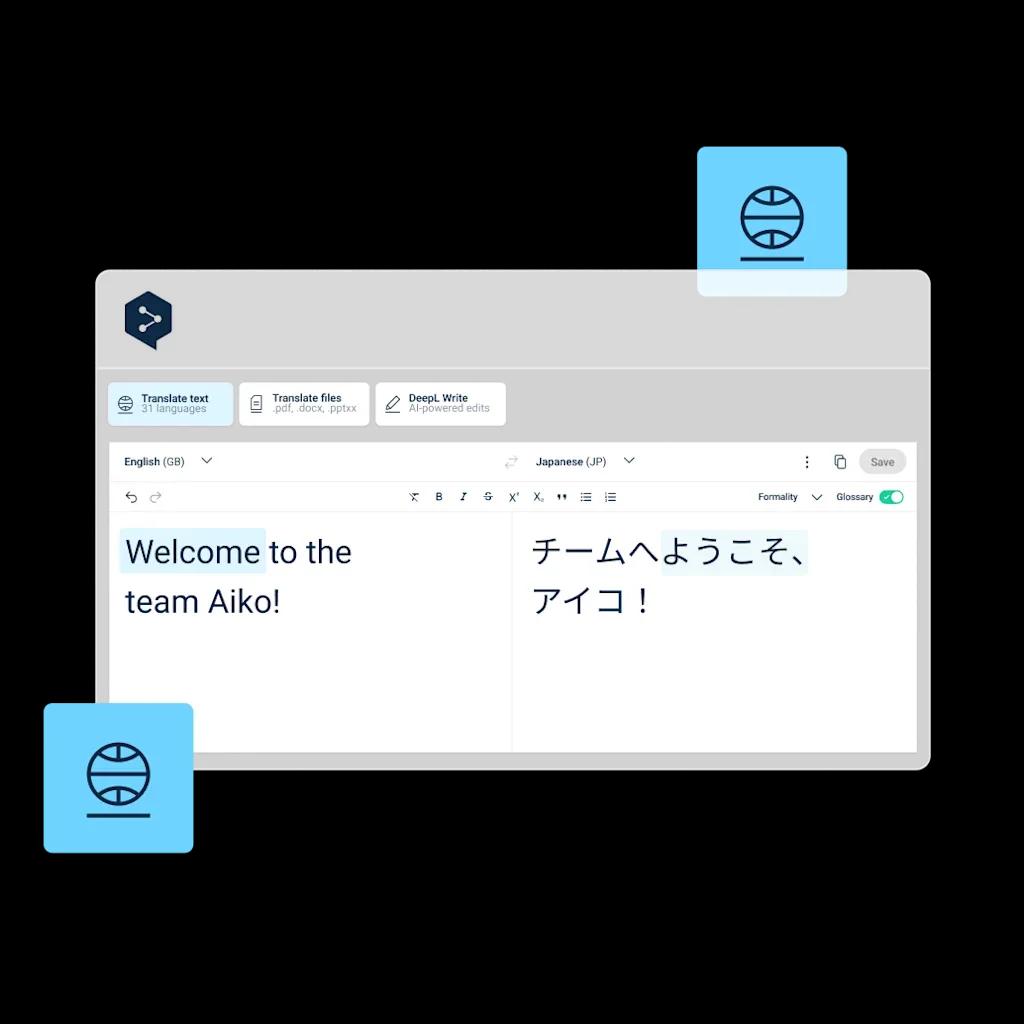
DeepL Translator
Readable translations that preserve your documents’ original formatting.
Key Takeaways
- What it is
- Readable translations that preserve your documents’ original formatting.
- Pricing
- Freemium · $10.49 per month · $34.49 per user per month · $68.99 per user per month
- Best for
- Text translation
- File translation
- Glossaries
- Rating
- 4.2/5
What is DeepL Translator?
DeepL Translator converts text and full documents between languages, with options to adjust tone and keep terminology consistent. It is built for people who need to understand or share material across languages, from a short message to a formatted work file.
For document translation, DeepL can translate text, headings, captions, and footnotes while retaining the file’s formatting, images, and fonts. You can also apply a glossary so recurring terms, such as product names, stay consistent across translations.
DeepL suits individuals and teams who translate messages, documents, or web pages regularly. Its free version has monthly character and file limits, and some customization features depend on the plan and language pair. It is most useful when readable translations and preserved document layouts matter.
Who is Using DeepL Translator?
Localization managers
Consistent glossaries and translated files help keep product wording aligned across languages.
Translators
Formality settings and saved translations support routine text and document translation.
Customer support representatives
Browser translation can help them read or draft customer messages in another language.
International sales professionals
Translated web pages and documents help them work with materials from other markets.
Uncommon Use Cases
Reading text in images through image translation; translating files while preserving their original layout.
Key Features
Rating Breakdown
Pricing Plans
Free version
Free
- 50,000 characters per month
- 1 file translation per month
- Files up to 5 MB
Individual
$10.49 per month
- Annual billing: $8.74 per month equivalent
- 300,000 characters per month
- 3 file translations per month
- 30-day free trial
Team
$34.49 per user per month
- Annual billing: $28.74 per user per month equivalent
- 1,000,000 characters per user per month
- 20 file translations per month
- Team administration, analytics and reporting, and SSO
Business
$68.99 per user per month
- Annual billing: $57.49 per user per month equivalent
- Unlimited characters, subject to fair use
- 100 file translations per month
- Translation memory and unlimited glossaries, subject to fair use
Enterprise
- Custom file and character limits
- Dedicated account team and premium support
Which DeepL Translator plan should you pick?
Start with the free version for occasional translations, choose Individual for higher personal limits, and consider Team or Business when shared controls and larger allowances matter.
Free version
Good for occasional translation of text and a small number of files.
Individual
Good for a single user who needs higher character and file limits than the free version.
Team
Good for teams that need shared style rules, administration, and reporting.
Business
Good for businesses that need higher file limits, translation memory, and unlimited glossaries.
Enterprise
Good for organizations that need custom limits and organization-wide controls.
DeepL Translator Use Cases
Translate a work document
A translated copy keeps the source file’s formatting, images, and fonts.
Outcome: A translated document that is easier to review in its original layout.
Keep business terms consistent
A glossary applies preferred translations to recurring terms in text and files.
Outcome: More consistent terminology across translated material.
Read a foreign-language web page
The browser extension can translate full pages while you browse.
Outcome: The page is available in a language you understand.
Translate text in an image
Image translation extracts and translates text from a supported image.
Outcome: Readable translated text from an image.
Adjust translation tone
Formality controls let you select a formal or informal tone for supported language pairs.
Outcome: A translation better suited to its intended audience.
Workflow Ideas with DeepL Translator
Translate a document with preferred terms
- 1Choose Translate files and select a document.
- 2Set the source and target languages.
- 3Select a matching glossary, then translate and download the file.
Translate a web page while browsing
- 1Install the DeepL extension for your browser.
- 2Open a page in another language and select the translation option.
- 3Review the translated page or selected text.
Translate a message from your phone
- 1Select text in another app and open its sharing options.
- 2Choose DeepL to send the text to the mobile app.
- 3Read the translation and copy it where needed.
How DeepL Translator fits into your stack
Web translator
The website handles text, documents, and image translation. It is a direct option for one-off translation tasks.
Browser extensions
Chrome, Edge, and Firefox extensions translate pages and text in supported browser tools, including Gmail and Google Docs.
Desktop and mobile
DeepL’s Windows and Mac apps, plus iOS and Android apps, bring translation to computers and phones.
Developer API
The DeepL API lets developers add text, document, or speech translation to their own products and systems.
Microsoft 365 and CAT tools
DeepL lists integrations for Microsoft 365 and computer-assisted translation tools.
Pros
- +Preserved layouts: Translated files retain original formatting, images, and fonts.
- +Terminology control: Glossaries help keep names and specialized terms consistent.
- +Broad access: Web, desktop, mobile, and browser-extension options cover common work settings.
- +Useful browser reach: Extensions connect translation to services including Gmail and Google Docs.
Cons
- −Free-plan ceilings: Monthly character and file translation allowances are limited.
- −Feature-dependent plans: Formality, file volume, and team controls vary by plan.
- −Language-pair differences: Some features are unavailable for some languages.
Limitations & when to consider alternatives
Known limitations
- Free version character limit. The pricing comparison lists up to 50,000 characters per month for the free version.
- Free version file limit. The free version includes one file translation per month, with files up to 5 MB.
- Language support varies by feature. Not every language supports features such as glossaries, formal or informal tone, and alternatives.
- Document translation has format limits. Available file formats and size limits depend on the plan.
Look elsewhere when
- You need more free monthly characters or file translations than the free version includes.
- You need a particular language pair to support every customization feature.
- Your workflow requires a file format or size that your DeepL plan does not support.
How to Use DeepL Translator
- 1
Choose text or files
Open DeepL Translator on the web, or use a desktop or mobile app for text and document translation.
- 2
Set the languages
Choose the source and target languages, or use language detection for the source.
- 3
Add translation preferences
For supported language pairs, select formality or apply a glossary to guide wording.
- 4
Translate and review
Check the result against your intended meaning, especially for specialized or important material.
- 5
Download a translated file
For a document, select Translate files, choose the file and target language, then download the translated copy.
Who is DeepL Translator For?
Individual translators
Glossaries and document translation help keep recurring terminology consistent across personal translation work.
Teams
Team plans add shared style rules, team administration, and analytics and reporting.
Businesses
Business plans support higher document limits, unlimited glossaries, and translation memory.
People working across languages
Text, web-page, image, and document translation can help with everyday multilingual communication.
Frequently Asked Questions
Does DeepL Translator have a free version?
Yes. Its free version includes up to 50,000 characters and one file translation per month, with files up to 5 MB.
Can DeepL translate documents?
Yes. It can translate supported files and retain their formatting, images, and fonts. Available formats and file sizes depend on the plan.
Does DeepL have mobile and browser apps?
Yes. DeepL offers iOS and Android apps, desktop apps for Windows and Mac, and browser extensions for Chrome, Edge, and Firefox.
Can DeepL keep specialized terms consistent?
Yes. Glossaries let you set preferred translations for terms. Glossary availability and limits depend on the plan and language pair.
Does DeepL offer an API?
Yes. DeepL provides an API for developers to add translation to their products and systems.
Community reviews
Be the first to share your experience.
Sign in to leave a review for DeepL Translator.
DeepL Translator Alternatives
Looking for alternatives to DeepL Translator? Here are similar tools in the same category: