
Decktopus AI
Revolutionize slide creation with AI, saving time and enhancing engagement.
Watch Decktopus AI in Action
Key Takeaways
- What it is
- Revolutionize slide creation with AI, saving time and enhancing engagement.
- Best for
- AI-Powered Design
- Custom Layouts
- Drag & Drop Editor
- Rating
- 4.7/5
What is Decktopus AI?
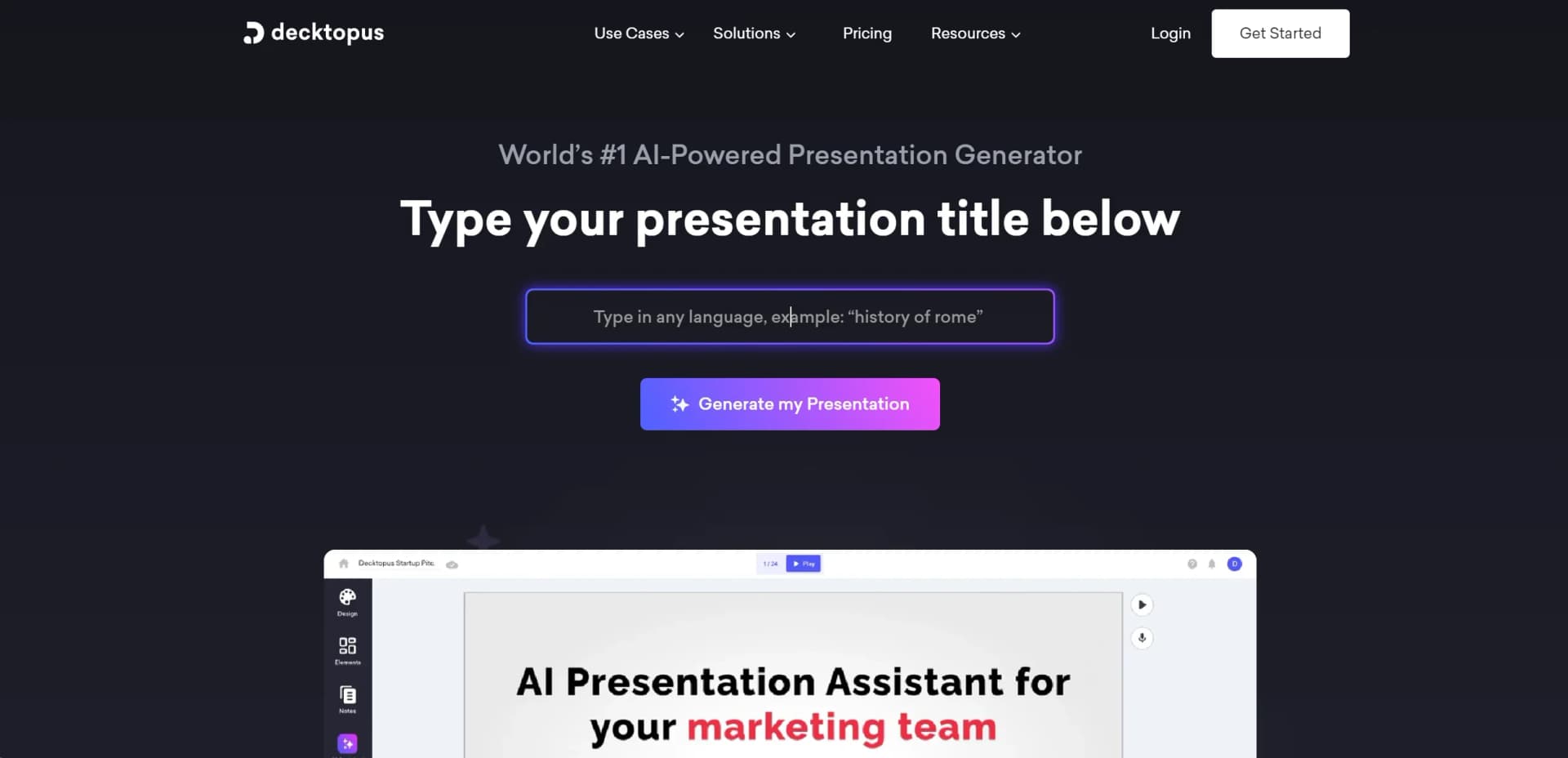
Decktopus AI emerges as a transformative tool in the realm of presentation creation, leveraging artificial intelligence to redefine how professionals craft their slides. With its claim as the world's #1 AI-Powered Presentation Generator, Decktopus AI is designed for a broad spectrum of users, from sales professionals and marketing managers to founders and agencies. It simplifies the traditionally time-consuming process of presentation design, allowing users to focus more on content delivery rather than the intricacies of slide creation.
Decktopus AI stands out with its seamless integration of AI into the presentation design process, offering a unique blend of time-saving automated design features and user-friendly customization options. Its AI Presenter Coach and dynamic Q&A sessions are particularly game-changing, enhancing the overall delivery and engagement of presentations.
Decktopus AI excels at streamlining the presentation creation process, making it an indispensable tool for professionals across a wide range of sectors. Its unique AI-powered features not only save time but also enhance the quality and effectiveness of presentations. With its robust support system and diverse functionalities, Decktopus AI is poised to revolutionize how we think about and create presentations in the digital age.
Who is Using Decktopus AI?
Sales Professionals
For creating compelling sales presentations that convert.
Marketing Managers
Employing the tool to craft engaging marketing pitches and proposals.
Business Development Representatives (BDRs)
Utilizing the platform to generate quick and effective pitch decks.
Founders & Entrepreneurs
To pitch investors and communicate their business vision succinctly.
Agencies
For designing visually stunning presentations for clients across various industries.
Uncommon Use Cases
Educational institutions are adopting it for creating interactive teaching materials; Non-profits use it to communicate their impact stories more effectively.
Key Features
Rating Breakdown
Pricing Plans
Pro Annual Access - $14.99/month
750 AI Credits/month
Includes
- PDF/PPT Export
- Presentation Analytics
- Sharing Link
- Form Response Notifications
- Slide & Speaker Notes
- Tips & QA Generation
Business Annual Access - $49.99/month
1000 AI Credits/month
Includes
- All Pro features + Brand Features
- Advanced Form Response
- Webhook
- Custom Domain
- Team & Organization
Which Decktopus AI plan should you pick?
Start with Pro for individual presentation creation and upgrade to Business when you need shared workspaces, team branding, analytics, or additional seats.
Pro
Good for individual creators who need AI presentation generation, Loop delivery coaching, version history, and PDF, PPT, and PNG exports.
Business
Good for teams who need shared workspaces, Brand Kit features, slide analytics, custom domains, and additional seats.
Enterprise
Good for organizations deploying Decktopus company-wide with custom branding systems, role-based access control, and dedicated support.
Decktopus AI Use Cases
Create a sales proposal
Describe deal context or upload notes, then generate a structured, branded proposal.
Outcome: A client-ready sales presentation.
Redesign an existing deck
Upload a PowerPoint or PDF and choose Beautify to refresh its visual design.
Outcome: A redesigned deck with the original content preserved.
Convert a PDF into a presentation
Upload a PDF, let Decktopus structure it into slides, and export the result as PowerPoint.
Outcome: An editable PPT presentation.
Create client-branded presentations
Paste a client's website URL so Decktopus can apply its logo, colors, and fonts.
Outcome: A presentation aligned with the client's brand.
Rehearse a presentation
Practice delivering a deck with Loop and receive AI feedback on pacing, clarity, filler words, and confidence.
Outcome: A more prepared presentation delivery.
Workflow Ideas with Decktopus AI
Generate and refine a presentation
- 1Describe the topic or upload a supporting file
- 2Review and adjust the generated outline
- 3Edit slides with natural-language prompts and export or share
Refresh an old presentation
- 1Upload an existing PowerPoint or PDF
- 2Choose Redesign and describe the desired visual style
- 3Review the redesigned deck and export it
Automate sales-deck creation
- 1Connect a CRM, form, spreadsheet, or meeting tool through Zapier
- 2Trigger Decktopus when a deal stage, submission, or meeting event occurs
- 3Create and distribute the generated presentation through follow-up actions
How Decktopus AI fits into your stack
Tailored Image Generation
Creates custom images that match the presentation's theme.
Dynamic Scripting
AI-generated notes and scripts for smoother presentation delivery.
PDF Conversion
Transforms static PDFs into interactive presentations.
Organization Table
Facilitates collaboration by organizing presentations by departments.
Pros
- +Significant Time Savings: Users report saving up to 64% of the time typically required to prepare presentations.
- +High Customization: The ability to use custom layouts and a drag-and-drop editor allows for unique presentation designs.
- +Enhanced Audience Interaction: Features like tailored Q&As and AI-generated images captivate and engage the audience.
- +Rapid Support Response: Decktopus AI boasts an average customer support response time of less than 1 minute, ensuring user issues are addressed promptly.
Cons
- −Learning Curve: New users may need time to familiarize themselves with all the AI features and customization options.
- −Internet Dependency: Being an online platform, a stable internet connection is required for uninterrupted access to Decktopus AI's features.
- −Template Limitations: While the templates are modern and easily customizable, some users might find them less flexible for highly specialized or niche presentations.
Limitations & when to consider alternatives
Known limitations
- Free decks cannot be exported. The free version allows creation of the first deck, but export is unavailable and the deck includes a Decktopus watermark.
- Paid subscription required for exports. PDF, PPT, and PNG export is available on Pro and Business plans.
- Beautify supports decks up to 100 slides. The Beautify feature states that it works on presentations of up to 100 slides.
- Limited pixel-level layout freedom. Decktopus prioritizes structured, consistent design over unrestricted freeform layout control.
Look elsewhere when
- You need a native iOS or Android app.
- You need a documented developer API.
How to Use Decktopus AI
- 1
Decktopus offers a range of tutorials through the Decktopus Academy, covering everything from basic setup to advanced design and presentation techniques.
Who is Decktopus AI For?
Founders
Founders can create investor, partner, client, and pitch presentations quickly from prompts or outlines.
Sales teams
Sales professionals can produce proposals, one-pagers, demo follow-ups, pitch decks, and case studies around deal context.
Agencies
Agencies can manage multiple client brands and generate consistently branded recurring deliverables.
Marketers
Marketers can create branded campaign reports, briefs, and other presentation collateral.
Educators
Educators can design structured lessons and presentation materials without extensive layout work.
Frequently Asked Questions
What is Decktopus AI?
Decktopus AI generates complete, ready-to-present decks from a description, including structure, content, and design. It also provides AI delivery coaching.
Can I use Decktopus without a subscription?
Yes. The first deck is free, but free decks cannot be exported and include a Decktopus watermark.
What is Beautify?
Beautify redesigns an existing PowerPoint or PDF while preserving the original text, slide count, and structure.
Can I edit presentations after AI generation?
Yes. Slides remain editable through direct text editing, manual layout changes, or natural-language Edit with AI prompts.
What file formats can I export?
Paid plans can export presentations as PDF, PPT, or PNG, and can also share live links.
What is Loop AI Delivery Coach?
Loop lets users rehearse presentations and receive feedback on pacing, filler words, clarity, confidence, and slide timing.
Community reviews
1 review from people who use Decktopus AI.
Sign in to leave a review for Decktopus AI.
Thibault BM
Decktopus AI Alternatives
Looking for alternatives to Decktopus AI? Here are similar tools in the same category:
Learn to Master Decktopus AI
With Skill Leap courses
Get in-depth training on Decktopus AI and 50+ other AI tools with our expert-led video courses.
Start 7-Day Free Trial