
Danswer
Revolutionize workplace search with AI, extensive integrations, and customization.
Key Takeaways
- What it is
- Revolutionize workplace search with AI, extensive integrations, and customization.
- Pricing
- Freemium · $16 per month per seat
- Best for
- Open Source Software
- Extensive Integration Options
- Flexible Model Choices
- Rating
- 4.6/5
What is Danswer?
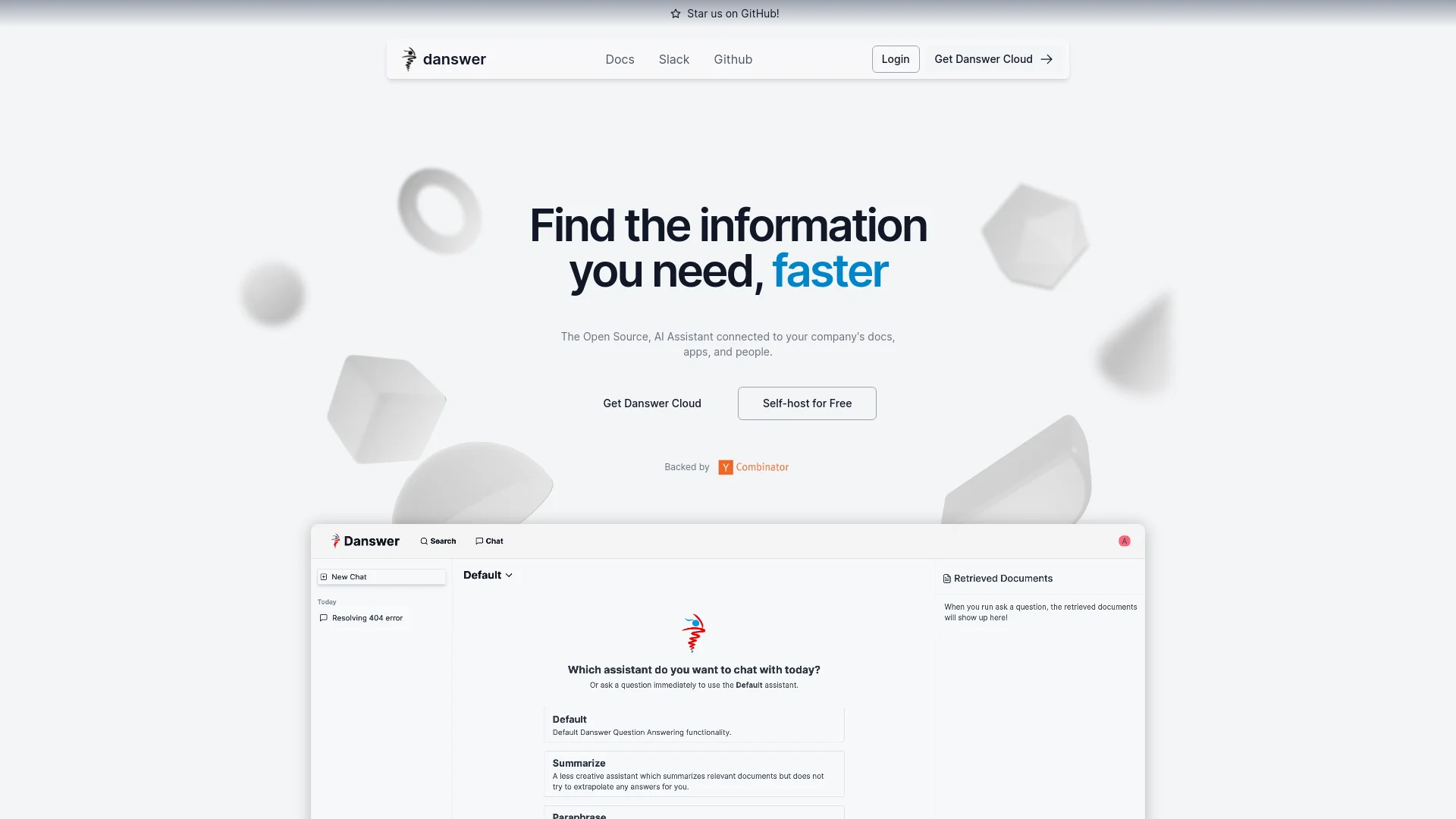
Danswer is an advanced AI-driven search and information retrieval tool designed to enhance workplace productivity by providing fast, accurate, and contextually relevant answers. It integrates seamlessly with a wide range of applications and communication channels within an organization, allowing users to search and retrieve information from various sources efficiently. As an open-source tool, Danswer offers flexibility and customization, catering to diverse organizational needs while addressing data privacy concerns.
Danswer's unique selling points include its open-source nature, which offers complete control over data privacy, and its extensive customization options. The flexibility to choose from various AI models and tailor AI personas to specific organizational needs sets Danswer apart from traditional, proprietary search solutions.
Danswer stands out for its comprehensive search capabilities and high degree of customization. Its open-source nature and flexible deployment options, combined with seamless Slack integration, make it a powerful tool for organizations seeking to enhance their information retrieval processes. With strong data privacy features and extensive app integrations, Danswer is well-positioned to meet the diverse needs of modern businesses.
Who is Using Danswer?
Tech Companies
For accessing technical documentation and integration guides quickly.
Human Resources Departments
To manage employee records and streamline internal queries.
Project Management Teams
For tracking project updates and communications across multiple platforms.
Customer Support Centers
To provide prompt and accurate responses to customer inquiries.
Uncommon Use Cases
Employed by non-profits for managing research documents and by legal firms for searching through case files.
Key Features
Rating Breakdown
Pricing Plans
Community Plan
Free
- Includes connection to over 25 apps, choice of AI model, customizable personas, and more
Cloud Plan
$16 per month per seat
- Includes all features of the Community plan plus additional functionalities like role-based access control and priority support
Enterprise Plan
- Includes everything in the Cloud plan plus enterprise-level support and white-labeling options
Which Danswer plan should you pick?
Start with Business for teams needing the core hosted platform; upgrade to Enterprise for SSO, on-premise deployment, custom integrations, advanced access controls, and dedicated support.
Business
Good for teams of any size that need chat, search, agents, connectors, Slack integration, developer APIs, RBAC, and standard support.
Enterprise
Good for larger organizations that need OIDC/SAML SSO, on-premise or region-specific deployment, custom integrations, data exports, volume discounts, and enterprise support.
Danswer Use Cases
Enterprise knowledge search
Search documents and information across connected organizational applications.
Outcome: Faster access to company knowledge.
Teammate onboarding
Let new team members ask questions against internal documentation and connected knowledge.
Outcome: Reduced distraction for experienced staff.
Customer support resolution
Use tickets, runbooks, and product documentation to draft answers to customer requests.
Outcome: Faster and more reliable support responses.
Sales intelligence
Review customer history, call transcripts, competitor information, and pipeline data with agents and search.
Outcome: Better-prepared sales teams and more informed decisions.
Engineering assistance
Generate code, explain technical concepts, and locate internal design documents and APIs.
Outcome: Faster development with more context.
Workflow Ideas with Danswer
Automate support questions
- 1Connect support tickets, runbooks, and product documentation
- 2Create a support agent with access to those sources
- 3Configure actions to resolve or update repeat support requests
Analyze a sales pipeline
- 1Connect CRM records, call transcripts, and related company knowledge
- 2Create a sales analysis agent with scoped instructions
- 3Run the agent to identify pipeline insights and opportunities
Analyze uploaded data
- 1Upload supported documents or data files
- 2Ask Onyx to execute Python analysis in its sandbox
- 3Review generated calculations, charts, and explanations in chat
How Danswer fits into your stack
Slack Integration
Fully integrates with Slack, allowing users to perform searches and retrieve information directly from the platform.
Multiple AI Model Support
Compatible with various AI models, offering flexibility in response styles and processing.
Extensive App Connections
Integrates with over 25 applications, providing a comprehensive search capability across different tools.
Custom Persona Development
Enables the creation of specific AI personas to meet the unique needs of different roles within the organization.
Pros
- +Cost Efficiency: Free self-hosting option and competitive pricing for cloud-based solutions make it accessible for a range of budgets.
- +Data Privacy: Offers complete control over data by being open source and self-hostable, alleviating common privacy concerns associated with cloud services.
- +User-Friendly Interface: Designed to integrate smoothly into existing workflows with minimal disruption, ensuring ease of use.
- +High Customizability: Provides extensive customization options, including persona development and AI model selection, to fit specific organizational needs.
Cons
- −Setup Complexity: Self-hosting requires technical expertise, which could be a barrier for organizations without dedicated IT resources.
- −Limited Third-Party Support: While it integrates with many popular applications, some specialized or niche tools may not be supported.
- −Dependency on Internal Documentation: The effectiveness of the search functionality relies heavily on the quality and organization of the company’s existing data and documents.
Limitations & when to consider alternatives
Known limitations
- Native mobile app unavailable. The current mobile experience is a responsive browser application; the native mobile app is still under development.
- Permission syncing is edition-dependent. Permission-syncing connectors are an Enterprise Edition feature.
- File support is format-specific. The File Connector supports documented formats such as TXT, PDF, DOCX, PPTX, XLSX, CSV, Markdown, JSON, XML, YAML, EML, and EPUB; unsupported files inside ZIP archives are ignored.
- SAML self-hosting has setup requirements. The SAML guide states that SAML authentication requires building Onyx images from source.
- Self-hosting requires infrastructure. Local and self-hosted deployments require Docker or other infrastructure, with resource requirements that scale with indexed data and uploaded files.
Look elsewhere when
- You need a native mobile app today.
- You need image understanding rather than image generation.
How to Use Danswer
- 1
Danswer provides a range of tutorials and documentation on its website, covering basic setup, advanced features, and customization options to help users maximize the tool’s capabilities.
Who is Danswer For?
AI-Powered Teams
Teams that want secure access to major LLMs, uploaded files, connected knowledge, web search, and advanced utilities.
Enterprise Search Teams
Organizations that need one interface for searching knowledge across wikis, chats, cloud storage, ticketing systems, and code repositories.
Sales Teams
Sales teams can prepare for calls, investigate competitors, and analyze pipeline information from connected company knowledge.
Support Teams
Support teams can surface tickets and runbooks, produce more reliable answers, and automate repeat-question handling.
Engineering Teams
Engineering teams can generate code, explain technical concepts, and search internal APIs, libraries, designs, and projects.
Frequently Asked Questions
What is Onyx?
Onyx is an open-source workplace AI platform that provides chat, enterprise search, web search, agents, actions, and code execution.
Can Onyx connect to company data?
Yes. Connectors ingest and synchronize knowledge from applications such as Slack, Notion, Google Drive, Jira, GitHub, Salesforce, and many other systems.
Can Onyx be self-hosted?
Yes. Onyx can be deployed locally or on company infrastructure, with cloud and self-hosted deployment options.
Does Onyx support SSO?
Yes. Onyx supports Google, Okta, and Azure EntraID through OAuth, OIDC, and SAML.
Can Onyx analyze uploaded files?
Yes. Users can upload supported files and use them as context for chat, projects, agents, and code-based analysis.
Does Onyx have a mobile app?
Not yet. The current mobile experience uses the responsive web application; the native mobile app is still under development.
Community reviews
Be the first to share your experience.
Sign in to leave a review for Danswer.
Danswer Alternatives
Looking for alternatives to Danswer? Here are similar tools in the same category:
Learn to Master Danswer
With Skill Leap courses
Get in-depth training on Danswer and 50+ other AI tools with our expert-led video courses.
Start 7-Day Free Trial