Daloopa
Revolutionize financial modeling with AI-driven, auditable data insights.
Key Takeaways
- What it is
- Revolutionize financial modeling with AI-driven, auditable data insights.
- Best for
- Auditable Data
- 1-Click Updates
- Custom Dashboards
- Rating
- 4.6/5
What is Daloopa?
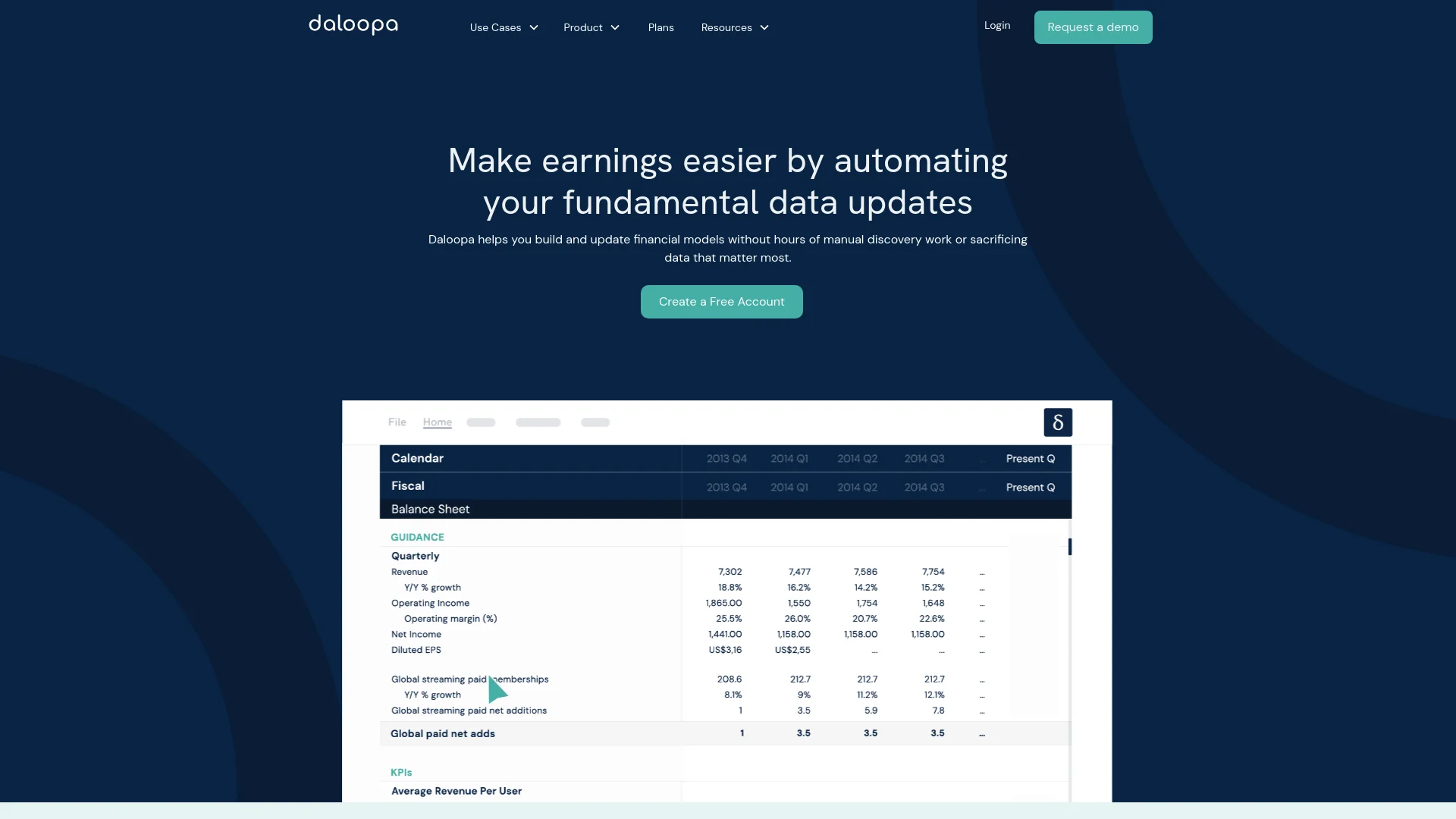
Daloopa is a powerful AI-driven tool designed to revolutionize the way financial data is handled by investment professionals. With its core functionalities focused on providing auditable, accurate, and easily updatable financial models, Daloopa caters primarily to hedge funds, mutual funds, private equity firms, and investment banks. It simplifies the complex process of financial modeling by extracting and organizing vast amounts of data from financial reports and investor presentations, ensuring that users can focus more on analysis and less on data gathering.
Daloopa stands out with its unparalleled focus on data auditability and one-click updates, a game-changer for financial professionals. Its ability to seamlessly integrate vast amounts of financial data into user-friendly formats sets it apart in the market.
Daloopa excels in providing robust, accurate, and easily auditable financial data, making it an indispensable tool for serious investment professionals. Its unique features, particularly the one-click updates and comprehensive data coverage, offer unmatched advantages in financial modeling and analysis.
Who is Using Daloopa?
Hedge Funds
Utilizing the tool to streamline the analysis of vast portfolios.
Equity Research Analysts
Employing the tool to enhance the accuracy and timeliness of their reports.
Investment Bankers
Leveraging Daloopa for quick updates and deep dives into financial data during tight deadlines.
Private Equity Firms
Using the tool to evaluate potential investments with enhanced data insights.
Uncommon Use Cases
Academic institutions incorporate Daloopa in teaching financial modeling; non-profit organizations use it for grant and financial management.
Key Features
Rating Breakdown
Pricing Plans
Free Trial
- Users can start with a free trial to experience Daloopa's capabilities
Subscription Plans
- Pricing details are available upon request through Daloopa's website
Which Daloopa plan should you pick?
Start with Free for basic Data Sheets access; upgrade to Core, Premium, or Fundamentals API when you need broader workflows or programmatic access.
Free
Good for users who need access to up to three Data Sheets.
Daloopa Core
Good for teams that need Data Sheets, the Excel Add-in, and Scout.
Daloopa Premium
Good for users who need enhanced access to Data Sheets, Excel Add-in, Scout, MCP, and API.
Daloopa Fundamentals API
Good for developers and teams that need programmatic access to Daloopa's financial data.
Daloopa Use Cases
Building financial models
Download full company data sheets or use Scout to build models with Daloopa data.
Outcome: Faster model initiation with historical, source-linked financial data.
Updating models during earnings
Use the Excel Add-in to refresh existing models with the latest available company data.
Outcome: Reduced manual data entry and quicker earnings-season updates.
Analyzing industry KPIs
Use standardized taxonomy metrics and industry templates to compare companies and sectors.
Outcome: More consistent benchmarking across companies.
Researching company filings
Search SEC filings and related documents for keywords, periods, and company-specific disclosures.
Outcome: Faster discovery of relevant financial and operating information.
Powering financial AI agents
Connect Daloopa through its API or MCP server to AI tools and custom applications.
Outcome: Programmatic access to source-linked financial data.
Workflow Ideas with Daloopa
Company-first API research
- 1Find a company by ticker or name
- 2Retrieve company financial data and documents
- 3Use the results in an analysis or downstream system
Taxonomy-based peer benchmarking
- 1Select a standardized taxonomy metric
- 2Retrieve the metric across companies or industries
- 3Compare the resulting financial data
Automated earnings-update monitoring
- 1Configure webhooks or monitor company updates
- 2Receive notifications when data or series change
- 3Pull the newly available data into a pipeline or model
How Daloopa fits into your stack
Excel Plugin
Integrates directly into Excel, allowing users to pull data into existing models effortlessly.
API Access
Offers API solutions for custom integrations with other software.
Cloud-Based
Ensures that all data and tools are accessible from anywhere, enhancing flexibility for users.
Pros
- +Time Efficiency: Dramatically reduces the time required to build and update financial models.
- +High Data Accuracy: Combines AI technology with human oversight to ensure data accuracy and reliability.
- +User-Friendly Interface: Intuitive design allows users to easily navigate and utilize the tool’s features.
- +Scalability: Suitable for large financial institutions managing vast amounts of data.
Cons
- −Learning Curve: New users may require some time to fully grasp all functionalities.
- −Dependency on Internet: While the data can be accessed offline, updates and certain features need an internet connection.
- −Premium Cost: The high-quality services come at a premium price, which might be a barrier for smaller firms.
Limitations & when to consider alternatives
Known limitations
- API rate limit. API accounts are limited to 120 requests per minute, with HTTP 429 responses after the limit is exceeded.
- Webhook limit. Each API key can have a maximum of 10 webhooks, and webhook creation requires account enablement.
- Scout usage allowances. Scout usage is metered by monthly credits and new requests are blocked when the allowance is reached.
- Scout requires Excel. Scout is documented as Excel-only and cannot run outside Excel.
- No standalone Excel installer. The Excel Add-in is distributed through Microsoft add-in stores and has no standalone executable or silent installer.
Look elsewhere when
- You need a native mobile app.
- You need SAML 2.0 rather than OIDC SSO.
- You need to use external data inside Scout.
How to Use Daloopa
- 1
Explore the comprehensive tutorial series available on Daloopa's website, covering everything from basic setup to advanced features.
Who is Daloopa For?
Hedge funds
Daloopa helps analysts update models, maintain company historicals, and audit financial data.
Investment banking
Daloopa supports financial modeling, comps analysis, precedent transactions, and pitchbook preparation.
Mutual funds
Daloopa helps mutual fund analysts automate earnings-season model updates and analyze broad coverage universes.
Equity research
Daloopa provides source-linked fundamental data for research, KPI analysis, and model maintenance.
Private equity
Daloopa supports diligence, valuation tracking, and portfolio-monitoring workflows.
Frequently Asked Questions
How do I install the Daloopa Excel Add-in?
Install it through the Microsoft 365 admin center or the add-in store inside Excel. Daloopa does not provide a standalone executable.
Does Daloopa support SSO?
Yes. Daloopa supports SSO through OpenID Connect using Microsoft Entra.
Does Daloopa support SAML 2.0?
No. Daloopa's SSO implementation is OIDC-based through Microsoft Entra rather than SAML 2.0.
How does the usage limit work?
Usage is metered in credits, with a monthly allowance determined by the plan. Requests are blocked when the allowance is reached.
Can Scout use data other than Daloopa's?
No. Scout uses Daloopa data only and does not use external connectors or web access.
Is Scout available outside Excel?
No. The FAQ states that Scout is available in Excel only.
Community reviews
Be the first to share your experience.
Sign in to leave a review for Daloopa.
Daloopa Alternatives
Looking for alternatives to Daloopa? Here are similar tools in the same category: