
CrystalSound
Enhance virtual meetings with AI-driven noise cancellation.
Key Takeaways
- What it is
- Enhance virtual meetings with AI-driven noise cancellation.
- Pricing
- Freemium · $4.8 per month
- Best for
- Advanced Noise Cancellation
- Bidirectional Audio Recording
- Seamless Integration
- Rating
- 4.3/5
What is CrystalSound?
CrystalSound redefines the way we experience virtual meetings by offering state-of-the-art noise cancellation and screen recording capabilities. Designed for professionals and teams, CrystalSound simplifies the challenges of online communication, ensuring crystal-clear audio and productive meetings. By integrating seamlessly with existing conferencing tools, it provides a comprehensive solution to common online meeting frustrations.
CrystalSound stands out with its deep neural network technology, a game-changer for real-time audio processing. Its ability to perform on-device noise cancellation without compromising user privacy sets it apart, making it a top choice for professionals seeking uncompromised sound quality.
CrystalSound offers a remarkable blend of advanced technology and user-friendly design, making it a must-have tool for anyone looking to enhance their virtual meeting experience. Its robust noise cancellation capabilities and seamless integration with existing tools ensure that users can focus on what truly matters—effective communication. Whether you’re a corporate professional or a creative individual, CrystalSound is equipped to transform your audio experience, providing unmatched clarity and productivity.
Who is Using CrystalSound?
Corporate Teams
Streamlining virtual meetings for improved communication and productivity.
Remote Workers
Enhancing the quality of home office communications.
Podcasters and Content Creators
Utilizing superior audio quality for recordings.
Educators and Trainers
Recording lectures and training sessions with clear audio.
Uncommon Use Cases
Employed by writers in noisy environments to convert speech to text; used by therapists for clear telehealth sessions.
Key Features
Rating Breakdown
Pricing Plans
Free Tier
Free
- Experience CrystalSound with a limited free trial
Pro Tier
$4.8 per month
Which CrystalSound plan should you pick?
Start with Premium for individual professionals or teams; choose Enterprise when you need offline processing, VDI support, or enterprise purchasing, and consider Elite when its meeting-analysis features launch.
Premium
Good for professionals and teams who need unlimited noise cancellation, audio enhancement, voice effects, and cloud call recording preview.
Enterprise
Good for large privacy-focused teams who need secure offline screen recording, VDI support, and enterprise purchasing options.
Elite
Good for productive professionals and teams who need meeting transcription, performance analysis, risk analysis, and improvement areas once available.
CrystalSound Use Cases
Clean up virtual meetings
Use bidirectional noise cancellation, echo suppression, and voice isolation during calls.
Outcome: Clearer conversations with less background noise.
Record meetings and calls
Use screen recording and call-recording features to capture meeting content.
Outcome: A stored recording for later review.
Enhance audio recordings
Process mp3, wav, and flac recordings with the audio-file-enhancement feature.
Outcome: Improved sound quality.
Isolate a speaker's voice
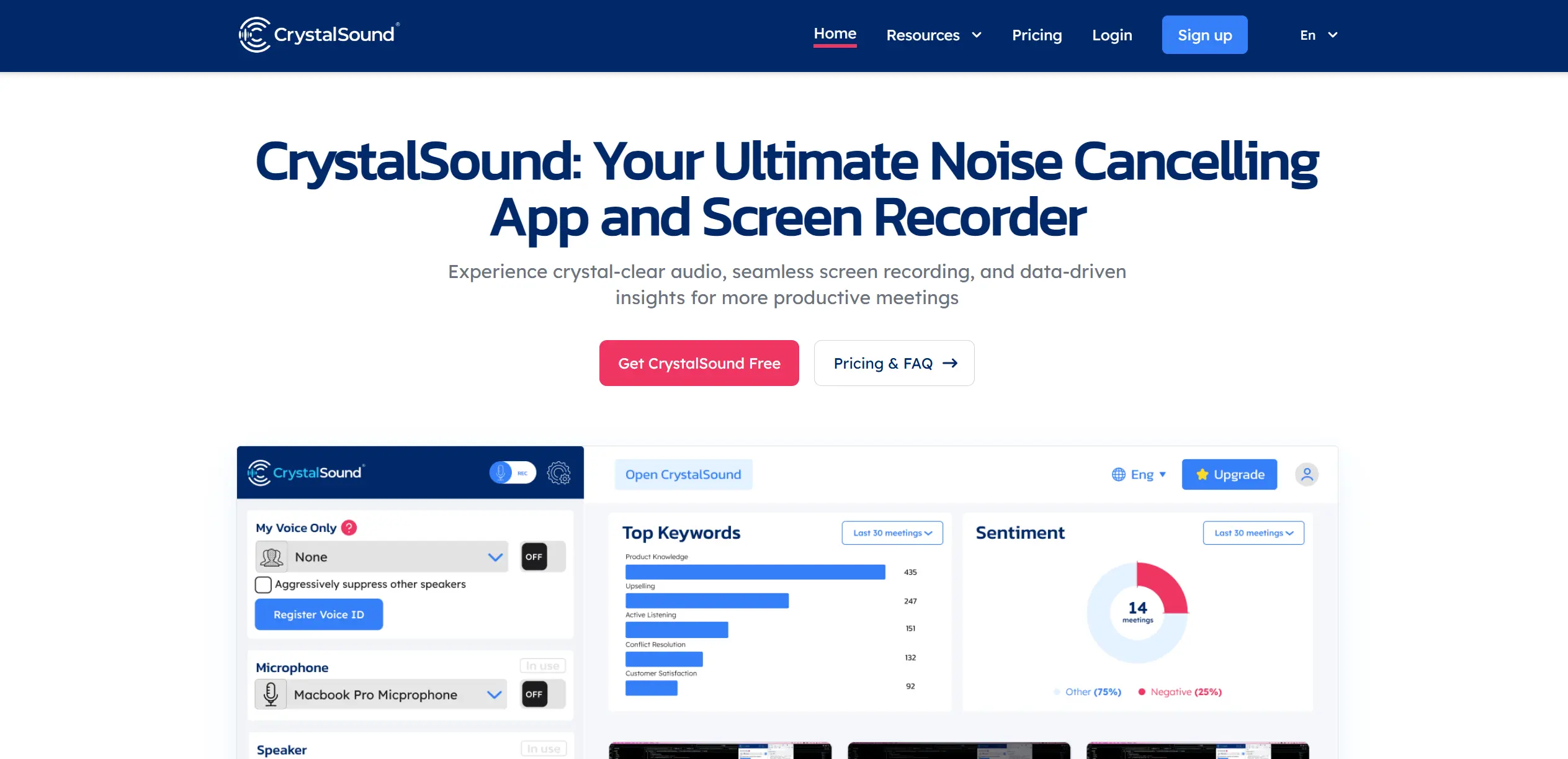
Register a voice profile and activate My Voice Only to suppress other voices.
Outcome: The user's voice remains more prominent.
Manage team licenses
Assign or revoke premium licenses and adjust the number of team seats.
Outcome: Flexible administration of team access.
Workflow Ideas with CrystalSound
Set up CrystalSound for meetings
- 1Download the installer for Windows, macOS, or Linux
- 2Install the desktop application and grant microphone permission
- 3Select CrystalSound's virtual microphone and speaker in the calling application
Configure My Voice Only
- 1Open the CrystalSound application and sign in
- 2Register a voice profile in a quiet environment
- 3Select the profile to activate My Voice Only
Process an audio recording
- 1Prepare an mp3, wav, or flac recording
- 2Use CrystalSound's audio file enhancement feature
- 3Review the enhanced recording for clearer playback
How CrystalSound fits into your stack
Desktop / IDE
CrystalSound is a downloadable Windows, MacOS, and Linux desktop application that provides virtual microphone and speaker processing, noise cancellation, recording, and audio-file enhancement.
Browser
The desktop application works with browser-based communication apps by presenting CrystalSound as a selectable microphone or speaker for online meetings and calls.
Team chat and tickets
CrystalSound integrates with named communication tools including Slack, Microsoft Teams, Discord, Skype, and Google Meet to improve audio during calls and meetings.
Knowledge and files
Users can record meetings, centralize recordings, generate meeting minutes and insights, and upload WAV, MP3, or FLAC files for enhancement.
Pros
- +Enhanced Audio Clarity: The AI-driven noise cancellation technology drastically improves audio quality during calls and recordings.
- +User-Friendly Integration: Easily integrates with existing conferencing tools, making it a convenient addition to any professional toolkit.
- +Privacy-Focused: Processes audio on-device, ensuring user privacy by not sending data to external servers.
- +Productivity Boost: By minimizing distractions and providing detailed meeting insights, it enhances overall meeting effectiveness.
Cons
- −Initial Setup Complexity: Some users may find the initial configuration slightly challenging without guidance.
- −Limited Customization: While effective, there may be limited options for tailoring noise cancellation settings to individual preferences.
- −Sound Leakage: Minor sound leakage has been reported, though improvements are expected in future updates.
Limitations & when to consider alternatives
Known limitations
- macOS 10.15 is unsupported. The installation guide says macOS 10.15 is not supported.
- Elite is coming soon. The pricing page labels the Elite plan as coming soon.
- Some Premium meeting-intelligence features are unavailable. Premium lists automatic titles, smart meeting minutes, and keyword and sentiment analysis as unavailable.
- Voice profiles are limited. The guide limits users to five registered voice profiles.
- Linux requires additional dependencies. The Linux AppImage instructions say fuse and libfuse2 may need to be installed.
Look elsewhere when
- You need a documented developer API
- You need shared editing or workspace collaboration
- You need image analysis or multimodal file processing
- You need code generation
How to Use CrystalSound
- 1
Download the desktop app
Choose the Windows, MacOS, or Linux installer from the official download page.
- 2
Install and grant permissions
Run the installer and allow microphone access so CrystalSound can process audio.
- 3
Sign in
Use Google, Microsoft, or email authentication to access the application.
- 4
Configure the calling app
Select CrystalSound Microphone and CrystalSound Speaker in the meeting or communication application.
- 5
Register a voice profile
Use Register Profile in a quiet environment to enable My Voice Only.
- 6
Select an enhancement
Choose noise cancellation, audio enhancement, recording, or voice effects based on the task.
Who is CrystalSound For?
Professionals
The Premium plan is positioned for professionals who need noise cancellation, audio enhancement, recording, and voice effects.
Teams
CrystalSound offers team seat management, including premium-license assignment, revocation, and flexible team sizing.
Large privacy-focused teams
The Enterprise plan is specifically positioned for large privacy-focused teams and includes offline screen recording and VDI support.
Virtual meeting users
CrystalSound is designed for users who want clearer calls across meeting and communication applications.
Frequently Asked Questions
Is there a free plan?
CrystalSound offers a free seven-day Premium trial, then automatically downgrades accounts to the Starter plan without charge.
What operating systems are supported?
The desktop application supports macOS, Windows, and Linux, with documented hardware and operating-system requirements.
Can CrystalSound process audio files?
Yes. The pricing page lists audio file enhancement for mp3, wav, and flac recordings.
Can CrystalSound improve video files?
The pricing page includes a question about uploading video files, but the displayed page does not provide an answer.
What is My Voice Only?
My Voice Only uses a registered voice profile to isolate the user's voice and reduce other voices and unwanted noise.
How many voice profiles can I register?
The guide says users can register up to five profiles and update, rename, or delete them.
Community reviews
Be the first to share your experience.
Sign in to leave a review for CrystalSound.
CrystalSound Alternatives
Looking for alternatives to CrystalSound? Here are similar tools in the same category:
Learn to Master CrystalSound
With Skill Leap courses
Get in-depth training on CrystalSound and 50+ other AI tools with our expert-led video courses.
Start 7-Day Free Trial