
Crux
AI-driven agents for instant, customizable business insights and security.
Key Takeaways
- What it is
- AI-driven agents for instant, customizable business insights and security.
- Best for
- Pre-Built Agents
- Custom API Creation
- Advanced Data Privacy
- Rating
- 4.4/5
What is Crux?
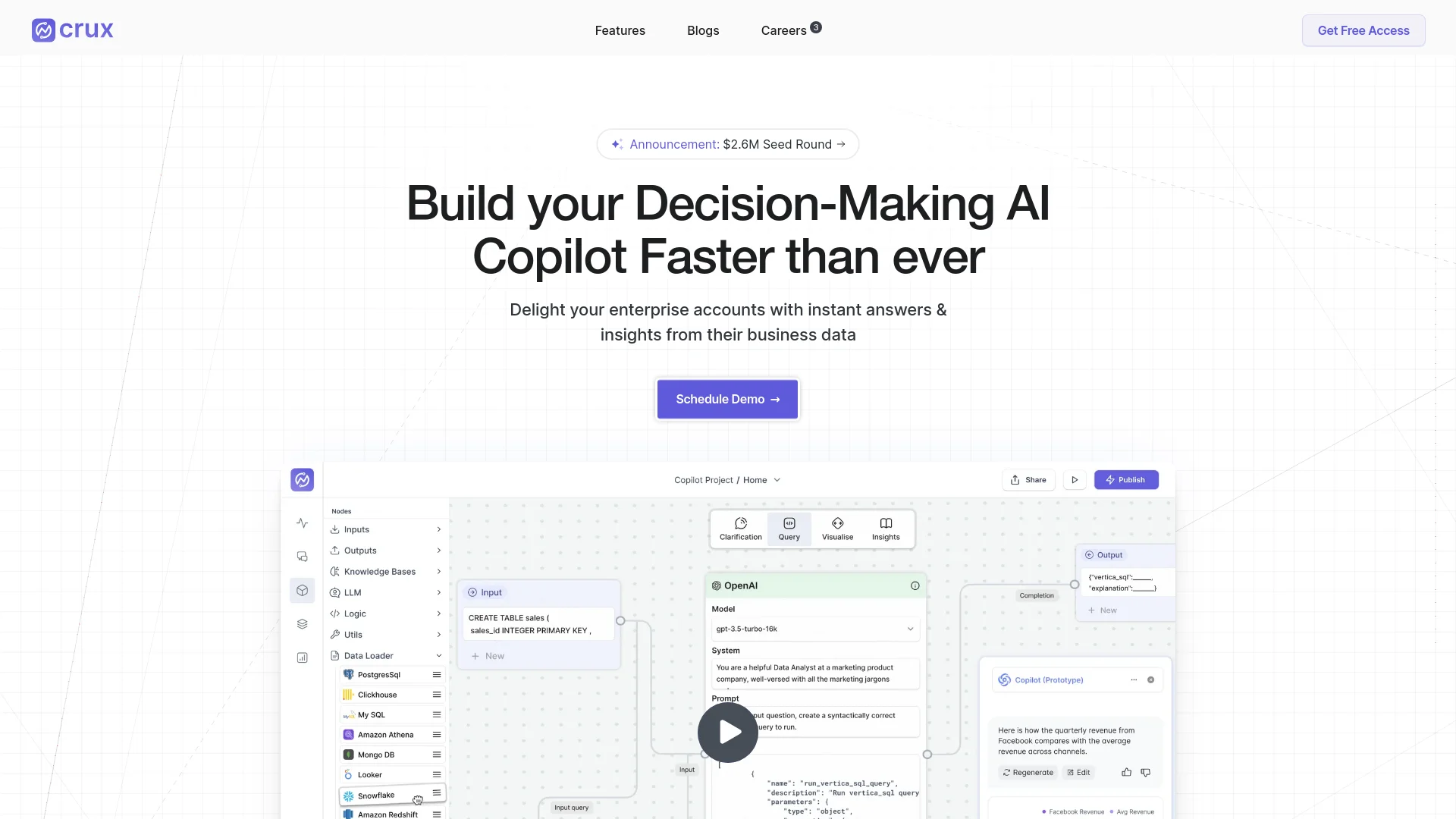
In the bustling world of business data analysis, Crux emerges as a cutting-edge AI tool designed to accelerate the deployment of AI copilots for enterprises. Its core functionality revolves around enhancing decision-making processes by providing instant answers and insights from complex business data. Crux is not just another tool; it's a comprehensive solution that allows you to build, customize, and deploy AI-driven agents tailored to specific business needs.
Crux stands out by offering a blend of high customization, advanced security features, and a focus on decision-making rather than mere data querying. Its ability to integrate tightly with a company’s existing data systems and workflows sets it apart in the realm of AI-driven business analytics tools.
Crux excels in providing robust, customizable solutions for data-driven decision-making, making it an essential tool for businesses looking to leverage AI for deeper insights and enhanced operational efficiency. Its standout features of high customization and stringent security protocols offer significant advantages for enterprise users seeking to optimize their data interactions securely and effectively.
Who is Using Crux?
Enterprise SaaS Teams
They use Crux to deploy AI agents quickly, enhancing customer support with real-time data insights.
Healthcare and Pharmaceutical Companies
These sectors leverage Crux for fast and accurate data analysis to improve patient care and operational efficiency.
Financial Institutions
Utilizing Crux for real-time financial reporting and compliance monitoring.
Retail Businesses
Employing Crux to analyze customer data and improve marketing strategies.
Uncommon Use Cases
Academic researchers use Crux for data-driven studies; NGOs utilize it for managing large databases of humanitarian data.
Key Features
Rating Breakdown
Pricing Plans
Free Trial
- Users can start with a free trial to explore the functionalities of Crux
Custom Pricing
- Given the customizable nature of the tool
- Pricing is tailored based on the specific needs and scale of the deployment
Which Crux plan should you pick?
Start with Starter if you have less than $1M in annual ad spend; upgrade to Professional or Enterprise for broader workflows, source-of-truth data, and advanced customization.
Starter
Good for smaller performance-marketing teams that need core creative, audience, competitor insights, ideation, and Copilot access.
Professional
Good for teams spending $1M–$10M annually that need creative generation, pre-screening, and privately hosted LLM options.
Enterprise
Good for organizations spending more than $10M that need all ad platforms, first-party data, custom workflows, fine-tuned LLMs, and contextual training.
Crux Use Cases
Analyze creative performance
Bring ad-platform data together and identify which creative elements drive results.
Outcome: A combined view of what is working.
Monitor competitors
Track competitor ads, creative strategies, social sentiment, and emerging formats.
Outcome: Identify gaps and opportunities for new creative.
Generate on-brand creatives
Apply brand-kit context to create fresh concepts, winner iterations, and repurposed assets.
Outcome: Produce on-brand creatives in minutes.
Detect creative fatigue
Analyze creative performance and identify assets that are losing effectiveness.
Outcome: Prioritize refreshes and new tests.
Connect creative data to business metrics
Combine creative labels with first-party data, attribution models, BI tools, and MMP data.
Outcome: Make decisions using source-of-truth performance data.
Workflow Ideas with Crux
Creative performance loop
- 1Connect ad platforms and performance data
- 2Analyze creative elements and identify winners
- 3Create and iterate new concepts
- 4Publish and repeat
Competitor-to-creative workflow
- 1Monitor competitor ads and social trends
- 2Identify messaging, format, and audience gaps
- 3Generate compliant on-brand creative variations
Enterprise tagging pipeline
- 1Ingest creative assets from connected sources
- 2Apply AI labels and custom taxonomies
- 3Review, approve, or edit tags
- 4Export structured data to BI or downstream systems
How Crux fits into your stack
API Integration
Crux offers extensive API capabilities for creating a seamless user experience.
Customizable UI/UX
Users can integrate Crux into their existing platforms with customizable user interfaces.
Data Security Integrations
Strong security protocols ensure that Crux can be integrated without compromising data integrity.
Flexible Data Handling
Compatible with various data formats and structures for versatile use cases.
Pros
- +Speedy Onboarding: The ability to integrate and start generating actionable insights quickly is a significant advantage.
- +Decision-Making Focus: Unlike basic text-to-SQL tools, Crux is designed to aid in decision making, not just data querying.
- +Enhanced Accuracy: Task-specific agents provide high accuracy in data handling and insights generation.
- +Privacy and Security: Strong emphasis on data privacy with options for on-premise setup and detailed audit logs.
Cons
- −Complexity for Beginners: The depth of customization and advanced features might overwhelm new users.
- −Higher Cost Implication: The advanced features and customization capabilities might come at a higher cost compared to simpler tools.
- −Dependency on Technical Expertise: Despite ease of use, optimal utilization of all features might require some technical know-how.
Limitations & when to consider alternatives
Known limitations
- Starter plan is limited by ad spend and integration pricing. Starter is listed for less than $1M in annual ad spend and costs $999 per month per integration when billed annually.
- Professional and Enterprise pricing is custom. The Professional and Enterprise plans do not publish fixed prices and require a tailored quote.
- Onboarding begins with a founder consultation. GetCrux recommends scheduling a 30-minute introductory chat before sharing platform access.
- Advanced training is Enterprise-only. Fine-tuning, client-specific contextual training, and privately hosted fine-tuned LLMs are listed under Enterprise capabilities.
How to Use Crux
- 1
Explore detailed tutorials and case studies available on the Crux website, providing insights into both basic and advanced functionalities.
Who is Crux For?
Growth teams
Use GetCrux to connect performance data, audience insights, competitor research, and creative recommendations.
Paid media teams
Analyze campaigns across ad platforms and run paid-media workflows from one command center.
Creative teams
Use AI tagging, fatigue detection, brand guidelines, and creative generation to iterate faster.
Analytics teams
Connect first-party data, attribution models, BI systems, and source-of-truth metrics to creative analysis.
Enterprise marketing organizations
Use shared dashboards, permissions, governance, and scalable processing across brands and regions.
Frequently Asked Questions
Will my creatives and performance data be used for training AI models?
No. GetCrux says it does not train its own or third-party models using customer data.
How can I start using GetCrux?
The pricing page recommends a 30-minute introductory chat with the founders before onboarding.
Can AI accurately follow brand and legal guidelines?
GetCrux documents brand-kit context, brand guidelines, and pre-screening capabilities for creative production.
Can GetCrux connect with a company’s source of truth?
Enterprise plans support first-party source-of-truth data, MMPs, and attribution models.
Is it safe to connect ad accounts to GetCrux?
GetCrux states that it is SOC 2 compliant, uses trusted LLM providers, and does not store data without permission.
Community reviews
Be the first to share your experience.
Sign in to leave a review for Crux.
Crux Alternatives
Looking for alternatives to Crux? Here are similar tools in the same category:
Learn to Master Crux
With Skill Leap courses
Get in-depth training on Crux and 50+ other AI tools with our expert-led video courses.
Start 7-Day Free Trial