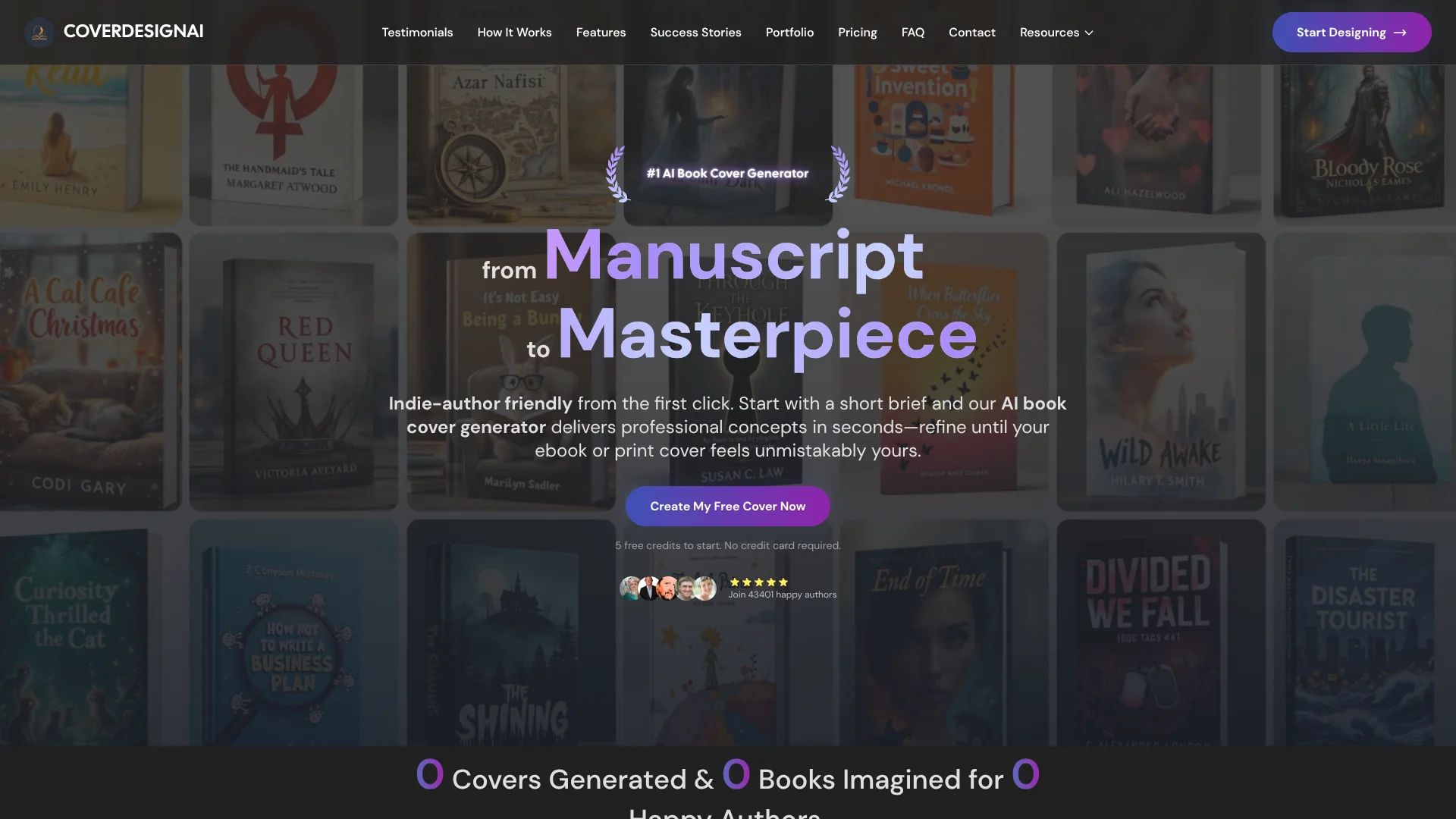
CoverDesignAI
Book cover concepts and realistic mockups for indie authors and publishers.
Key Takeaways
- What it is
- Book cover concepts and realistic mockups for indie authors and publishers.
- Pricing
- $9.99 one time · $24.99 one time
- Best for
- Creative Brief Generation
- 2D Graphics and 3D Mockups
- Text Refinement
- Rating
- 4.0/5
What is CoverDesignAI?
CoverDesignAI helps authors turn a book brief into cover concepts for ebooks, print books, and promotion. You provide details such as the title, genre, mood, and key symbols, then its AI generates 2D graphics and 3D mockups. The workflow suits indie authors and publishers who want several visual directions without learning prompt writing or waiting for a designer.
Its clearest point of difference is the built-in path from a flat cover to a realistic book mockup, or back to print artwork, while keeping the design concept connected.
CoverDesignAI fits self-published authors, publishers, and marketers who need quick cover directions or promotional visuals. AI-generated typography can still need correction, so final print work may require Canva, Photoshop, or another editor. The tool is strongest when you need fast cover exploration tied to a specific book genre and mood.
Who is Using CoverDesignAI?
Self-Published Authors
Their book title, genre, mood, and symbols become a set of cover concepts they can refine and download.
Book Publishers
Early visual directions help publishing teams compare cover ideas before print production.
Cover Designers
Reference images, masking, and text refinements provide starting points for later work in Canva or Photoshop.
Book Marketers
Realistic 3D mockups give campaigns a book image suited to websites and social media.
Uncommon Use Cases
Libraries can create themed display concepts; event organizers can produce custom program-cover visuals.
Key Features
Rating Breakdown
Pricing Plans
Pro Pack
$9.99 one time
- 30 credits
- Generate up to 30 designs
- Execute up to 15 refinements
- Convert between 2D and 3D up to 15 times
- Credits do not expire
Mega Pack
$24.99 one time
- 90 credits
- Generate up to 90 designs
- Execute up to 45 refinements
- Convert between 2D and 3D up to 45 times
- Save over 15% per credit
- Credits do not expire
Which CoverDesignAI plan should you pick?
Start with the free credits for a first cover test, choose the Pro Pack for a smaller project, and move to the Mega Pack when you need more generations and refinements.
Pro Pack
Good for authors who need up to 30 designs, 15 refinements, and 15 2D-to-3D conversions.
Mega Pack
Good for larger cover projects that need up to 90 designs, 45 refinements, and 45 2D-to-3D conversions.
CoverDesignAI Use Cases
Cover Concept Development
A short creative brief becomes several visual directions matched to the book's genre and emotional tone.
Outcome: A collection of cover concepts to compare before final design work.
Print Cover Preparation
The 2D graphic format provides a high-resolution flat cover for editing or sending to a publisher.
Outcome: A downloadable cover asset for print production.
Book Promotion
A 3D mockup places the cover on a realistic book image for online promotion.
Outcome: Marketing-ready book visuals.
Cover Series Consistency
A previous cover can guide a new design so books in a series share a visual direction.
Outcome: More consistent cover concepts across a series.
Targeted Revisions
Selected areas, text instructions, or reference images guide changes after the first generation.
Outcome: A more controlled second draft.
Workflow Ideas with CoverDesignAI
From Brief to Print Cover
- 1Enter the book title, genre, mood, and key symbols.
- 2Generate several 2D cover concepts.
- 3Refine the strongest design and download the high-resolution PNG.
From Cover to Marketing Mockup
- 1Choose a finished 2D graphic.
- 2Convert it into a 3D mockup.
- 3Download the mockup for a website or social post.
Series Cover Direction
- 1Upload a previous cover as a reference.
- 2Describe the new book and its visual changes.
- 3Refine the generated concept to keep the series recognizable.
How CoverDesignAI fits into your stack
Book Planning
The creative brief turns information about the manuscript into visual direction before detailed design work begins.
Cover Design
Generated 2D graphics provide starting artwork, while text, masking, and image-guided refinements support further iteration.
Print Production
High-resolution PNG downloads can move into tools such as Canva or Photoshop for final typography and layout corrections.
Marketing Content
3D mockups slot into author websites, launch materials, and social media posts.
Pros
- +Author-focused workflow: The creative brief handles much of the prompt writing for you.
- +Format flexibility: A concept can serve as a flat cover, a 3D mockup, or both.
- +Targeted revisions: Text instructions, masks, and reference images give you more control after the first result.
- +Commercial use: The site grants commercial rights for covers created with the tool.
Cons
- −Typography cleanup: Generated cover text may need correction before print.
- −Limited ecosystem: No verified API, native app, browser extension, or named third-party integrations were found.
- −Credit-based usage: Refinements and 2D-to-3D conversions consume package credits.
Limitations & when to consider alternatives
Known limitations
- AI Typography Can Be Inaccurate. The site says generated text is not always correct and may need masking-based correction or editing in Canva or Photoshop.
- Credits Have Specific Uses. The published packages limit the number of designs, refinements, and 2D-to-3D conversions available.
- No Verified Developer API. The official site does not document an API, integrations, or automated access for developers.
Look elsewhere when
- You need a developer API or automated connection to another publishing system.
- You need precise professional typography and full print-layout control inside the same tool.
- Your team needs shared workspaces with roles, invites, or approval controls.
How to Use CoverDesignAI
- 1
Start with the Free Credits
Create an account and use the five free credits to test whether the generated style fits your book.
- 2
Complete the Creative Brief
Add the title, genre, mood, and important symbols so the AI has a clear visual direction.
- 3
Generate Cover Concepts
Create one concept or a collection, then compare the results in the design gallery.
- 4
Refine a Favorite
Change text, mask a specific area, or upload a reference image when the first result misses the mark.
- 5
Choose the Output Format
Keep the 2D graphic for print work or convert it into a 3D mockup for promotion.
- 6
Download the Final Files
Select individual designs or a batch, then download JPGs for web use or PNGs for printing.
Who is CoverDesignAI For?
Indie Authors
Authors can explore genre-specific cover directions and prepare visuals for ebook, print, and promotion.
Publishers
Publishing teams can produce multiple early concepts before selecting a direction for final production.
Self-Publishing Creators
Creators without advanced design skills can move from a book idea to usable cover artwork.
Book Marketing Teams
Marketing work benefits from 3D book mockups for websites, social posts, and promotional materials.
Frequently Asked Questions
Does CoverDesignAI have a free option?
Yes. The site offers five free credits to start, and no credit card is required.
What can CoverDesignAI create?
It creates 2D book graphics and 3D book mockups for ebooks, print books, websites, and marketing.
Can I use the covers commercially?
Yes. The site says users receive full commercial rights for designs created with CoverDesignAI.
Can I correct text on a generated cover?
Yes. Text instructions and masking can change, add, remove, or resize text, although final print typography may need another editor.
How are paid packages billed?
The current site lists one-time credit packages, and credits do not expire.
What paid packages are available?
The site lists the Pro Pack at $9.99 for 30 credits and the Mega Pack at $24.99 for 90 credits.
Community reviews
Be the first to share your experience.
Sign in to leave a review for CoverDesignAI.
CoverDesignAI Alternatives
Looking for alternatives to CoverDesignAI? Here are similar tools in the same category: