CoSupport AI
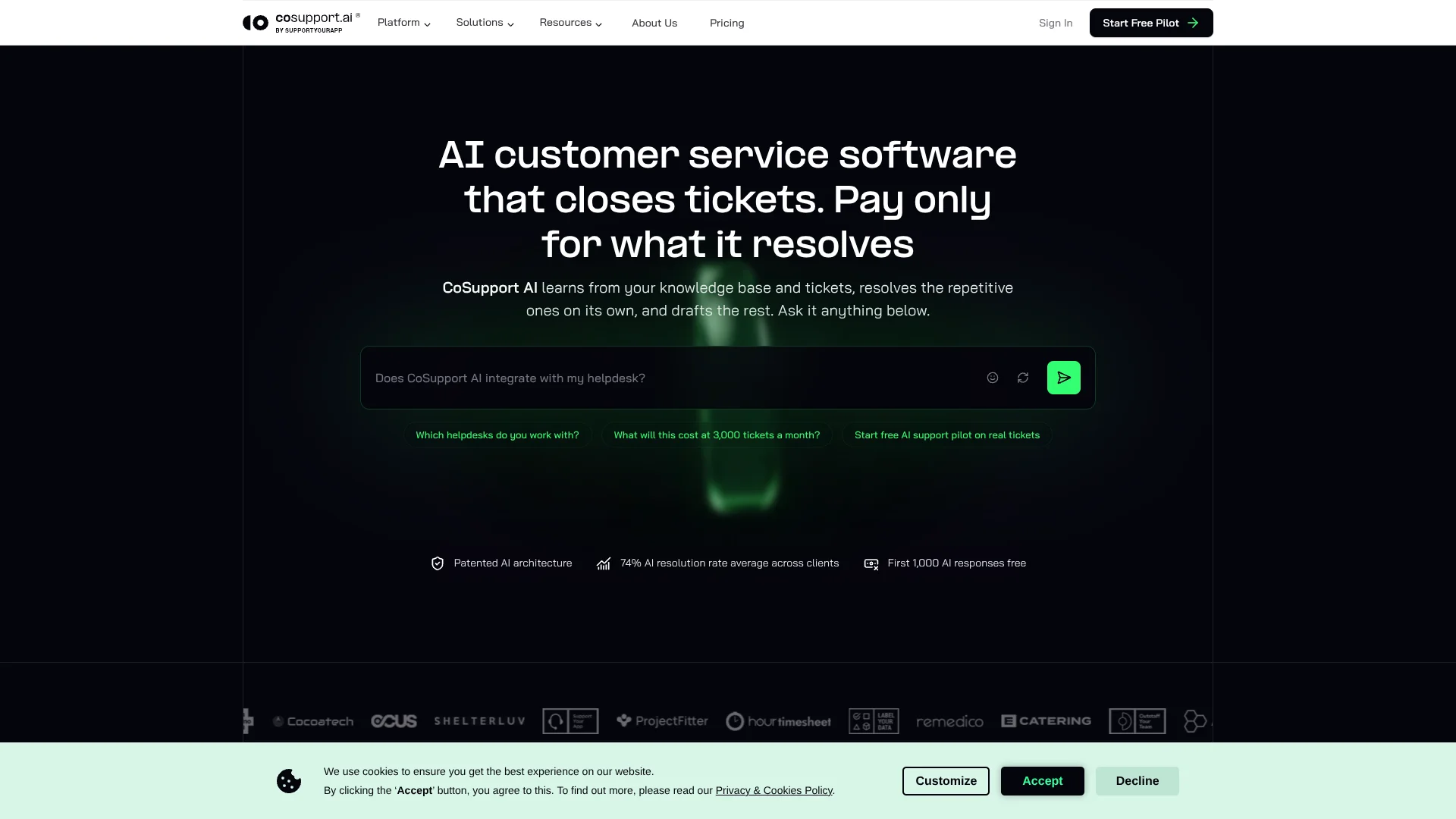
AI resolves repetitive support tickets and drafts replies for human agents.
Key Takeaways
- What it is
- AI resolves repetitive support tickets and drafts replies for human agents.
- Pricing
- Freemium · $0.50 per AI resolution · $0.04 per AI response
- Best for
- CoSupport AI Agent
- Decision Logs
- Agentic API
- Rating
- 4.2/5
What is CoSupport AI?
CoSupport AI is customer support automation software built around two products. The CoSupport AI Agent resolves repetitive tickets on its own across chat, email, and voice, and hands anything outside its scope to a person with the full conversation and a summary. The CoSupport AI Assistant works inside the helpdesk and drafts ready-to-send replies for human agents to review.
Both products train on a company's own support content, such as help center articles, past tickets, and policies, and can be set up to match its tone, style, and formatting. They reply in more than 120 languages. Each AI resolution carries a decision log. The site confirms end-to-end subscription changes and agentic API actions generally; it does not specifically verify refunds, order updates, or account changes.
CoSupport says its multi-model architecture, covered by US Patent 11,823,031 B1, is built to guard against hallucinations and delivers 99% response accuracy. The company reports an average AI resolution rate of 74% across clients, and up to 85% on its 2.0 architecture. It fits e-commerce, SaaS, and BPO support teams with steady Tier 1 volume. It is less suited to teams that want a lightweight self-serve chatbot, because setup includes connecting systems and training the agent on company data.
Who is Using CoSupport AI?
Support operations managers
Resolution rates and decision logs show which ticket types the AI can safely handle and where people remain necessary.
Customer support agents
The AI Assistant prepares drafts, summaries, translations, and suggested resolutions for tickets requiring human review.
E-commerce support specialists
Order data, returns, delivery status, and payment systems give the AI the context needed to resolve shopper requests.
Customer success teams
Faster answers and fewer repetitive tickets leave more time for account-specific customer work.
BPO and outsourced support teams
Shared queues combine AI resolution with human agents, and the AI Assistant drafts replies for the tickets people handle.
Uncommon Use Cases
Reviewing damage photos or product videos for return decisions; replying to customers in languages the support team does not speak.
Key Features
Rating Breakdown
Pricing Plans
Free Pilot
Free
- Covers the first 1,000 AI responses
- Runs on real tickets
- Unresolved tickets are not billed
CoSupport AI Agent
$0.50 per AI resolution
- Unresolved tickets are free
- No seats are needed
- A resolution usually takes one to three AI responses
- Human coverage for the rest of the queue is quoted separately
CoSupport AI Assistant
$0.04 per AI response
- Drafts ready-to-send replies inside the helpdesk
- Human agents review and send each reply
- Billed per AI response it drafts
Which CoSupport AI plan should you pick?
Start with the free pilot, which covers the first 1,000 AI responses on real tickets. After that, the AI Agent bills $0.50 per AI resolution and the AI Assistant bills $0.04 per AI response.
CoSupport AI Agent
Good for support teams that want repetitive tickets closed without an agent and want to pay only for resolved outcomes.
CoSupport AI Assistant
Good for teams that keep a person on every reply and want AI drafts billed per response.
CoSupport AI Use Cases
Tier 1 ticket automation
Repetitive account, billing, order, subscription, and troubleshooting requests are resolved without agent intervention.
Outcome: Fewer routine tickets reach the support team.
Agent reply drafting
Support agents receive ready-to-edit replies, summaries, translations, and recommended resolutions inside the helpdesk.
Outcome: Agents spend less time composing routine responses.
Order and subscription actions
Connected systems provide the data and permissions needed for order updates, refunds, cancellations, and subscription changes.
Outcome: Customers can receive an answer and the requested action in the same interaction.
Visual issue review
Screenshots, photos, PDFs, and videos add evidence to cases such as damaged products, software errors, and verification requests.
Outcome: Visual attachments can be part of an automated resolution instead of an automatic human handoff.
Workflow Ideas with CoSupport AI
Automate repetitive helpdesk tickets
- 1Connect Zendesk, Freshdesk, or Zoho Desk.
- 2Train the AI on your help center, past tickets, product documents, and policies.
- 3Let the agent resolve routine tickets and escalate the rest with context.
Automate e-commerce support actions
- 1Connect Shopify order data to the support workflow.
- 2Set the business rules for orders, refunds, subscriptions, and billing questions.
- 3Review decision logs while the AI handles eligible customer requests.
Support agents on complex cases
- 1Keep human-required tickets in the existing support queue.
- 2Have the AI prepare a draft, summary, translation, or suggested resolution.
- 3Let the agent edit and send the final response.
How CoSupport AI fits into your stack
Helpdesk and ticketing
CoSupport AI runs inside Zendesk, Freshdesk, and Zoho Desk. It can resolve tickets, classify cases, route work, and draft replies inside the support workflow.
Commerce
A Shopify connection gives the AI order, return, and delivery context. That lets it take action on a shopper's request instead of returning a generic answer.
Knowledge sources
Help centers, past tickets, product documents, policies, and internal documentation provide the material used to answer customers.
Custom systems
The agentic API connects in-house CRMs, legacy ticketing tools, billing systems, and back-end services when a ready-made integration is not available.
Pros
- +Outcome-based pricing: The AI Agent costs $0.50 per AI resolution, needs no seats, and charges nothing for unresolved tickets.
- +Traceable answers: Decision logs let teams inspect the evidence and actions behind every AI reply.
- +Action-taking automation: The agent can update orders, process refunds, and change subscriptions instead of stopping at a written answer.
- +Visual understanding: Screenshots, photos, PDFs, and videos can be part of the AI's ticket analysis.
- +Security certifications: CoSupport is ISO 27001 certified and says it complies with GDPR and CCPA.
Cons
- −Pilot-led onboarding: Getting started involves connecting your helpdesk and training the agent on company data.
- −Support-volume focus: The pricing model makes more sense for teams with enough repetitive tickets to automate.
- −Human coverage costs extra: Tickets that require people are handled under a separately quoted service arrangement.
Limitations & when to consider alternatives
Known limitations
- The AI does not close every ticket. Requests outside its scope are escalated to a person with the full transcript and a structured summary.
- Human ticket coverage is separately quoted. If you want every ticket closed by AI or people, CoSupport quotes a price based on your ticket mix and support hours.
- Visual attachments have a limit. Attachments can run up to 100 MB per ticket across supported image, document, and video formats.
- Free pilot covers the first 1,000 AI responses. After the first 1,000 AI responses, billing starts at $0.50 per resolution for the AI Agent or $0.04 per response for the AI Assistant.
Look elsewhere when
- You need a free ongoing chatbot rather than a support automation pilot.
- Your team wants a native mobile app or desktop application.
- Your workflow depends on code generation instead of customer support automation.
- Your support volume is too small for per-resolution pricing to create meaningful savings.
How to Use CoSupport AI
- 1
Start the free pilot
Connect your helpdesk and provide the content the AI needs to learn your support policies and common answers.
- 2
Choose the ticket scope
Begin with repetitive Tier 1 categories such as billing, order status, account access, subscriptions, or routine troubleshooting.
- 3
Connect business systems
Connect Shopify, or custom systems through the agentic API, when the AI needs live order data or needs to take actions.
- 4
Review live performance
Watch resolution rates and inspect decision logs to see which answers are supported by your content and rules.
- 5
Expand automation carefully
Add more ticket types and custom actions after the pilot shows that the AI handles the initial queue reliably.
- 6
Add human coverage when needed
Keep unresolved work in the same queue and add people when your operation needs every ticket closed.
Who is CoSupport AI For?
SaaS and technology companies
Recurring product, account, billing, and troubleshooting questions give the AI a clear pool of Tier 1 work.
E-commerce and marketplaces
Order tracking, returns, shipping questions, subscriptions, and product issues can be handled from connected store data.
Consumer apps and subscription products
The agent can answer account questions and carry out subscription changes through business systems.
BPO and support outsourcing teams
Shared queues can combine AI resolution with human coverage when every ticket needs to be closed.
Frequently Asked Questions
How much does CoSupport AI cost?
The CoSupport AI Agent costs $0.50 per AI resolution, and unresolved tickets are free. The CoSupport AI Assistant costs $0.04 per AI response. The pilot covers the first 1,000 AI responses for free, on real tickets.
Does CoSupport AI offer a free trial?
Yes. The free pilot covers the first 1,000 AI responses and runs on real tickets.
Which helpdesks and systems does it support?
CoSupport AI works with Zendesk, Freshdesk, Zoho Desk, and Shopify. An agentic API connects custom systems such as in-house CRMs or back-end tools.
Can CoSupport AI understand images and videos?
Yes. The AI Agent can analyze screenshots, photos, PDFs, and videos as part of a support request.
How many languages does it support?
The company says its products support more than 120 languages across chat, email, and voice.
What happens when the AI cannot resolve a ticket?
The ticket goes to your team with the full conversation, a summary, and the context the AI gathered.
Community reviews
Be the first to share your experience.
Sign in to leave a review for CoSupport AI.
CoSupport AI Alternatives
Looking for alternatives to CoSupport AI? Here are similar tools in the same category: