Conversation Intelligence
Connects customer support conversations with product behavior to uncover experience friction.
Key Takeaways
- What it is
- Connects customer support conversations with product behavior to uncover experience friction.
- Best for
- Conversation Insights
- AI Agent Analytics
- Conversation Intelligence in Product Analytics
- Rating
- 4.0/5
What is Conversation Intelligence?
Contentsquare Conversation Intelligence analyzes customer support conversations to show why people contact your team, how they feel, and whether their issue was resolved. Customer experience and support teams can connect voice, chat, and email data from supported platforms or send it through an API. The goal is to spot recurring problems and agent or AI-handled interactions that need attention.
Its distinctive value is linking conversation patterns to Contentsquare product behavior, so teams can investigate what customers said alongside what they did and estimate how issues affect revenue.
It is best suited to organizations with substantial support conversations and a Contentsquare Experience Platform account. Setup depends on connecting a support system or sending data through the API, and the product is a paid add-on rather than a standalone free tool.
Who is Using Conversation Intelligence?
Customer Support Operations Managers
Contact-driver and repeat-issue patterns help them prioritize process changes and reduce unnecessary contacts.
Contact Center Quality Analysts
Conversation-level quality signals support consistent agent assessment and coaching.
AI Agent Product Managers
Containment and transfer trends show where automated support succeeds or hands customers to people.
Digital Product Managers
Customer-reported friction, connected to behavioral data, can help clarify roadmap priorities.
Uncommon Use Cases
Spot competitor mentions in customer conversations; identify which customer issues are candidates for AI support.
Key Features
Rating Breakdown
Pricing Plans
Pro
- Conversation Intelligence is listed as an add-on.
- Book a demo with Contentsquare for pricing.
Enterprise
- Conversation Intelligence is listed as an add-on.
- Book a demo with Contentsquare for pricing.
Which Conversation Intelligence plan should you pick?
Ask Contentsquare to scope Conversation Intelligence as an add-on to Pro or Enterprise, then choose Enterprise if you also need its additional governance and support features.
Pro
For teams that need the Experience Platform and want Conversation Intelligence as an add-on.
Enterprise
For organizations that need the Enterprise platform features and want Conversation Intelligence as an add-on.
Conversation Intelligence Use Cases
Find conversion friction
Conversation topics paired with product behavior can show which customer issues are disrupting digital journeys.
Outcome: Find impacted customers and quantify the revenue impact of specific issues.
Review AI support performance
Containment, transfers, abandonment, and sentiment make it easier to see where AI support falls short.
Outcome: Refine prompts, guardrails, and escalation strategies.
Reduce repeat contacts
Recurring contact drivers and unresolved issues point to problems that create avoidable support demand.
Outcome: Reduce repeat contacts and identify process improvements.
Inform product decisions
Customer conversations can reveal friction points, feature gaps, and needs before they appear in surveys or usage data.
Outcome: Confirm roadmap priorities and act on customer feedback faster.
Spot churn signals
Changes in contact frequency, sentiment, and unresolved issues can flag customer frustration.
Outcome: Identify retention risks earlier.
Workflow Ideas with Conversation Intelligence
Investigate a conversion problem
- 1Review conversation themes linked to the affected customer experience.
- 2Compare the themes with behavioral data in Product Analytics or Sense Analyst.
- 3Find impacted customers and assess the issue's revenue impact.
Improve an AI support agent
- 1Review containment, transfers, abandonment, and sentiment.
- 2Identify conversations where customers needed human support.
- 3Refine prompts, guardrails, or escalation strategies and review the results.
Turn repeat contacts into product priorities
- 1Find common contact drivers and emerging issues.
- 2Check related customer behavior and sentiment trends.
- 3Share the highest-impact product issues with the team setting roadmap priorities.
How Conversation Intelligence fits into your stack
Customer service platforms
Connect supported services such as Intercom, Salesforce, and Zendesk to ingest customer conversations. The product page also names platforms including Ada, Dialpad, Five9, and Gladly.
Direct data ingestion
The Conversation and Voice APIs accept text conversations and voice calls from a CRM, support system, or phone system without a native integration.
Product Analytics
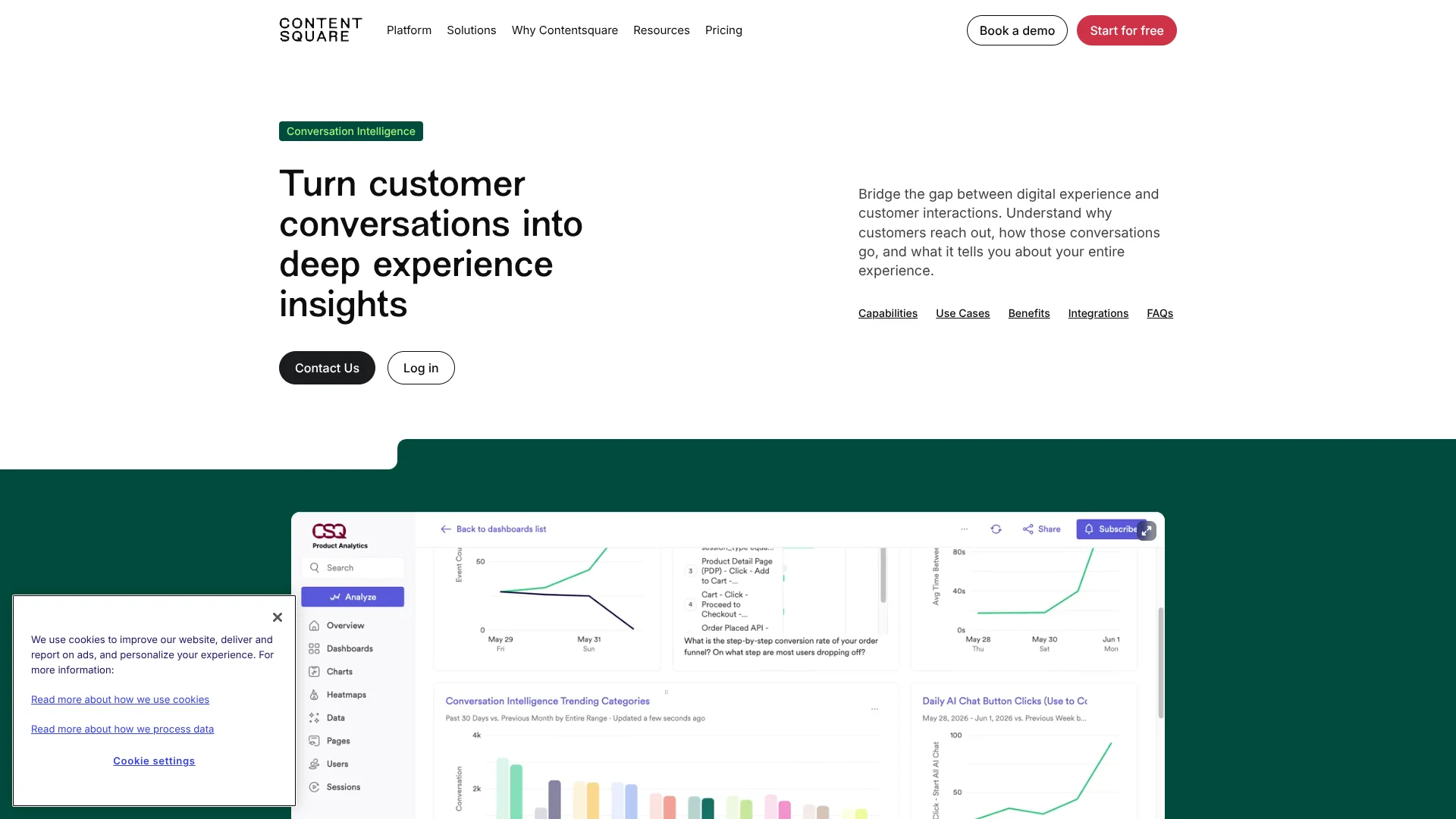
Conversation Intelligence appears inside Contentsquare Product Analytics, where teams can connect customer feedback with behavior and investigate issue impact.
Sense Analyst
Sense Analyst can combine conversational and behavioral data to answer experience questions such as why conversions dropped or errors spiked.
Pros
- +Conversation-to-behavior context: Links what customers report with activity in digital journeys.
- +AI agent tracking: Shows containment, transfers, abandonment, and sentiment for AI-handled conversations.
- +Multiple data paths: Supports named customer service integrations and direct API ingestion.
- +Issue discovery: Automatically categorizes conversations to help teams find emerging themes and repeat problems.
Cons
- −Sales-led purchase: The add-on has no public standalone price.
- −Setup coordination: Teams need a supported service connection or engineering help for API ingestion.
Limitations & when to consider alternatives
Known limitations
- Eligible-conversation setup is required. Conversations need the correct csq_eligible tag, field, or variable in the connected platform; otherwise, no data is ingested.
- API language coverage is limited. The Conversation API supports English, French, Spanish, and Arabic, translating non-English conversations into English for analysis.
- API ingestion does not include CSAT. The getting-started guide says customer satisfaction scores are not supported through the API.
- Voice data needs a compatible connection. The API supports voice calls, but the product's voice analysis requires call audio for transcription and speaker identification.
Look elsewhere when
- You need a standalone conversation-analysis tool with a public self-serve price.
- Your team needs more language coverage than the Conversation API documents.
- You need customer satisfaction scores included with API-ingested conversations.
How to Use Conversation Intelligence
- 1
Confirm access
Conversation Intelligence is a Pro or Enterprise add-on, so contact Contentsquare to discuss access and pricing.
- 2
Choose a data connection
Select a supported customer service platform in the setup wizard, or choose the API if your system is not supported.
- 3
Mark conversations for analysis
Apply the required csq_eligible tag, field, or variable in your connected platform so eligible conversations can be ingested.
- 4
Authorize the connection
Provide the platform credentials or approve the connection, then select the channels to import.
- 5
Configure customer satisfaction data
If your team has CSAT scores, configure the score scale during setup; API-ingested conversations do not support CSAT scores.
- 6
Review the results
After ingestion, explore contact drivers, sentiment, agent performance, and linked behavioral data in Contentsquare.
Who is Conversation Intelligence For?
Customer Support and Experience Leaders
Conversation trends and agent performance can help balance lower support costs with customer satisfaction.
Chief Customer Officers
Sentiment trends and unresolved issues can help identify customer frustration and possible churn risks.
Digital Marketing and Growth Teams
Conversation themes can reveal friction that affects conversion and retention.
Product Teams
Customer-reported issues and feature gaps can inform product priorities.
Teams Improving AI Support Agents
Containment, transfers, abandonment, and sentiment can point to where an AI agent needs changes.
Frequently Asked Questions
What kinds of conversations does it analyze?
The product analyzes voice, chat, and email conversations across human and AI agents. Supported channels vary by connected platform.
Which customer service platforms can I connect?
The product page names platforms including Amazon Connect, Dialpad, Five9, Gladly, Intercom, Salesforce, and Zendesk. The setup guide also supports sending data through its APIs.
Does Conversation Intelligence have a free plan?
The official pricing page lists Conversation Intelligence as an add-on for the Pro and Enterprise Experience Platform plans, not as a separate free plan.
Can I send conversation data through an API?
Yes. The Conversation API accepts text conversations, and the Voice API accepts voice calls; API setup does not require a CRM connection.
How do I control which conversations are analyzed?
Set the required csq_eligible tag, field, or variable in your customer service platform before connecting it.
Community reviews
Be the first to share your experience.
Sign in to leave a review for Conversation Intelligence.
Conversation Intelligence Alternatives
Looking for alternatives to Conversation Intelligence? Here are similar tools in the same category: